Creative poster generation API reference

Updated at:

This topic describes the input and output parameters for the creative poster generation model. The model automatically generates poster backgrounds and text layouts based on your requirements and supports multiple poster styles. You can create stunning designs without any design experience.

Related guide: Creative poster generation

Important

  • This document applies only to the China (Beijing) region. You must use an API key from this region.
  • The wanx-poster-generation-v1 model is currently available for a free trial only. After you use up the free quota, you can no longer call the model. Paid options are not supported. For an alternative, see Text-to-image.

Model overview

Model name

Free quota(View)

Billing unit priceThrottling (for Alibaba Cloud accounts and RAM users)
QPS limit for task submission APINumber of simultaneous processing tasks

wanx-poster-generation-v1

500 items

Currently available for free trial only.

After you use up the free quota, you cannot call the model. For an alternative, see Text-to-image.

2

1

Prerequisites

You have obtained and configured an API key and configured the API key as an environment variable.

HTTP call

To reduce wait times and prevent request timeouts, the service is provided asynchronously. You need to make two requests:

  • Create a task: Send a request to create a text-to-image task. This request returns a task ID.
  • Query the result by task ID: Use the task ID from the previous step to retrieve the result generated by the model.

Step 1: Create a task and get the task ID

POST https://{WorkspaceId}.cn-beijing.maas.aliyuncs.com/api/v1/services/aigc/text2image/image-synthesis

Request headers

Authorization string Required

Use your Alibaba Cloud Model Studio API key. You can also use a DashScope API key. Example: Bearer d1xxx2a.

X-DashScope-Async string Required

Specifies whether to use DashScope asynchronous invocation. HTTP calls only support asynchronous invocation. Set this parameter to enable.

Content-Type string Required

The content type of the request. The value is fixed to application/json.

Request body

model string Required

The model to call. The creative poster generation model is wanx-poster-generation-v1.

parameters object Required

Other model call parameters. Enter a null object. Example: {}

input object Required

Enter the basic image information, such as the image URL.

Properties

generate_mode string Required

The poster generation mode.

  • generate: The default mode.
  • sr: The high-resolution mode.
  • hrf: The high-definition restoration mode.
  • The value must be one of generate, sr, or hrf. The basic mode is generate. This mode returns the poster image URL (render_urls) and its corresponding auxiliary parameters (auxiliary_parameters). You can then select a poster from the results to enhance its resolution or perform high-definition restoration. To do this, make a second call with the auxiliary_parameters of the selected poster and set generate_mode to sr or hrf to obtain the high-resolution or high-definition restoration result.

generate_num Int Optional

The number of posters to generate. This parameter is valid only when generate_mode=generate.

The value range is [1, 4]. The default value is 1. If you set a value greater than 4, four images are generated by default.

auxiliary_parameters string Optional

This parameter is required when generate_mode is sr or hrf. It specifies the auxiliary parameters for the single poster image that requires resolution enhancement or high-definition restoration.

Note

This field must contain the auxiliary_parameters value returned by the service when generate_mode is generate.

title string Required

The main title. Up to 30 characters. Example: "Happy Spring Festival".

sub_title string Optional

The subtitle. Up to 30 characters. Example: "Family reunion, sharing joy".

body_text string Optional

The body text. Up to 50 characters. Example: "The Spring Festival is one of the most important traditional festivals in China, symbolizing a new beginning and hope"

prompt_text_zh string Optional

The Chinese prompt. Example: "A cute dragon drawn by a child, white background"

You must set at least one of the Chinese or English prompts. You can also set both parameters. The total length of both fields cannot exceed 50 characters.

prompt_text_en string Optional

The English prompt. Example: "Children draw a lovely dragon, white background".

You must set at least one of the Chinese or English prompts. You can also set both parameters. The total length of both fields cannot exceed 50 characters.

wh_ratios string Optional

Poster generation layout.

  • Horizontal: The default value.
  • Vertical

lora_name string Optional

The name of the poster style. The default value is "".

Poster style enumerations and examples

  • 2D Illustration 1
image.jpeg
  • 2D Illustration 2
image.jpeg
  • Vast Nebula
image.jpeg
  • Rich Colors
image.jpeg
  • Light Particles
image.jpeg
  • Transparent Glass
image.jpeg
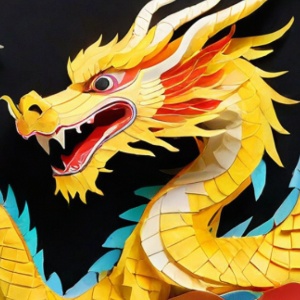
  • Paper-cutting Art
image.jpeg
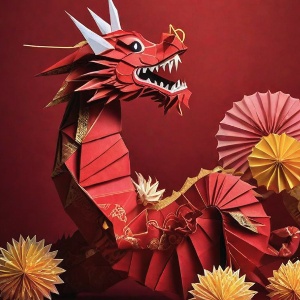
  • Origami Art
image.jpeg
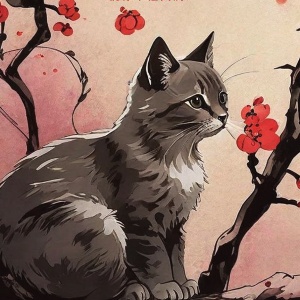
  • Chinese Ink Wash
image.jpeg
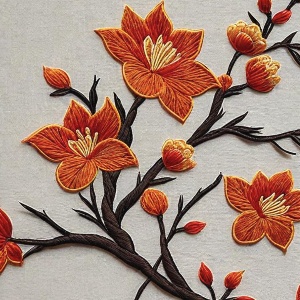
  • Chinese Embroidery
image.jpeg
  • Realistic Scene
image.jpeg
  • 2D Cartoon
image.png
  • Children's Watercolor
image.jpeg
  • Cyber Background
image.jpeg
  • Light Blue Abstract
image.jpeg
  • Dark Blue Abstract
image.jpeg
  • Abstract Dots and Lines
image.jpeg
  • Fairy Tale Oil Painting
image.jpeg

lora_weight float Optional

The weight of the poster style. This parameter must be used with the lora_name parameter.

The value range is [0, 1]. The default value is 0.8. The closer the value is to 1, the more pronounced the poster style.

ctrl_ratio float Optional

The weight of the whitespace effect, which is used to control the amount of whitespace on the poster.

The value range is [0, 1]. The default value is 0.7. The closer the value is to 1, the better the whitespace effect, but the background generation may be negatively affected.

ctrl_step float Optional

The ratio of whitespace steps, which is used to control the poster's whitespace effect.

The value range is (0, 1]. The default value is 0.7. The closer the value is to 1, the better the whitespace effect, but the background generation may be negatively affected.

creative_title_layout bool Optional

Specifies whether to enable creative layout for the title. The default value is false.

Happy Spring Festival poster

Replace {WorkspaceId} with your actual workspace ID.

curl --location --request POST 'https://{WorkspaceId}.cn-beijing.maas.aliyuncs.com/api/v1/services/aigc/text2image/image-synthesis' \
--header 'X-DashScope-Async: enable' \
--header 'Content-Type: application/json' \
--header "Authorization: Bearer $DASHSCOPE_API_KEY" \
--data-raw '{
    "model":"wanx-poster-generation-v1",
    "input": {
        "title":"Happy Spring Festival",
        "sub_title":"Family reunion, sharing joy",
        "body_text":"The Spring Festival is one of the most important traditional festivals in China, symbolizing a new beginning and hope",
        "prompt_text_zh":"Lantern, kitten, plum blossom",
        "wh_ratios":"Vertical",
        "lora_name":"Fairy Tale Oil Painting",
        "lora_weight":0.8,
        "ctrl_ratio":0.7,
        "ctrl_step":0.7,
        "generate_mode":"generate",
        "generate_num":1
    },
    "parameters":{}
}'

Response

output object

The task output information.

Properties

task_id string

The task ID.

task_status string

The task status.

  • PENDING: Queued.
  • RUNNING: The task is running.
  • SUSPENDED: Suspended
  • SUCCEEDED: The task succeeded.
  • FAILED: The task failed.

code string

The error code of the API. This parameter is not returned for successful requests.

message string

The error message of the API. This parameter is not returned for successful requests.

request_id string

The unique ID of the request. You can use it to trace request details and troubleshoot issues.

{
    "output": {
	"task_id": "d76ec1e8-ea27-4038-8913-xxxxxxxxxxxx",
        "task_status": "PENDING"
    },
    "request_id": "7574ee8f-38a3-4b1e-9280-11c33ab46e51"
}
{
    "code":"InvalidApiKey",
    "message":"Invalid API-key provided.",
    "request_id":"fb53c4ec-1c12-4fc4-a580-cdb7c3261fc1"
}

Step 2: Query the result by task ID

GET https://{WorkspaceId}.cn-beijing.maas.aliyuncs.com/api/v1/tasks/{task_id}

Request headers

AuthorizationstringRequired

Use your Alibaba Cloud Model Studio API key. You can also use a DashScope API key. Example: Bearer d1xxx2a.

URL path parameters

task_idstringRequired

The task ID.

Get task result

Replace {WorkspaceId} with your actual workspace ID.

curl --location --request GET 'https://{WorkspaceId}.cn-beijing.maas.aliyuncs.com/api/v1/tasks/{task_id}' \
--header "Authorization: Bearer $DASHSCOPE_API_KEY"

Response

output object

The task output information.

Properties

task_id string

The task ID.

task_status string

The task status.

  • PENDING: Queued
  • RUNNING: The task is running.
  • SUSPENDED: Suspended
  • SUCCEEDED: The task succeeded.
  • FAILED: The task failed.

render_urls list[string]

A list of poster image URLs. The poster image URLs are valid for 24 hours.

  • When generate_mode=generate, a list of 1 to 4 poster image URLs is returned.
  • When generate_mode=sr or generate_mode=hrf, the URL of a single poster image is returned.

A sensitive information check is performed before a poster image URL is returned. If sensitive content is detected, the image is blocked, and the URL is replaced with the message: output data may contain inappropriate content.

auxiliary_parameters List[String]

The auxiliary parameters for high-definition restoration and resolution enhancement. They correspond one-to-one with the URLs in the render_urls list. The parameters are valid for 24 hours.

The auxiliary_parameters returned by the API can be used as input parameters in a second call to enhance the resolution or perform high-definition restoration on the poster.

A sensitive information check is performed before a poster image URL is returned. If sensitive content is detected, the image is blocked, and the URL is replaced with the message: output data may contain inappropriate content.

bg_urls List[String]

The URL of the poster background image without text. The URL is valid for 24 hours.

  • When generate_mode=generate, a list of URLs for 1 to 4 poster images is returned.
  • When generate_mode=sr or generate_mode=hrf, the URL of a single poster image is returned.

A sensitive information check is performed before a poster image URL is returned. If sensitive content is detected, the image is blocked, and the URL is replaced with the message: output data may contain inappropriate content.

task_metrics object

The statistical metrics of the task.

Properties

TOTAL integer

The total number of tasks.

SUCCEEDED integer

The number of tasks that succeeded.

FAILED integer

The number of tasks that failed.

submit_time string

The time the task was submitted.

scheduled_time string

The time the task was scheduled to run.

end_time string

The time the task was completed.

code string

The error code of the API. This parameter is not returned for successful requests.

message string

The error message of the API. This parameter is not returned for successful requests.

usage object

The usage statistics for the output.

Properties

image_count integer

The number of generated images.

request_id string

The unique ID of the request. You can use it to trace request details and troubleshoot issues.

{
    "request_id": "b67df059-ca6a-9d51-afcd-9b3c4456b1e2",
    "output": {
        "task_id": "d76ec1e8-ea27-4038-8913-235c88ef0f70",
        "task_status": "SUCCEEDED",
        "submit_time": "2024-05-16 13:50:01.247",
        "scheduled_time": "2024-05-16 13:50:01.354",
        "end_time": "2024-05-16 13:50:27.795",
        "render_urls": ["http://vision-poster.oss-cn-shanghai.aliyuncs.com/xxxxxx"],
        "auxiliary_parameters": ["xxxxxx"],
        "bg_urls":["http://vision-poster.oss-cn-shanghai.aliyuncs.com/xxxxxx"]
    },
    "usage":{
      "image_count":1
    }
}
{
    "request_id":"e5d70b02-ebd3-98ce-9fe8-759d7d7b107d",
    "output":{
        "task_id":"86ecf553-d340-4e21-af6e-a0c6a421c010",
        "task_status":"RUNNING",
        "task_metrics":{
            "TOTAL":1,
            "SUCCEEDED":1,
            "FAILED":0
        }
    }
}
{
    "request_id": "dccfdf23-b38e-97a6-a07b-f35118c1ada6",
    "output": {
        "task_id": "4cbabbdf-2c1f-43f4-b983-c2cc47f4c115",
        "task_status": "FAILED",
        "submit_time": "2024-05-16 14:15:14.103",
        "scheduled_time": "2024-05-16 14:15:14.154",
        "end_time": "2024-05-16 14:15:14.694",
        "code": "InvalidParameter",
        "message": "check input data style"
    }
}

Error codes

If the model call fails and returns an error message, see Error codes for resolution.

This model also has the following specific error codes:

HTTP status code

API error code (code)

API error message (message)

Description

400

InvalidParameter

check input data style

The input parameters do not meet the requirements.

500

InternalError

inference error

Internal algorithm error.

FAQ

  • How do I query all submitted asynchronous tasks?

    For more information, see Manage asynchronous tasks.

  • Does the creative poster generation API support secondary editing of generated posters?

    No. You cannot perform secondary editing on the content of a generated poster, such as its title, body text, or style. To change the poster's content, you must generate a new one. You can, however, enhance the resolution of a generated poster by calling this API again.

    To enhance the resolution of a generated poster, set the "generate_mode" input parameter to sr or hrf. Add the "auxiliary_parameters" parameter to the input and set its value to the auxiliary_parameters string returned from the initial generation request. Keep the other parameters the same.

    Replace {WorkspaceId} with your actual workspace ID.

curl --location --request POST 'https://{WorkspaceId}.cn-beijing.maas.aliyuncs.com/api/v1/services/aigc/text2image/image-synthesis' \
--header 'X-DashScope-Async: enable' \
--header 'Content-Type: application/json' \
--header "Authorization: Bearer $DASHSCOPE_API_KEY" \
--data-raw '{
    "model":"wanx-poster-generation-v1",
    "input": {
        "title":"Happy Spring Festival",
        "sub_title":"Family reunion, sharing joy",
        "body_text":"The Spring Festival is one of the most important traditional festivals in China, symbolizing a new beginning and hope",
        "prompt_text_zh":"Lantern, kitten, plum blossom",
        "wh_ratios":"Vertical",
        "lora_name":"Fairy Tale Oil Painting",
        "lora_weight":0.8,
        "ctrl_ratio":0.7,
        "ctrl_step":0.7,
        "generate_mode":"hrf",
        "auxiliary_parameters": "WMq4SC4......",
        "generate_num":1
    },
    "parameters":{}
}'