Ingest chat logs
You can use Alibaba Cloud EventBridge to save all chat logs. This topic describes the procedure.
Procedure
-
Activate EventBridge.
On the Configure Application page of your multimodal interaction or interactive voice response application, click EventBridge in the Storage Address section.
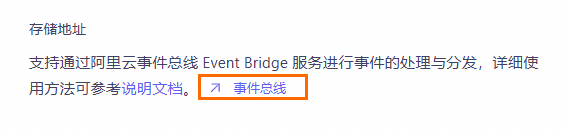 The page automatically redirects to the EventBridge page.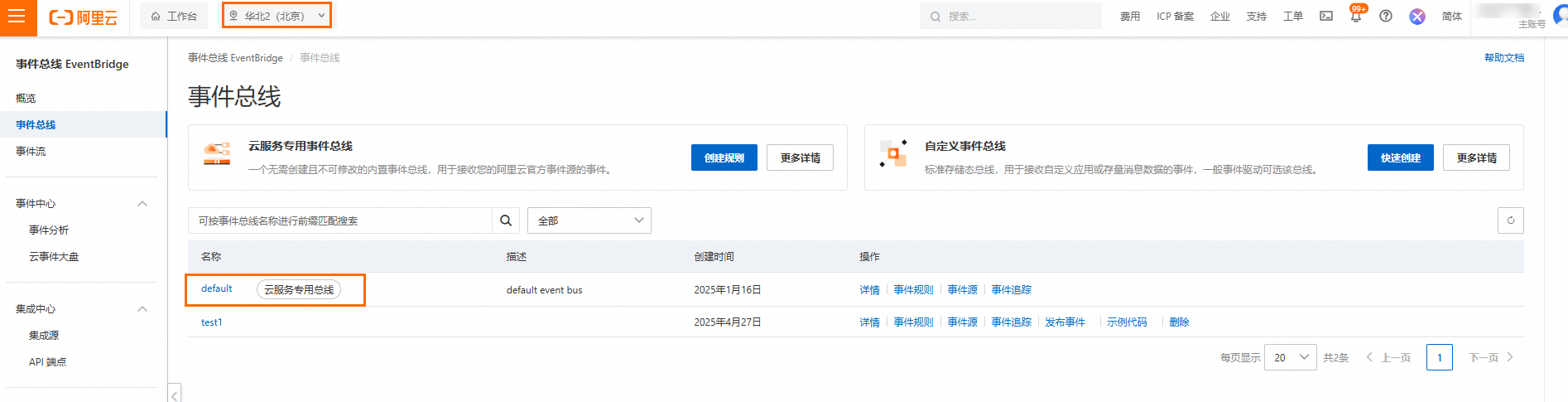
If this is your first time using EventBridge, click Grant and Activate EventBridge. EventBridge is currently free of charge.
Region: Beijing. Chat logs are sent to the default event bus.
-
Configure an event rule.
-
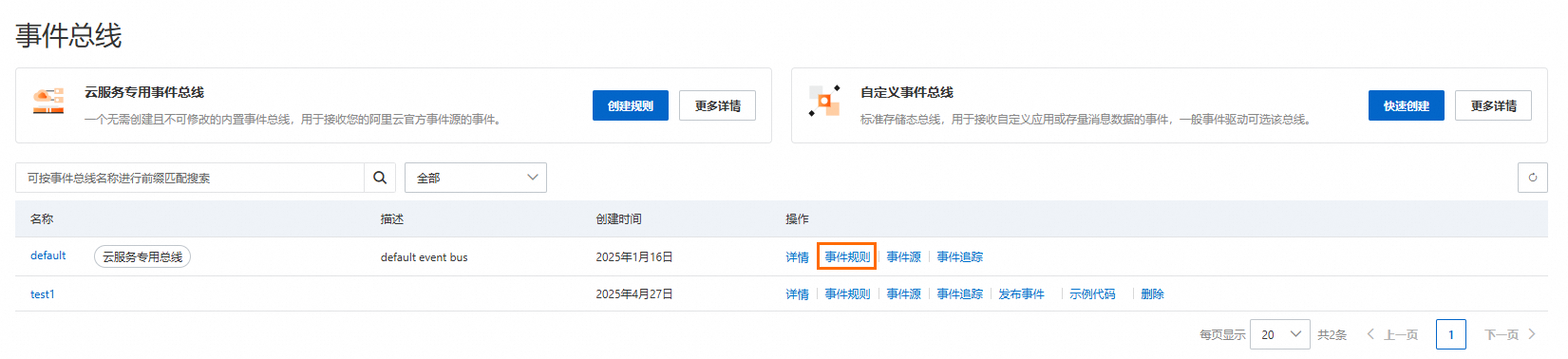
In the Actions column for the default event bus, click Event Rules.
-
On the Event Rules page, configure an event rule as follows.
-
Click Create Rule. In the Create Rule panel, enter a Name, such as
multi-modal-chat-log, and a Description for the rule. Then, click Next Step.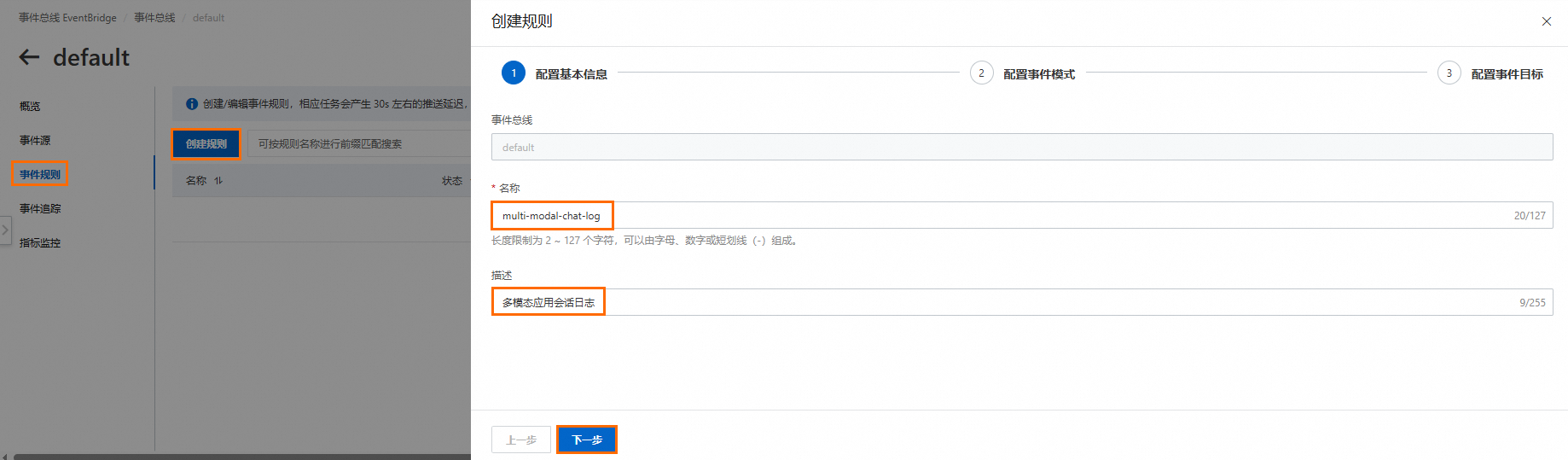
-
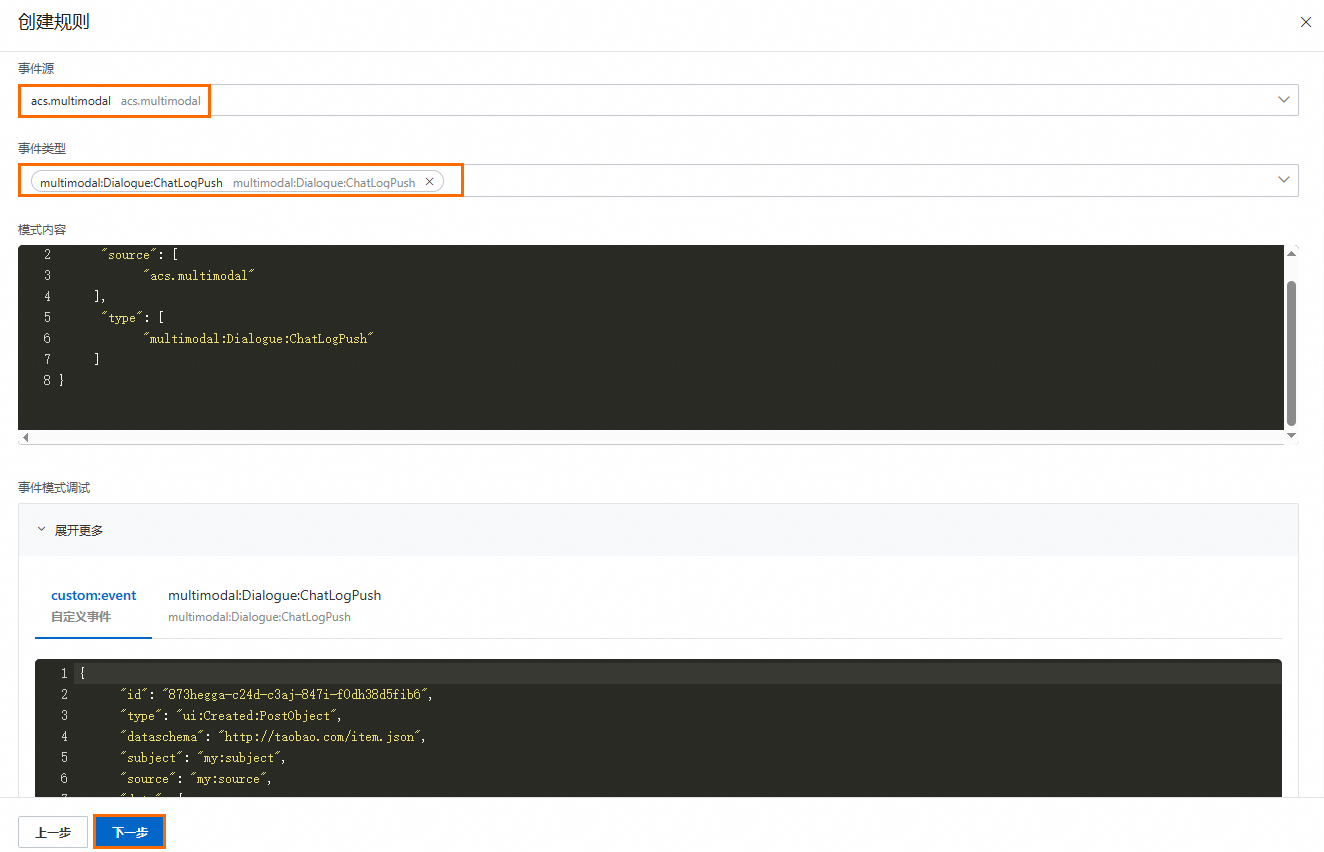
Configure the event pattern and then click Next Step.
- Select
acs.multimodalas the event source. - Select
multimodal:Dialogue:ChatLogPushas the event type.
- Select
-
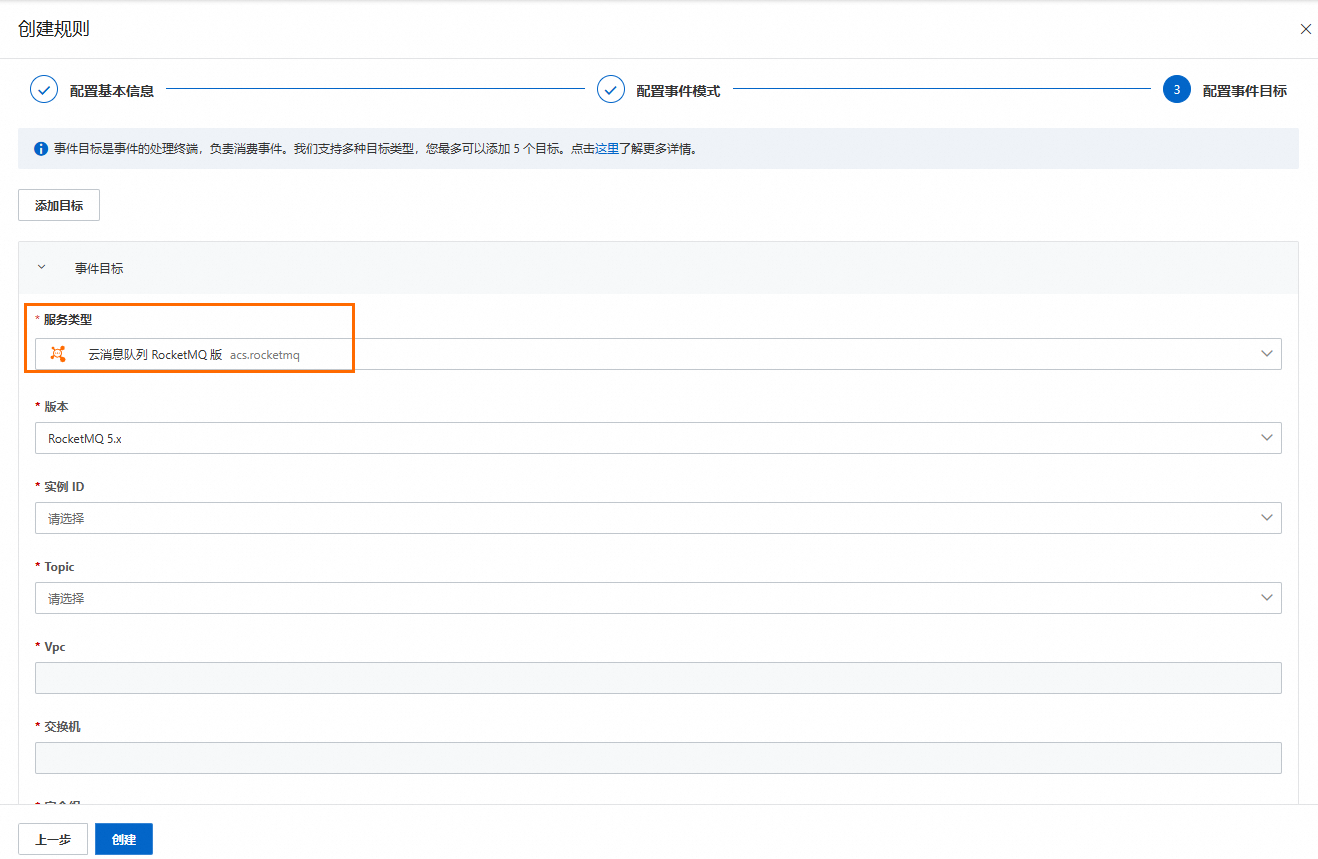
Configure the event target, which specifies how chat logs are consumed.
You can configure multiple event targets for the same event.
- Select a Service Type. For some service types, you may need to grant authorization first. Supported service types include ApsaraMQ for RocketMQ, Lark, WeCom, SLS (Simple Log Service), databases, and text messages.
- Configure the event target based on the requirements of the selected service type.
For example, if you select ApsaraMQ for RocketMQ, enter the required configuration parameters, such as Instance ID, Topic, VPC, and vSwitch. The chat logs are then sent to the specified ApsaraMQ for RocketMQ destination. You can then consume the messages from ApsaraMQ for RocketMQ. The configuration steps for other service types are similar.

-
-
EventBridge documents
- For more information about EventBridge, see What is EventBridge?.
- For more information about EventBridge APIs, see API overview.
Trace chat logs
-
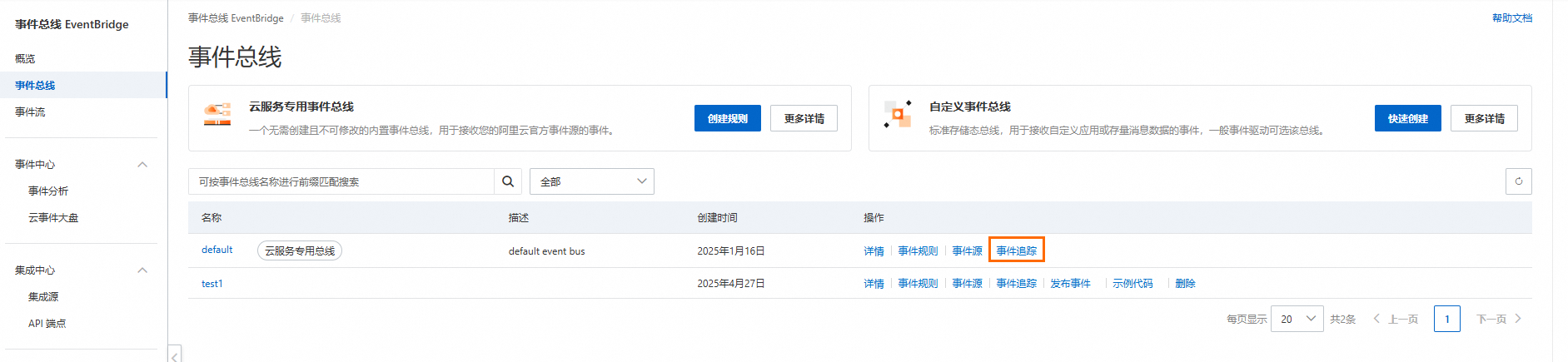
On the EventBridge page, in the Actions column for the default event bus, click Event Trace.
-
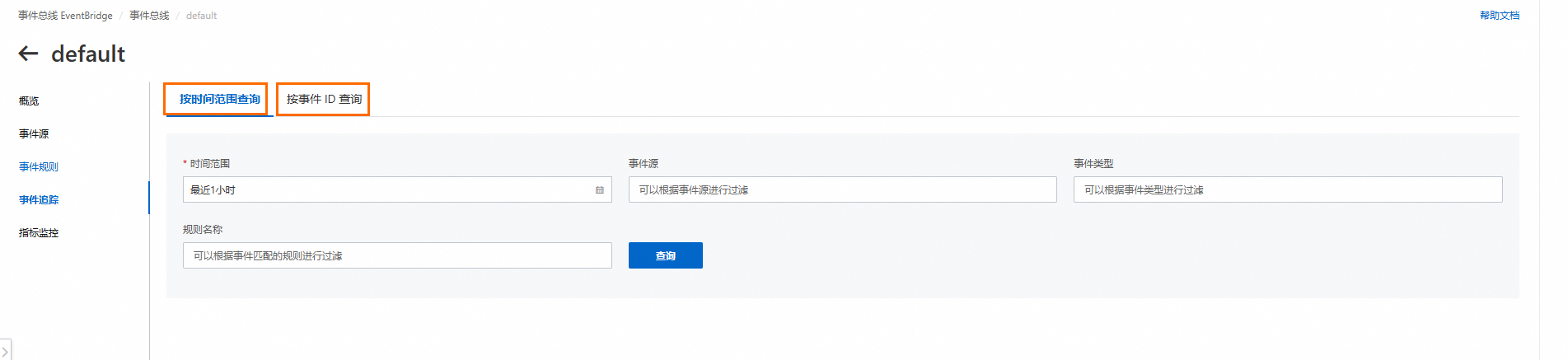
On the Event Trace page, you can query for events by time range or event ID.
NoteThe event ID is the same as the
requestIdin the chat log.The following figure shows an example where the event ID is the
requestIdfrom the chat log.
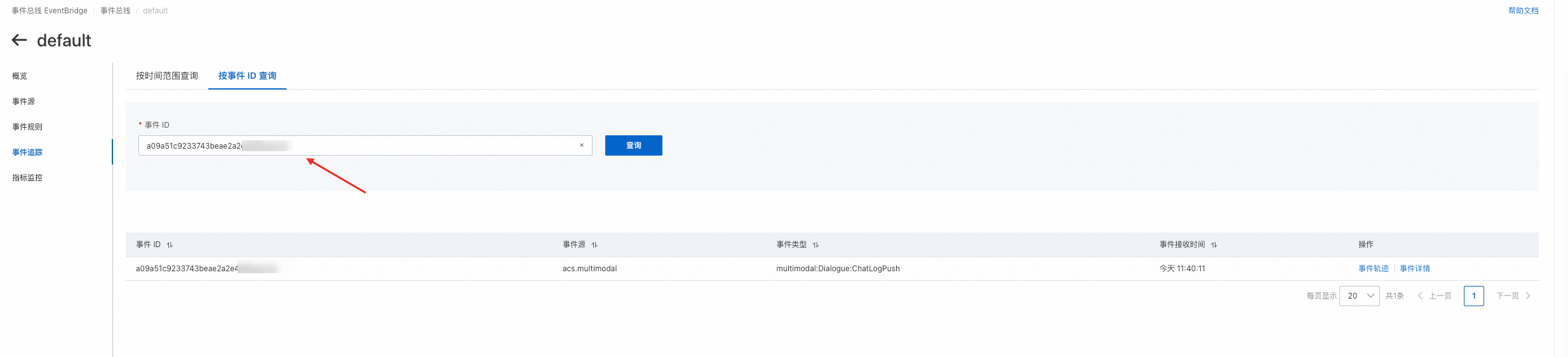
Chat log format
-
Key EventBridge fields
- aliyunaccountid: The Alibaba Cloud UID of the logon account.
- data: The chat log.
- id: The event ID. This ID is the same as the requestId of the chat log.
- aliyuneventbusname: The name of the event bus.
- source: The event source.
- type: The event type.
-
Chat log fields (in the data object)
- code: The error code for a failed operation. This field is empty if the operation is successful.
- message: The error message for a failed operation. This field is empty if the operation is successful.
- requestId: The unique ID of the chat log.
- sessionId: The session ID of the chat log.
- input: The session request data, in a JSON string format.
- output: The session response data, in a JSON string format.
-
The following code shows an example of a log:
{
    "datacontenttype": "application/json;charset=utf-8",
    "aliyunaccountid": "1406635223510007",
    "data": {
        "output": "{\"biz_info\":{\"agent_infos\":[{\"code\":\"telephone\",\"name\":\"telephone\"}],\"intent_infos\":[{\"domain\":\"telephone\",\"intent\":\"confirm\",\"slots\":[]}]},\"output\":{\"commands\":[{\"name\":\"call\",\"params\":[{\"name\":\"phone_number\",\"norm_value\":\"10086\",\"value\":\"10086\"},{\"name\":\"record\",\"norm_value\":\"False\",\"value\":\"False\"}]}],\"text\":\"OK, starting the call\"}}",
        "input": "{\"biz_params\":{\"chat_history\":[],\"device\":{\"device_id\":\"{\\\"uuid\\\":\\\"0b0d8eaf-c429-46a9-a1fa-6def543887f7\\\"}\"},\"resources\":[],\"user\":{\"user_id\":\"API_TEST\"},\"user_defined_tokens\":{}},\"prompt\":\"Confirm\"}",
        "code": "",
        "requestId": "a09a51c9233743beae2a2e4ef8cacc3c",
        "sessionId": "0b0d8eaf-c429-46a9-a1fa-6def543887f7",
        "message": ""
    },
    "subject": "acs.multimodal:cn-hangzhou:123456789098****:215672",
    "aliyunoriginalaccountid": "1406635223510007",
    "source": "acs.multimodal",
    "type": "multimodal:Dialogue:ChatLogPush",
    "aliyunpublishtime": "2025-05-13T03:40:11.265Z",
    "specversion": "1.0",
    "aliyuneventbusname": "default",
    "id": "a09a51c9233743beae2a2e4ef8cacc3c",
    "time": "2025-05-13T03:40:11.244Z",
    "aliyunregionid": "cn-hangzhou"
}