Virtual Model API Reference
This topic describes the input and output parameters of the Wanx-Virtual Model. This model intelligently generates images from uploaded product display photos of real people or mannequins, replacing both the model and background with desired content. It uses virtual models to showcase products more elegantly and diversely while preserving the original pose. The model supports a wide range of products that interact with models, such as small handheld items, clothing, footwear, and accessories.
Related Guide: Virtual Model Generation
Important
- This document applies only to the Chinese mainland (Beijing) region. You must use an API key from this region.
- The wanx-virtualmodel and virtualmodel-v2 models are available for a free trial only. After the free quota is exhausted, you cannot call these models, and paid usage is not supported. For alternatives, see Image editing - Qwen or Image Editing - Wanxiang 2.1.
Model Overview
Wanx-Virtual Model intelligently generates images from uploaded product display photos of real people or mannequins, replacing both the model and background with desired content. It uses virtual models to showcase products more elegantly and diversely while preserving the original pose. The model supports a wide range of products that interact with models, such as small handheld items, clothing, footwear, and accessories.
Model Version | Model Name | Model Description |
Virtual Model (V1) | wanx-virtualmodel |
|
Virtual Model V2 (V2) | virtualmodel-v2 |
|
| Model Name | Billing Price | Rate Limit (shared by Alibaba Cloud account and RAM user) | Free Quota(View) | |
|---|---|---|---|---|
| Task Submission API RPS Limit | Number of Simultaneously Processing Tasks | |||
wanx-virtualmodel | Currently for free trial only.
| 2 | 1 | 500 images |
virtualmodel-v2 | ||||
Prerequisites
Obtain an API key and export the API key as an environment variable.
HTTP Calls
To reduce waiting time and prevent request timeouts, the service uses asynchronous invocation. Make two requests:
- Create a task: First, send a request to create a text-to-image task. This request returns a task ID.
- Query results by task ID: Use the task ID obtained in the previous step to query the model generation results.
Step 1: Create a task to obtain a task ID
POST https://{WorkspaceId}.cn-beijing.maas.aliyuncs.com/api/v1/services/aigc/virtualmodel/generation
Replace {WorkspaceId} with your actual workspace ID.
Note: Unless otherwise specified, the following parameters are supported in Virtual Model V1 and V2.
Request HeadersAuthorizationstringRequired Use an Alibaba Cloud Model Studio API key or a DashScope API key. Example: Bearer d1xxx2a. X-DashScope-AsyncstringRequired Whether to use asynchronous invocation. HTTP supports only asynchronous invocation. Set it to Content-TypestringRequired The request content type. It is fixed as Request BodymodelstringRequired The model to invoke. inputobjectRequired Basic information about the input image, such as its URL. Properties base_image_url stringRequired The URL of the original product display image featuring a real person. The URL must be publicly accessible and use HTTP or HTTPS.You can also obtain a temporary public URL. Image requirements:
Real Person Image Example 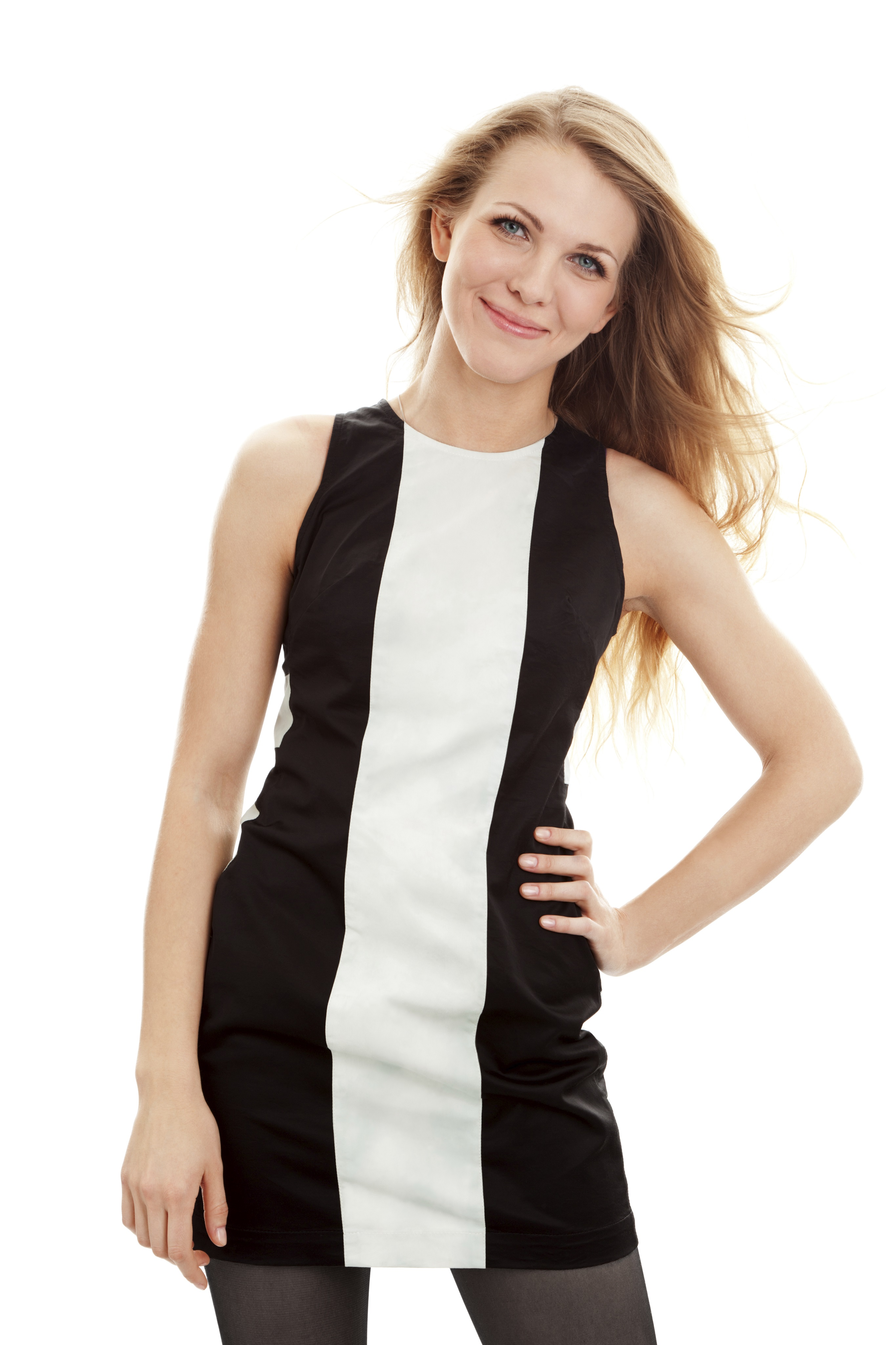 mask_image_url stringRequired The URL of the mask image corresponding to the original image and specifying the area to retain. This is a black-and-white image (0, 255), where white indicates the main product area. The URL must be publicly accessible and use HTTP or HTTPS.You can also obtain a temporary public URL. Image requirements:
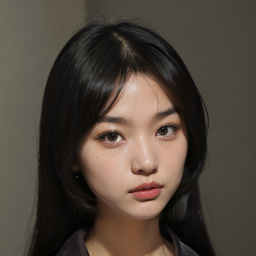
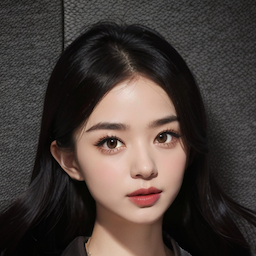
Mask Image Example 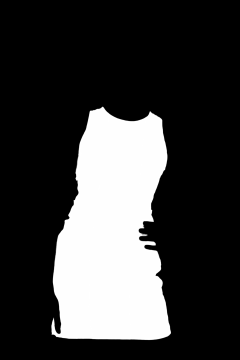 predefined_face_id string Optional The ID of a preset character. Used only in V1. Enumeration Examples
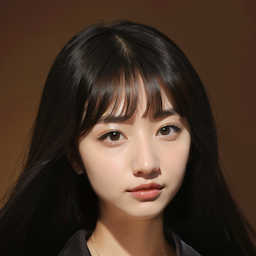
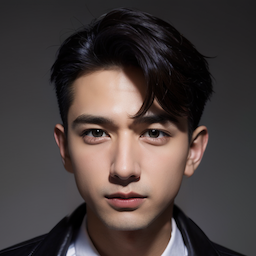
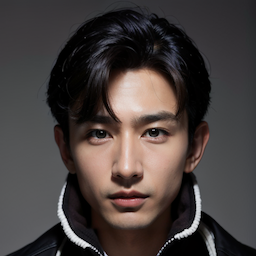
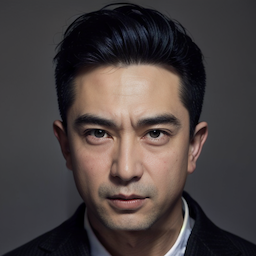 face_image_url string Optional The URL of the character image to replace. The URL must be publicly accessible and use HTTP or HTTPS.You can also obtain a temporary public URL. Image requirements:
This parameter has lower priority than the predefined_face_id parameter. prompt stringRequired A description of the background environment and the full-body appearance of the model in the generated image. Supports Chinese and English. Maximum length: 100 characters. Example: A young woman wearing white shorts, minimalist color palette, long shot, two-color effect, dark silver and light pink. face_prompt stringRequired A description of the generated character’s face. Supports Chinese and English. Maximum length: 100 characters. Example: A young woman, beautiful face, best quality. background_image_url string Optional The URL of the background environment reference image. The URL must be publicly accessible and use HTTP or HTTPS.You can also obtain a temporary public URL. Image requirements:
bgstyle_scale float Optional Controls the weight of the background reference image. Used only in V2. Valid values: 0.0 to 1.0. Default value: 0.7. A larger value indicates a greater degree of reference. realPerson bool Optional Specifies whether the input image features a real person. Used only in V2.
style string Optional The style of the generated image. Used only in V2. Valid values: ["", "portrait"]. Default value: portrait. Description: Portrait mode adds depth of field to highlight the subject. seed integer Optional Controls the generation seed. Used only in V2. Valid values: -1 to 10000000. Default value: -1, which means the system randomly generates a seed.
aspect_ratio String Optional The aspect ratio of the generated image. Used only in V2. parametersobjectOptional | |
Responseoutputobject The task output information. codestring The error code of the API. This parameter is not returned for successful API requests. messagestring The error message of the API. This parameter is not returned for successful API requests. request_idstring The unique ID of the request. Use it to trace request details and troubleshoot issues. | |
Step 2: Query results by task ID
GET https://{WorkspaceId}.cn-beijing.maas.aliyuncs.com/api/v1/tasks/{task_id}
Replace {WorkspaceId} with your actual workspace ID.
Request HeadersAuthorizationstringRequired Use an Alibaba Cloud Model Studio API key or a DashScope API key. Example: Bearer d1xxx2a. URL Path Parameterstask_idstringRequired The task ID. | Obtain task results |
Responseoutputobject The task output information. usageobject Output statistics. request_idstring The unique ID of the request. Use it to trace request details and troubleshoot issues. | Successful Task ExecutionTask data (task status and image URLs) is retained for only 24 hours and then automatically purged. Save generated images promptly. Failed Task Execution |
Error codes
If the model call fails and returns an error message, see Error codes for resolution.
This API also returns specific status codes, as follows.
HTTP status code | API error code (code) | API error message (message) | Description |
|---|---|---|---|
400 | InvalidFile.Content | The input image has no human body or has unclear human body. Please upload other image | The input image contains no human body. |
400 | InvalidParameter | The request is missing required parameters or in a wrong format, please check the parameters that you send. | The input parameter format is incorrect. |
400 | InvalidURL | The request URL is invalid, please check the request URL is available and the request image format is one of the following types: JPEG, JPG, PNG, BMP, and WEBP. | The input image failed to download. Check your network or input format. |
400 | InvalidFile.Resolution | The image resolution is invalid, please make sure that the aspect ratio is smaller than 2.0, and largest length of image is smaller than 4096 | The uploaded image size does not meet the requirements. |
500 | InternalError.Algo | An internal error occurs during computation, please try this model later. | Algorithm running error. |