Voice cloning and voice design
The multimodal interaction development kit supports voice cloning and voice design. This guide helps developers and users get started and use these capabilities efficiently.
Voice cloning
Voice cloning requires only a 10~20 second audio sample from you to generate a highly similar custom voice, without model training.
Supported models
The speech synthesis models that currently support voice cloning are:
- CosyVoice series: CosyVoice-v3.5-Plus, CosyVoice-v3.5-Flash, CosyVoice-v3-Plus, CosyVoice-v3-Flash, and CosyVoice-v2.
- Qwen series: Qwen3-TTS Voice Cloning.
Creating voices with CosyVoice series models is free of charge. Qwen series models are billed at CNY 0.01 per voice, and failed creation attempts are not charged.
Procedure
ImportantYou must select one of the speech synthesis models above in the console before performing subsequent voice cloning operations.
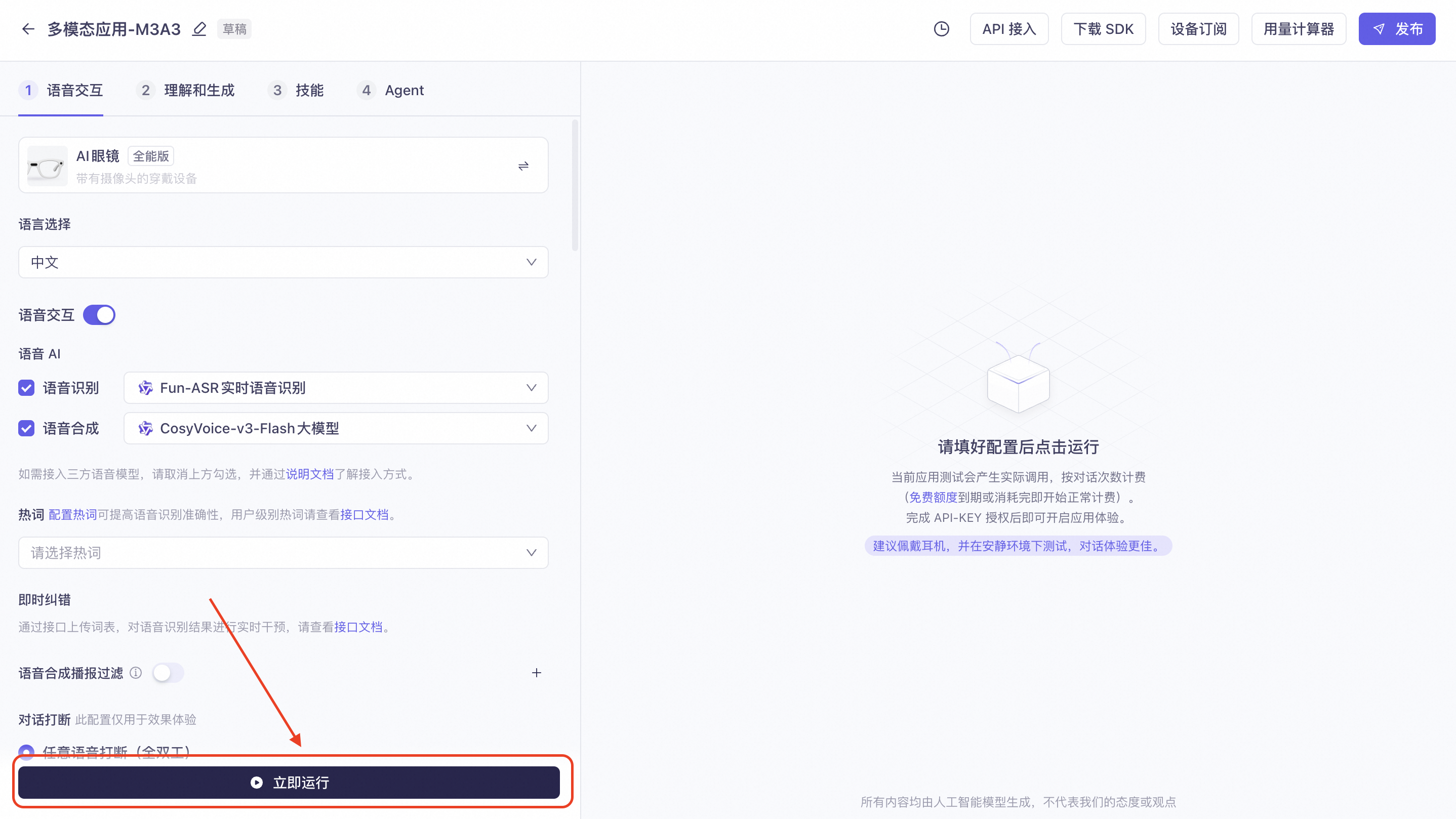
After completing the configuration items on the left side of the console, you can click Run Now and complete the API-KEY authorization.
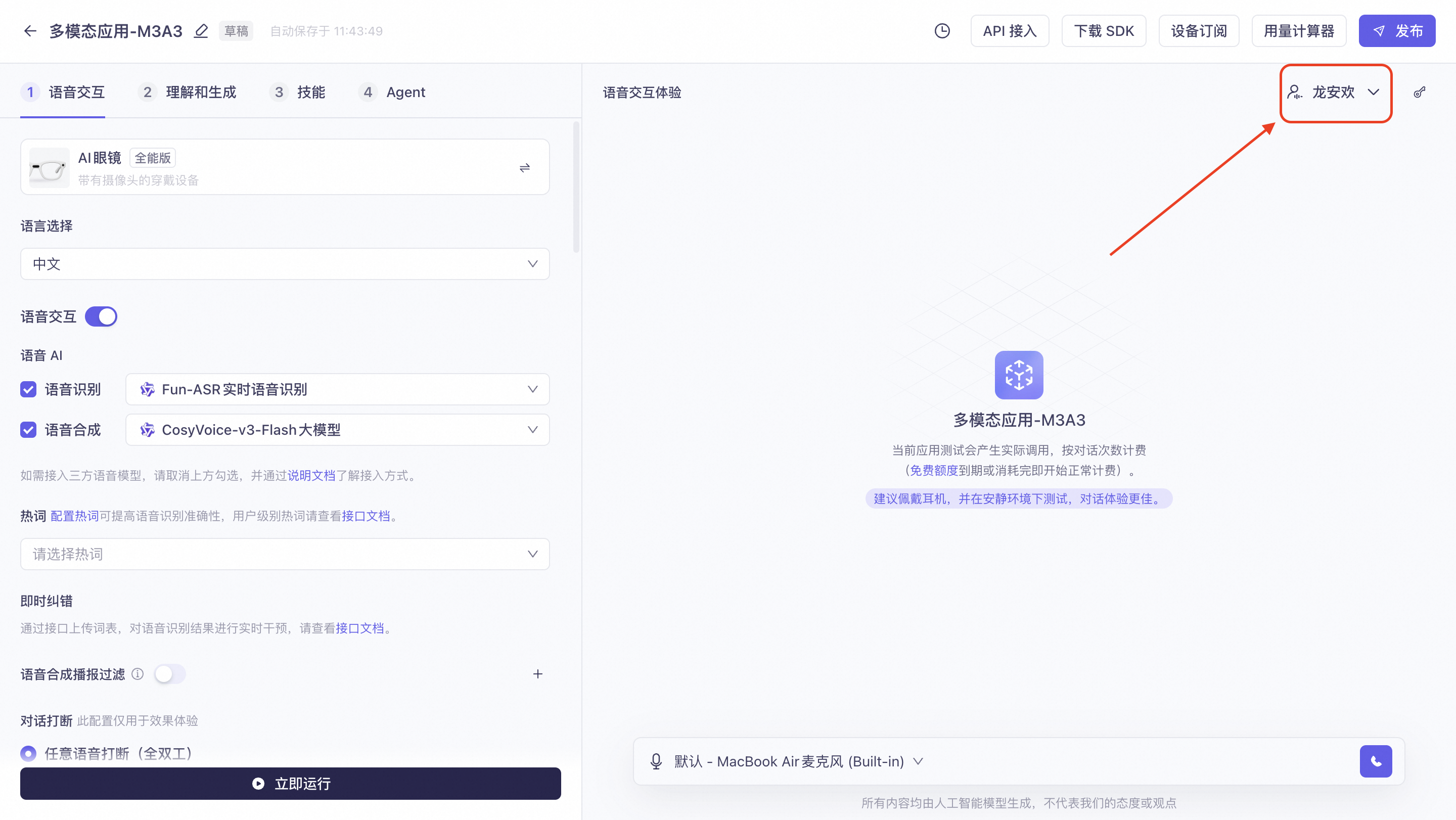
After the authorization is complete, you can click the voice name in the upper-right corner of the application experience area, and click Clone Voice in the expanded panel to perform the operation.
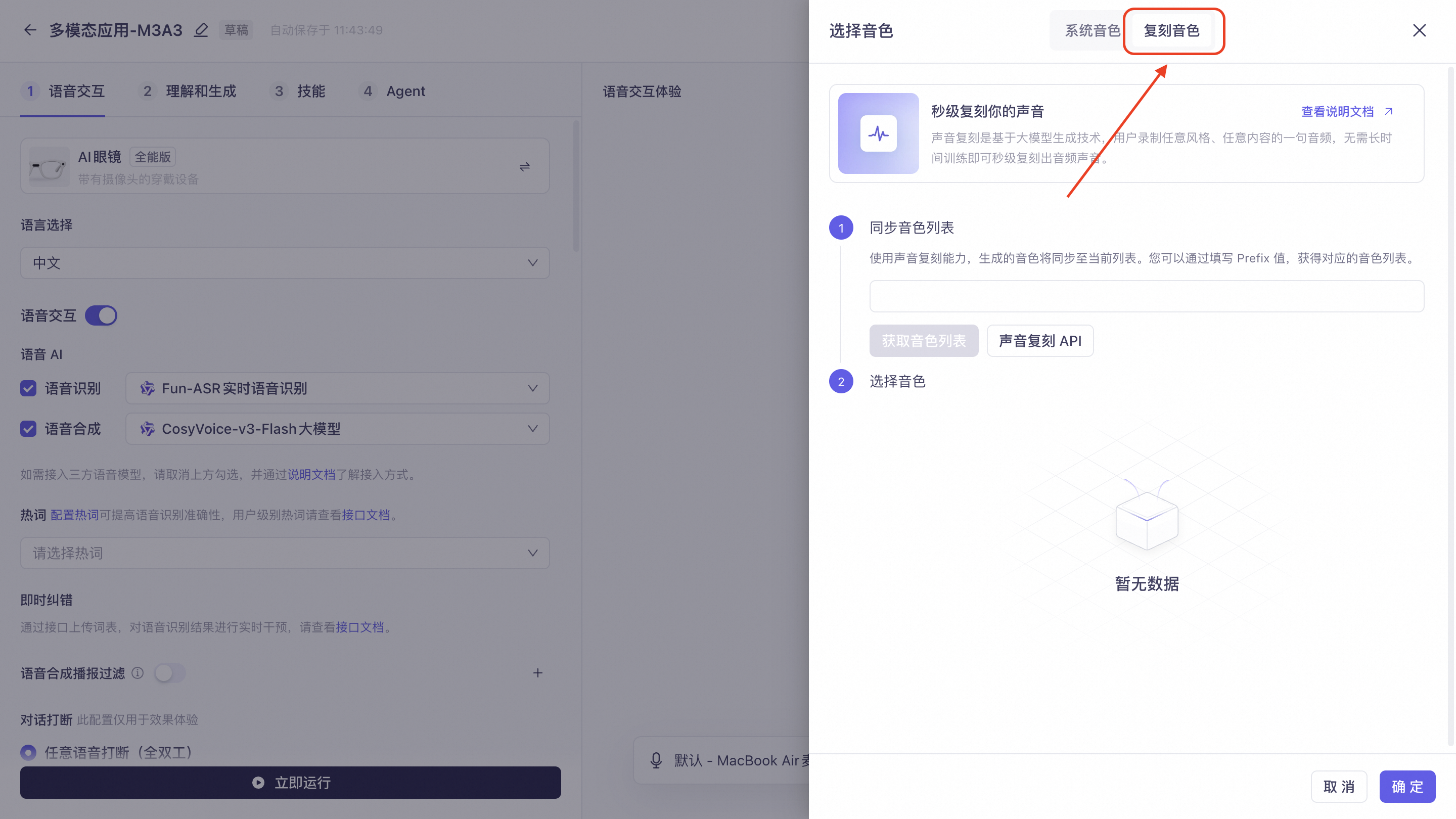
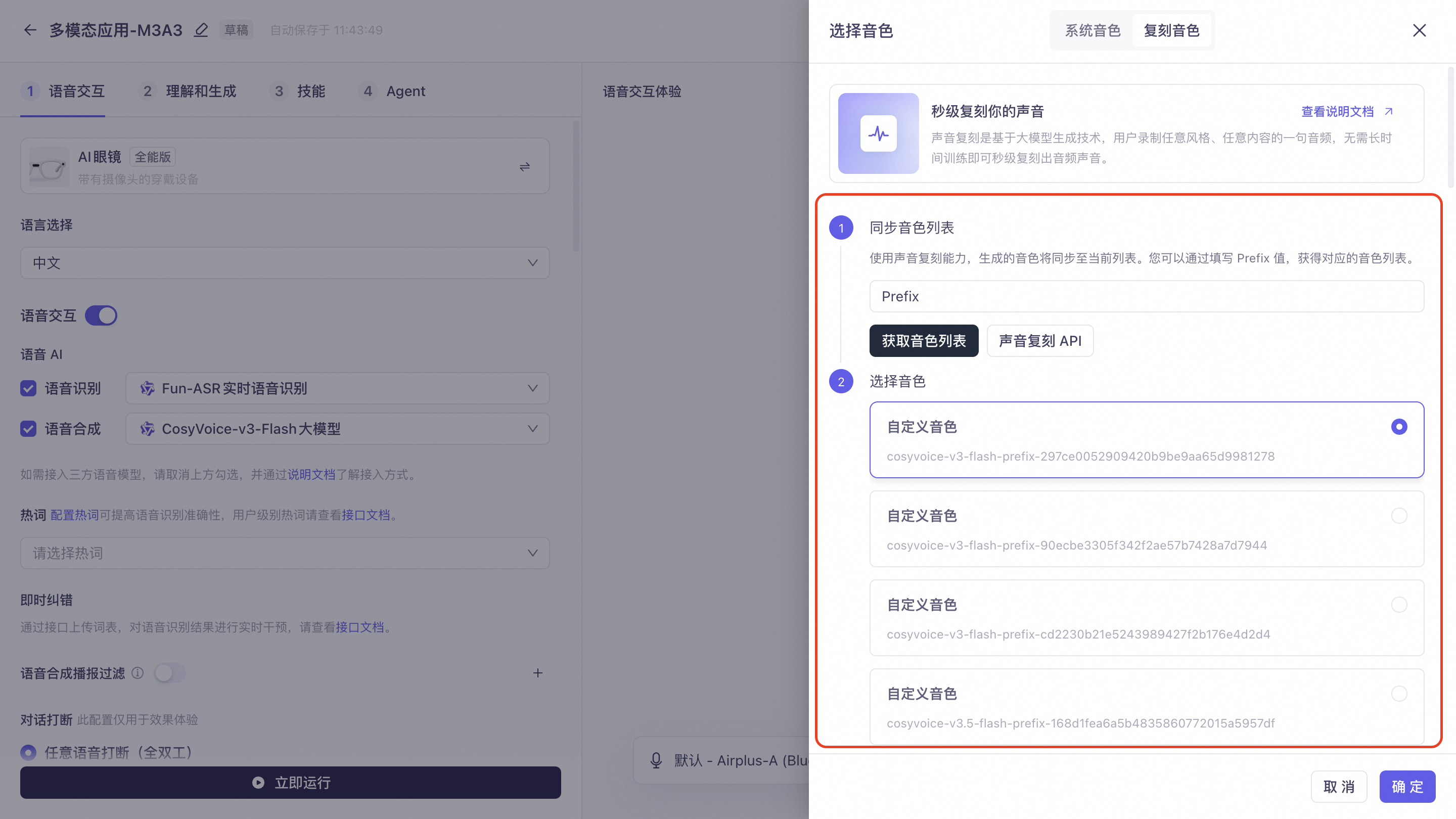
When you use the voice cloning capability, the generated voices are synchronized to the current list. You can enter a Prefix value to retrieve the corresponding voice list, then select the desired voice and click OK.
NoteBefore synchronizing the voice list, you must first create the voice list. For more information, see the Voice cloning documentation.
Voice design
Voice design does not require an audio sample. You can create a custom voice with only a natural language description.
Supported models
The speech synthesis models that currently support voice design are:
- CosyVoice series: CosyVoice-v3.5-Plus and CosyVoice-v3.5-Flash.
- Qwen series: Qwen3-TTS Voice Design.
Creating voices with CosyVoice series models is free of charge. Qwen series models are billed at CNY 0.2 per voice, and failed creation attempts are not charged.
Procedure
ImportantYou must select one of the speech synthesis models above in the console before performing subsequent voice design operations.
The procedure is the same as that of voice cloning. The only difference is that the voice list is generated through voice design.
After completing the configuration items on the left side of the console, you can click Run Now and complete the API-KEY authorization.
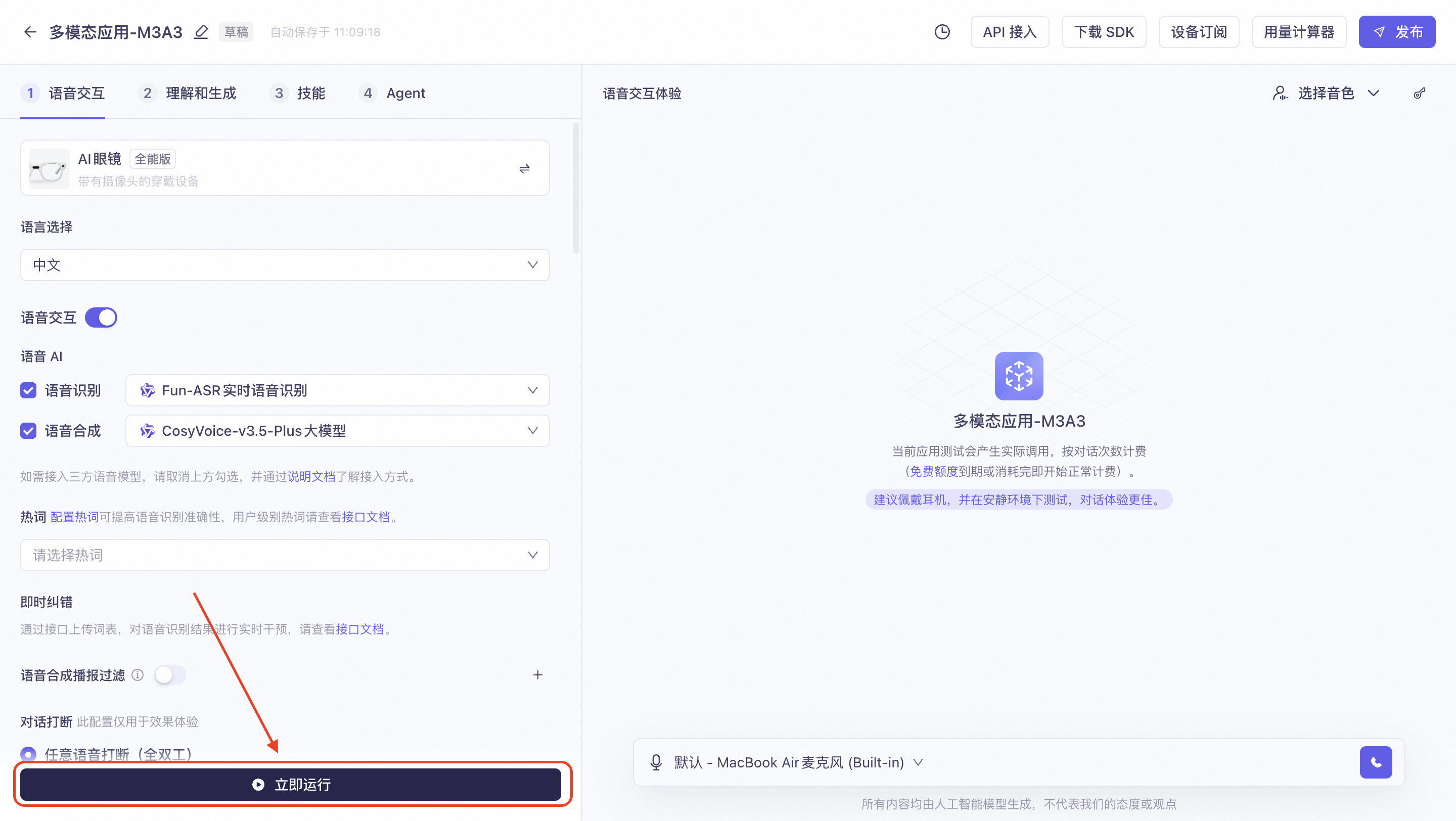
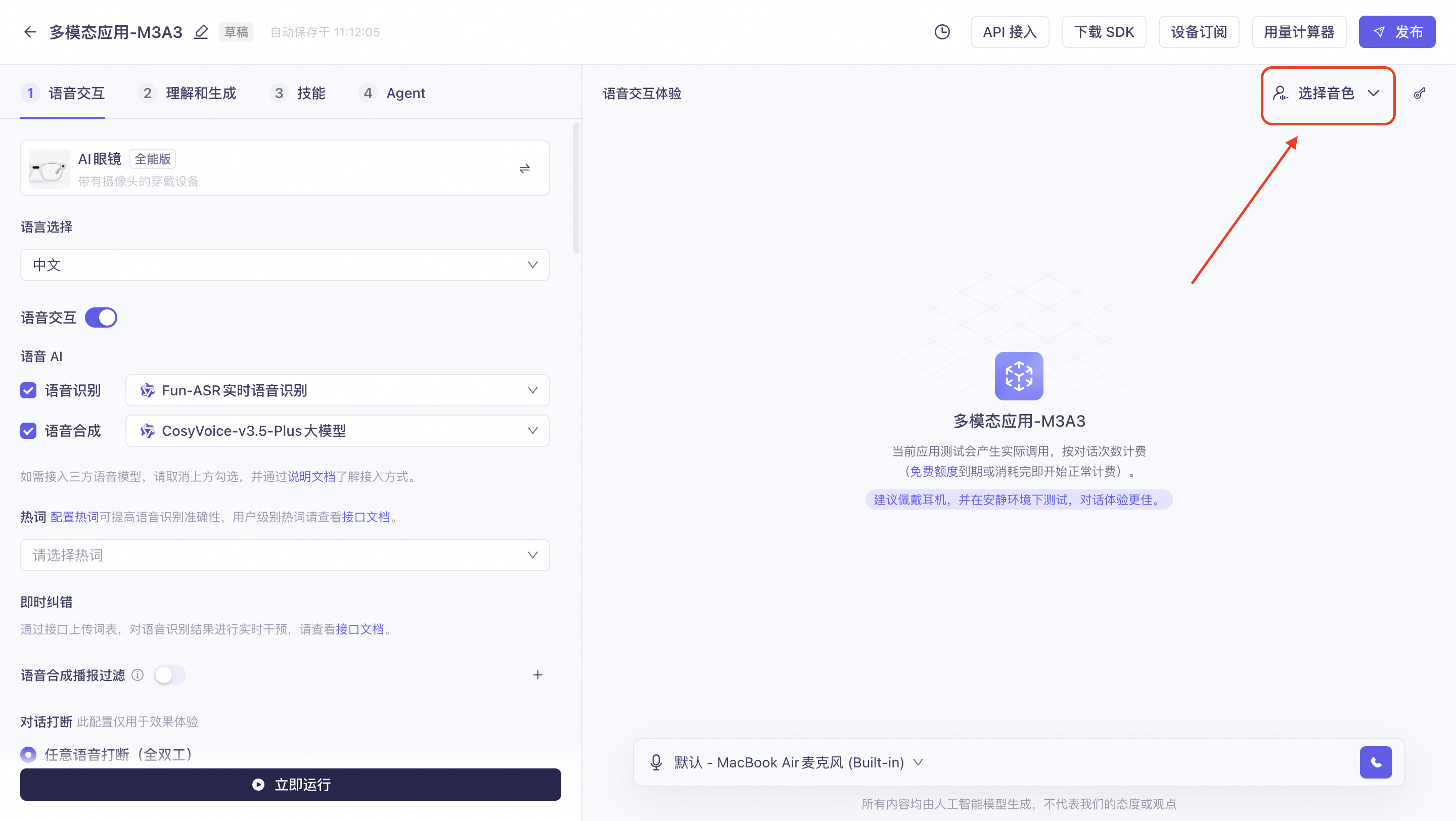
After the authorization is complete, you can click Select Voice in the upper-right corner of the application experience area, and click Design Voice in the expanded panel to perform the operation.
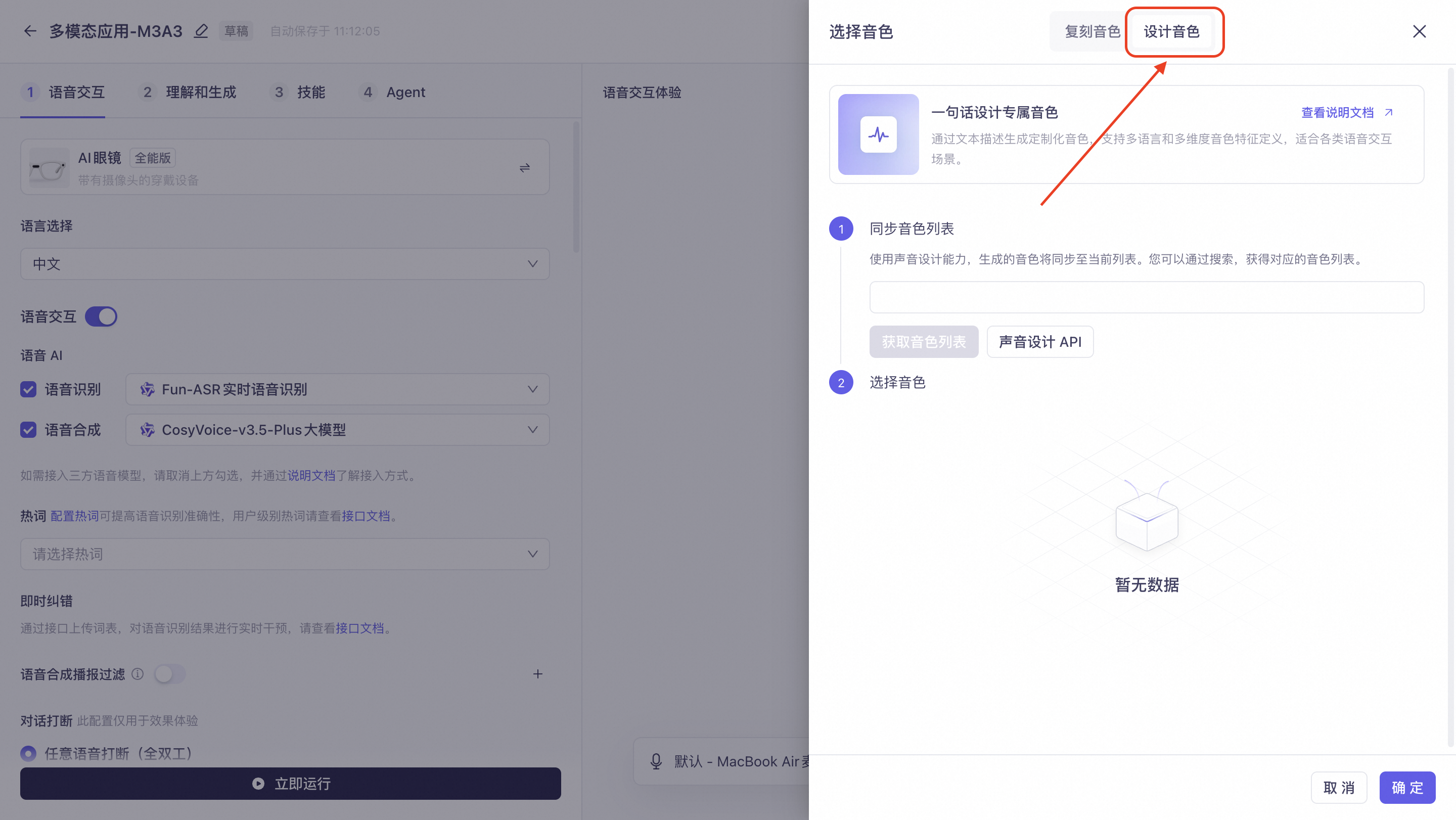
When you use the voice design capability, the generated voices are synchronized to the current list. You can retrieve the corresponding voice list by searching, then select the desired voice and click OK.
NoteBefore synchronizing the voice list, you must first create the voice list. For information about creating the voice list, see the Voice design documentation.