Benchmark high-concurrency connections for a standalone instance
This topic describes how to use an Elastic Compute Service (ECS) instance to access an ApsaraDB for MongoDB standalone instance and benchmark its high-concurrency connection capacity.
Prerequisites
-
Create an ECS instance and an ApsaraDB for MongoDB standalone instance. For more information, see Create a standalone instance and Create an ECS instance.
The following table lists the instance configurations for this test.
Parameter
ECS instance
ApsaraDB for MongoDB standalone instance
Description
Region and zone
China (Hangzhou), Zone H
China (Hangzhou), Zone H
The ECS instance and the ApsaraDB for MongoDB standalone instance are deployed in the same region and zone.
Network type
Virtual Private Cloud (VPC)
Virtual Private Cloud (VPC)
The ECS instance and the ApsaraDB for MongoDB standalone instance are in the same VPC.
CPU and memory
16 cores, 128 GB
-
Specifications: 8 cores, 32 GB
-
Disk space: 200 GB
N/A
Instance family
ecs.hfr6
General-purpose
Instance type
ecs.hfr6.4xlarge
dds.sn4.2xlarge.1
Storage type
Enhanced SSD (ESSD)
Enhanced SSD (ESSD)
Image or engine version
Alibaba Cloud Linux 3.2104 LTS 64-bit
MongoDB 4.0
-
-
Add the primary private IP address of the ECS instance to the whitelist of the ApsaraDB for MongoDB standalone instance. For more information, see Configure a whitelist for an instance.
-
Install the open source Yahoo! Cloud Serving Benchmark (YCSB) tool on your ECS instance. For installation and usage instructions, see YCSB.
Procedure
-
Log on to the ECS console and connect to the ECS instance. For more information, see Connect to an ECS instance.
-
Run the following command to load data into the ApsaraDB for MongoDB standalone instance.
./bin/ycsb load mongodb -s -p workload=site.ycsb.workloads.CoreWorkload -p recordcount=30000000 -p mongodb.url="mongodb://root:123456Aa@dds-bp13e84d111a1a****.mongodb.rds.aliyuncs.com:3717/admin" -threads 8Replace the following parameters with your actual values:
-
123456Aa: The password for the root account of your ApsaraDB for MongoDB standalone instance. -
dds-bp13e84d111a1a****.mongodb.rds.aliyuncs.com:3717: The connection endpoint of the primary node of your ApsaraDB for MongoDB standalone instance.NoteLog on to the ApsaraDB for MongoDB console. On the Database Connection page, find the endpoint under the Internal Connections - VPC section.
-
-
Start the YCSB process and run read/write tests for different scenarios.
Scenario
Test command
Description
8 concurrent operations
./bin/ycsb run mongodb -s -p workload=site.ycsb.workloads.CoreWorkload -p recordcount=30000000 -p operationcount=50000000 -p readproportion=0.5 -p updateproportion=0.5 -p requestdistribution=zipfian -p mongodb.url="mongodb://root:123456Aa@dds-bp13e84d111a1a****.mongodb.rds.aliyuncs.com:3717/admin" -threads 8Replace the following parameters with your actual values:
-
123456Aa: The password for the root account of your ApsaraDB for MongoDB standalone instance. -
dds-bp13e84d111a1a****.mongodb.rds.aliyuncs.com:3717: The connection endpoint of the primary node of your ApsaraDB for MongoDB standalone instance.NoteLog on to the ApsaraDB for MongoDB console. On the Database Connection page, find the endpoint under the Internal Connections - VPC section.
2,000 concurrent operations
./bin/ycsb run mongodb -s -p workload=site.ycsb.workloads.CoreWorkload -p recordcount=30000000 -p operationcount=50000000 -p readproportion=0.5 -p updateproportion=0.5 -p requestdistribution=zipfian -p mongodb.url="mongodb://root:123456Aa@dds-bp13e84d111a1a****.mongodb.rds.aliyuncs.com:3717/admin" -threads 200010,000 concurrent operations
./bin/ycsb run mongodb -s -p workload=site.ycsb.workloads.CoreWorkload -p recordcount=30000000 -p operationcount=50000000 -p readproportion=0.5 -p updateproportion=0.5 -p requestdistribution=zipfian -p mongodb.url="mongodb://root:123456Aa@dds-bp13e84d111a1a****.mongodb.rds.aliyuncs.com:3717/admin" -threads 10000 -
-
View the number of connections to the ApsaraDB for MongoDB standalone instance.
-
Go to the Replica Set Instances page, select a resource group and a region at the top of the page, and then click the ID of the target instance.
-
In the left-side navigation pane of the instance details page, click Monitoring Data.
-
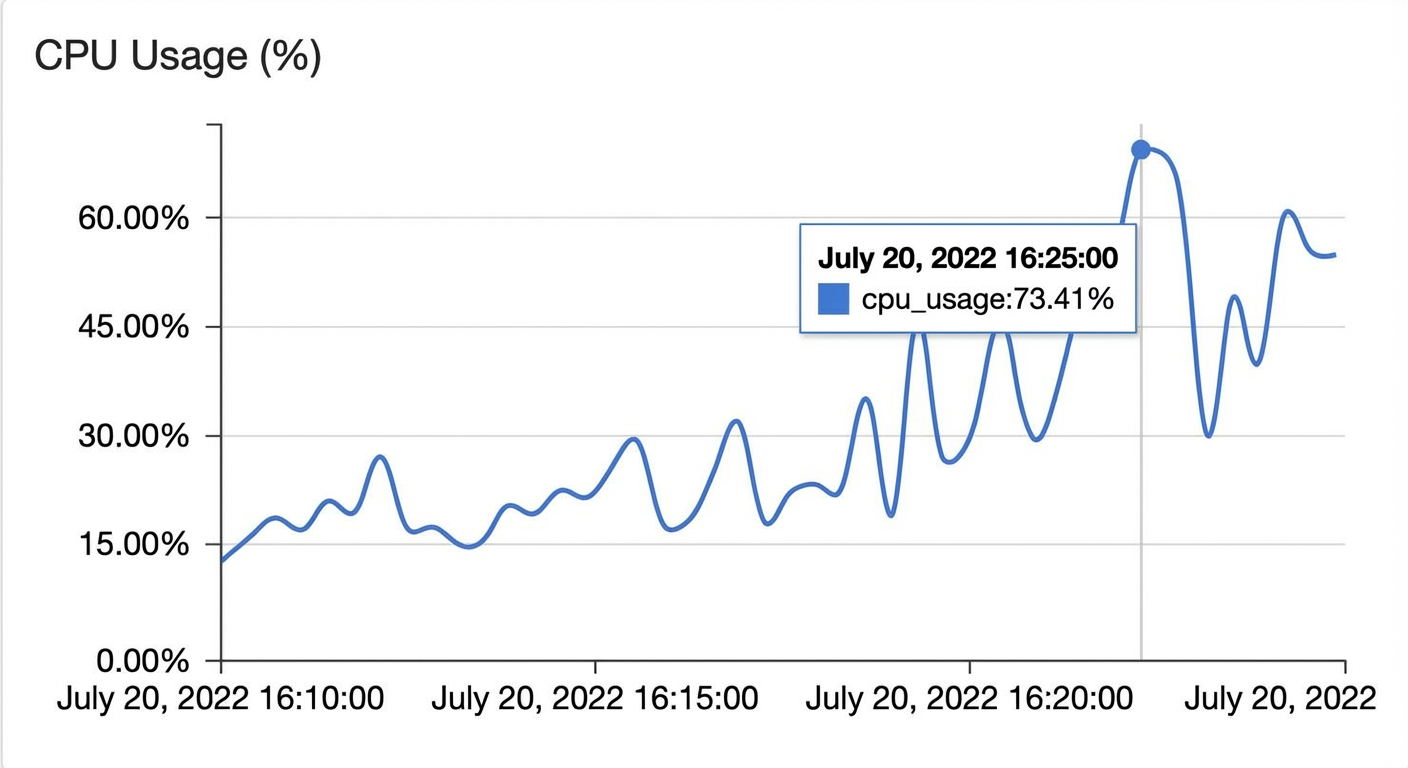
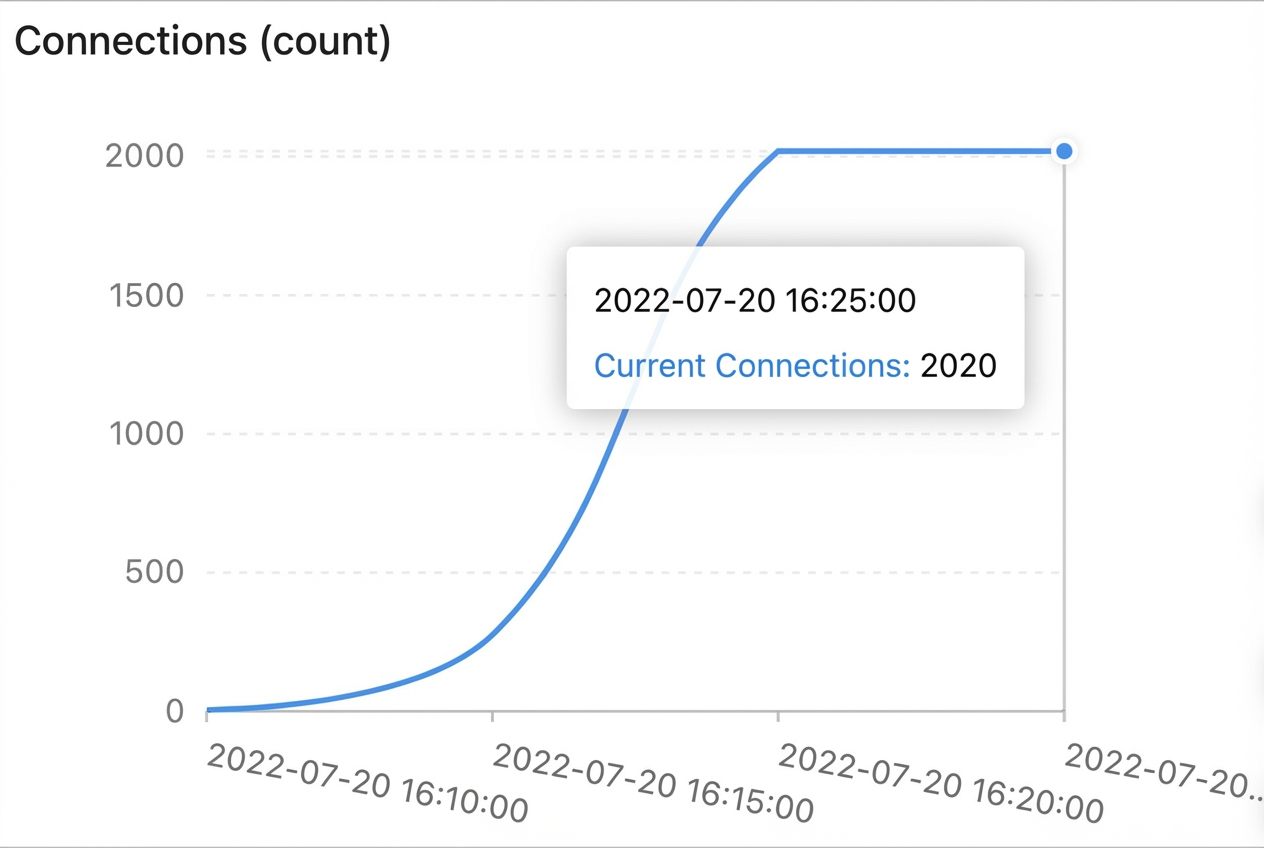
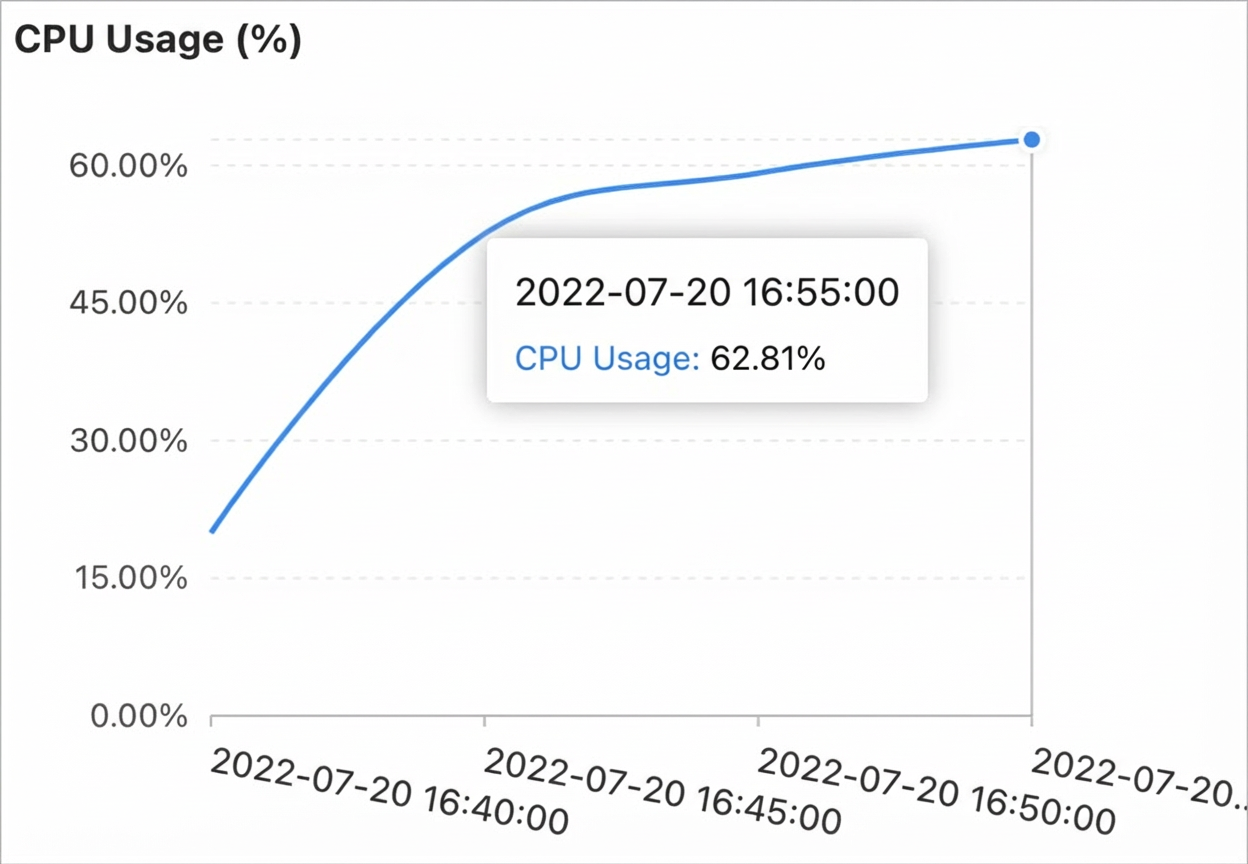
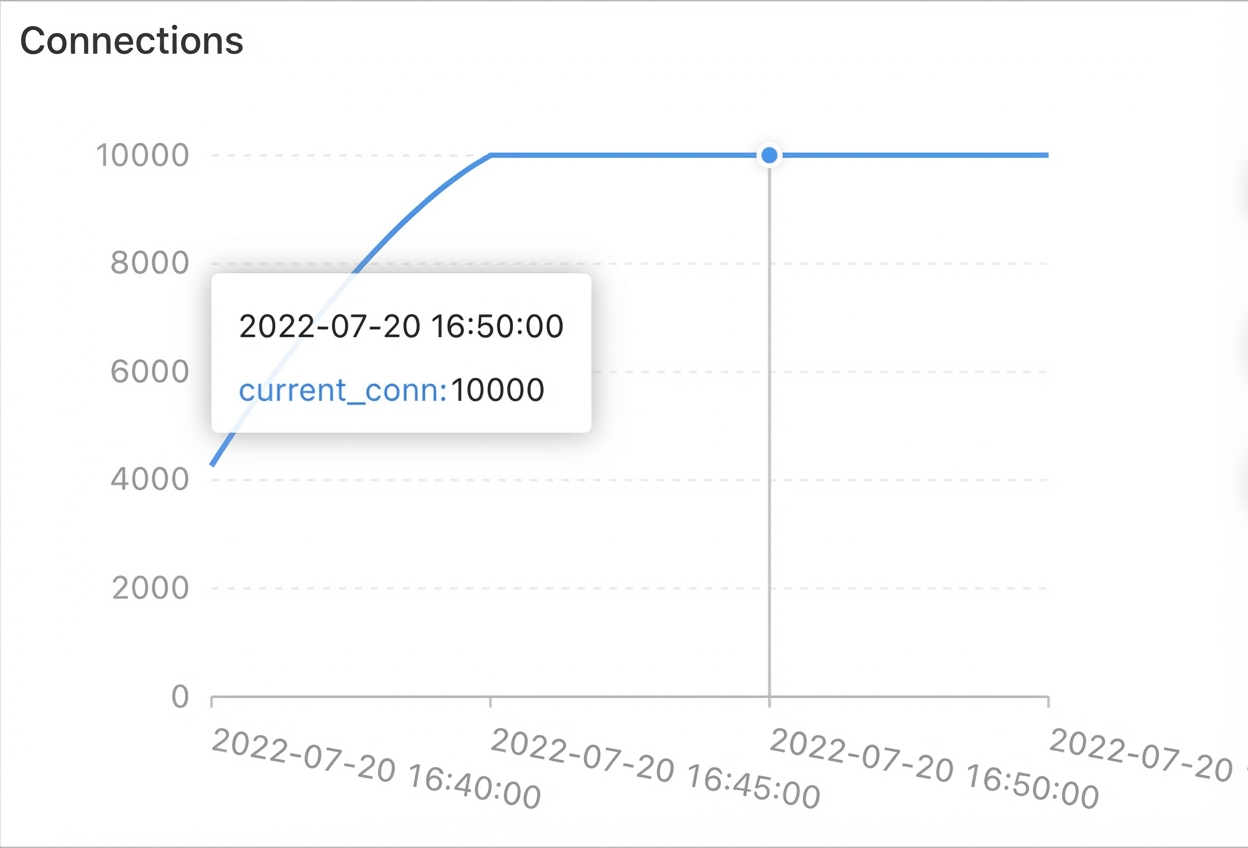
On the Node Monitoring tab, select a time range and view the CPU Utilization (%), QPS, and Connections metrics.
Scenario
CPU Utilization
QPS
Connections
8 concurrent operations
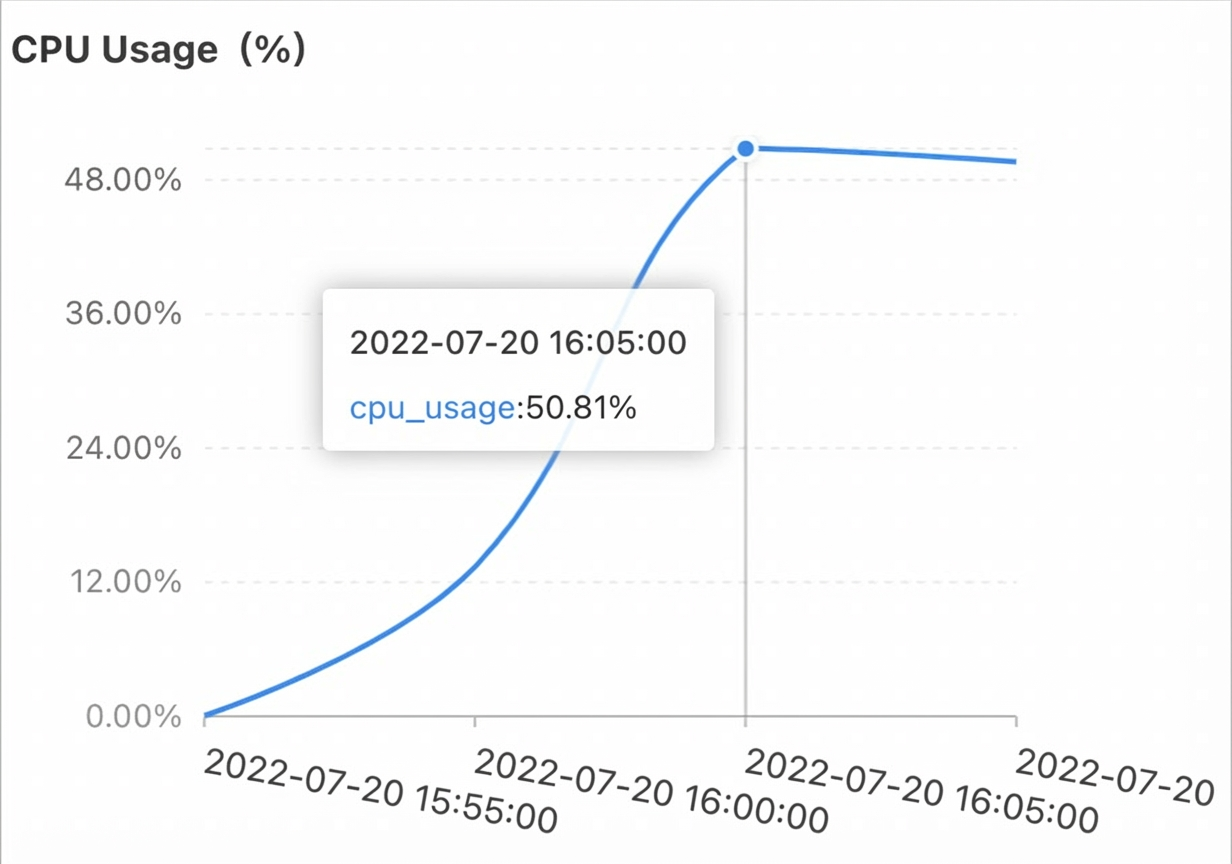
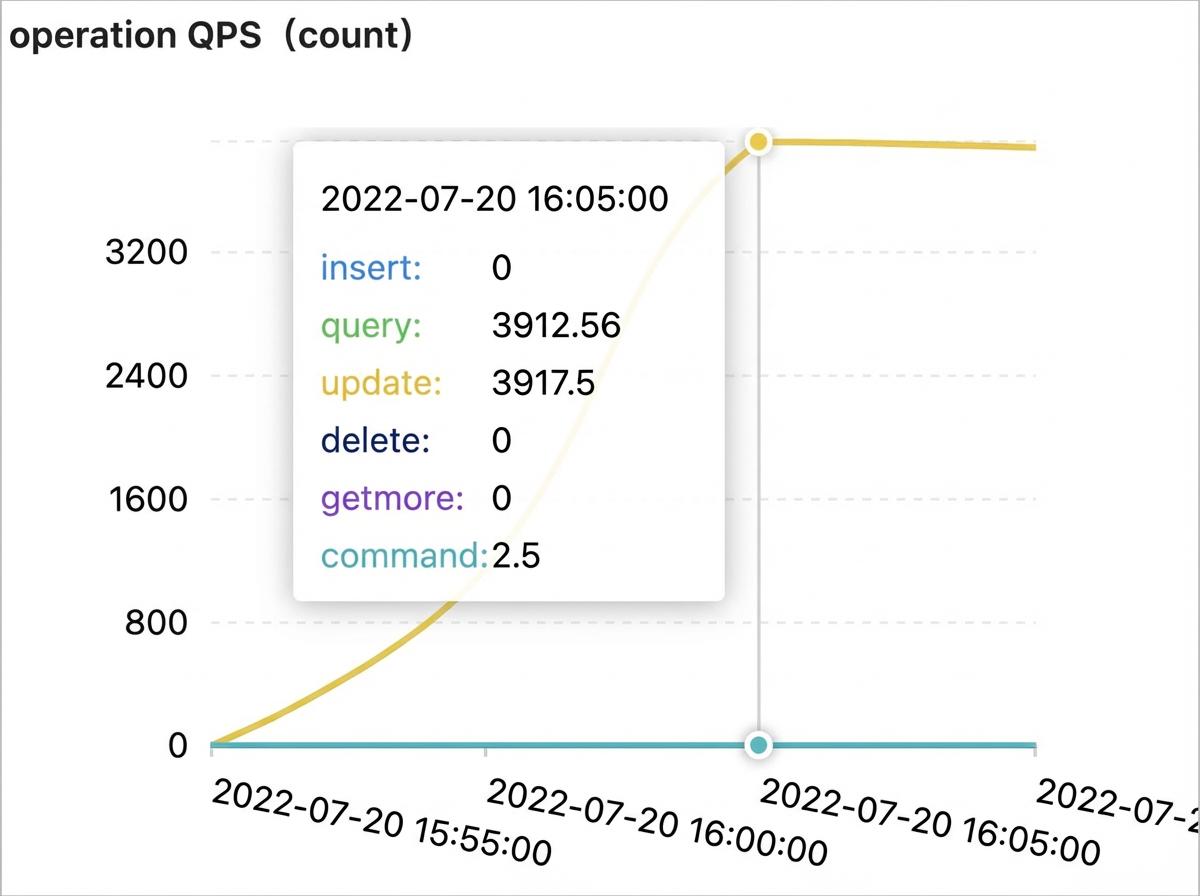
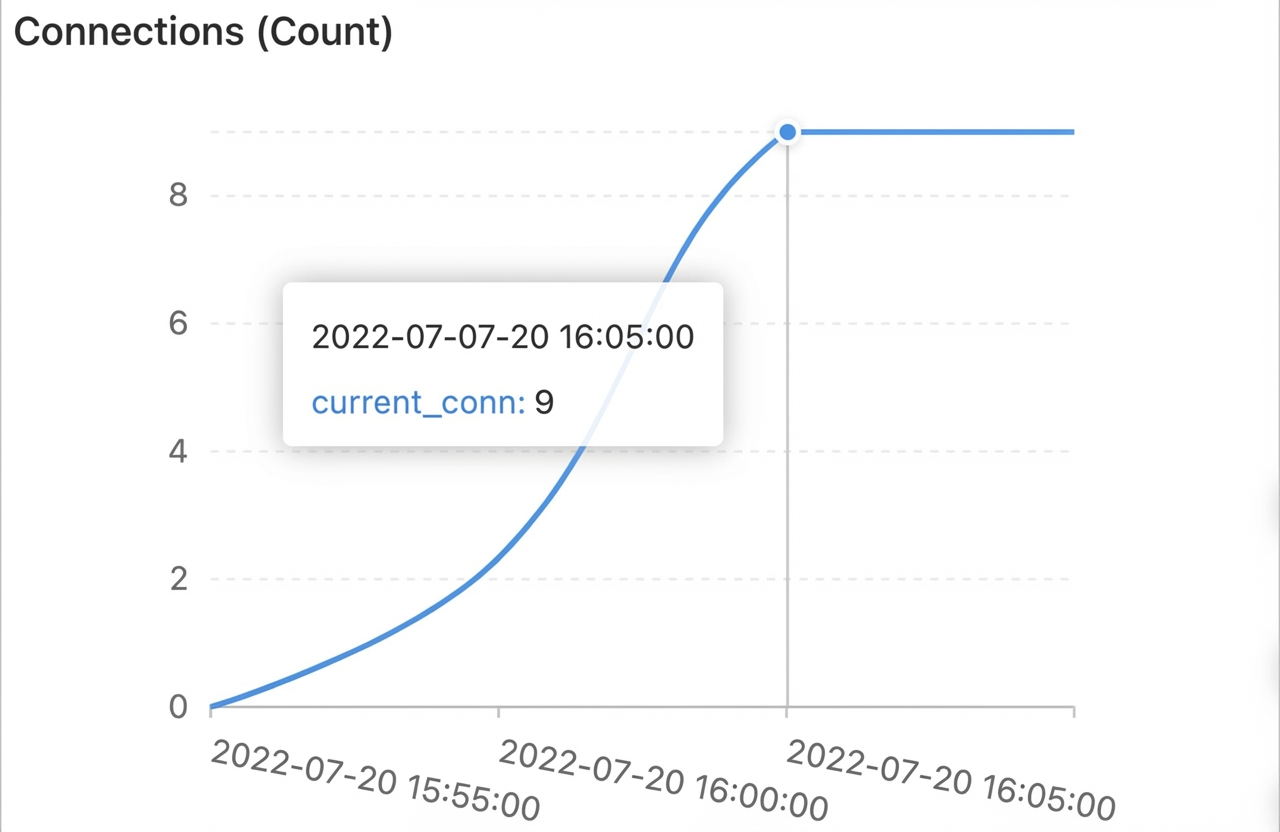
2,000 concurrent operations
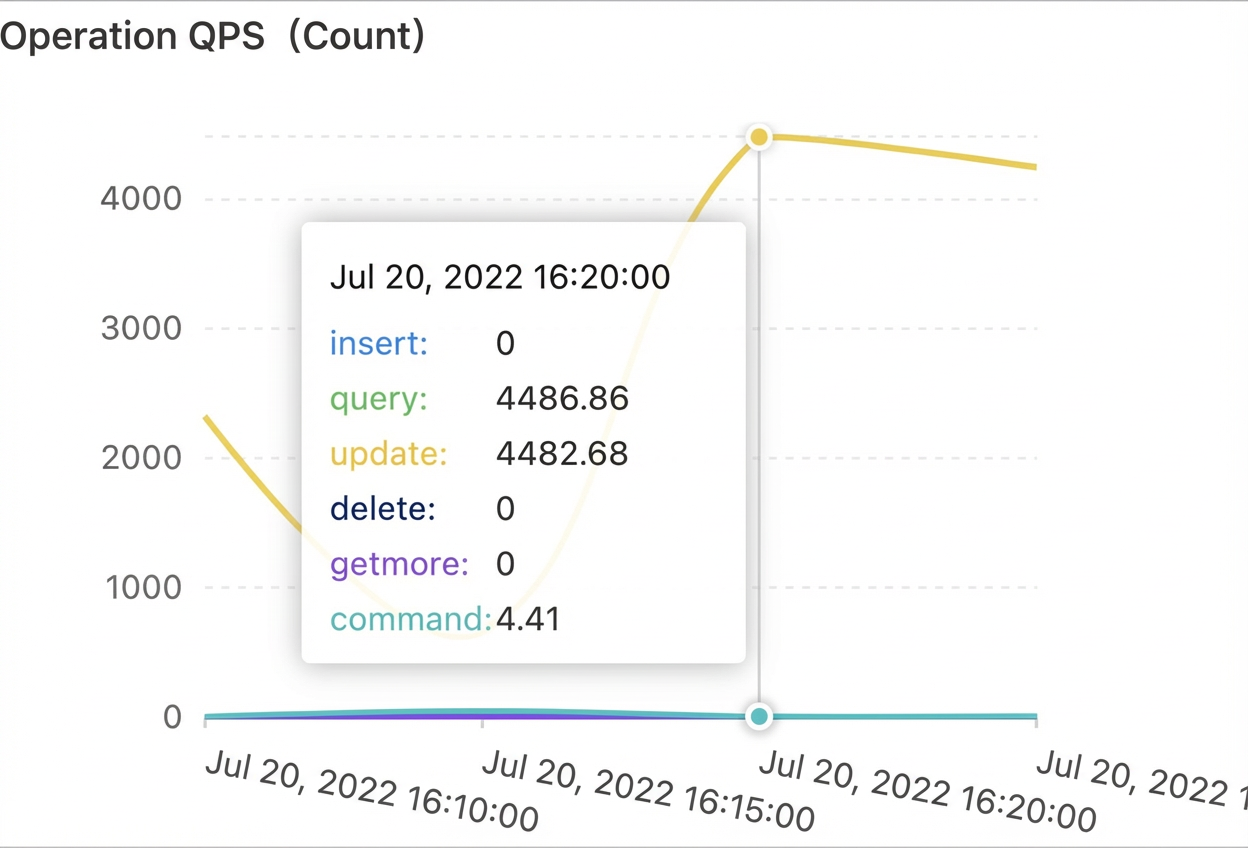

10,000 concurrent operations
-
Results
-
An ApsaraDB for MongoDB standalone instance with 8 CPU cores and 32 GB of memory can support up to 10,000 concurrent connections.
-
Connections consume CPU resources, so keep the number of connections within a reasonable range for optimal performance.
-
After the number of concurrent operations reaches a certain threshold, CPU utilization and QPS plateau. Therefore, control this number based on your business requirements.