Set up monitoring and alerting for applications
OOS application management integrates with CloudMonitor to provide real-time monitoring and alerting for your applications, helping you quickly identify and respond to faults.
Benefits
When multiple teams manage different lines of business under a single Alibaba Cloud account, organizing resources by application group reduces management overhead and improves operational efficiency.
In traditional troubleshooting, O&M engineers must manually identify the affected line of business, locate the application, and check monitoring metrics for errors.
With alert rules configured by application group, alert notifications include the application and group names, so you can quickly identify the affected line of business and environment type.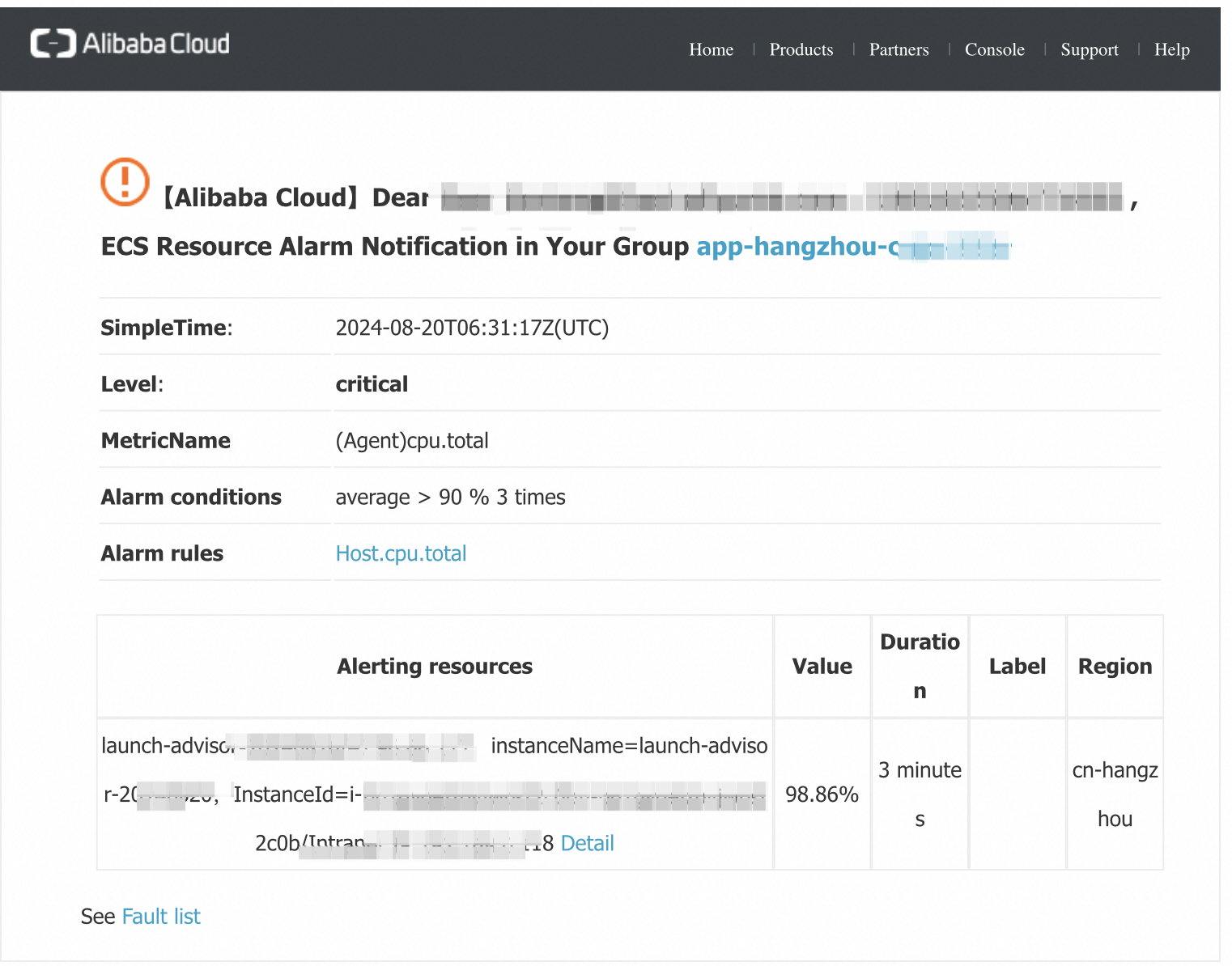
CloudMonitor is an enterprise-grade monitoring solution covering infrastructure, public network quality, and business monitoring based on events, custom metrics, and logs. It helps improve service availability and reduce operations and maintenance (O&M) costs.
OOS application management automatically creates a corresponding CloudMonitor application group for each OOS application group.
View application group monitoring
On the application group Overview page, view the group tags. OOS creates a dynamic CloudMonitor group based on these tags. Each CloudMonitor application group maps to an OOS application group.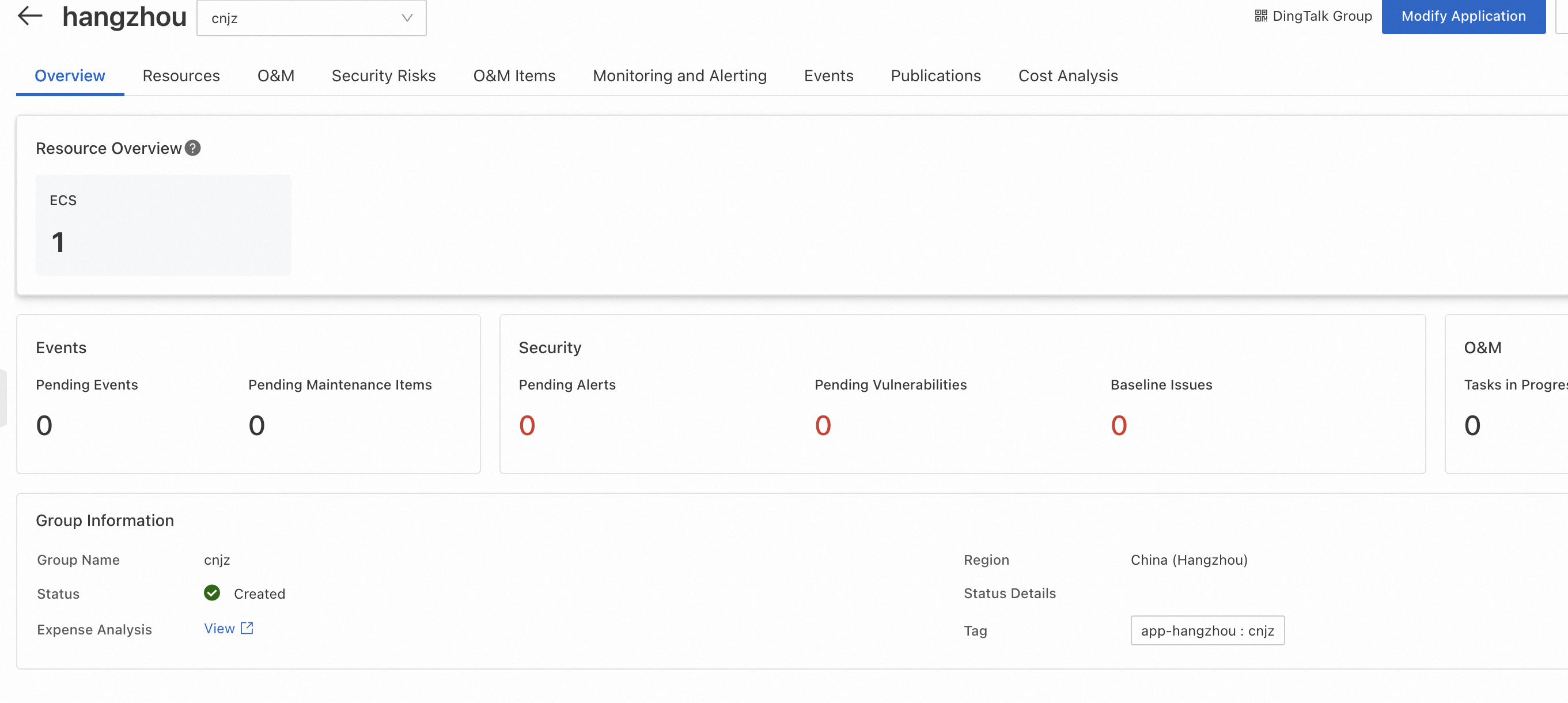
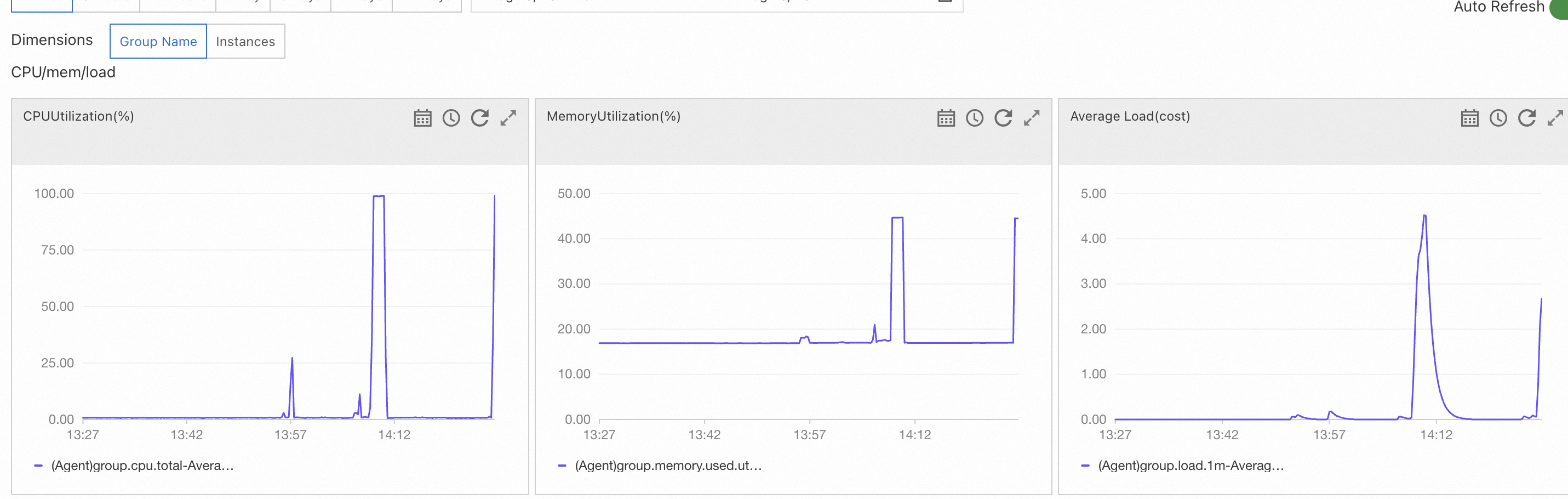
Dashboards: monitoring charts for core metrics of common resource types, viewable by group or instance.
Fault List: resources with active alerts in the current application group. Alerts from disabled rules are hidden.
Availability Monitoring: configure availability monitoring rules for the application.
Group Process: configure process monitoring rules.
Alarm History: view historical alert data.
Alert Rules: manage alert rules.
Configure alerting for an application
Use alert contact groups
CloudMonitor sends alert notifications to alert contact groups. Create alert contact groups per application and add the development and O&M owners.
Use alert templates
Use alert templates to manage alerting configurations based on application architecture. For example, for a web application that uses Elastic Compute Service (ECS) instances, ApsaraDB RDS instances, and Server Load Balancer (SLB) instances, configure alert rules for these resources in a single template. Apply the template to generate standard alerting configurations across environments (staging, production) or regions.
Configure monitoring and alerting for an application
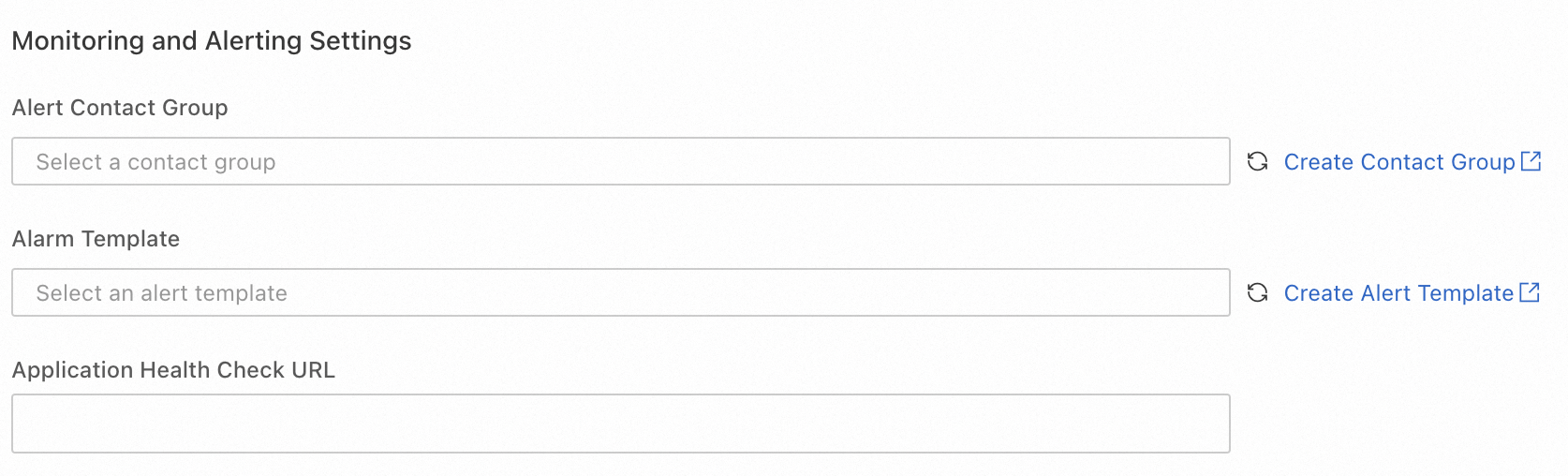
To apply uniform monitoring and alerting configurations across all application groups, configure them at the application level. Set them when creating the application, or modify them later in the Configure Advanced Settings dialog box. Application-level configurations automatically apply to all existing and new application groups. Configure the following parameters:
-
Alert Contact Group: alert contact groups for the application.
-
Alarm Template: alert template for the application.
-
Application Health Check URL: URL for availability monitoring. Leave empty if the alert template already includes availability monitoring rules. Example:
http://localhost:8080/checkhealth. CloudMonitor periodically sends probe packets to this URL to check application availability.