Offline changes
To modify the structure of an application, such as adding or deleting fields, changing or adding indexes, adding or deleting attribute fields, and adding or deleting default display fields, or to change the data source, you must make offline changes. This topic describes how to make offline changes.
Procedure
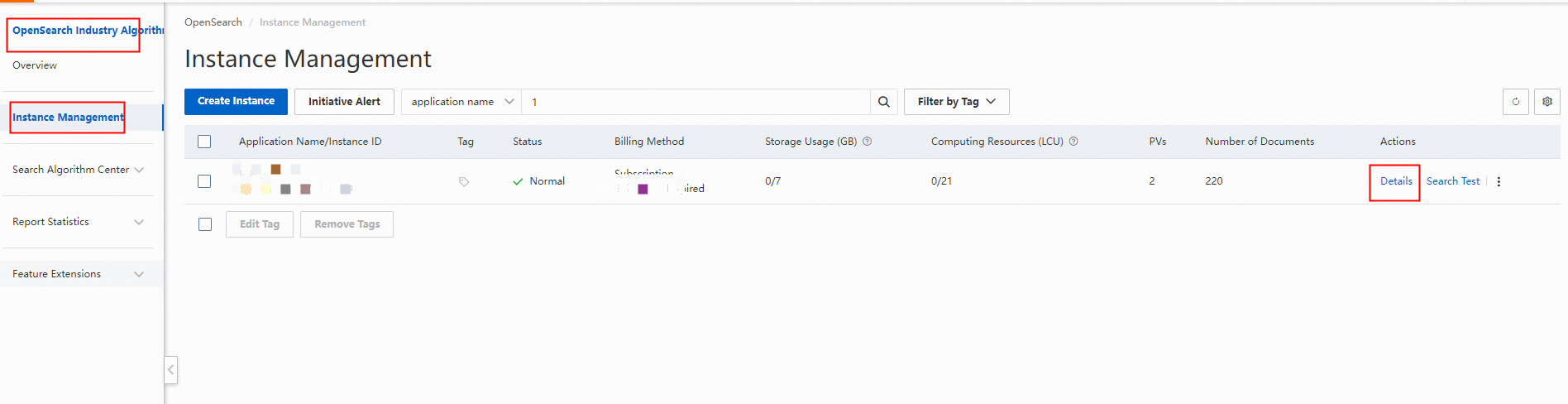
Log on to the OpenSearch console. In the upper-left corner of the page, select OpenSearch High-performance Search Edition. On the Instance Management page, click Details in the Actions column.
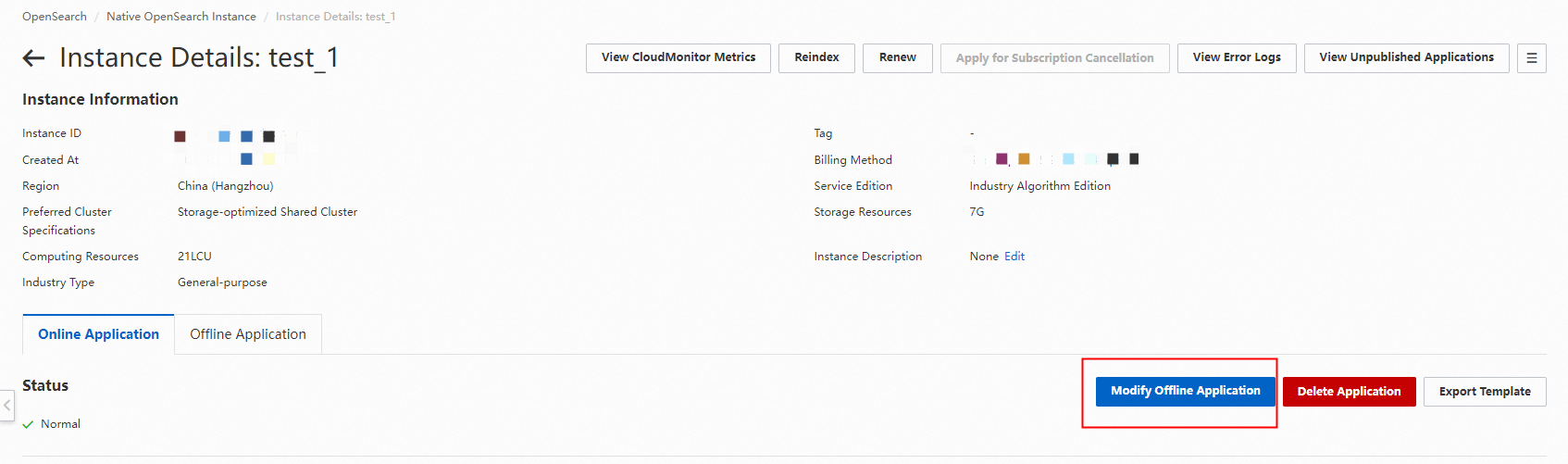
On the online application details page, click Offline Change.
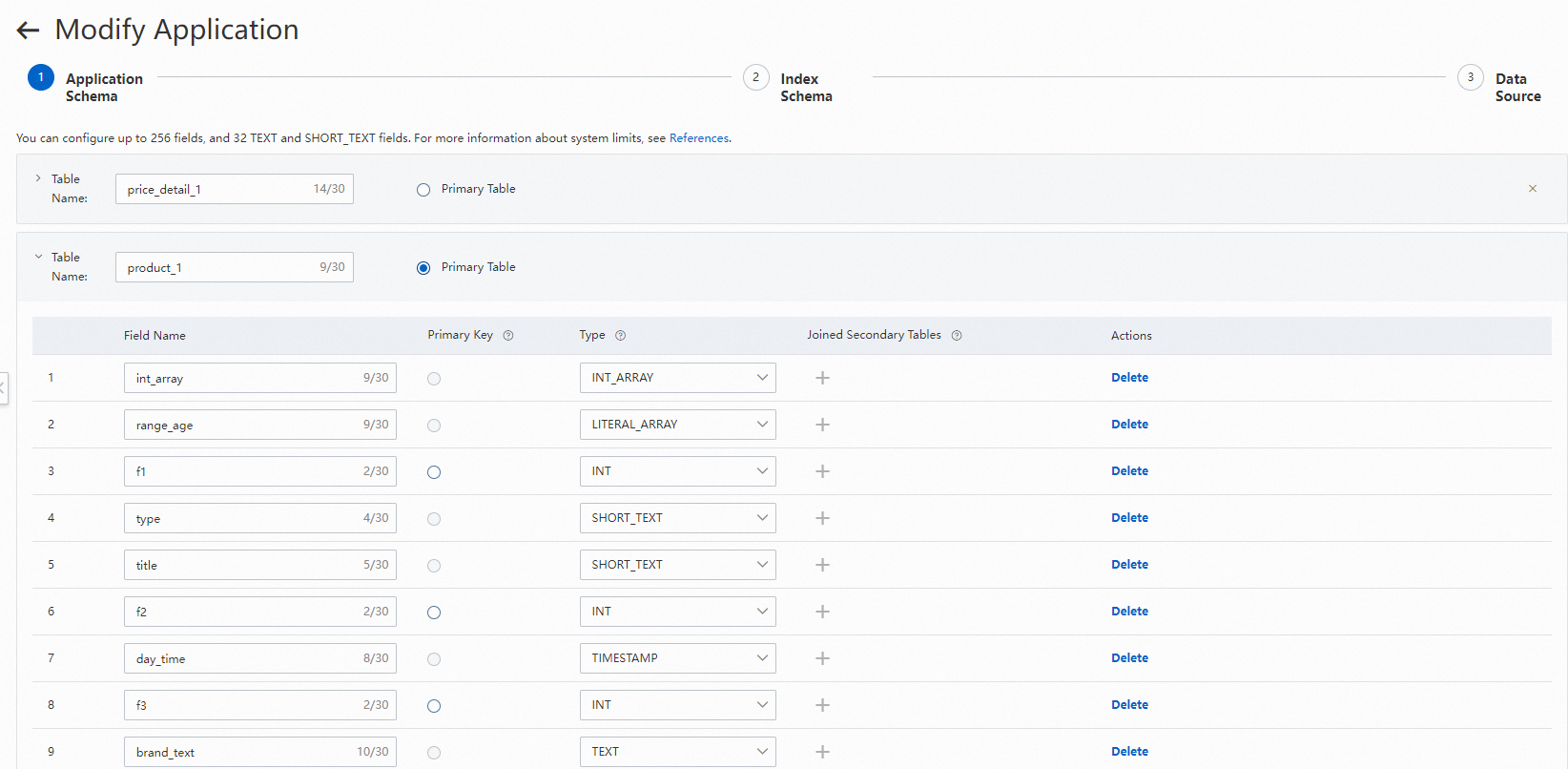
On the application change page, modify the application structure.
Edit fields.
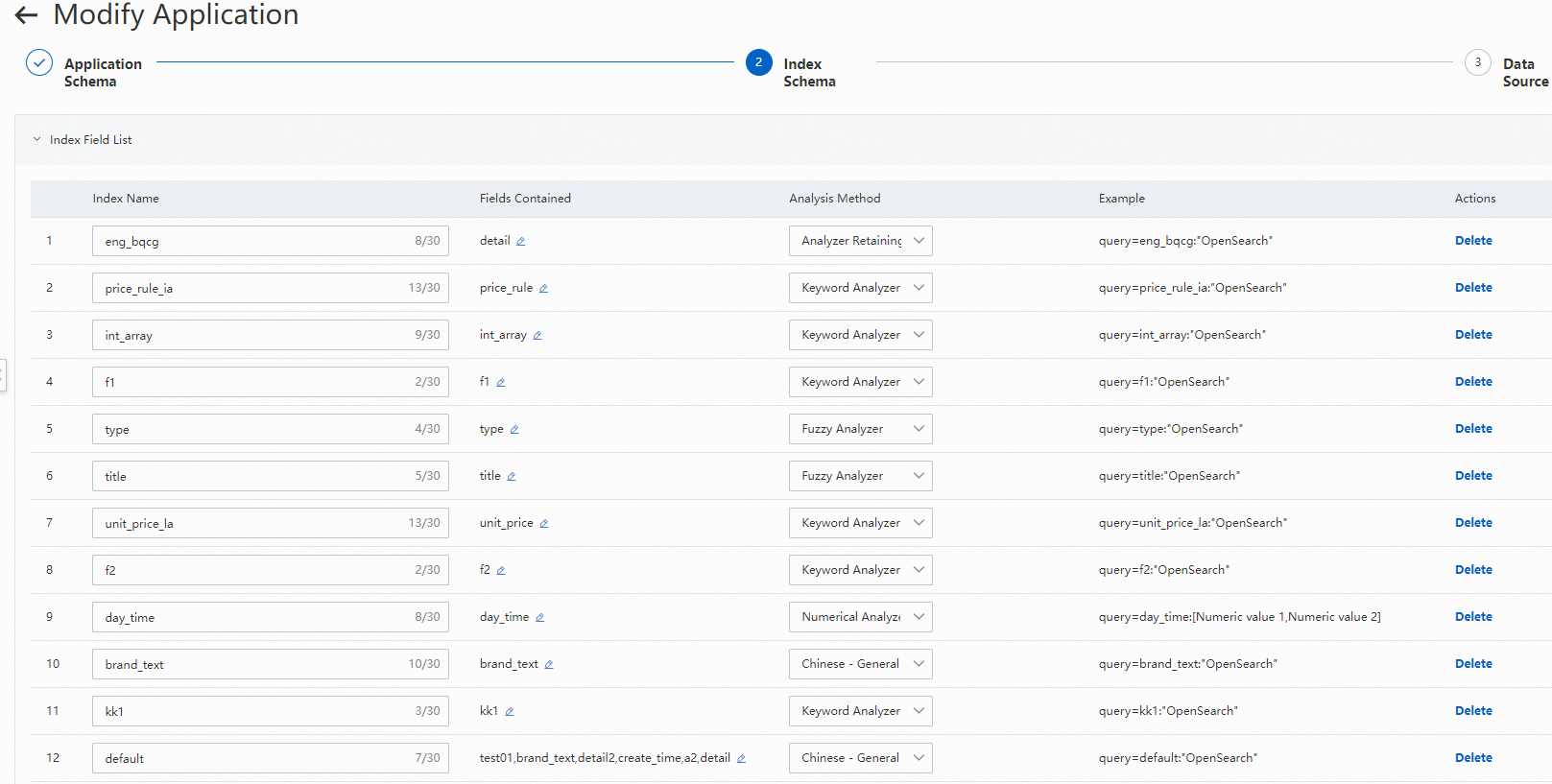
Edit indexes, attribute fields, and default display fields:
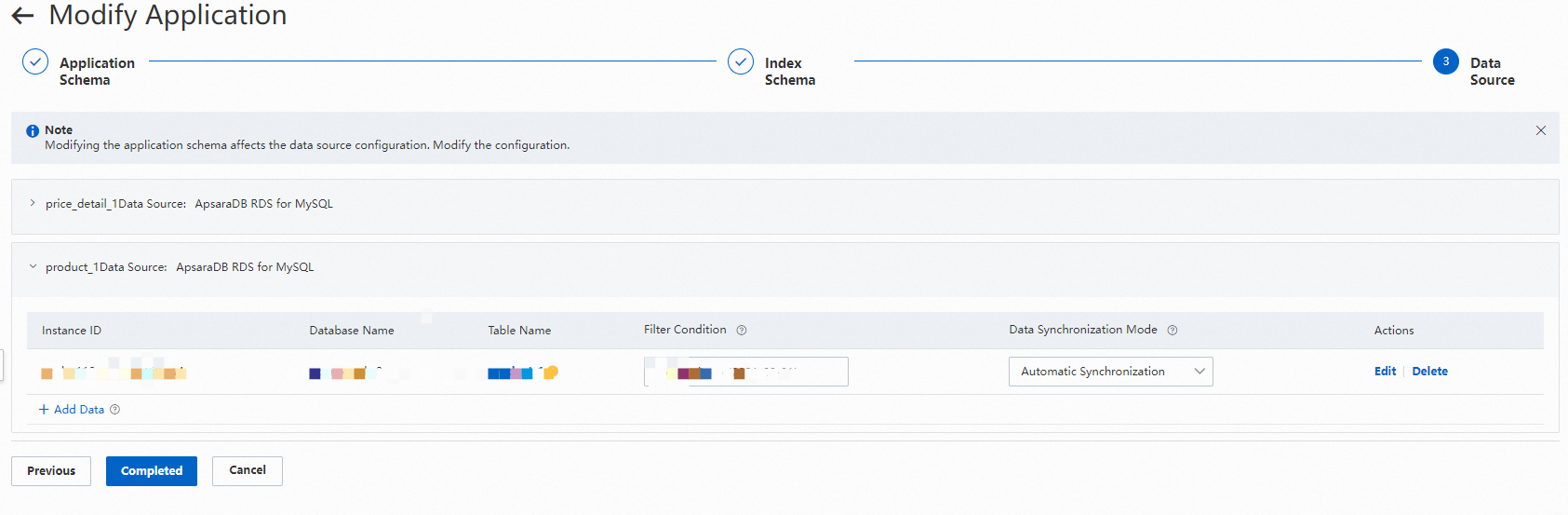
Edit the data source and modify the mappings:
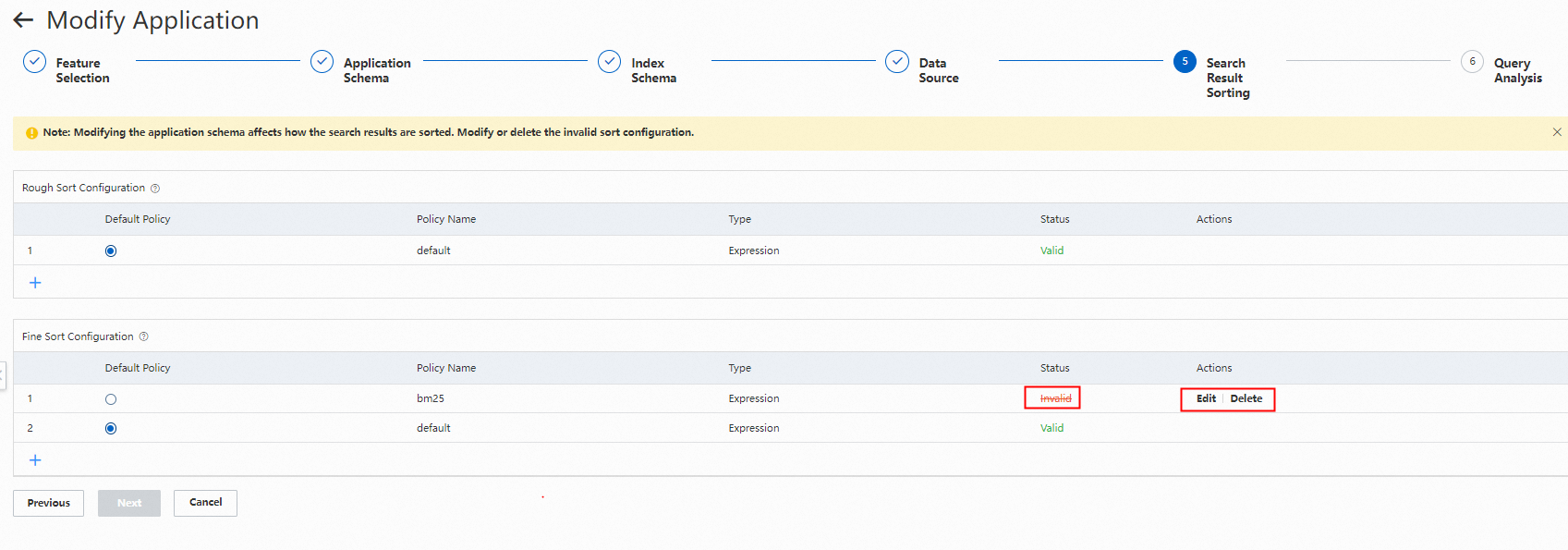
Modify the sorting of search results:

After you complete the configuration changes, specify whether to synchronize incremental data and whether to automatically publish the offline version online after the change.
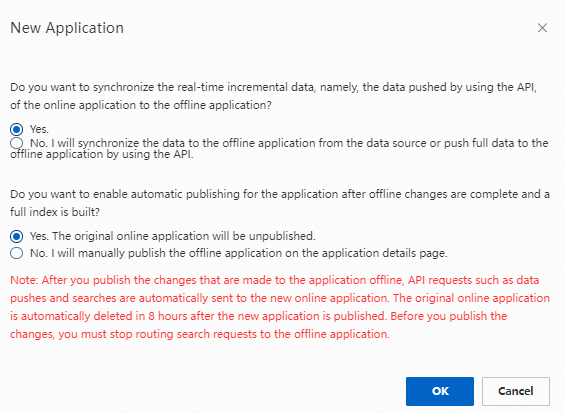
If you select "Do not synchronize. The offline application will receive data through data source synchronization or new API pushes.", incremental data that enters the application through API operations while the version is being built is not synchronized to the version being built.
If you select "No. I will manually publish the application on the offline application details page.", you must click "Publish" on the offline application details page to manually switch the application online later.

Usage notes
If only an online application exists, clicking Offline Change on the details page directly starts the application change process. After the changes are complete, the online application and the offline application coexist.
If both an online application and an offline application exist, the offline change page first displays the details of the offline application. You must click Configure to go to the corresponding step of the application change process. When you finally click Confirm, the existing offline application is deleted first, and then a new offline application is created.
If both an online application and an offline application exist and you make an offline change to the application, the offline application is used as the template for the offline change. To make changes based on the application structure of the online application, you must delete the offline application.
If the status of the online application is "Invalid", you must delete the invalid application and configure it again.