Offline changes
If you need to modify the application schema (add or delete fields, change or add indexes, add or delete attribute fields, or add or delete default display fields) or change the data source of an application, you must use the offline change feature.
Procedure
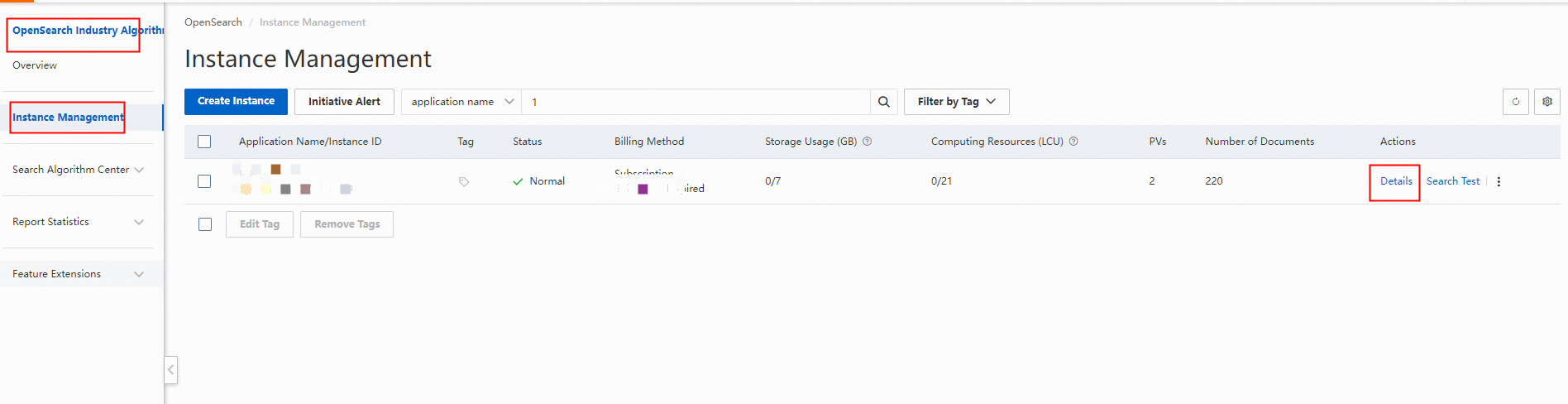
1. Go to the Instance Management page of the OpenSearch Industry Algorithm Edition console and click Details for the application.
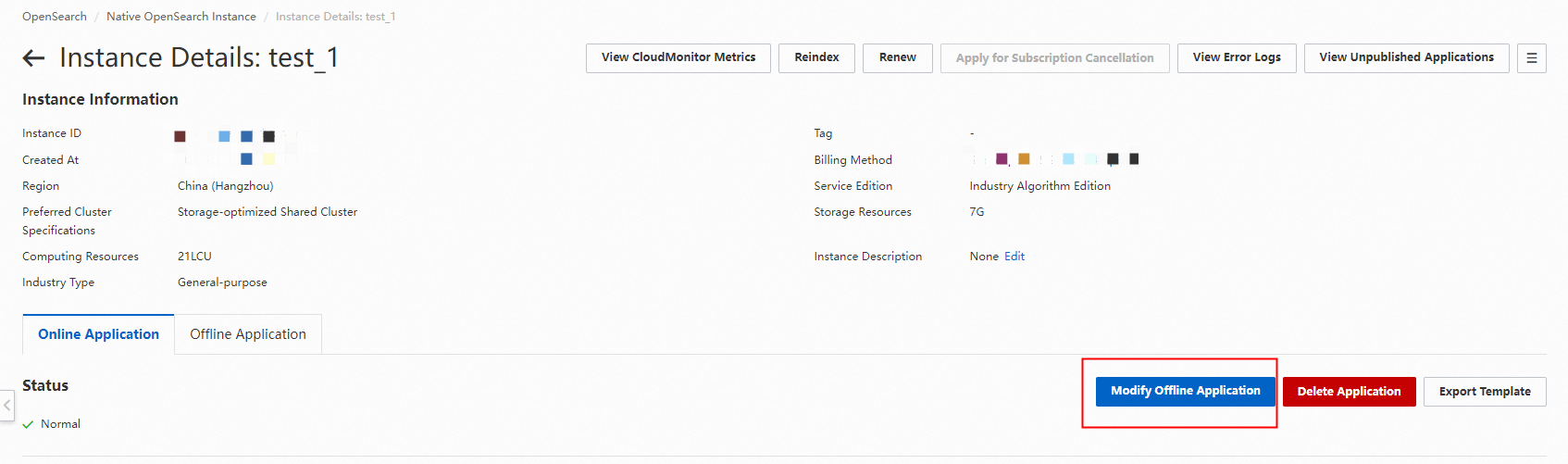
2. The details page of the online application appears. Click Offline Change.
3. On the change page, modify the application schema:
Edit fields:
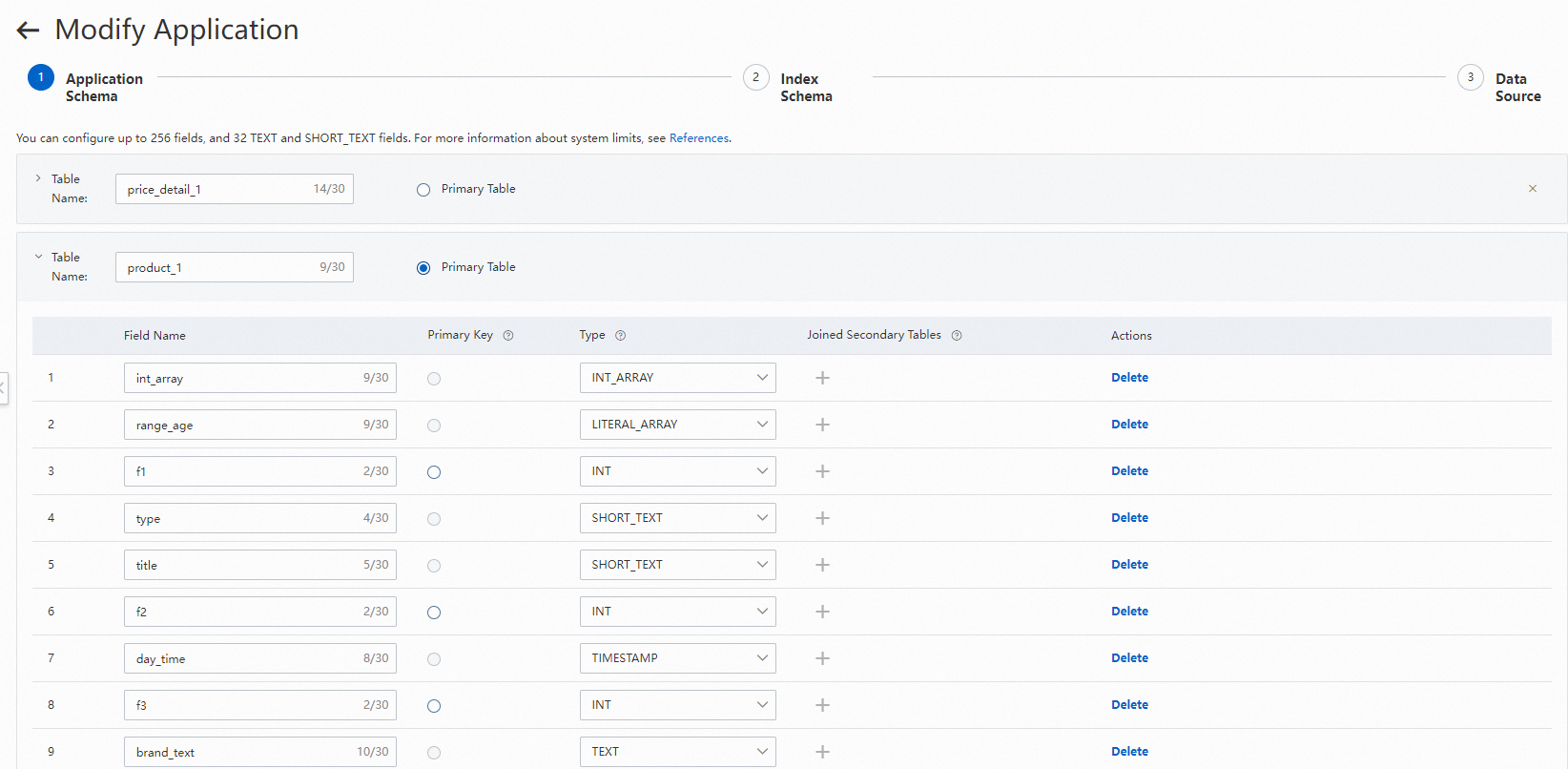
Only applications of the Industry Algorithm Edition specification support adding tables. Applications of the Standard Edition specification support only a single table.
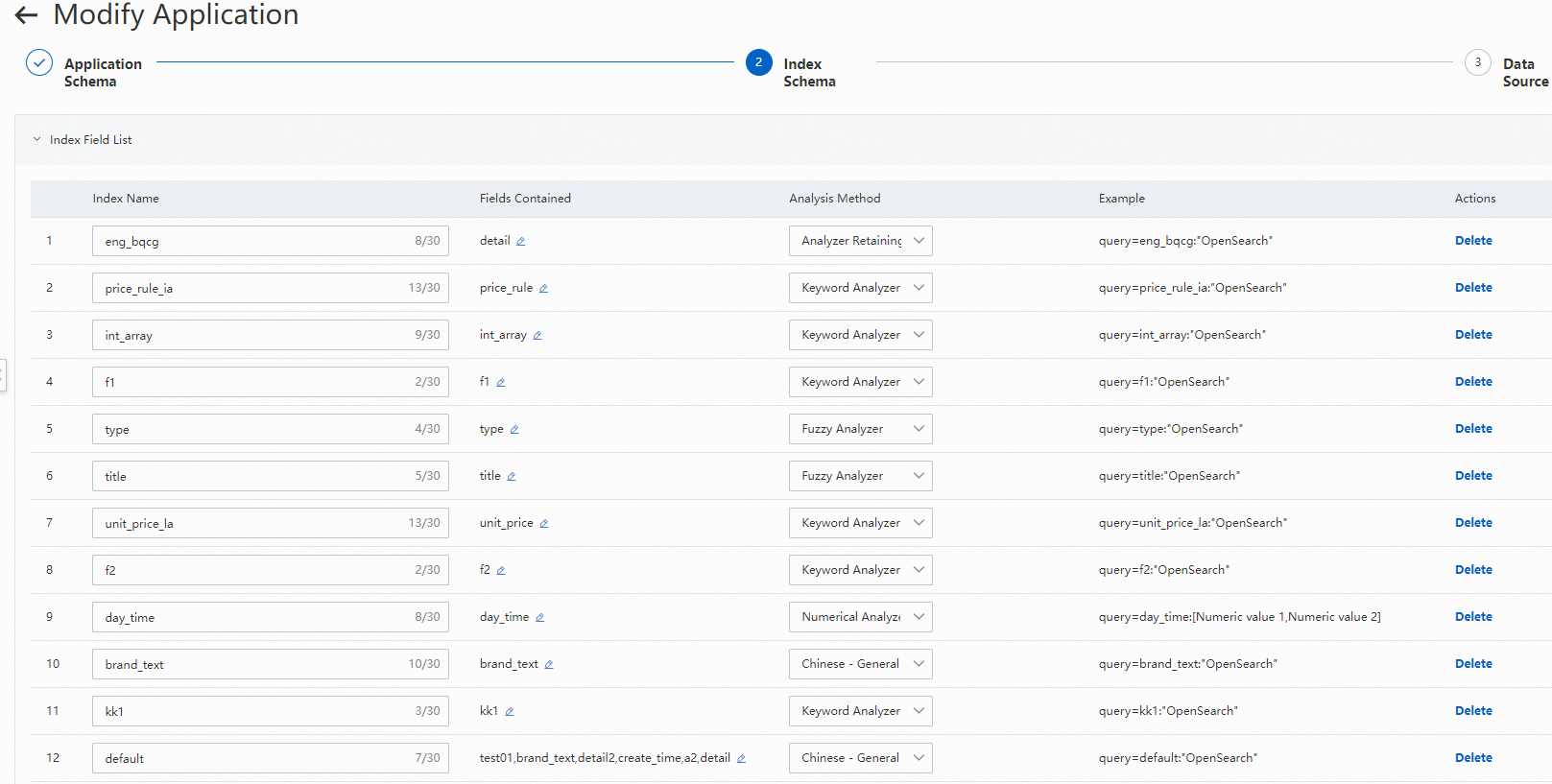
Edit indexes, attribute fields, and default display fields:
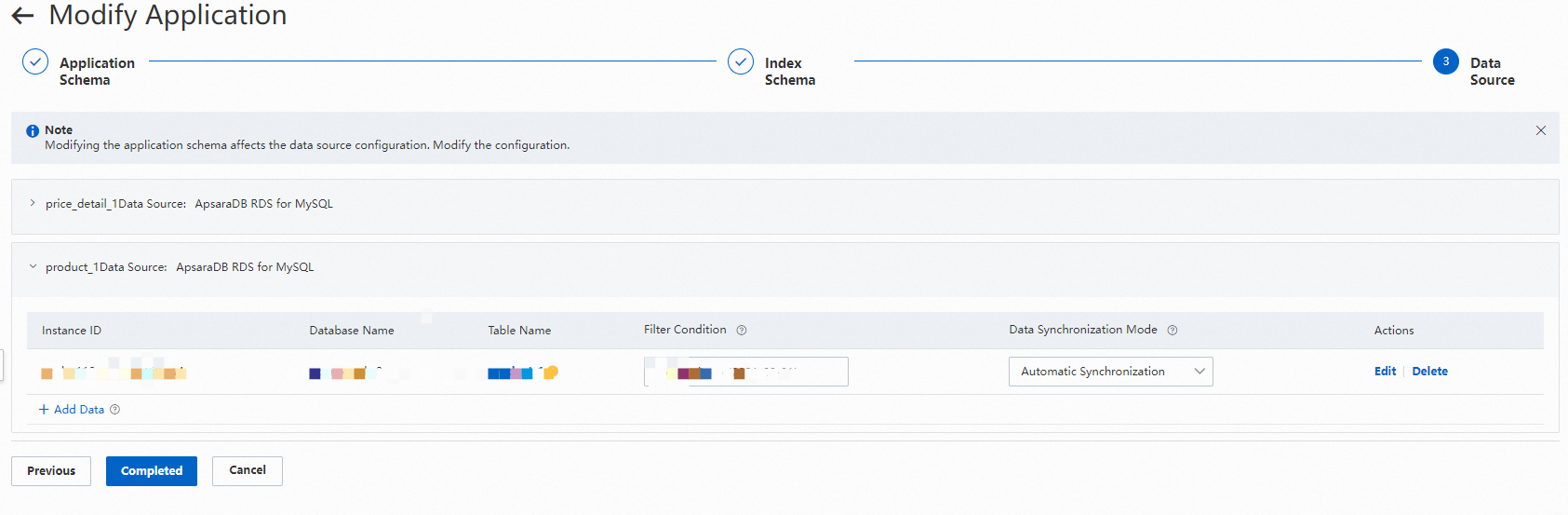
Edit the data source and modify field mappings:
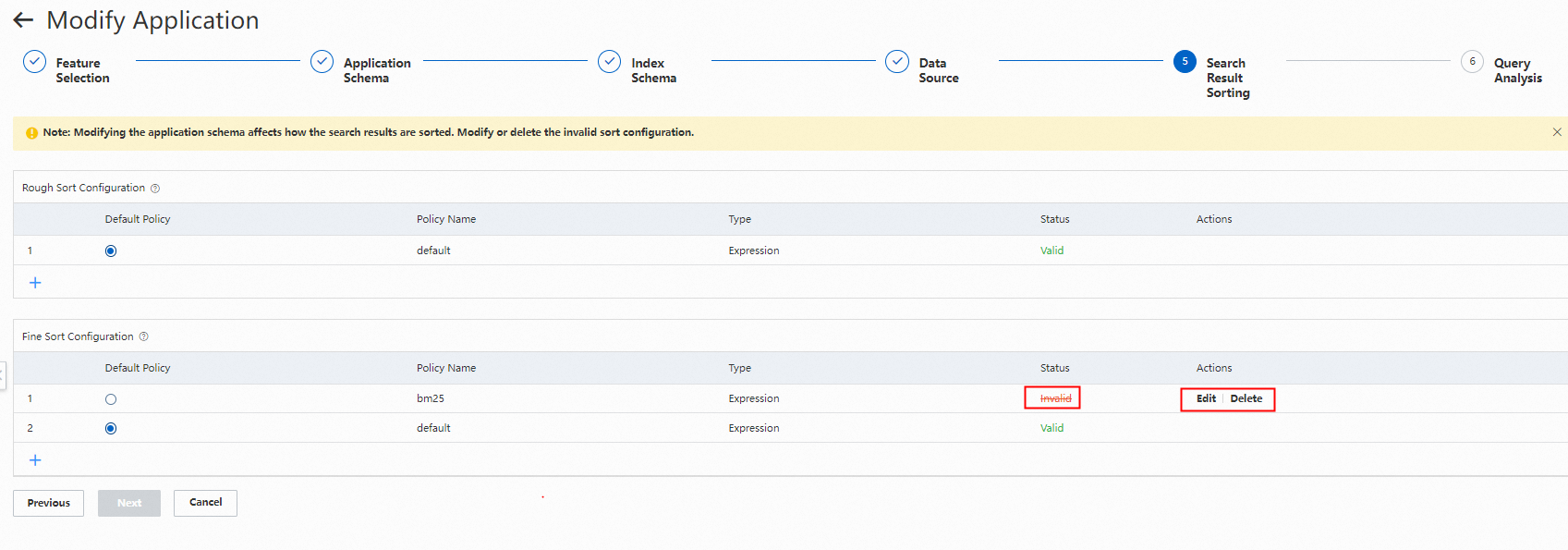
4. Modify the sorting of search results:
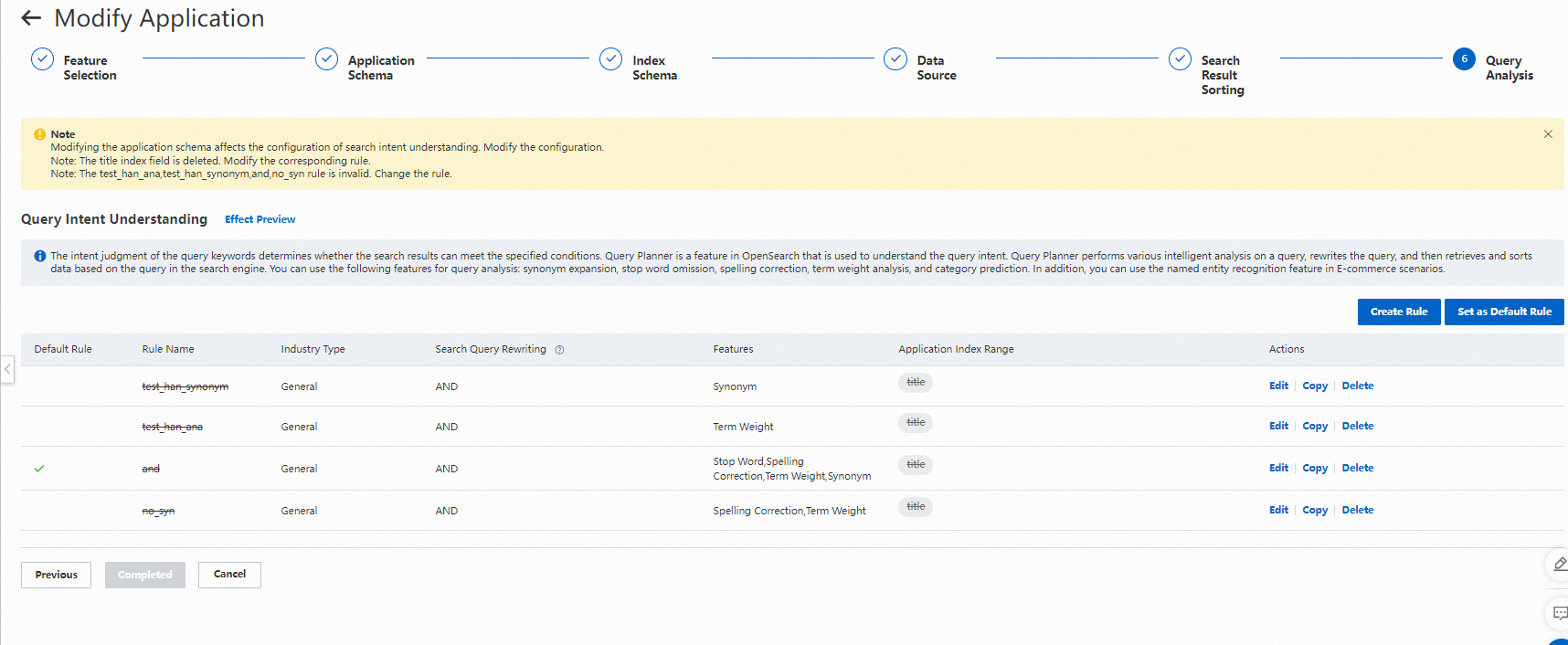
 5. Modify query analysis:
6. After you finish modifying the configurations, specify whether to synchronize incremental data and whether to automatically publish the offline version online after the change is complete:
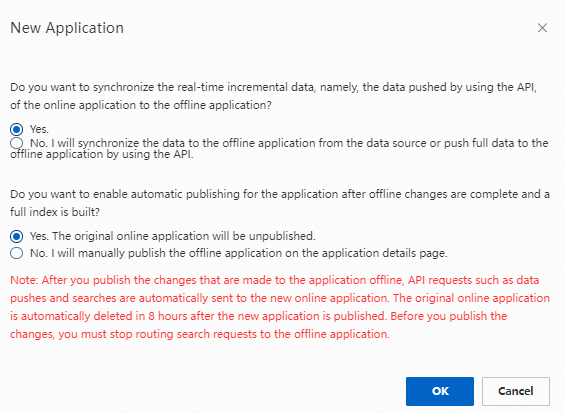
If you select "No. The offline application will receive data through data source synchronization or new pushes by using API operations.", incremental data that enters the application through API operations while the version is being built is not synchronized to the version that is being built.
If you select "No. I will manually publish it on the details page of the offline application.", you must later switch it manually by clicking Publish on the details page of the offline application.

Usage notes
If only an online application exists, clicking Offline Change on the details page directly starts the application change process. After the change is complete, the online application and the offline application coexist.
If both an online application and an offline application already exist, the offline change page first displays the details of the offline application. You must click Configure to go to the corresponding step of the application change process. When you finally click Confirm, the existing offline application is deleted first, and then a new offline application is created.
If both an online application and an offline application already exist and you perform an offline change on the application, the offline application is used as the template for the offline change. If you want to make changes based on the schema of the online application, you must delete the offline application.
If the online application is in the Invalid state, you must delete the invalid application and configure it again.