Deployment management
Details page
On the Deployment management page, you can view the cluster topology of your instance and change its online configuration.
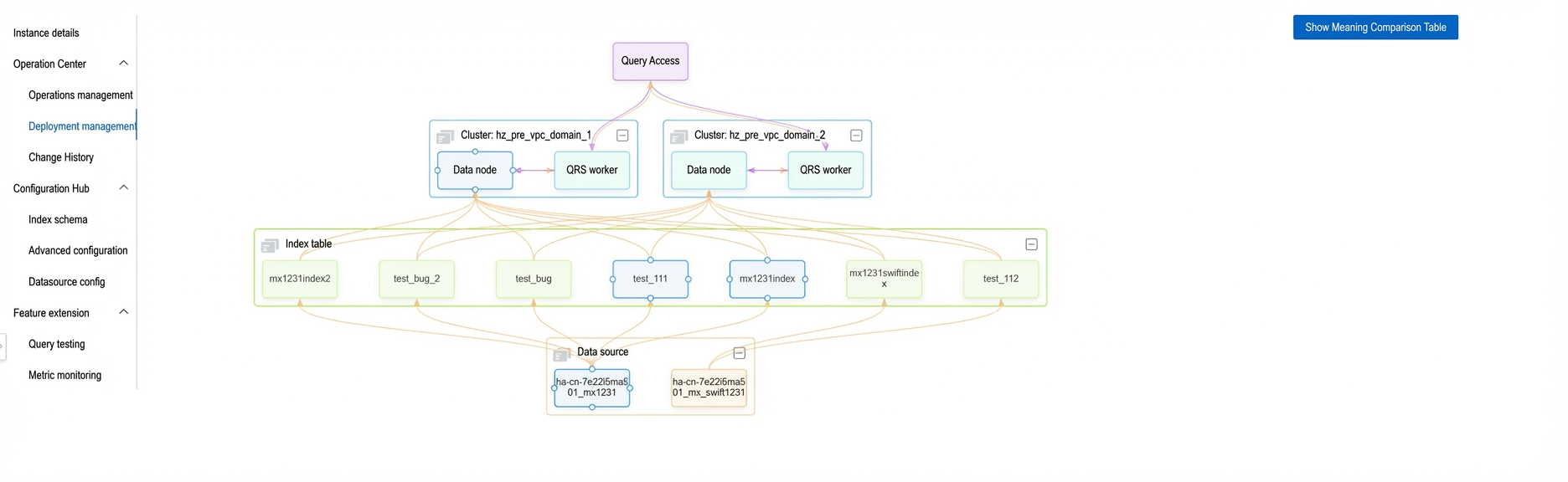
Topology graph
The topology graph has three parts:
Data source: Displays the names of your configured data sources.

Index table: Displays all index tables that are currently referenced.
Cluster: Displays all clusters in your instance.
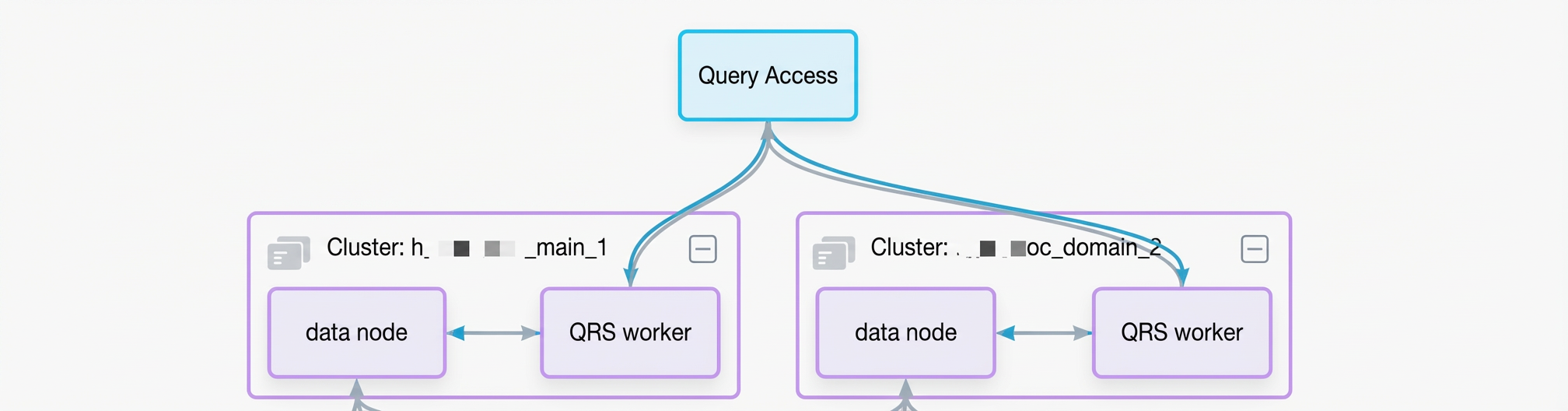
Modify QRS worker configuration
Click Online Configuration to modify the number of data replicas and the minimum service ratio of the QRS worker.
The change takes effect in real time.
Modify data node configuration
Click Online Configuration to modify the online and table configurations of the data node.
The change takes effect in real time.
Enable or disable an index table
When you configure a new index table or take an index table offline, click Publish Online to publish or unpublish it.
After an index table is unpublished, the online engine can no longer access its data. Ensure that no query traffic is sent to the index table before you proceed. Proceed with caution.
Set the index change rate threshold
Index change rate threshold: If a full index change exceeds this threshold, the full switchover is paused. You must then manually force the switchover from the change history.
Click Online Configuration and set the index change rate threshold in the configuration dialog box.
The change takes effect in real time.
Mount or unmount a cluster
When you add a new cluster or take an old one offline, click Mount Cluster to mount or unmount a cluster.
After a cluster is mounted, online traffic is immediately allocated to it. Ensure that the cluster configuration is correct. Proceed with caution.
After a cluster is unmounted, online traffic is no longer allocated to it. Ensure that the cluster receives no production traffic before you proceed. Proceed with caution.
Notes
The number of data shards for QRS workers and data nodes is for display only and cannot be modified.
After you unpublish an index table, you must immediately delete the corresponding index table from the index schema. Otherwise, your online cluster reports an error.
After you unmount a cluster, it stops providing external search services. Before you perform this operation, ensure that no traffic is routed to the cluster.
Data sources, index tables, and clusters, including data nodes and QRS workers, are always displayed on the Deployment management page, regardless of whether they are published online or mounted.