Use the table details page to inspect a table's field configurations and index schema. This is useful when verifying that a table is set up correctly, diagnosing unexpected search results, or confirming vector parameters before running queries.
Prerequisites
Before you begin, ensure that you have:
An OpenSearch Vector Search Edition instance
At least one table created in the instance
View table details
Log on to the OpenSearch console.
Go to the details page of the instance you want to manage.
In the left-side pane, click Table Management.
Find the table you want to inspect, then click View in the Actions column.

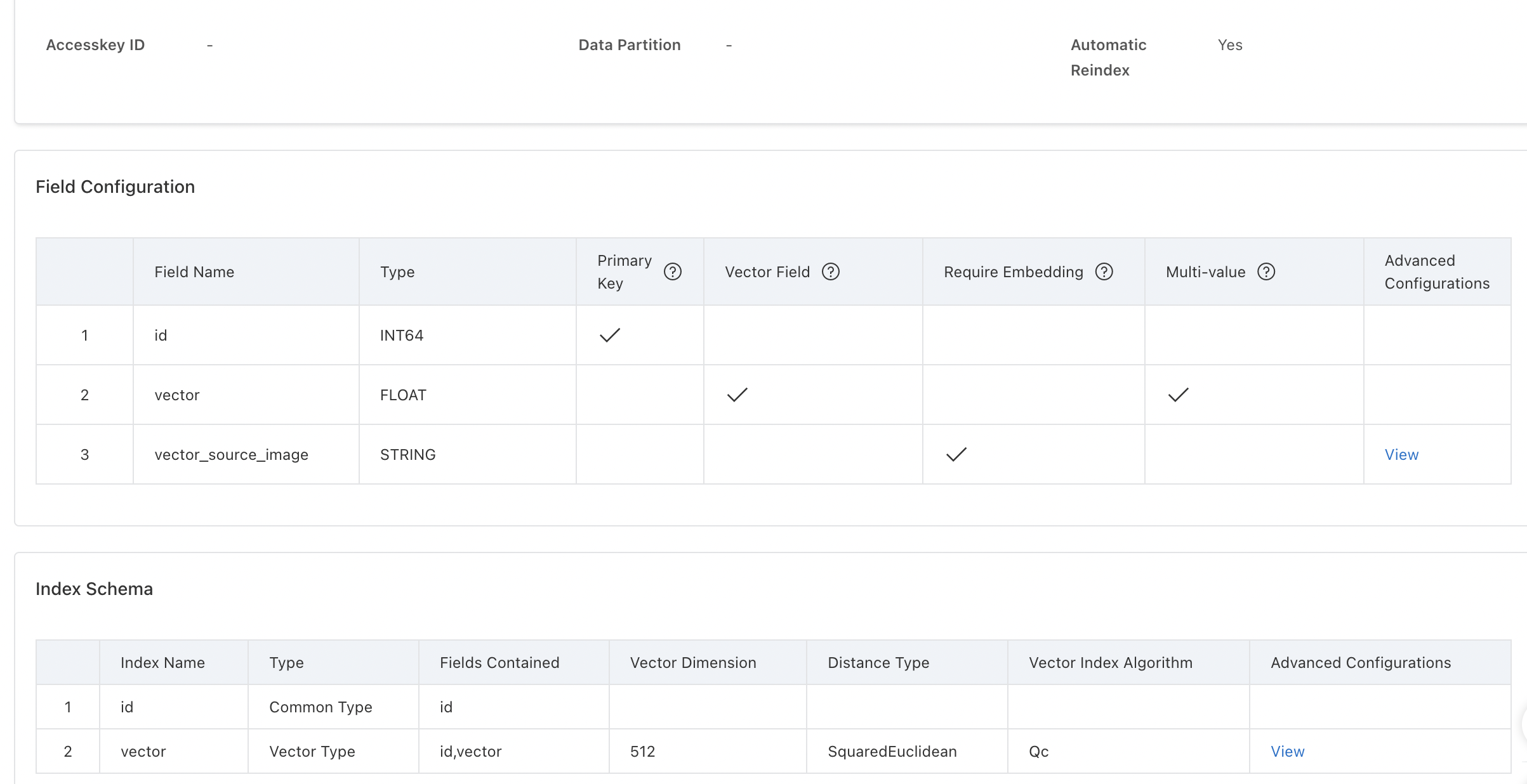
On the table details page, review the following sections:
Table information — information about the table
Field configurations — the fields defined in the table, their data types, and settings.
Index schema — the index structure used for search, including vector parameters.
View advanced configurations
To inspect the advanced configurations of a vector field or an index, find the vector field or index on the table details page and click View in the Advanced Configurations column.