What do I do if OSS objects cannot be downloaded?
Description
When you download an object from Object Storage Service (OSS), the object may fail to be downloaded.
Cause
After comparison and analysis, the issue occurs because the HTTP response header of the failed download request does not contain the Cache-Control response header, and the Server field is left empty. However, the Cache-Control response header is included in the HTTP response header, and the Server field is displayed as expected if the object download is successful. Therefore, the issue may be caused by hijacking. In this case, OSS does not respond to the download request, or OSS responds to the download request but the response is hijacked.
Solutions
Troubleshooting method
Check and analyze captured packets:
Check and analyze captured abnormal packets: The following figure shows the captured data of the client when an abnormal object is downloaded. The Server field in the response header is left empty, and the Time to live (TTL) of the TCP three-way handshake packet (the 1153 packet) between the client and OSS is 64.
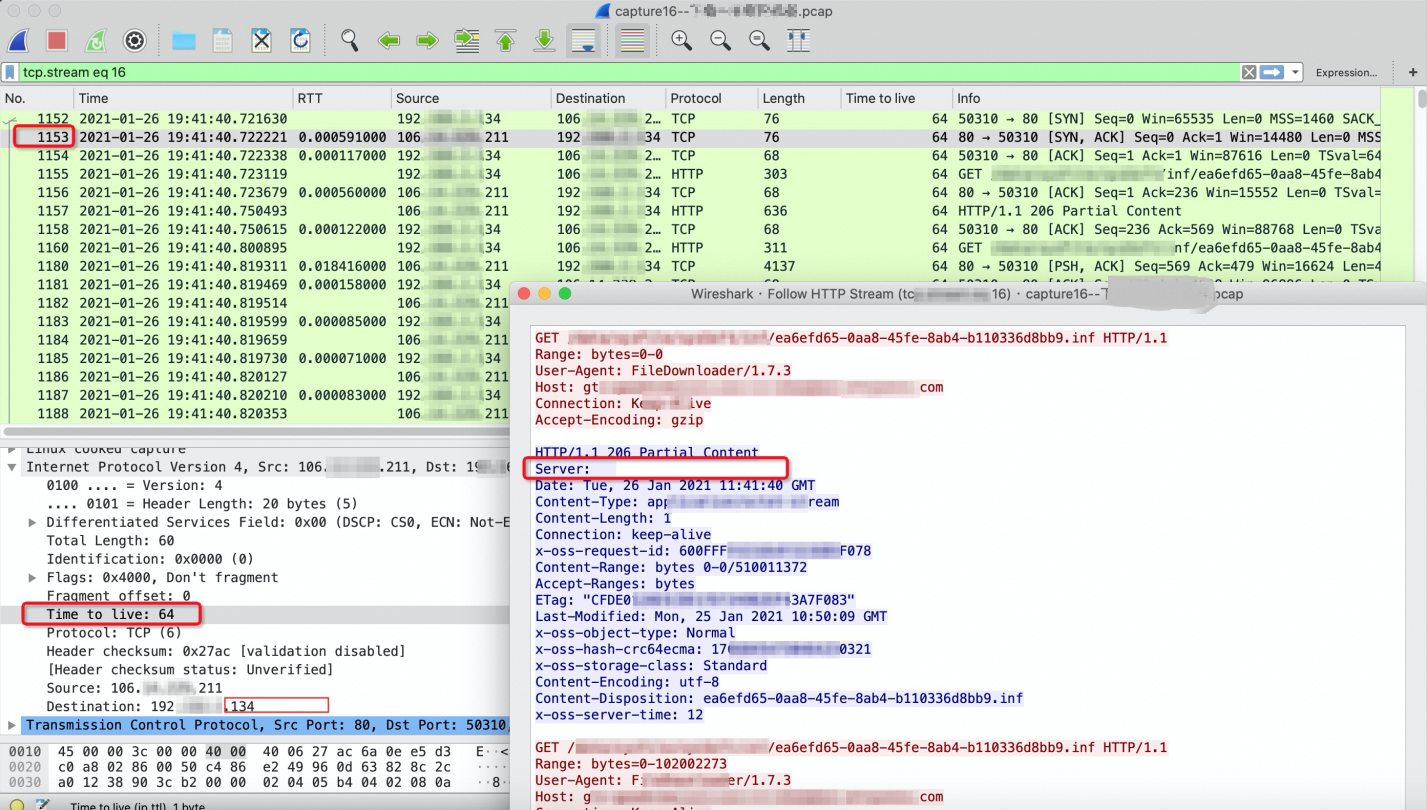
You can determine whether the response is hijacked based on the exceptions as shown in the preceding figure.
If the response header is returned by OSS, the value of the Server field is AliyunOSS.
By default, when OSS responds to TCP/HTTP requests, the TTL in the response packet is 64, and the TTL must be subtracted by 1 every hop. Therefore, the TTL of the response from the server cannot be 64.
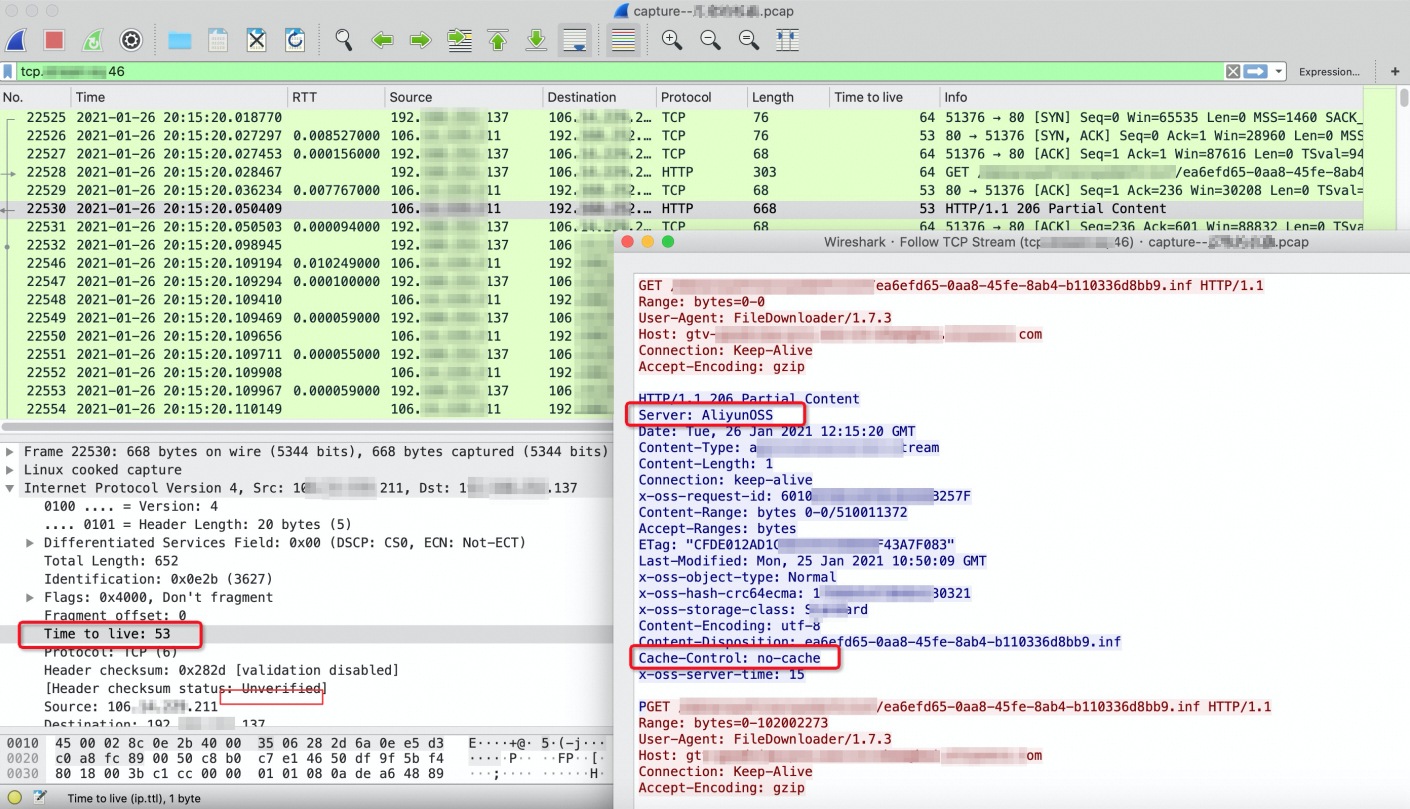
Check and analyze captured normal packets: The following figure shows the captured data of the client when a normal object is downloaded. The value of the Server field in the response header is AliyunOSS, which is a normal field. The TTL is 53, which is within the normal range.
Solutions
Obtain the request ID captured in this request.
View OSS logs based on the request ID in the request when an object fails to be downloaded. The object is uploaded by using an Elastic Compute Service (ECS) instance, but the log shows that the client IP address of the request is not the public IP address of the ECS instance. This indicates that the download request is not implemented directly from ECS to OSS. In this case, the relevant proxy may be configured on the user side, or the download traffic is hijacked.
NoteWhen users access OSS resources, a large number of access logs are generated. To facilitate your query, you can enable logging. For more information, see Configure logging.
We recommend that you check the network environment and use HTTPS requests for tests. For more information, see Access OSS resources over HTTPS.
Supported scope
OSS