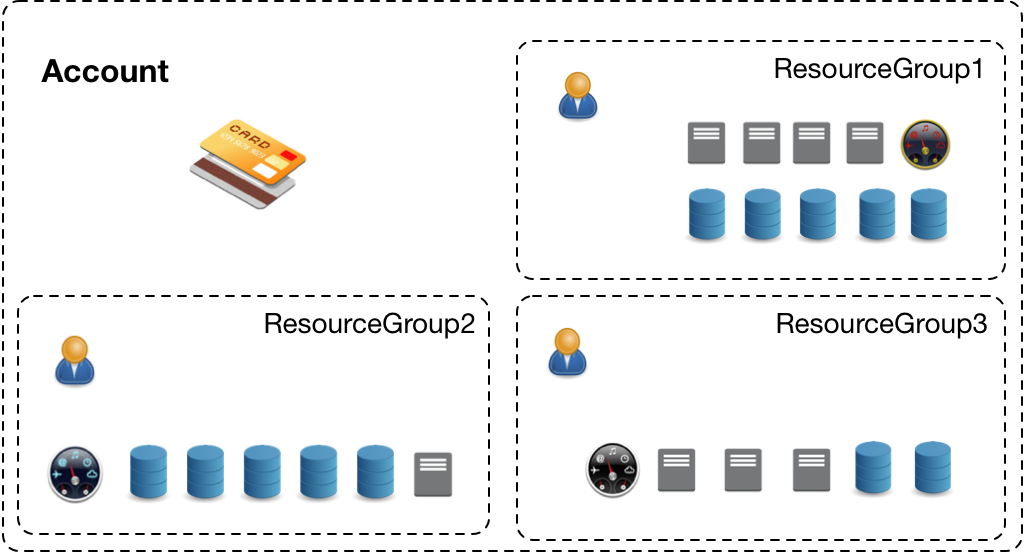
A resource group provides a resource-based method for access control. You can group buckets with the same permission requirements and then grant permissions to the entire group. This approach improves authorization efficiency.
Background
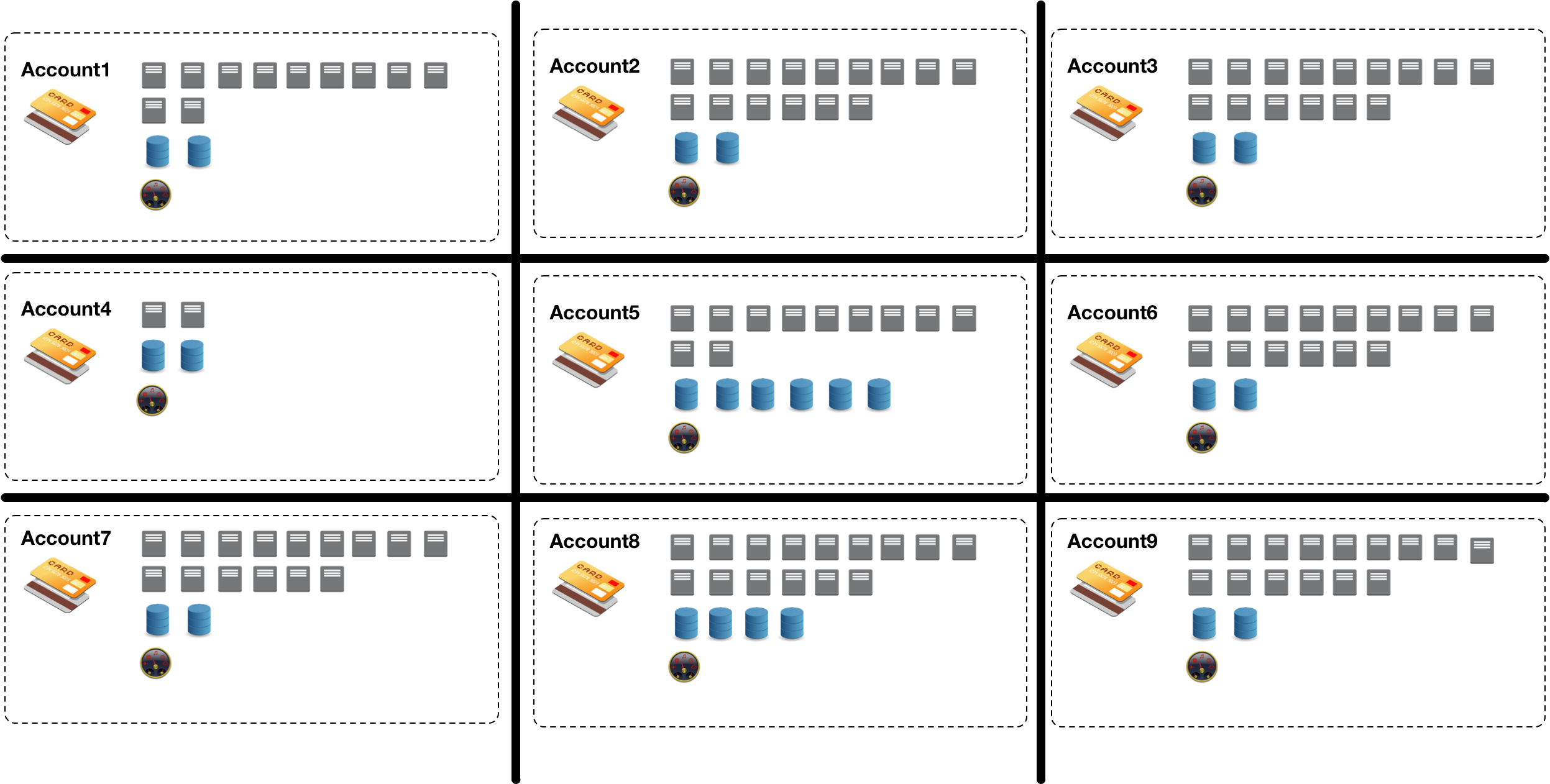
Enterprises often create separate Alibaba Cloud accounts for different projects, subsidiaries, or departments to isolate resources. However, this proliferation of accounts makes it difficult to centrally manage, monitor, and audit cloud resources.
To address this challenge, Object Storage Service (OSS) allows you to use a single Alibaba Cloud account to organize your cloud resources into resource groups based on different scenarios. This empowers project members within your enterprise to manage their own project resources.
Usage notes
A resource group can contain buckets from different regions. A bucket can belong to only one resource group.
A bucket can be transferred only between resource groups that belong to the same Alibaba Cloud account.
Procedure
Use the OSS console
This section provides an example of a company that uses 20 buckets to store test data for different departments. The goal is to grant read-only access to 10 buckets (examplebucket1 to examplebucket10) and read-write access to the other 10 buckets (examplebucket11 to examplebucket20) for all employees. Without resource groups, you would need to configure permissions for each bucket individually, a tedious process. By using resource groups, you can group buckets with the same permission requirements and grant permissions to the group, which greatly improves efficiency.
In addition, to manage permissions for multiple employees efficiently, you can create a user group to classify and authorize RAM users. This simplifies user and permission management.
Create a user group named UserGroup1 and add members.
In the left-side navigation pane, choose Resource Group > Resource Group.
On the Resource Group page, click Create Resource Group.
In the Create Resource Group panel, set Display Name to ResourcegroupA and enter a custom Resource Group Identifier, such as Group1.
Click OK.
The resource group is now in the Creating state. After about three seconds, click . If the status changes to Available, the resource group ResourcegroupA is created successfully.
Repeat the preceding steps to create a resource group named ResourcegroupB.
Click Buckets, and then click the target bucket, examplebucket1.
Choose Bucket Settings > Resource Group.
On the Resource Group page, click Settings.
Select ResourcegroupA from the Resource Group drop-down list and click Save.
Repeat these steps to assign buckets examplebucket2 through examplebucket10 to ResourcegroupA, and buckets examplebucket11 through examplebucket20 to ResourcegroupB.
Grant permissions to the resource groups.
In the left-side navigation pane of the Resource Management console, choose Resource Group > Resource Group.
Find the target resource group and click Manage Permission in the Actions column.
On the Permissions tab, click Grant Permission.
In the Grant Permission panel, configure the parameters as described in the following table.
Parameter
Description
Authorized Scope
Select Specific Resource Group and then select ResourcegroupA from the drop-down list.
Principal
Enter the user group that you created: UserGroup1.
Select Policy
Select System Policy. Then, assign the AliyunOSSReadOnlyAccess policy to grant read-only access to Object Storage Service (OSS) resources in ResourcegroupA.
Click OK.
Click Complete.
Repeat these steps to grant the AliyunOSSFullAccess permission to ResourcegroupB. This policy grants full management access to OSS.
Use Alibaba Cloud SDKs
You can configure the resource group for a bucket using the SDKs for Java, Python, or Go. For more information, see SDK overview.
import com.aliyun.oss.*;
import com.aliyun.oss.common.auth.*;
import com.aliyun.oss.common.comm.SignVersion;
import com.aliyun.oss.model.SetBucketResourceGroupRequest;

public class Demo {
    public static void main(String[] args) throws Throwable {
        // In this example, the endpoint of the China (Hangzhou) region is used. Specify your actual endpoint.
        String endpoint = "https://oss-cn-hangzhou.aliyuncs.com";
        // Obtain access credentials from environment variables. Before you run the sample code, make sure that the OSS_ACCESS_KEY_ID and OSS_ACCESS_KEY_SECRET environment variables are configured.
        EnvironmentVariableCredentialsProvider credentialsProvider = CredentialsProviderFactory.newEnvironmentVariableCredentialsProvider();
        // Specify the name of the bucket. Example: examplebucket.
        String bucketName = "examplebucket";
        // Specify the ID of the resource group. If you do not specify a resource group ID, the bucket belongs to the default resource group.
        String rgId = "rg-aekz****";
        // Specify the region in which the bucket is located. For example, if the bucket is located in the China (Hangzhou) region, set the region to cn-hangzhou.
        String region = "cn-hangzhou";

        // Create an OSSClient instance.
        // Call the shutdown method to release associated resources when the OSSClient is no longer in use.
        ClientBuilderConfiguration clientBuilderConfiguration = new ClientBuilderConfiguration();
        clientBuilderConfiguration.setSignatureVersion(SignVersion.V4);
        OSS ossClient = OSSClientBuilder.create()
        .endpoint(endpoint)
        .credentialsProvider(credentialsProvider)
        .clientConfiguration(clientBuilderConfiguration)
        .region(region)
        .build();

        try {
            // Create a setBucketResourceGroupRequest object.
            SetBucketResourceGroupRequest setBucketResourceGroupRequest = new SetBucketResourceGroupRequest(bucketName,rgId);
            // Configure the resource group to which the bucket belongs.
            ossClient.setBucketResourceGroup(setBucketResourceGroupRequest);
        } catch (OSSException oe) {
            System.out.println("Caught an OSSException, which means your request made it to OSS, "
                    + "but was rejected with an error response for some reason.");
            System.out.println("Error Message:" + oe.getErrorMessage());
            System.out.println("Error Code:" + oe.getErrorCode());
            System.out.println("Request ID:" + oe.getRequestId());
            System.out.println("Host ID:" + oe.getHostId());
        } catch (ClientException ce) {
            System.out.println("Caught an ClientException, which means the client encountered "
                    + "a serious internal problem while trying to communicate with OSS, "
                    + "such as not being able to access the network.");
            System.out.println("Error Message:" + ce.getMessage());
        } finally {
            if (ossClient != null) {
                ossClient.shutdown();
            }
        }
    }
}
package main
import (
"context"
"flag"
"log"
"github.com/aliyun/alibabacloud-oss-go-sdk-v2/oss"
"github.com/aliyun/alibabacloud-oss-go-sdk-v2/oss/credentials"
)
// Specify the global variables.
var (
region string // The region in which the bucket is located.
bucketName string // The name of the bucket.
)
// Specify the init function used to initialize command line parameters.
func init() {
flag.StringVar(®ion, "region", "", "The region in which the bucket is located.")
flag.StringVar(&bucketName, "bucket", "", "The name of the bucket.")
}
func main() {
// Parse command line parameters.
flag.Parse()
// Specify the ID of the resource group. If you do not specify a resource group ID, the bucket belongs to the default resource group.
var groupId string = "rg-aekz****"
// Check whether the bucket name is empty.
if len(bucketName) == 0 {
flag.PrintDefaults()
log.Fatalf("invalid parameters, bucket name required")
}
// Check whether the region is empty.
if len(region) == 0 {
flag.PrintDefaults()
log.Fatalf("invalid parameters, region required")
}
// Load the default configurations and specify the credential provider and region.
cfg := oss.LoadDefaultConfig().
WithCredentialsProvider(credentials.NewEnvironmentVariableCredentialsProvider()).
WithRegion(region)
// Create an OSSClient instance.
client := oss.NewClient(cfg)
// Create a request to configure the resource group for the bucket.
request := &oss.PutBucketResourceGroupRequest{
Bucket: oss.Ptr(bucketName), // The name of the bucket.
BucketResourceGroupConfiguration: &oss.BucketResourceGroupConfiguration{
ResourceGroupId: oss.Ptr(groupId),
},
}
// Execute the request to configure the resource group for the bucket.
result, err := client.PutBucketResourceGroup(context.TODO(), request)
if err != nil {
log.Fatalf("failed to put bucket resource group %v", err)
}
// Display the result of the request.
log.Printf("put bucket resource group result:%#v\n", result)
}
import argparse
import alibabacloud_oss_v2 as oss

# Create a command line argument parser and describe the purpose of the script: configure the resource group for a bucket.
parser = argparse.ArgumentParser(description="put bucket resource group sample")

# Define the command-line arguments, including the required parameters - region and bucket name - as well as the optional parameters - endpoint and resource group ID.
parser.add_argument('--region', help='The region in which the bucket is located.', required=True)
parser.add_argument('--bucket', help='The name of the bucket.', required=True)
parser.add_argument('--endpoint', help='The domain names that other services can use to access OSS')
parser.add_argument('--resource_group_id',
                    help='The ID of the resource group to which the bucket belongs. (Optional, default is an empty string)',
                    default='')

def main():
    # Parse command line arguments to obtain the values entered.
    args = parser.parse_args()

    # Load access credentials from environment variables for authentication.
    credentials_provider = oss.credentials.EnvironmentVariableCredentialsProvider()

    # Use the default configuration to create a cfg object and specify the credential provider.
    cfg = oss.config.load_default()
    cfg.credentials_provider = credentials_provider

    # Set the region attribute of the cfg object to the region provided in the command line.
    cfg.region = args.region

    # If a custom endpoint is provided, update the endpoint attribute of the cfg object with the provided endpoint.
    if args.endpoint is not None:
        cfg.endpoint = args.endpoint

    # Use the preceding settings to initialize the OSSClient instance.
    client = oss.Client(cfg)

    # Send a request to configure the resource group for the specified bucket.
    result = client.put_bucket_resource_group(oss.PutBucketResourceGroupRequest(
            bucket=args.bucket,  # Name of the bucket.
            bucket_resource_group_configuration=oss.BucketResourceGroupConfiguration(
                resource_group_id=args.resource_group_id,  # Resource group ID.
            ),
    ))

    # Display the HTTP status code of the operation and request ID to check the request status.
    print(f'status code: {result.status_code},'
          f' request id: {result.request_id},'
          )

# Call the main function to start the processing logic when the script is directly run.
if __name__ == "__main__":
    main()  # Entry point of the script. The control flow starts here.
Use ossutil
You can use ossutil to configure a resource group. For information about how to install ossutil, see Install ossutil.
The following command sets the resource group ID to rg-123 for the examplebucket bucket.
ossutil api put-bucket-resource-group --bucket examplebucket --resource-group-configuration "{\"ResourceGroupId\":\"rg-123\"}"
The operations in this topic use the underlying REST API. For advanced customization, you can call the REST API directly, which requires you to manually calculate the request signature. For more information, see PutBucketResourceGroup.
 . If the status changes to Available, the resource group ResourcegroupA is created successfully.