FAQ
This topic addresses common questions and issues when using OSS-HDFS.
Accidentally deleting a lifecycle rule
When you enable automatic storage tiering, OSS automatically creates a lifecycle rule with policies to transition objects to IA, Archive, and Cold Archive. If you accidentally delete this lifecycle rule or one of its policies, data tiering may fail.
Resolution:
-
Disable automatic storage tiering.
-
Click Configure.
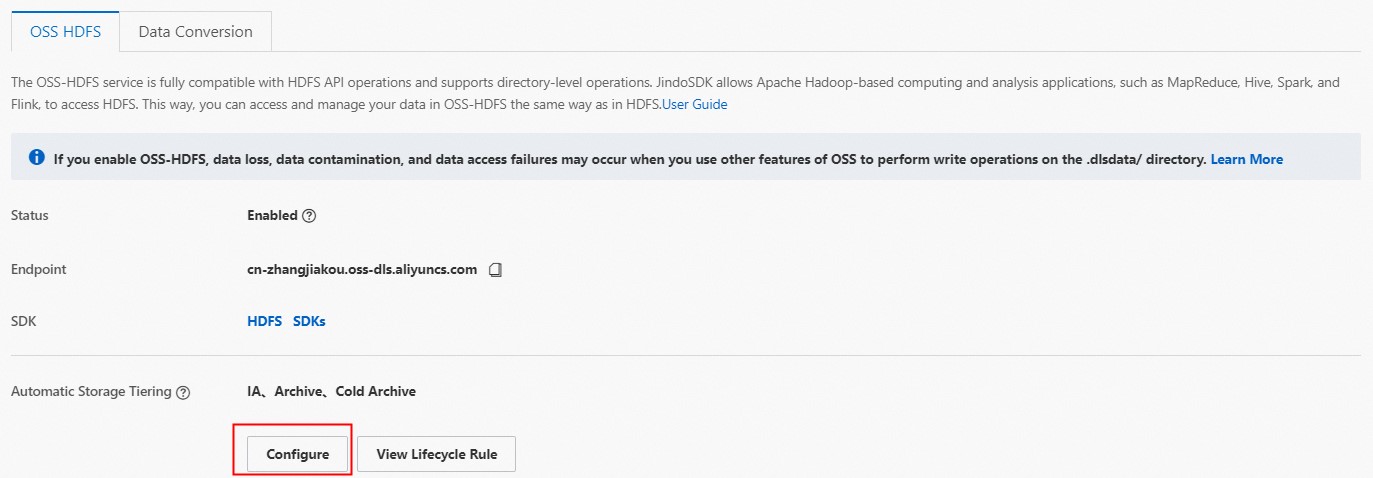
-
In the Basic Settings section of the Automatic Storage Tiering panel, turn off the status switch and click OK.
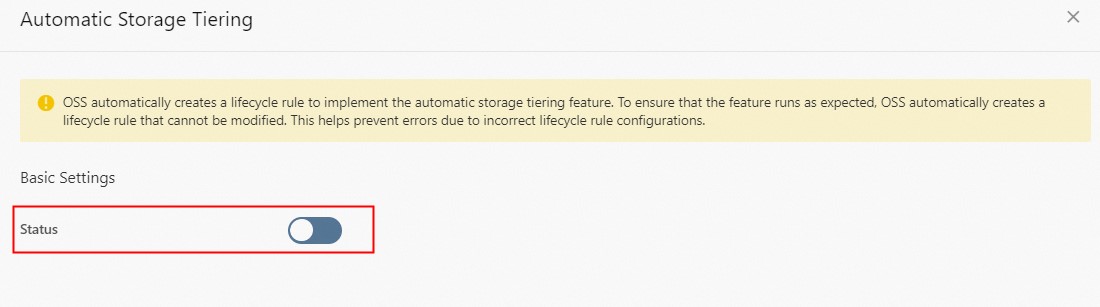
-
In the dialog box that appears, click OK.
-
-
Recreate the lifecycle rule.
-
On the OSS-HDFS tab, click Configure for automatic storage tiering.
-
In the Basic Settings section of the Automatic Storage Tiering panel, turn on the status switch.
-
Click OK.
OSS recreates the lifecycle rule with policies to transition objects to the IA, Archive, and Cold Archive storage classes.
-
Transitioning objects from Archive or Cold Archive
Yes. For instructions, see Use automatic storage tiering.
JindoOssFileSystem not found error
Cause: The path to the JindoSDK is configured incorrectly.
Resolution:
-
Locate the JindoSDK JAR.
-
Based on the location of the JindoSDK JAR, correctly configure the JINDOSDK_HOME and HADOOP_CLASSPATH environment variables. For more information, see Quick start: Connect a non-EMR cluster to OSS-HDFS.
Hdfs du and OSS bucket capacity discrepancy
Cause: The hdfs du command does not include data written using standard OSS APIs or parts from incomplete multipart uploads in its calculation.
Resolution: Verify that the discrepancy is caused by data written through standard OSS APIs (objects in the bucket that do not have the .dlsdata prefix) and by parts. Delete these parts promptly to avoid unnecessary storage costs. For instructions, see Delete parts.