Interaction flows
Integrating the Phone Number Verification Service involves both your client and server. The process differs slightly for each authentication method. This topic describes the complete interaction flows for CAPTCHA, Phone Number Authentication, and Fusion Authentication.
Because an H5 page is less secure, a token is required for identity verification. The Phone Number Verification Service provides dedicated API operations for H5 page integration, a process that differs from integration with other clients. For more information, see H5 page demo experience.
CAPTCHA flow
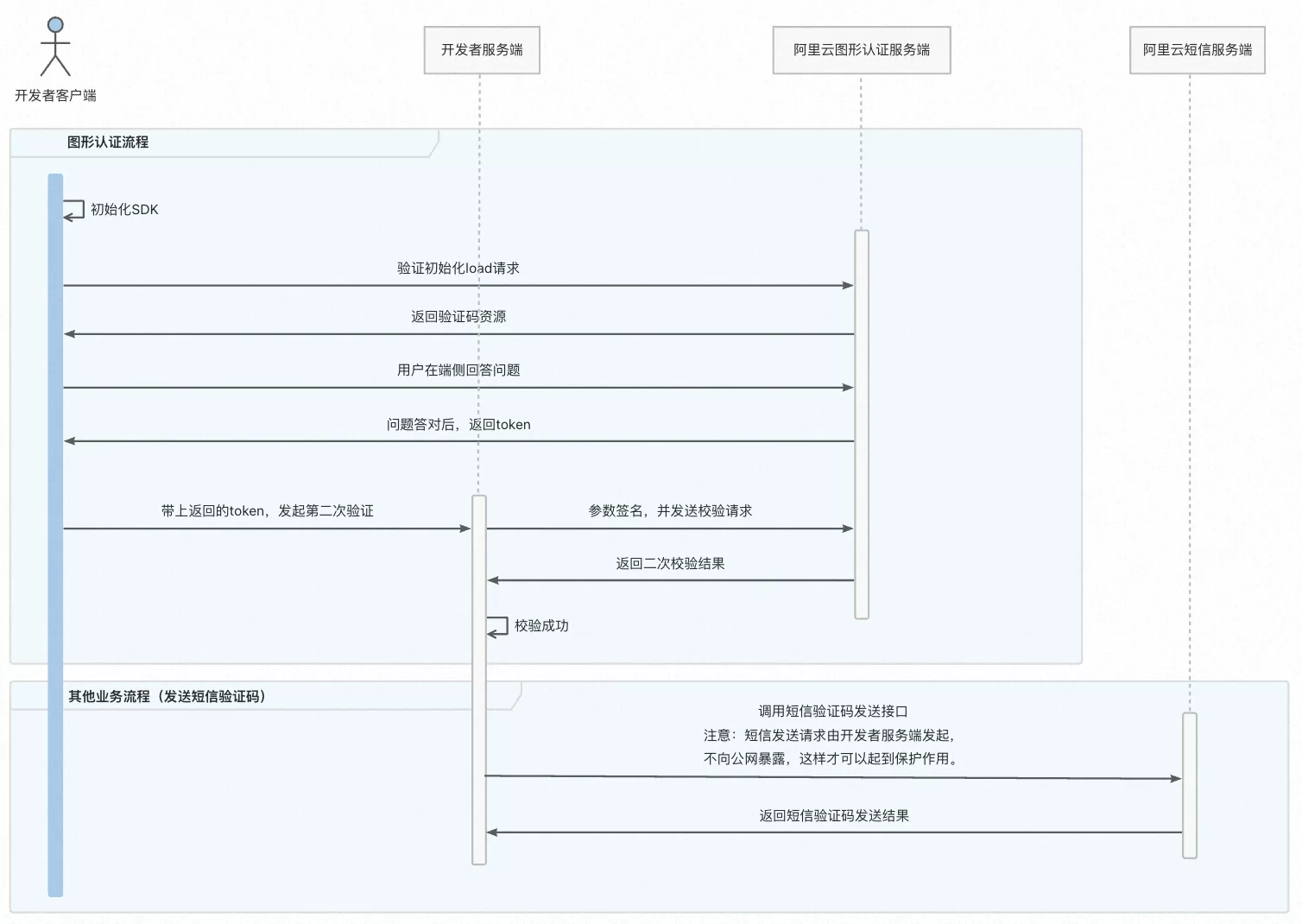
The flow involves four parties: the developer client, the developer server, the Alibaba Cloud CAPTCHA server, and the Alibaba Cloud SMS server.
CAPTCHA flow (two-step verification)
First verification (client-side):
The developer client initializes the SDK.
The client sends a
loadrequest to the Alibaba Cloud CAPTCHA server to initialize verification.The server returns CAPTCHA resources, such as a slider or a puzzle.
The user solves the CAPTCHA on the client.
After the user solves the CAPTCHA, the Alibaba Cloud server returns a token.
Second verification (server-side):
The client passes the token to the developer server to initiate the second verification.
The developer server signs the parameters and sends a verification request to the Alibaba Cloud CAPTCHA server.
The Alibaba Cloud server returns the second verification result.
If the verification succeeds, the flow ends.
Subsequent process (using an SMS verification code as an example)
The developer server calls the Alibaba Cloud SMS server's API to send an SMS verification code.
The server returns the result of the request.
Two-step verification mechanism: Client-side verification (user interaction) and server-side verification (token validation) to prevent attackers from bypassing the user interface.
After successful verification, the client obtains a token and passes it to the server for a second validation to ensure the result is trusted.
Security isolation: Sensitive operations, such as sending an SMS, are performed only on the server. CAPTCHA acts as a preliminary security layer.
Phone number authentication
One-click login
The one-click login interaction flow has four main steps: initializing the SDK, displaying the authorization page, granting authorization to log in, and retrieving the phone number on the server.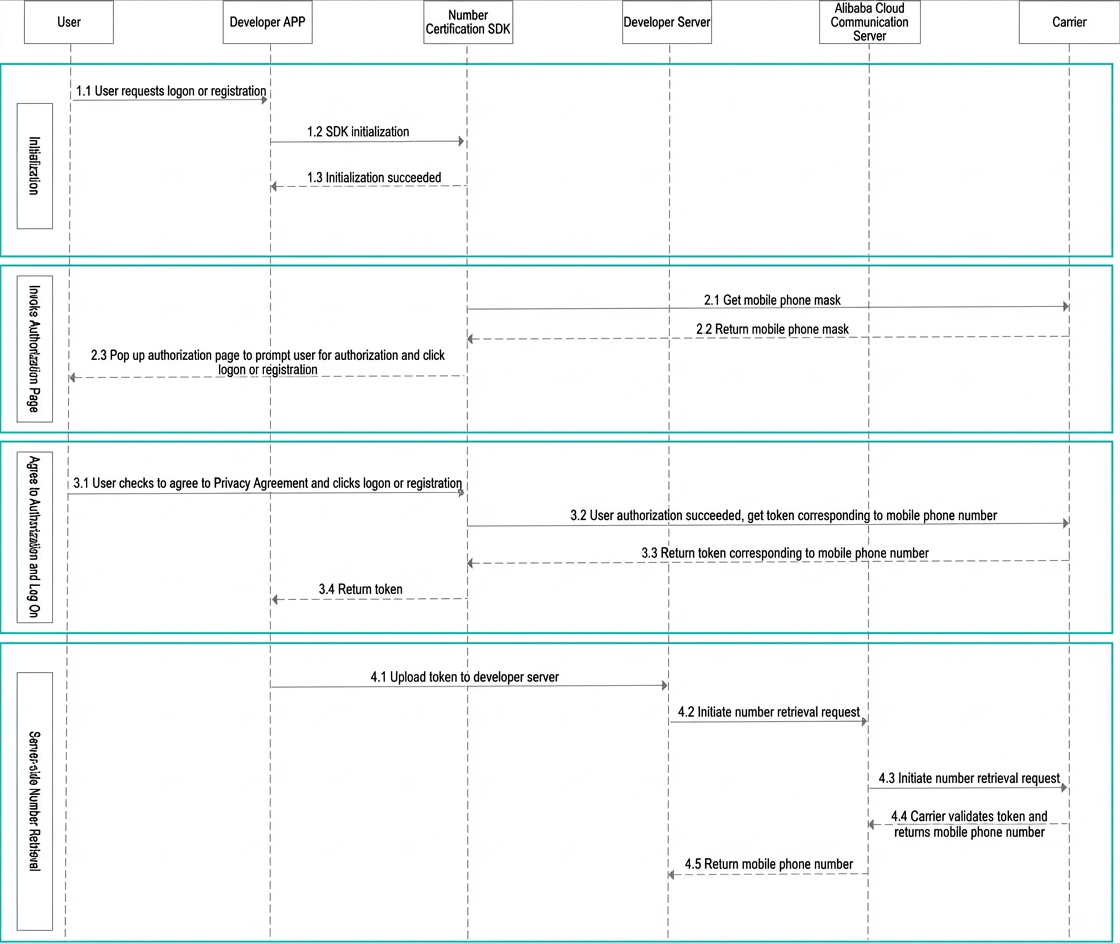
Mobile number verification
The mobile number verification interaction flow has three main steps: initialization, obtaining authentication parameters, and initiating authentication.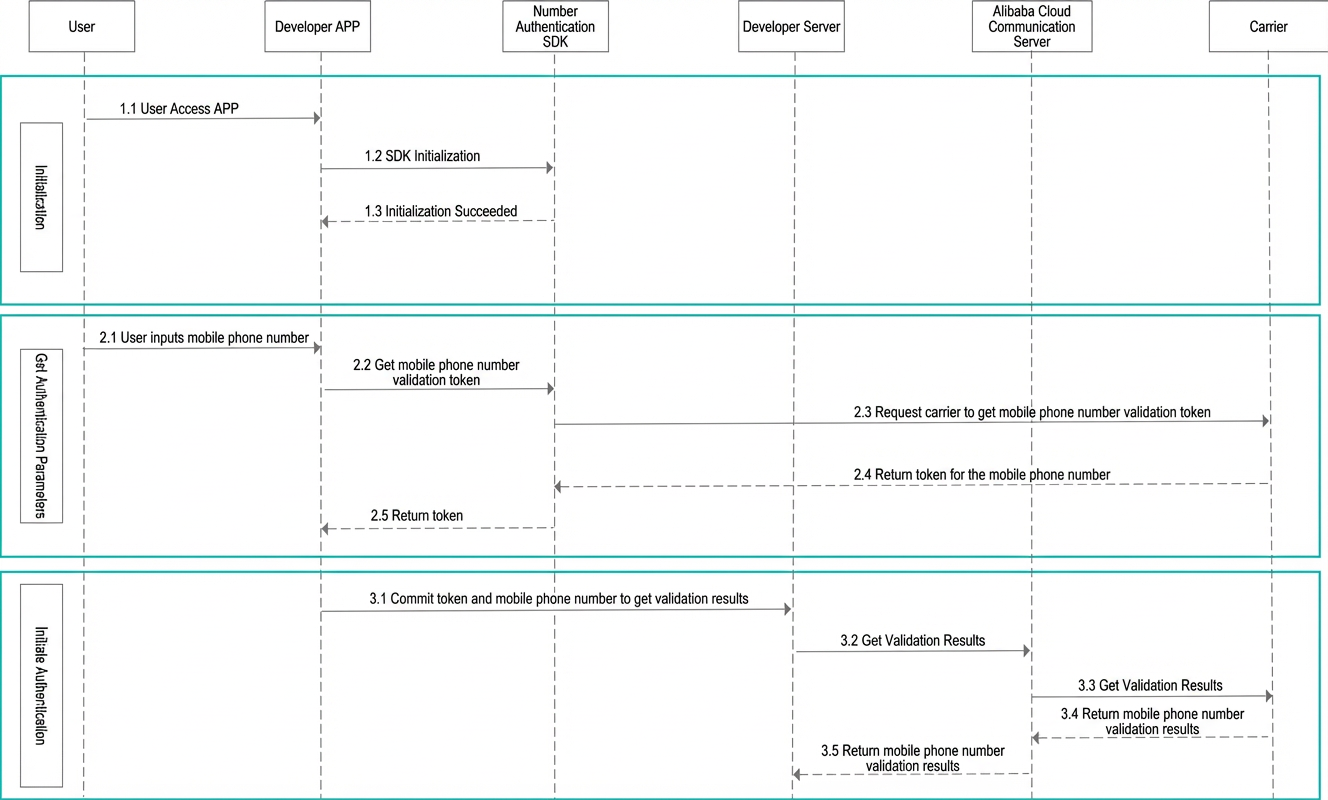
Fusion authentication
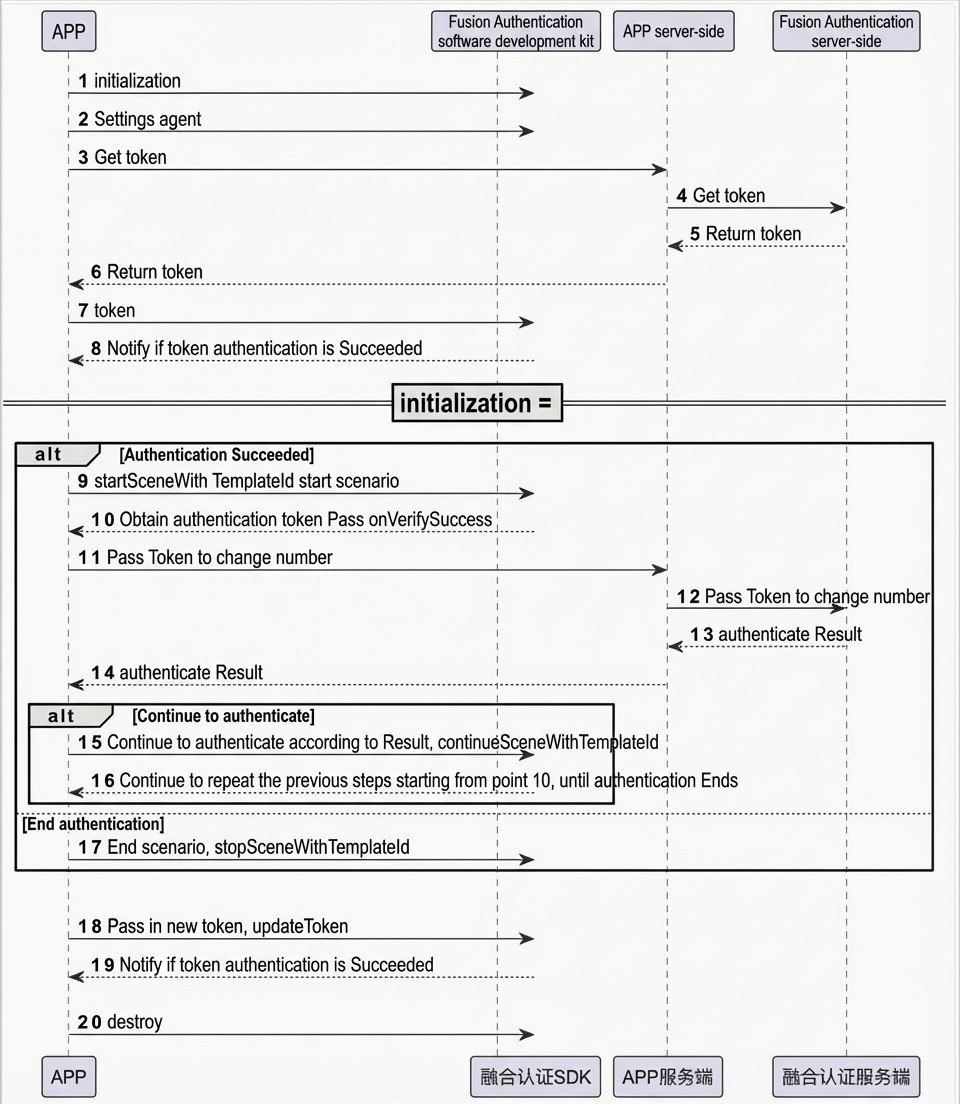
Integrate the Alibaba Cloud SDK into your client, then initialize and call the SDK.
From your server, call the Alibaba Cloud API GetFusionAuthToken to obtain an authentication token. Then, send this token to your client, which passes it to the SDK for authentication.
Display the scenario authorization page. Some scenarios require user authorization, such as agreeing to a privacy policy and obtaining an SMS verification code.
After the user grants authorization, your client obtains the exchange token from the SDK callback.
Your client uploads the exchange token to your server. Your server then calls the server-side API VerifyWithFusionAuthToken to exchange the token for the user's phone number.