Batch import validation rules
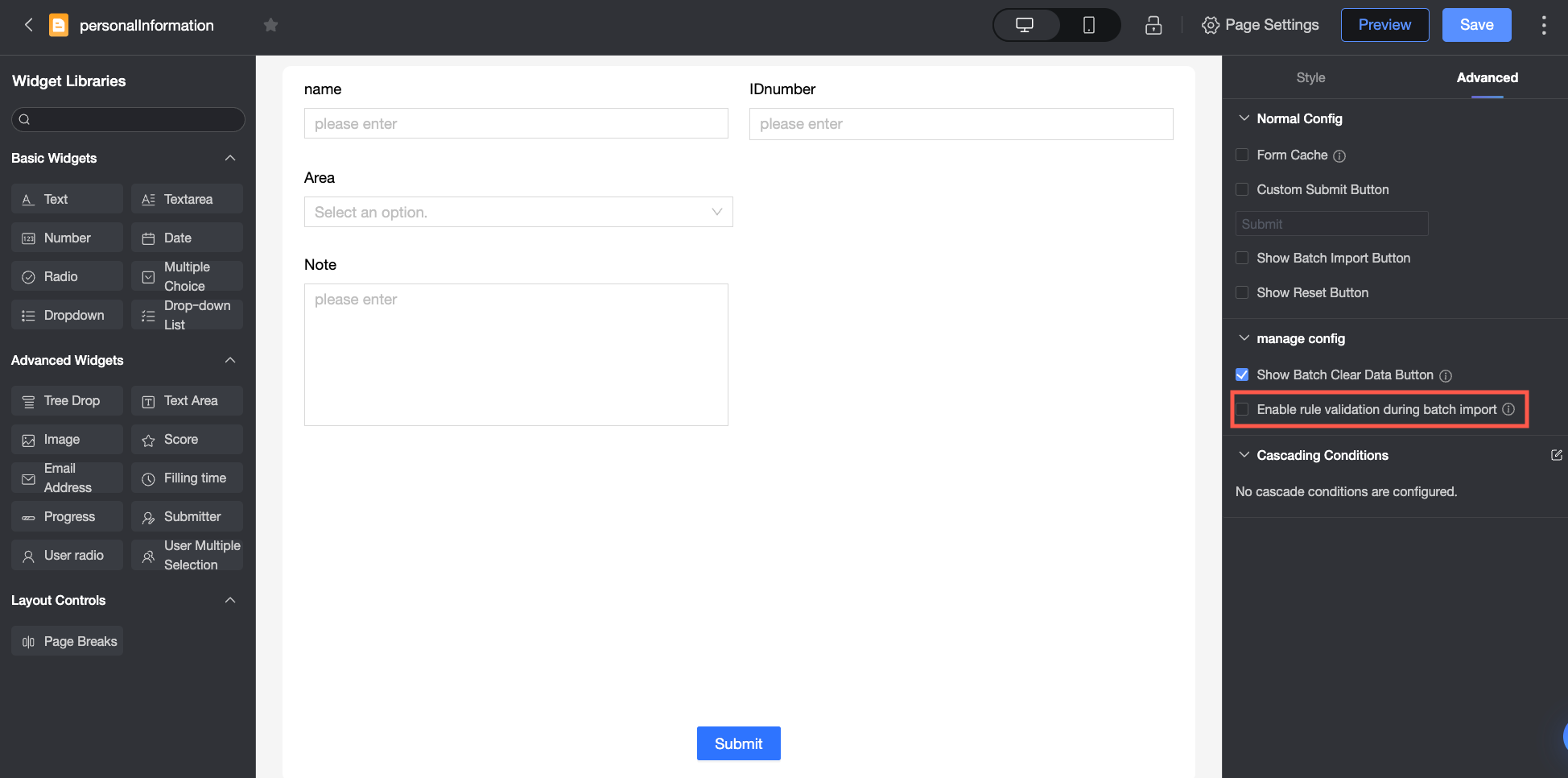
When you enable Validate Data on Batch Import in the advanced settings of a data entry page, the system validates imported data against the static validation rules for each control.
Validating a large amount of data in a single batch may take longer.
With validation disabled
When batch import validation is disabled, the system performs only the following basic checks.
Validation item | Description | |
File attribute validation | File name | Only |
File size | Maximum file size: 50 MB. | |
File specification validation | Number of columns | Maximum columns: 150. |
Number of rows | Maximum rows: 500,000. | |
File header validation | Number of fields | The number of fields must match the number of controls (i.e., the number of fields in the downloaded template header). |
Field names | The field names must match the control names (i.e., the field names in the downloaded template header). | |
With validation enabled
When batch import validation is enabled, the system performs the basic checks described above and also validates the data against the static validation rules for each control.
Control type | Validation item | |
General control | Single-line text / Multi-line text | Required |
Minimum characters | ||
Maximum characters | ||
Format type (email, mobile number, ID card number) | ||
Number | Required | |
Verifies that the input is a number. | ||
Minimum value | ||
Maximum value | ||
Decimal places | ||
Rating | Required | |
Verifies that the input is a number. | ||
Verifies that the value is between the configured start value and maximum rating. | ||
Verifies the input against the "Allow half-star rating" setting. | ||
Progress | Required | |
Verifies that the input is a number. | ||
Verifies that the value is between the start and target values. | ||
Decimal places | ||
Step | ||
Date and time / Submission time | Required | |
Verifies that the input matches the configured format (e.g., | ||
Radio button / Drop-down list (single-select) | Required | |
Verifies that the input matches one of the custom option values. This check does not apply to options from a data source or dataset. | ||
Checkbox / Drop-down list (multi-select) | Required | |
Verifies that each input value matches one of the custom option values. This check does not apply to options from a data source or dataset. Multiple values must be comma-separated. | ||
Image upload | Required | |
Mobile number / Email / ID card number | Required | |
Format | ||
Submitter / User single-select / User multi-select | Required | |
Verifies that the user is a member of the organization. For multi-select, usernames must be comma-separated. | ||
Read-only control | For read-only controls, the system validates only the default value. Any value in the import file is ignored, and the default value is saved instead. | |
Hidden control | No validation is performed, and no value is saved to the database. | |