Enterprise Service Center
This document introduces the Enterprise Service Center and its core features.
Introduction
The Enterprise Service Center is an information and service platform for enterprise users. It provides efficient tools to quickly access data about product O&M, services, and upgrades. The platform integrates several modules, including enterprise information, service description, O&M report, and ticket query.
URL: https://lydaas.com/esc.
Core features
Enterprise information
In the enterprise information module, you can bind your account to a product's system identification code. Once bound, you can use the code's card to view all associated product information. Follow these steps:
After you sign in to the Enterprise Service Center, the enterprise information page appears by default. You must bind a system identification code to access the service description, ticket query, and O&M report menus.
Get system identification code
In the product, go to My in the upper-right corner and hover over the icon next to your account name. Your system identification code appears.
Bind system identification code
Click New Binding. In the Bind System Identification Code dialog box, enter the system identification code and click Confirm.
After the New Binding is successful, the system automatically creates a card for the system identification code. Once approved, its status changes to Bound. You can manually unbind the code.
Online consultation
After binding a system identification code, you can use the online consultation feature to get quick technical support for Quick BI. This feature lets you chat directly with technical support staff. Support is available on business days from 09:00–12:00 and 13:00–18:00.
Services
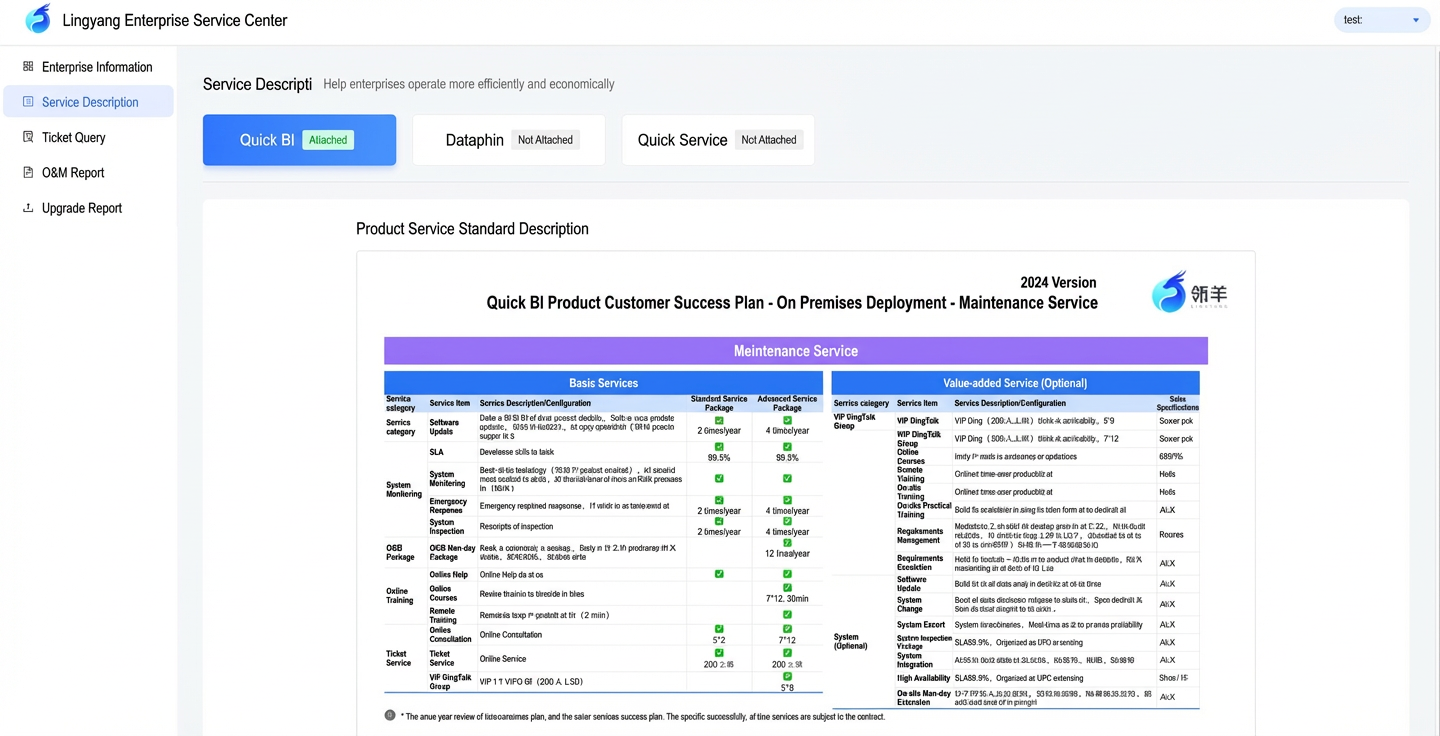
After binding a system identification code, you can view the specific terms of service associated with that code in the service description module. This section details the scope, standards, and usage guidelines for the basic and value-added services available to you. Basic services typically cover technical support and troubleshooting, while value-added services might include options such as advanced technical support.
Ticket query
After binding a system identification code, you can use the ticket query feature to track and manage all tickets associated with that code. This module provides a detailed history for each ticket, including key information such as its creation time, status updates, progress, and final resolutions.
O&M report
After binding a system identification code, you can access and download the O&M reports associated with it. These reports detail the system's operational status, performance metrics, and any events that might impact business continuity. Regularly reviewing these reports helps you identify potential technical risks and take preventive measures to ensure service stability and security.
Upgrade report
After binding a system identification code, you can access and download upgrade reports. These reports include information on new deployments, major and minor version upgrades, routine maintenance, hot updates, metadata revisions, and parameter changes.
Documentation
After binding a system identification code, you can access the help documentation. In the documentation, you can learn about the features in the latest version of Quick BI and search for information based on your needs.
Announcements
After binding a system identification code, you can access the announcements menu. Here, you can find important announcements about Quick BI, such as version releases and updates, as well as documents on usage tips and use cases.