Self-managed Dameng data source
Add a Dameng data source to connect your Dameng database with Quick BI. After a successful connection, you can analyze and visualize data in Quick BI. Quick BI supports connecting to Dameng databases over the public network or through an Alibaba Cloud VPC. This topic describes how to add a self-managed Dameng data source.
Prerequisites
Ensure network connectivity:
If you connect Quick BI and your Dameng database over the public network, add Quick BI's IP addresses to your database whitelist. For more information, see Use security groups.
If you connect Quick BI and your Dameng database over an internal network, use one of the following methods to ensure network connectivity between the data source and Quick BI:
If your Dameng database is deployed on an Alibaba Cloud ECS instance, connect through an Alibaba Cloud VPC.
Alternatively, set up a jump server and access the database using an SSH tunnel.
You have deployed a self-managed Dameng database.
You have obtained the username and password for your self-managed Dameng database.
Limits
Versions 7.0 and 8.0 are supported.
Only MySQL-compatible mode is supported.
Procedure
Log on to the Quick BI console.
Add a data source as follows.
Go to the data source creation interface from the Create data source entry.
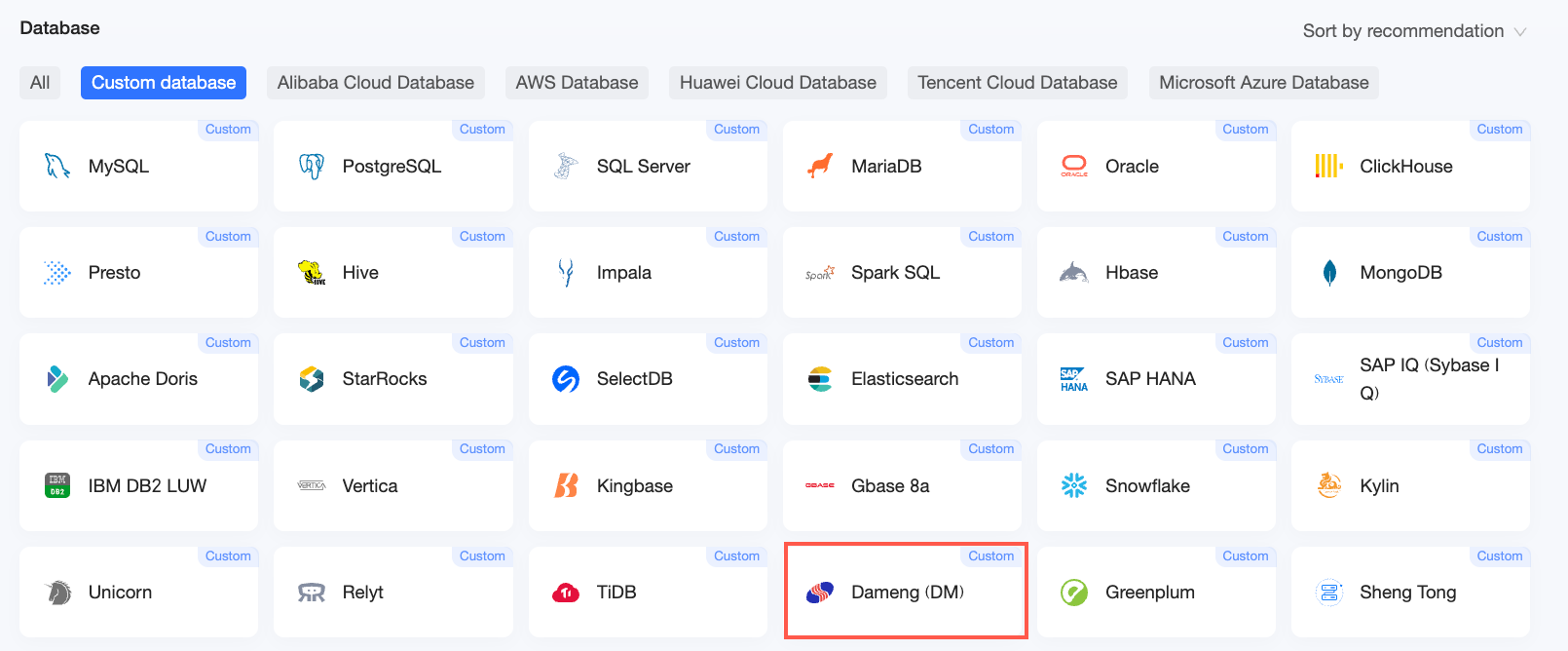
On the Self-managed data sources tab, select Dameng.
In the Configure Connection dialog box, complete the following configuration based on your scenario.
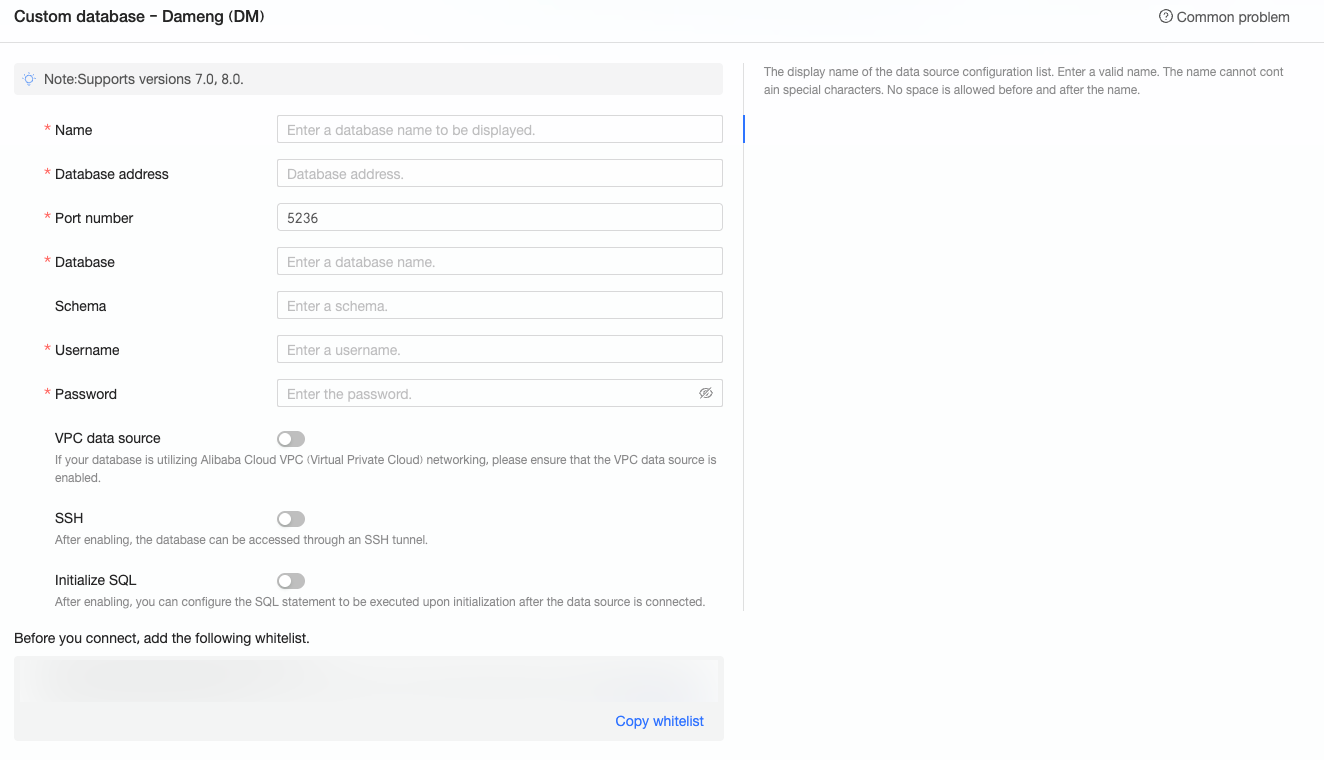
Name
Description
Display name
The display name shown in the data source list.
Enter a valid name without special characters. Do not include leading or trailing spaces.
Database address
The IP address or domain name where the Dameng database is deployed.
Port
The port number used by the database.
Database
The custom database name you specified when deploying the Dameng database.
Username and Password
The username and password for logging on to the Dameng database. Ensure this user has create, insert, update, and delete permissions on tables in the database.
VPC data source
Select VPC data source and configure the following parameters only if your Dameng database is deployed on an Alibaba Cloud ECS instance and uses an Alibaba Cloud VPC network:
Owner AccessKey ID: The AccessKey ID of the account that purchased the instance.
For more information, see Create an AccessKey.
NoteEnsure this AccessKey ID has read permissions on the destination instance. If it also has write permissions on the associated security group, the system automatically adds the required whitelist entries. Otherwise, you must add them manually. For more information, see Create a custom policy.
Owner AccessKey Secret: The AccessKey Secret of the account that purchased the instance.
For more information, see Create an AccessKey.
Instance ID: The ECS instance ID. Log on to the ECS console and find the instance ID on the Instances tab.
For more information, see View instance information.
Region: The region where the ECS instance is located.
For more information, see View instance information.
SSH
If you select SSH, configure the following parameters:
You can set up a jump server and access the database through an SSH tunnel. Contact your O&M team or system administrator for jump server details.
SSH Host: Enter the IP address of the jump server.
SSH username: The username for logging on to the jump server.
SSH password: The password for the SSH username.
SSH port: The port used by the jump server. The default is 22.
For more information, see Use OpenSSH/XShell to remotely connect to a Linux instance.
Click Test Connection to verify connectivity to the data source.

After a successful test, click OK to complete adding the data source.
What to do next
After creating a data source, you can create datasets and analyze data.
To add data tables from your Dameng database or a custom SQL statement to Quick BI, see Create a dataset.
To add visual charts and analyze data, see Create a dashboard and Overview of visual charts.
To drill down and perform in-depth data analysis, see Step 3: Configure and display drilling.