Wenshu resource management
Wenshu resource management
Entry
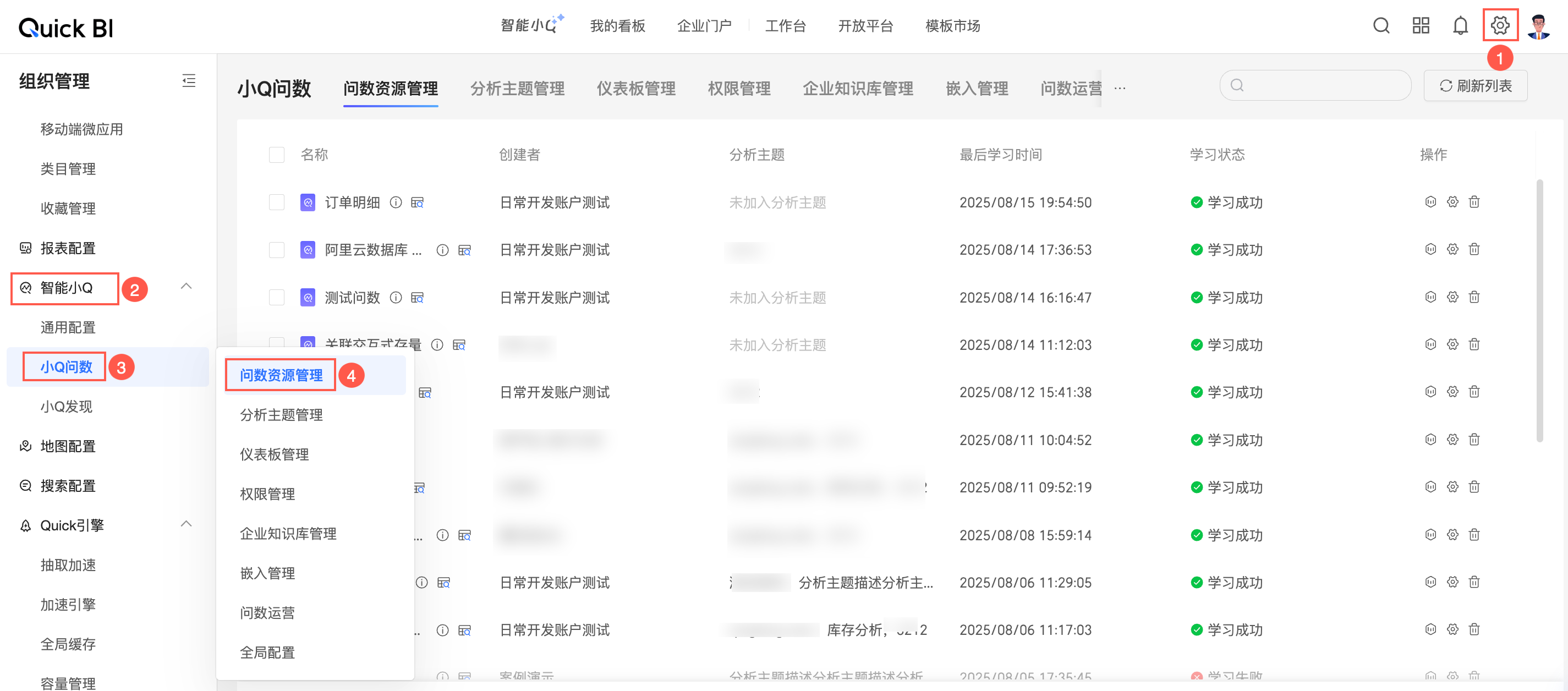
Access the Wenshu resource management page.
View
You can view the name, creator, analysis topic, last learning time, and learning status of a Wenshu resource.
Hover over the
 icon to view the dataset name, dataset workspace, and dataset modification time.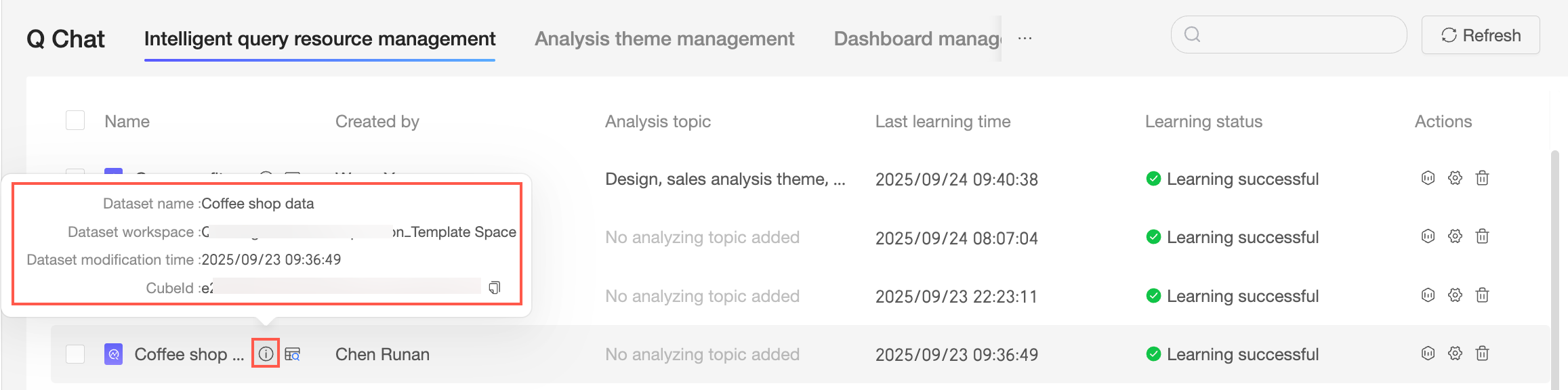
Click the
 icon to preview data.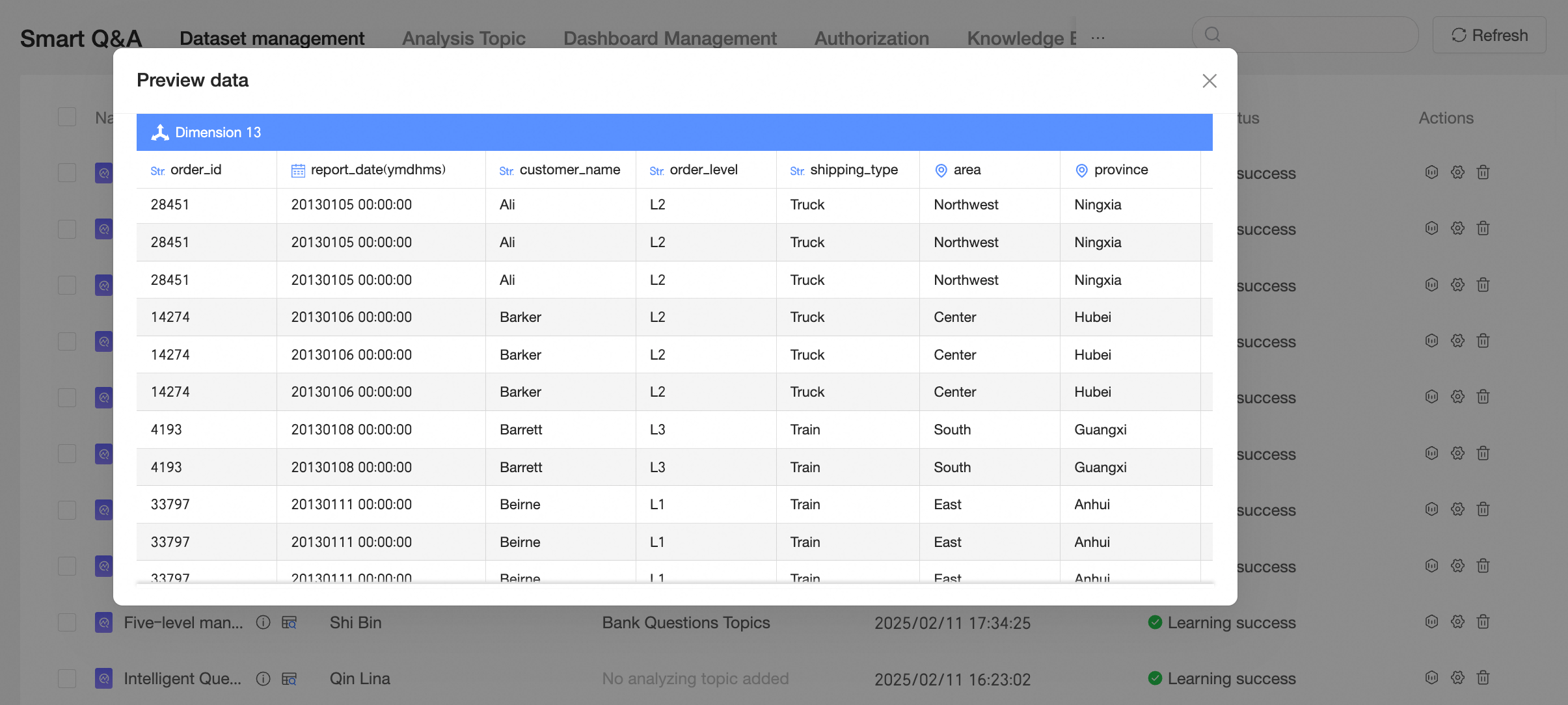
Operations
You can perform the following operations:
Rename
Hover over the name of the target data source and double-click to edit its name.

Learn data
Click the
icon to relearn the current dataset.Remove
Click the
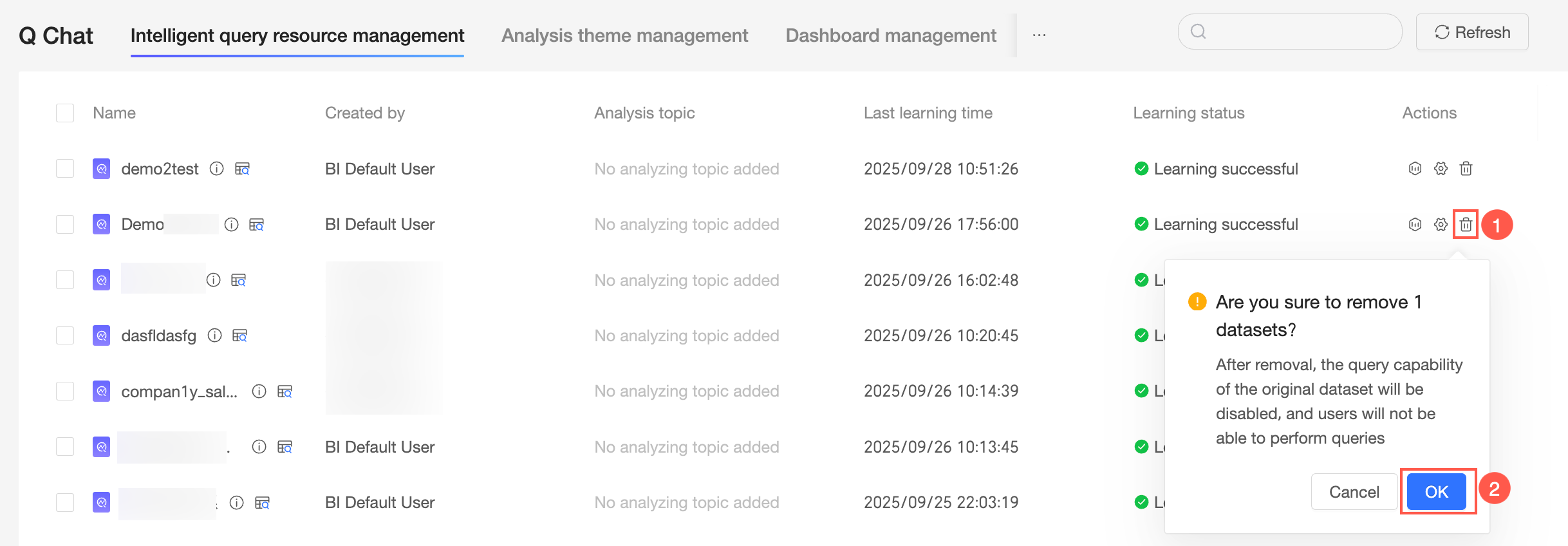
icon to remove the current Wenshu resource.NoteRemoving a Wenshu resource disables the Wenshu capability for the original dataset, preventing users from querying the data with Wenshu.
Batch operations
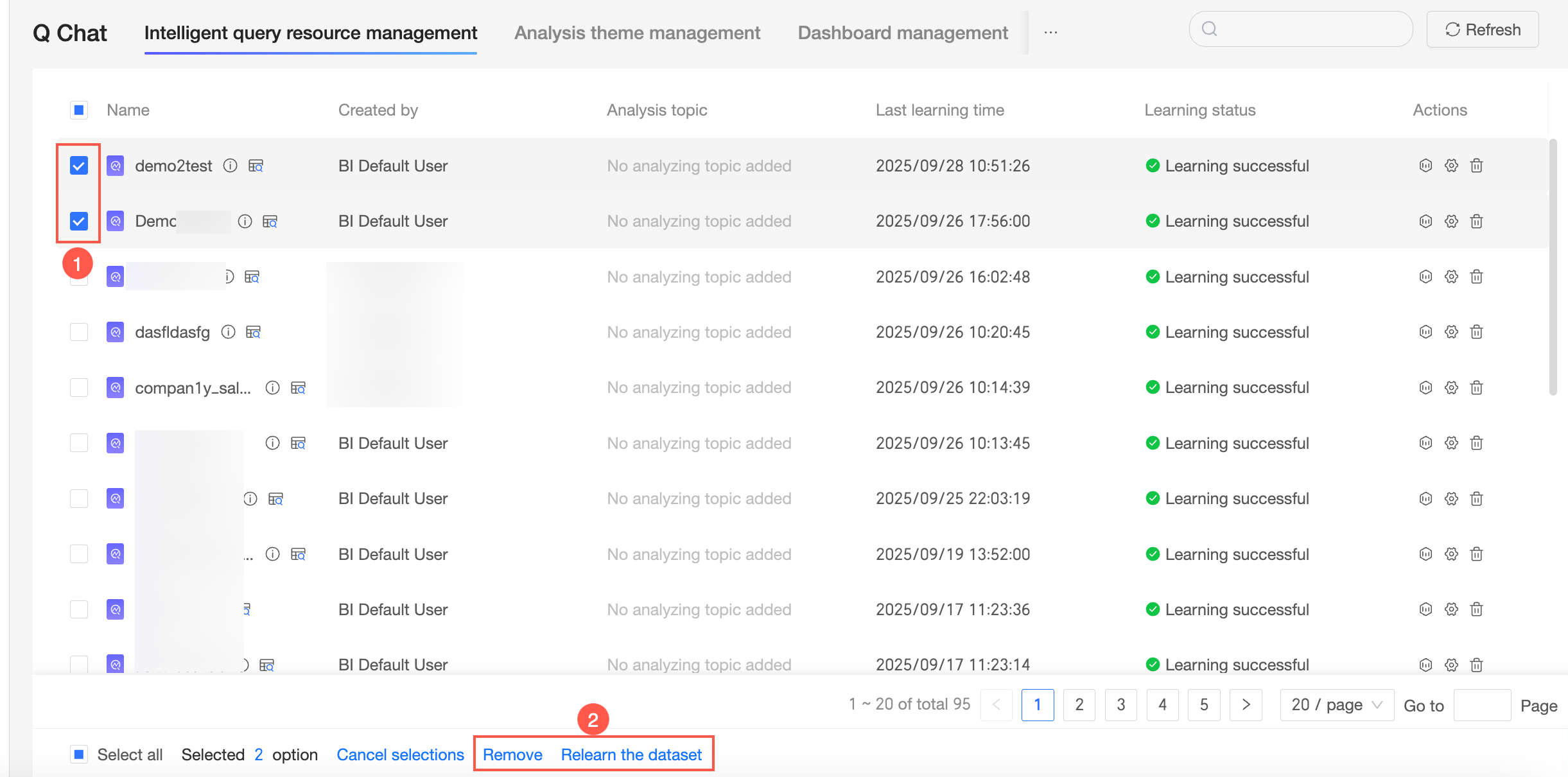
You can select multiple Wenshu resources to either remove them or relearn their datasets.

 icon to relearn the current dataset.
 icon to remove the current Wenshu resource.