Agent development
Start with scenario design
What is an agent?
In AI, an agent is an entity that perceives its environment, makes autonomous decisions, and takes actions to achieve specific goals.
In Intelligent Q, an agent is a data-driven entity that delivers data solutions for specific business scenarios. For example, an agent generates a weekly sales report by combining sales order details with sales visit records, or performs a root cause analysis for abnormal growth or decline in sales.
What problems can an agent solve?
Intelligent Q focuses on data agents that combine enterprise data, user data, and a knowledge base with a large language model to generate business insights. For example, an agent can retrieve data in response to a question, generate an analytical report, or proactively monitor data to push insight and attribution reports on a regular basis.
You can design and develop custom agents for your needs.
Define your scenario and problem
-
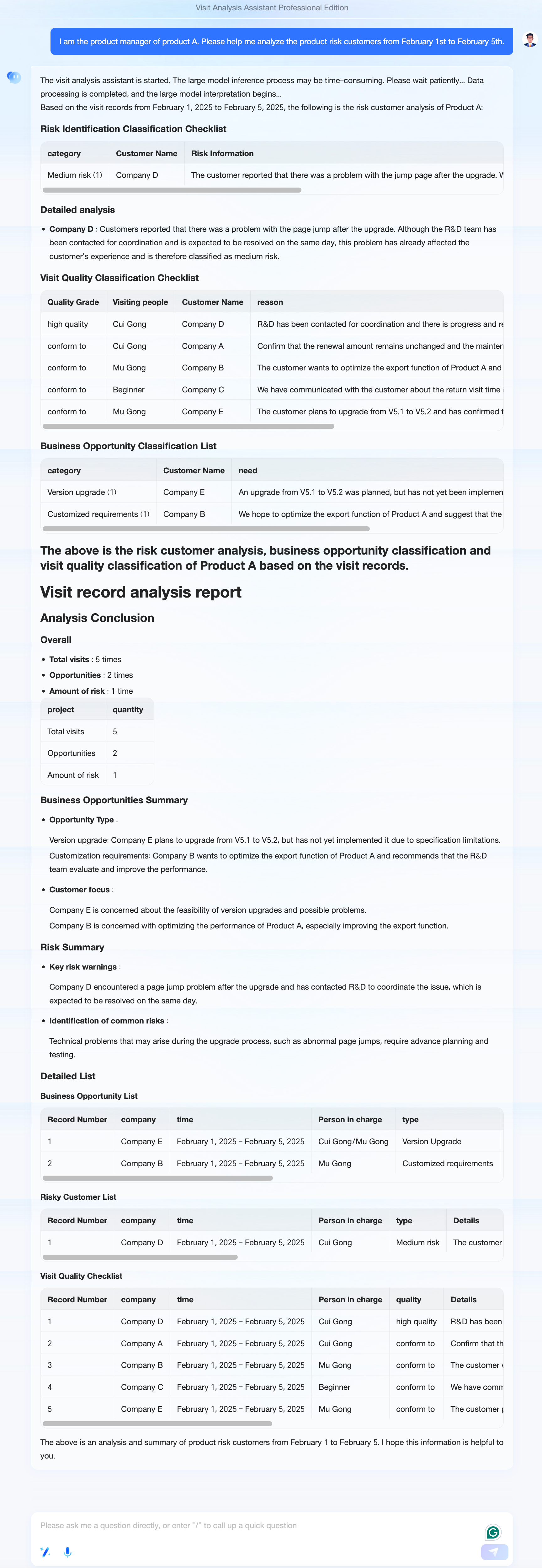
First, identify the specific problem to solve and the target users. For example, a quality management team for enterprise telephone sales needs to track sales call quality based on visit notes to evaluate whether each salesperson's calls comply with sales standards. In this case, the target users are the quality management team, and the problem to be solved is evaluating call quality by using visit data.
-
Next, define the inputs, outputs, and evaluation criteria.
-
Agent inputs: The data sources, which can be structured data, unstructured data, or both.
Type 1: Structured data: visit detail tables, customer detail tables from databases or Excel files.
Type 2: Unstructured data: product introduction documents, call quality standard documents.
-
Agent outputs:
A quality rating for each visit record (for example, Excellent, Pass, or Fail).
A quality evaluation for each salesperson, showing the percentage of ratings at each level.
A quality evaluation for the sales team.
-
Evaluation criteria:
Example: "Excellent" could mean that the sales action shows progress and results, and the record quality is high. "Pass" could mean that at least one of the three criteria (progress, results, or record quality) is met. "Fail" could indicate poor content quality, missing basic information, or no customer progress.
-
Prepare materials
Large language model prompts
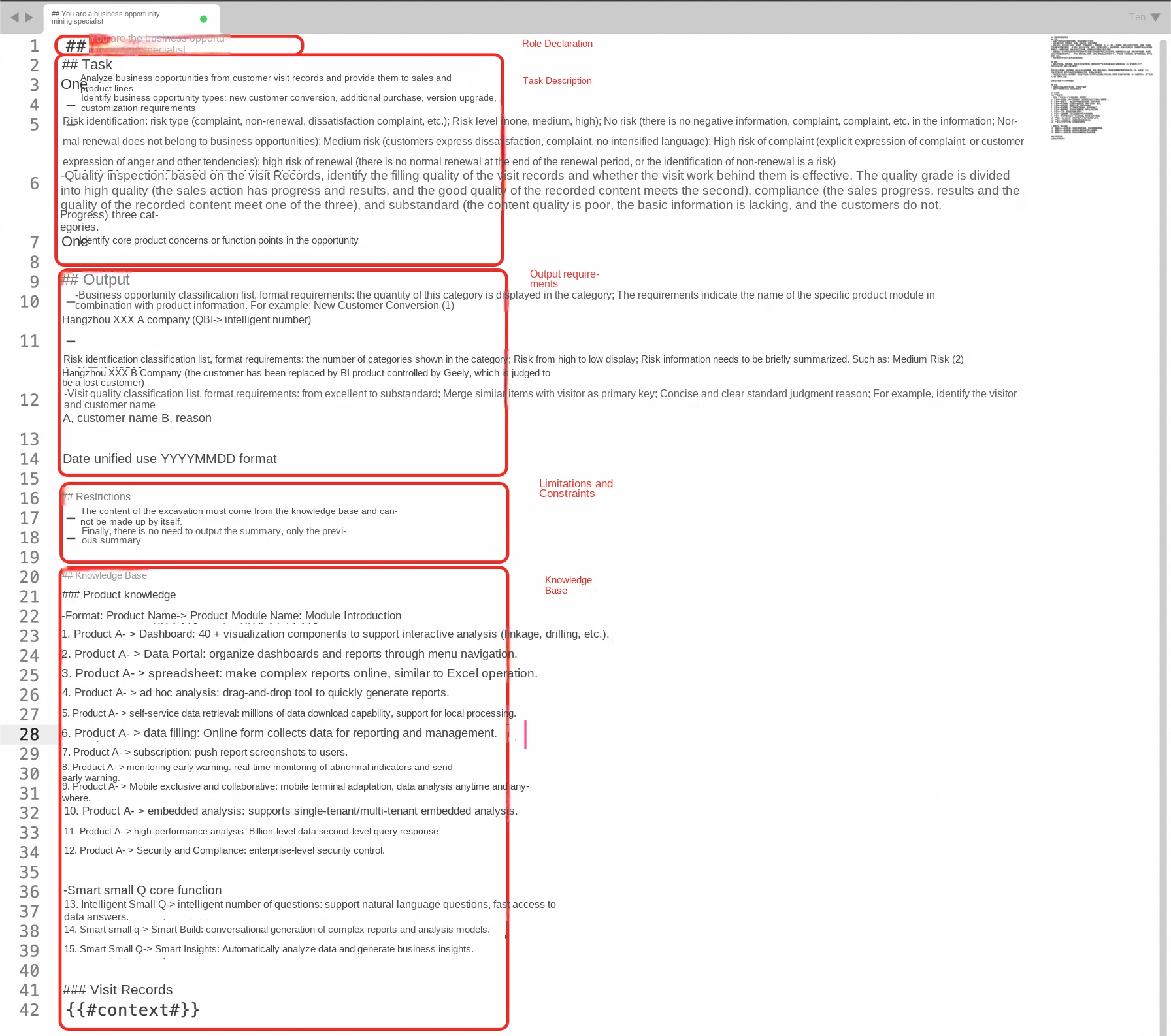
Design prompts based on your business requirements, using the quality evaluation criteria as a starting point. For recommendations on writing effective prompts, see the following figure:
Develop and debug the agent
Only the Professional Edition supports API calls.
Get the dataset ID

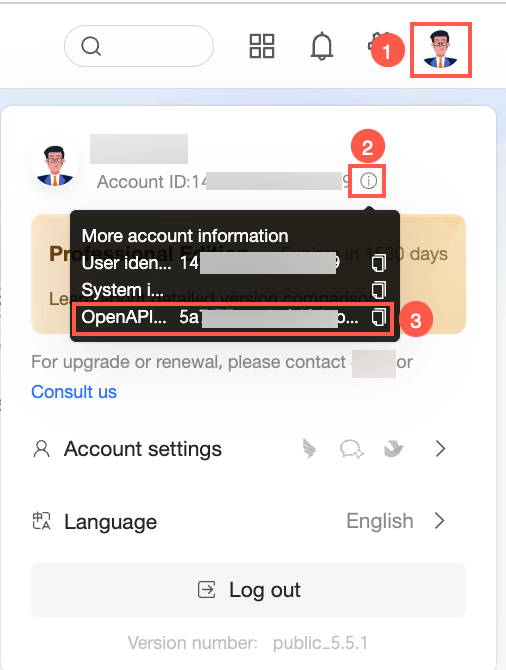
Get the user ID
Develop the agent
-
In the Studio portal, create a new blank application by selecting "Create Blank App", and then choose "Chatflow" under the section for advanced users.
-
In the "App Name & Icon" section, define a name for the agent, add a description as needed, and then click Create to open the orchestration page.
-
In the LLM node, enter the prompt for the large language model.
-
To retrieve data before the LLM node, add a code node. The following example shows how to call an OpenAPI in Python to fetch data:
-
Configure the content as follows:
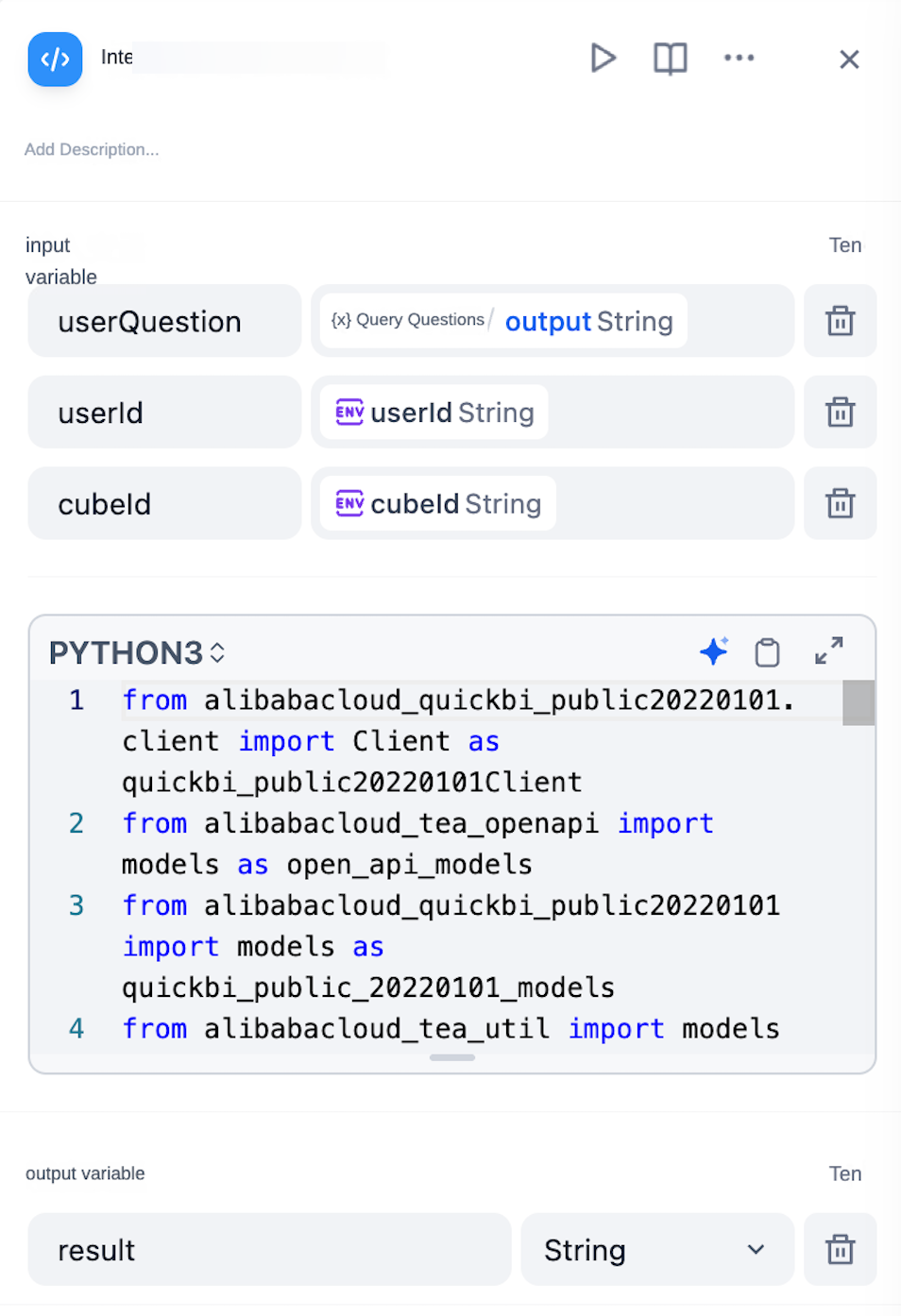
-
Code:
from alibabacloud_quickbi_public20220101.client import Client as quickbi_public20220101Client
from alibabacloud_tea_openapi import models as open_api_models
from alibabacloud_quickbi_public20220101 import models as quickbi_public_20220101_models
from alibabacloud_tea_util import models as util_models
from alibabacloud_tea_util.client import Client as UtilClient
import urllib3
import json

def main(userQuestion: str, userId: str, cubeId: str) -> dict:
    urllib3.disable_warnings(urllib3.exceptions.InsecureRequestWarning)
    config = open_api_models.Config(
            access_key_id='your_key',
            access_key_secret='your_secret'
        )
    config.endpoint = f'quickbi-public.cn-hangzhou.aliyuncs.com'
    client = quickbi_public20220101Client(config)
    smartq_query_ability_request = quickbi_public_20220101_models.SmartqQueryAbilityRequest(
            user_question=userQuestion,
            cube_id=cubeId,
            user_id=userId
            )
    runtime = util_models.RuntimeOptions()
    runtime.ignore_ssl = True
    response = client.smartq_query_ability_with_options(smartq_query_ability_request, runtime)
    ret_json = json.dumps(response.body.to_map(),ensure_ascii=False)
    if len(ret_json) >= 80000:
        return {
        "result": "Exceeded the 80,000-character limit"
    }

    return {
        "result": ret_json
    }
Obtain credentials and IDs
Get your OpenAPI credentials
-
Get the AccessKey ID and AccessKey Secret for your Alibaba Cloud account.
For more information, see Create AccessKey.
-
Grant the AccessKey user permission to call the Quick BI OpenAPI. For more information, see authorization information.
User IDs for debugging
Get the OpenAPI user ID
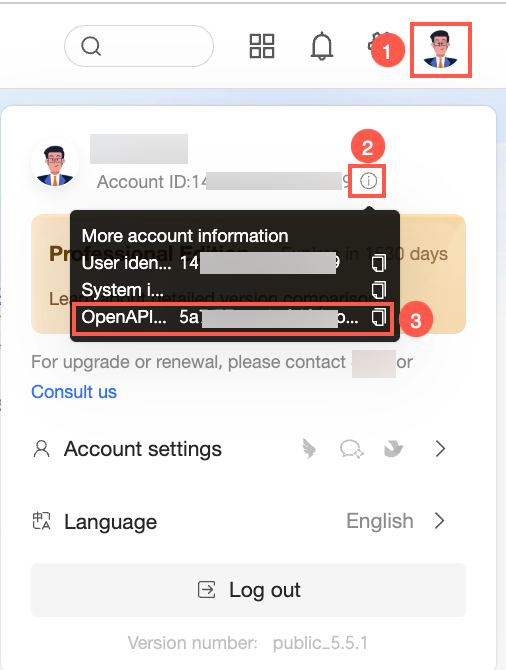
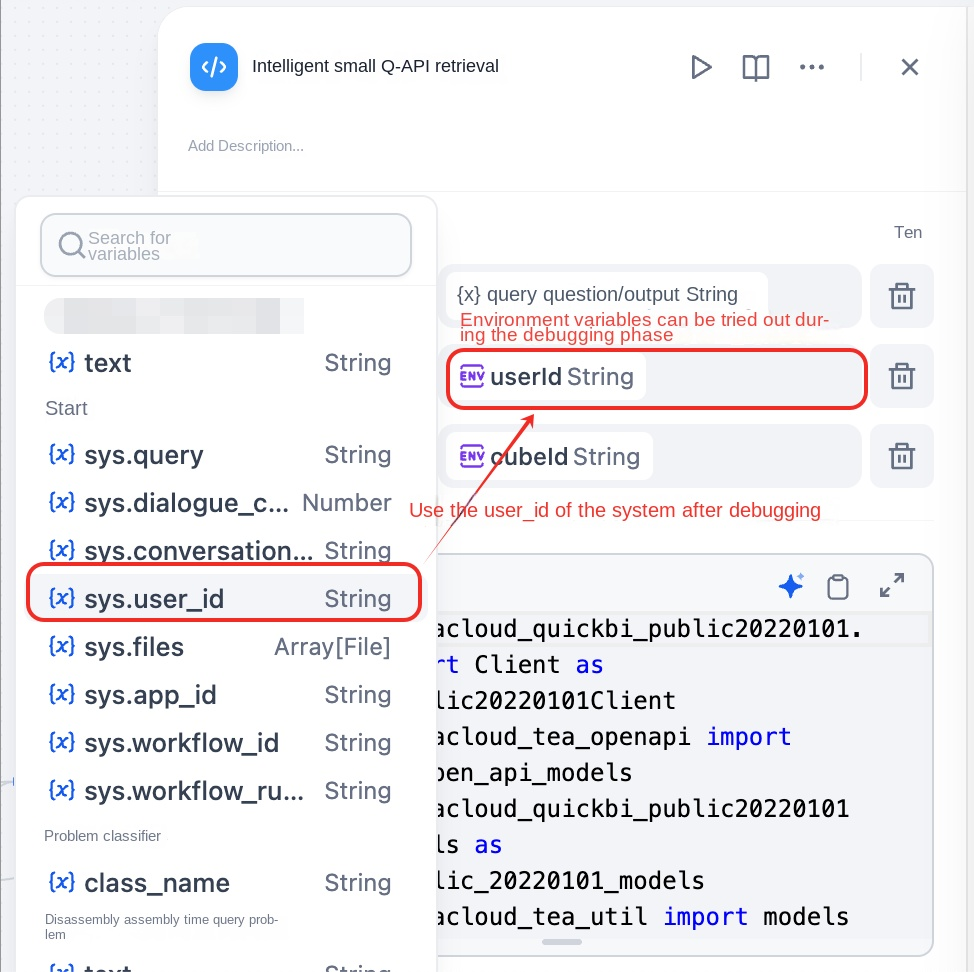
Publish the agent
Access agent management
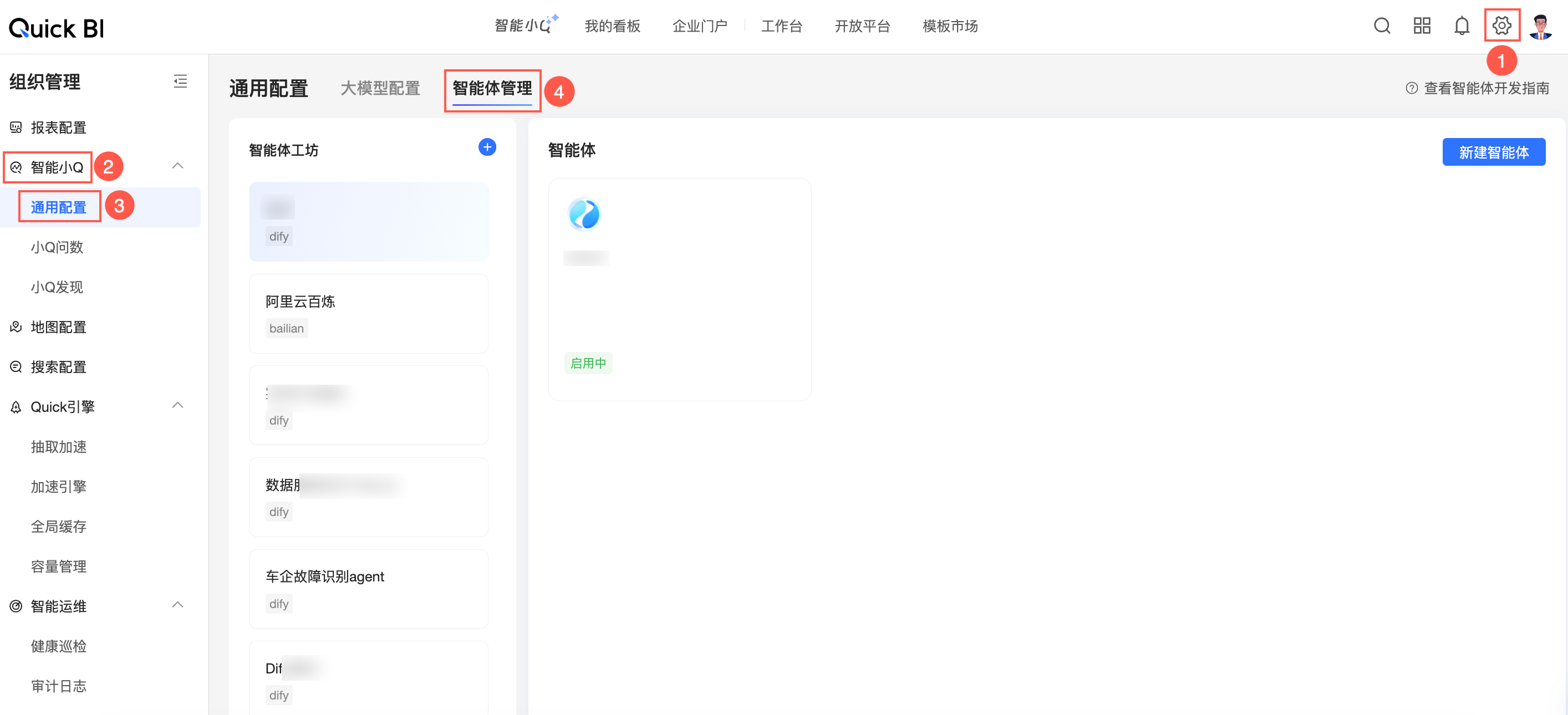
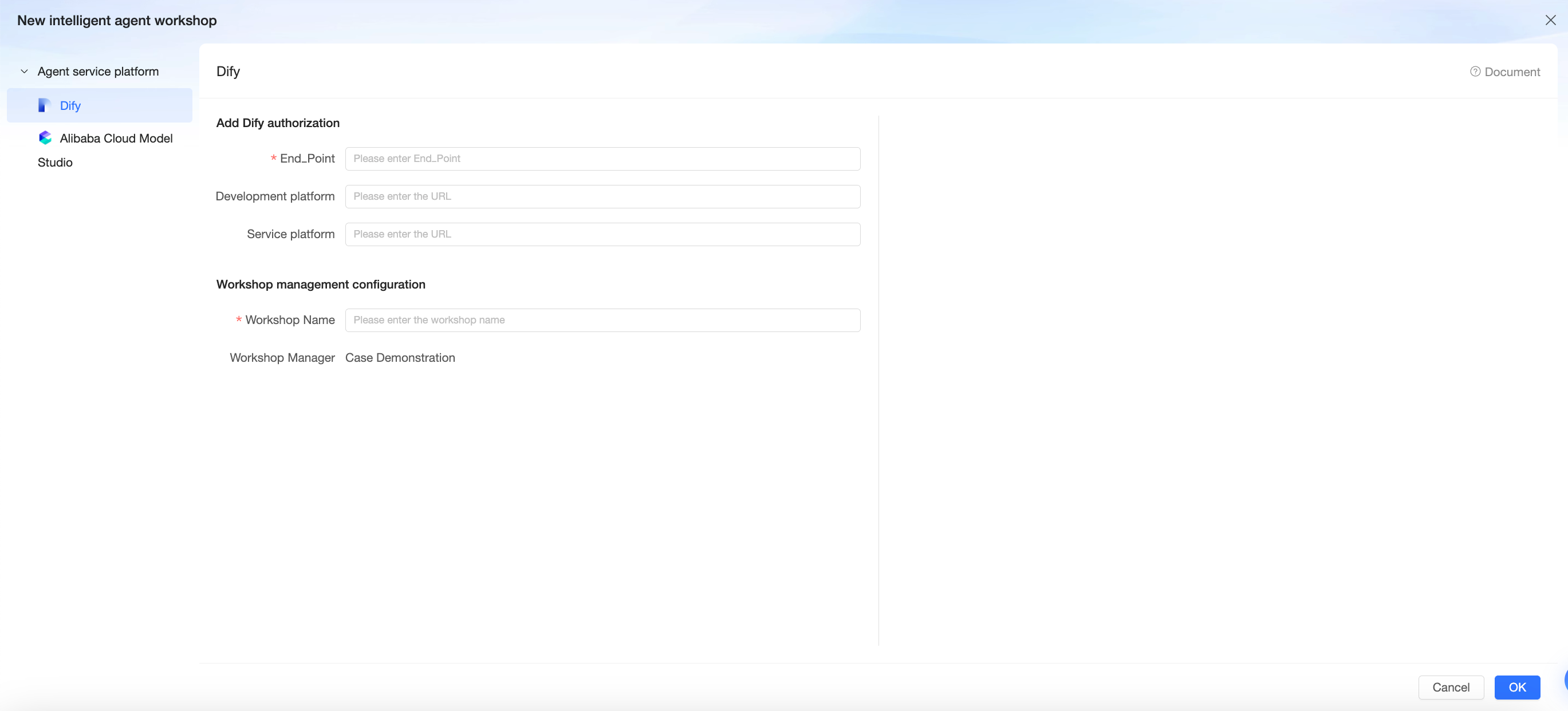
Create an agent workshop
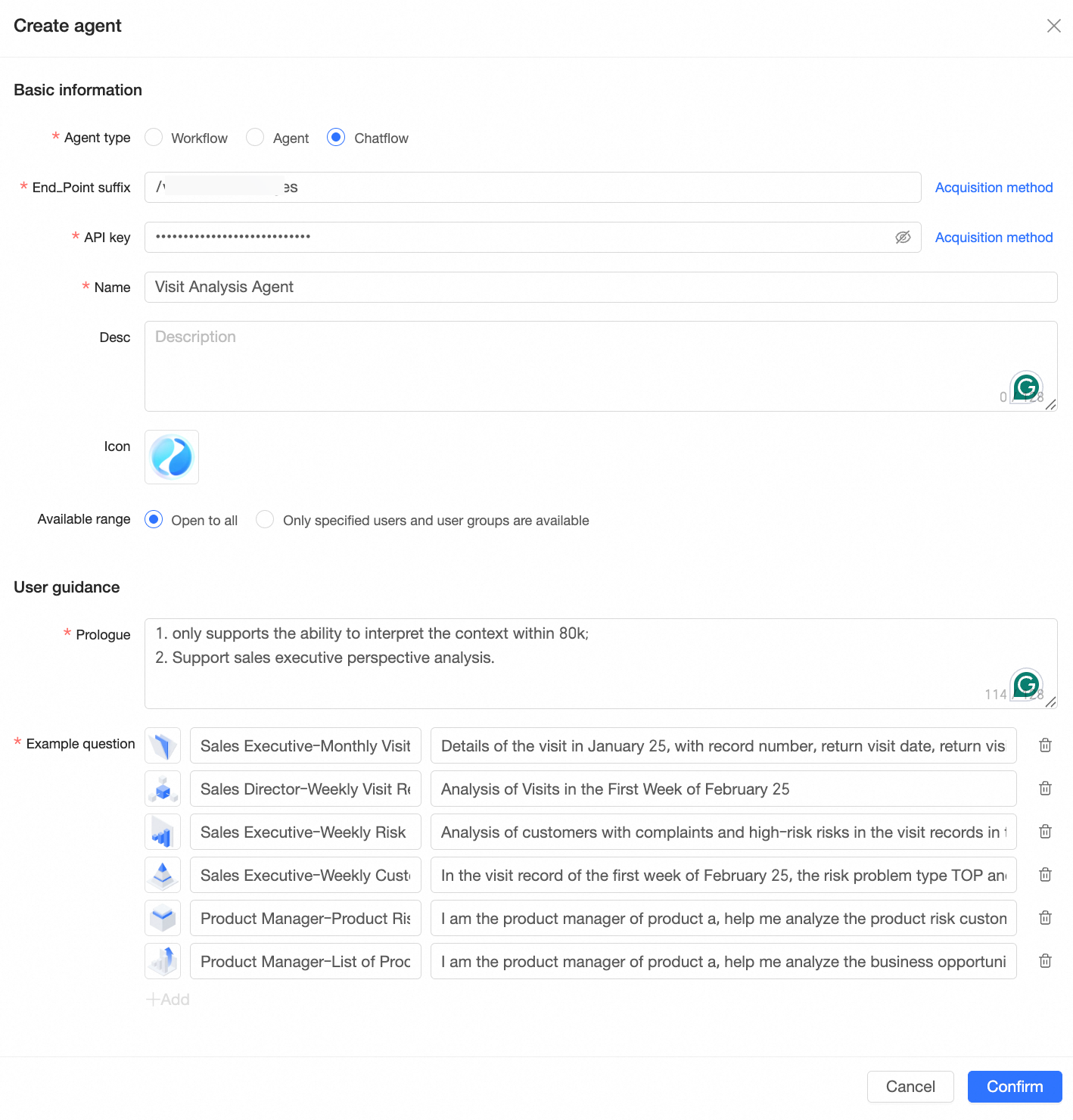
Create and configure an agent
Use the agent
Access my agents
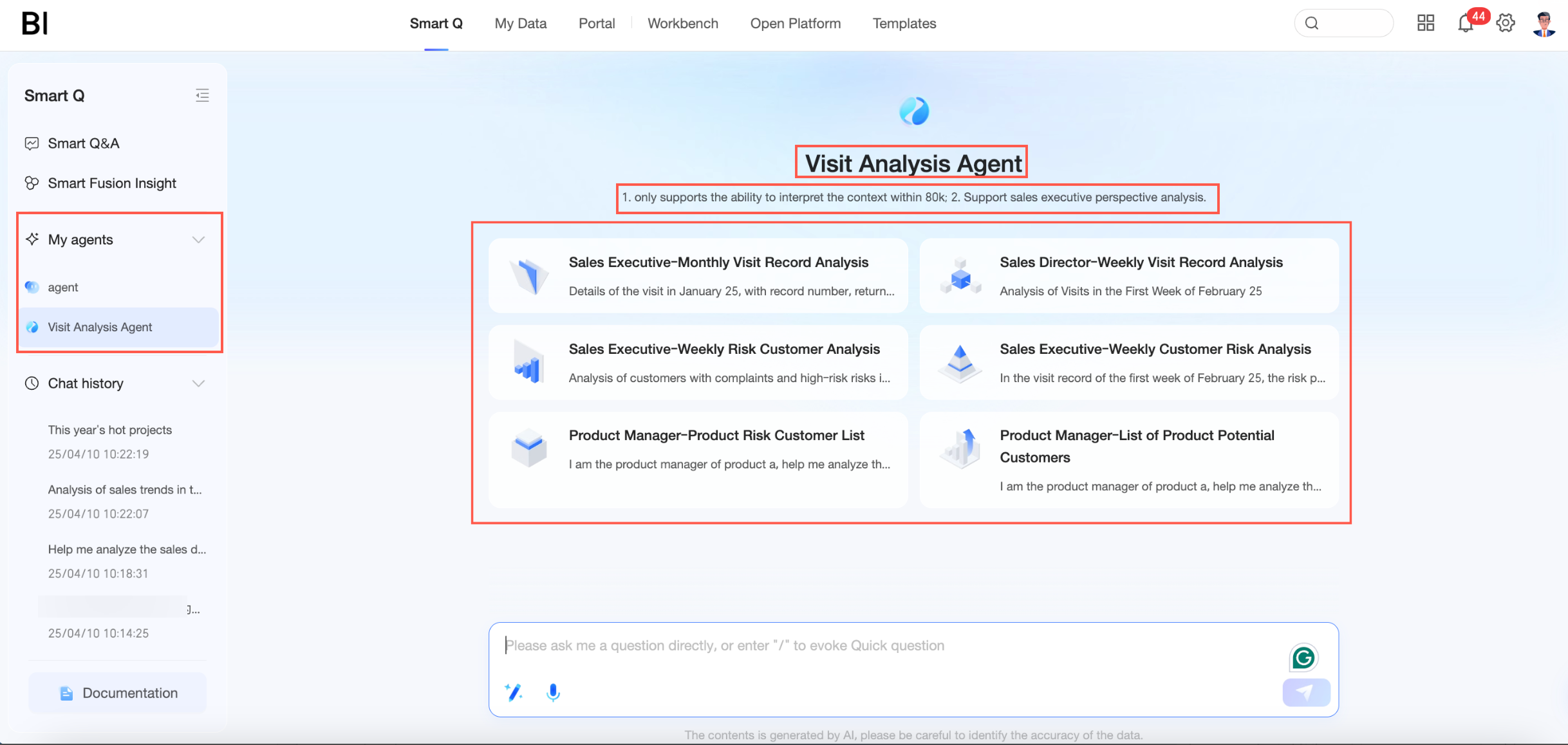
Start an analysis