Obtain account information
An organization administrator can add different types of users, such as Alibaba Cloud accounts, RAM users and DingTalk accounts. To be added to Quick BI, obtain your account information and provide it to an organization administrator. This topic describes how to obtain the required information.
Obtain Alibaba Cloud account information
Obtain Alibaba Cloud account ID
Log on to the Alibaba Cloud Management Console.
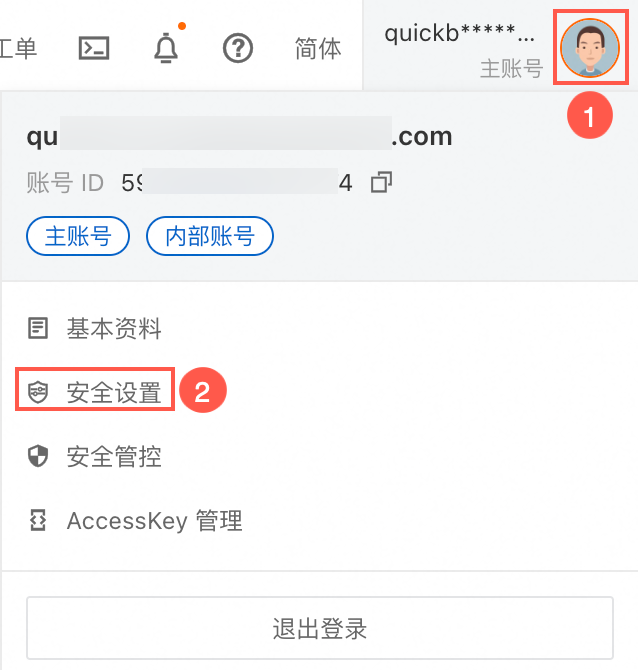
Hover over your profile picture in the upper-right corner (①) to view your Alibaba Cloud account ID (②).
Alternatively, hover over your profile picture (①) and click Security Settings (②).
On the Security Settings page, the value shown for Account ID is your Alibaba Cloud account ID.

Obtain Alibaba Cloud account name
Log on to the Alibaba Cloud Management Console.
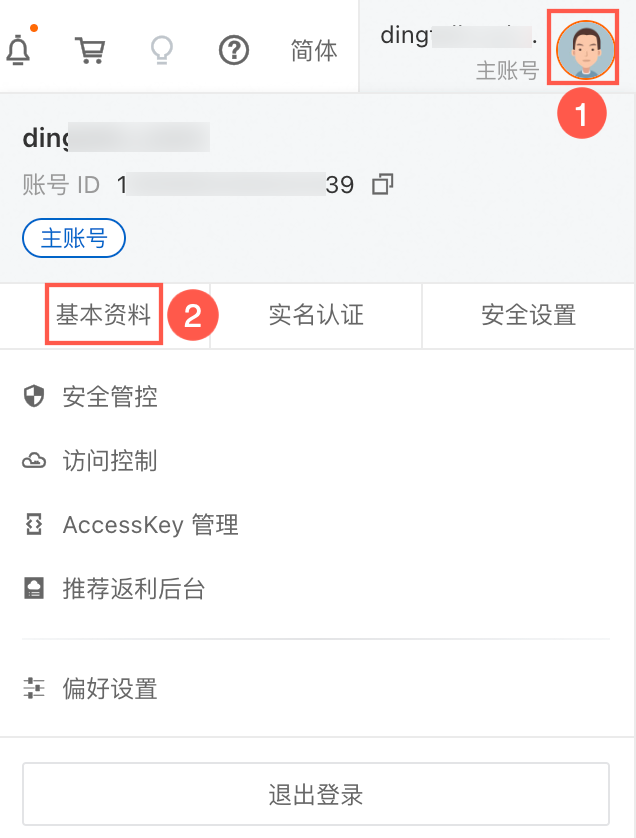
Hover over your profile picture in the upper-right corner (①) to view your Alibaba Cloud account name (②).
Alternatively, hover over your profile picture (①) and click Basic Information (②).
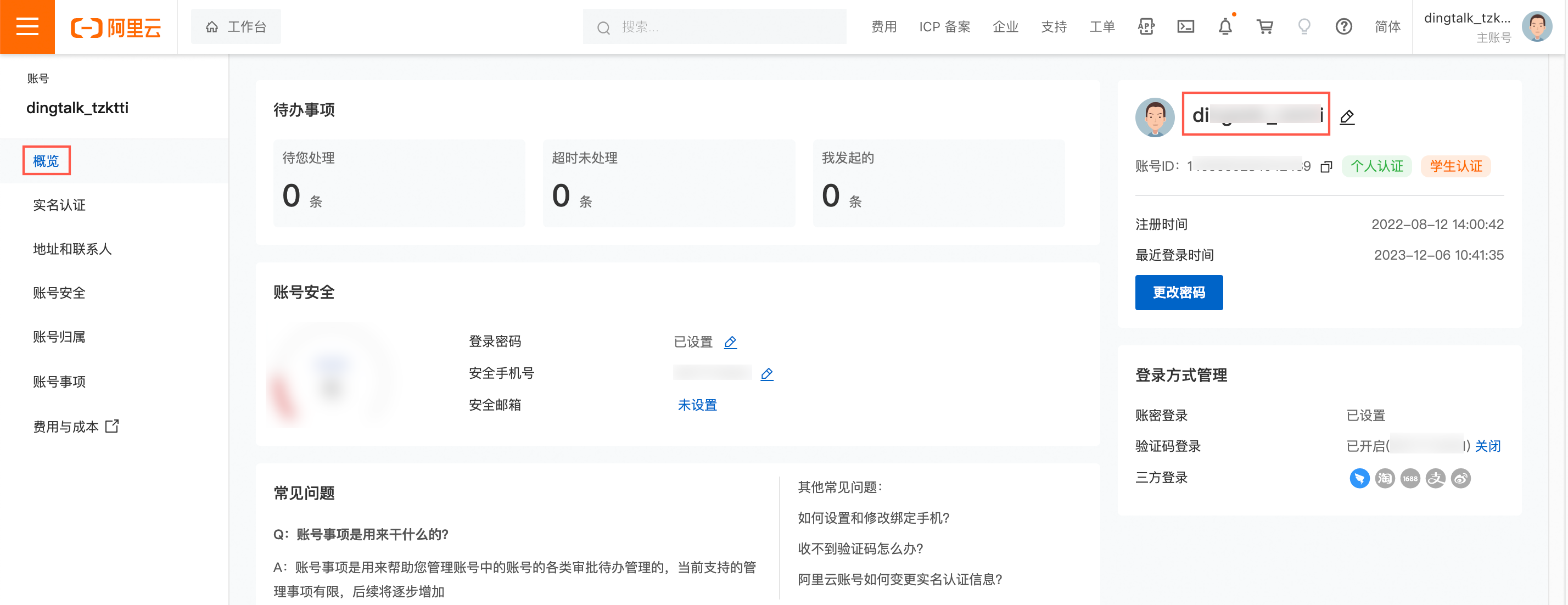
On the Overview page of Basic Information, the Login Account is your Alibaba Cloud account name.
Obtain RAM user information
If your Alibaba Cloud account has no RAM users, you must create one. For more information, see Create a RAM user.
Only an Alibaba Cloud account can view the basic information of its RAM users. For more information, see Manage RAM user information.
Obtain RAM user ID
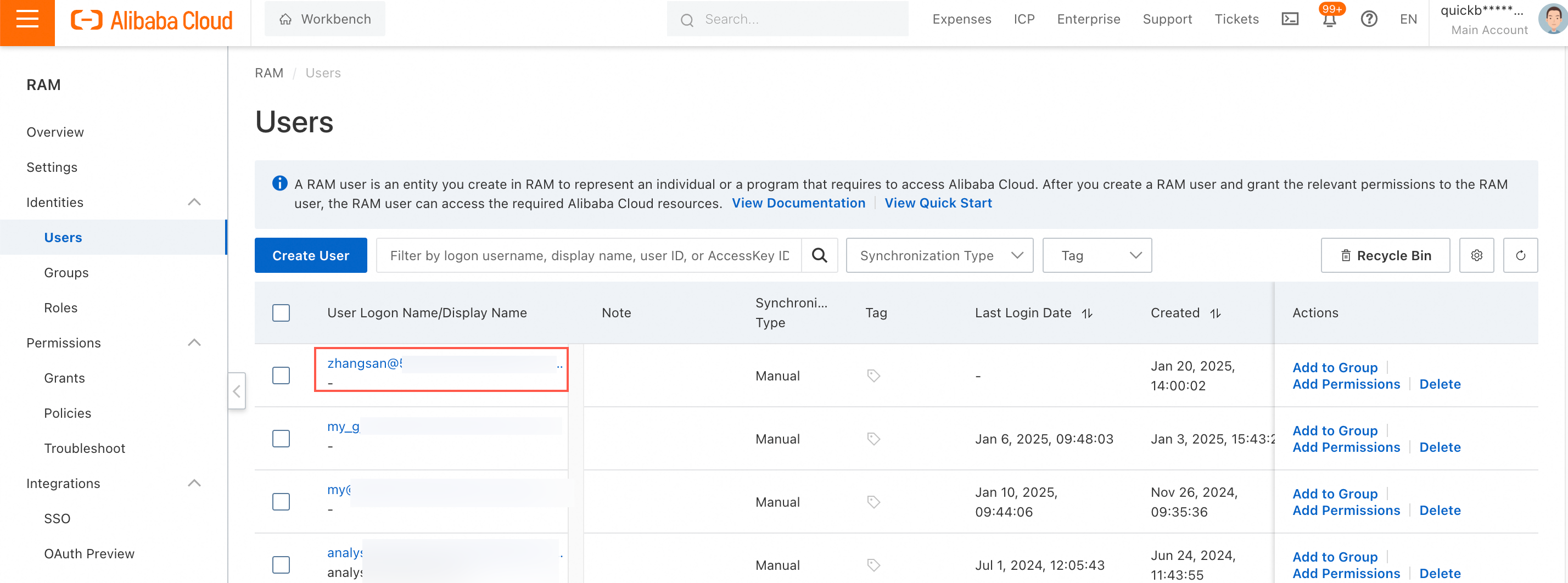
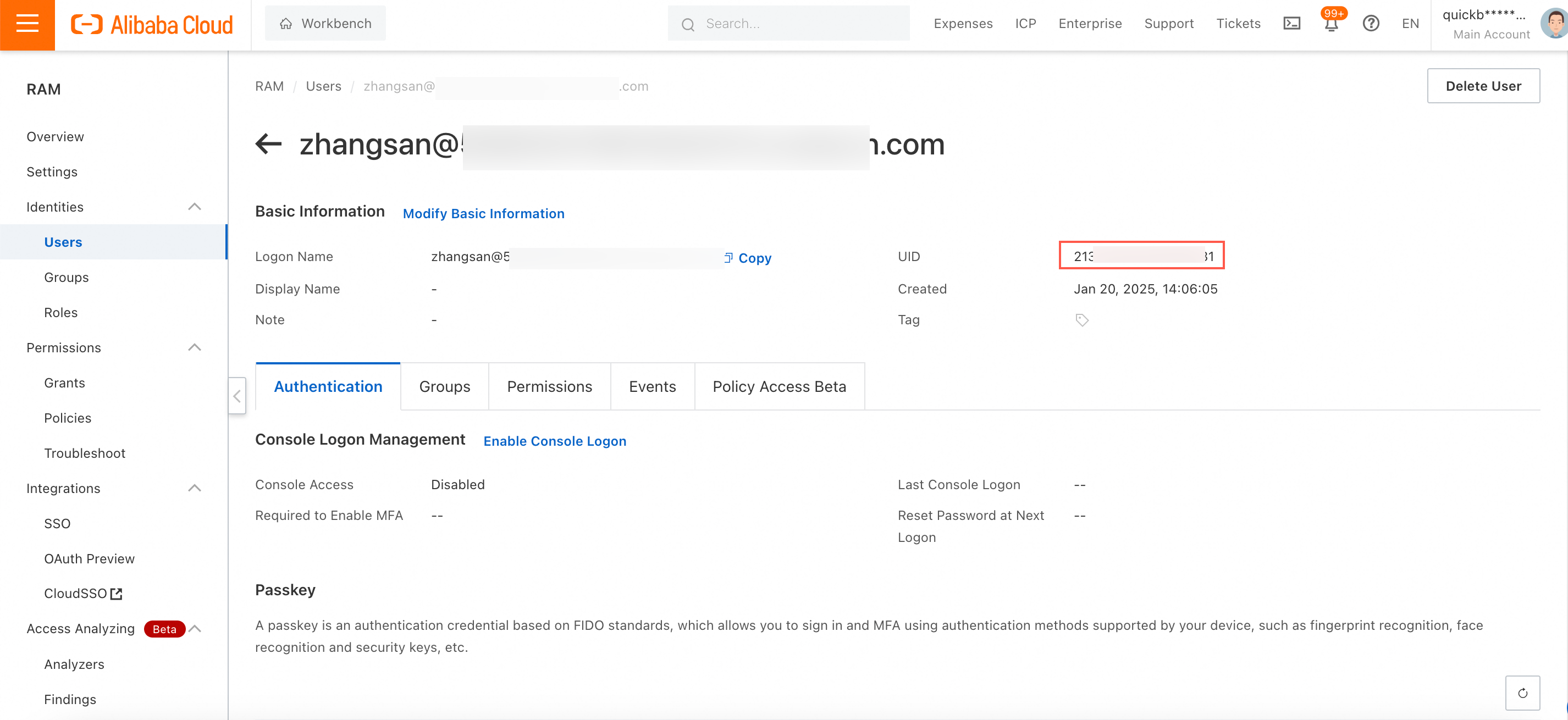
Log on to the RAM console with your Alibaba Cloud account. In the left-side navigation pane, choose Identities > Users. Click the name of the target RAM user to open the User Basic Information page.
 On the User Basic Information page, find the UID. This is your RAM user ID.
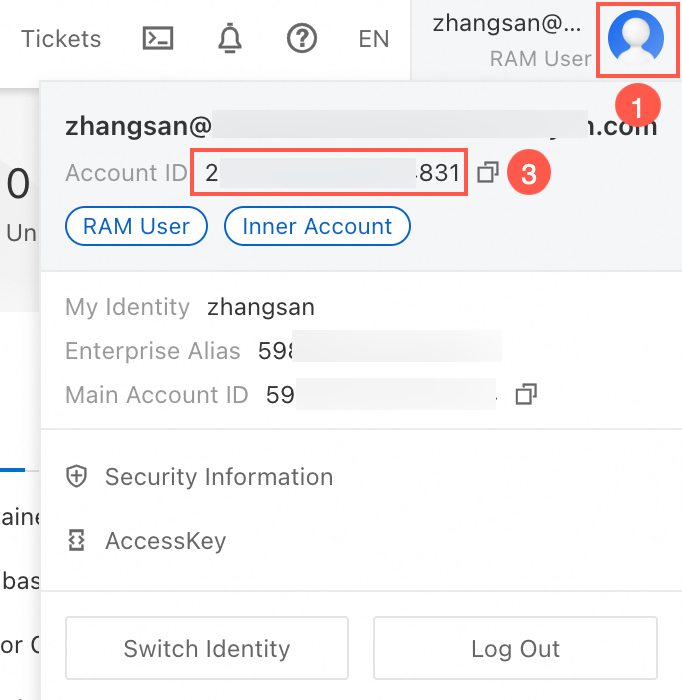
Log on to the Alibaba Cloud Management Console as a RAM user. Hover over your profile picture in the upper-right corner (①) to view your RAM user ID (②).
Obtain RAM user name
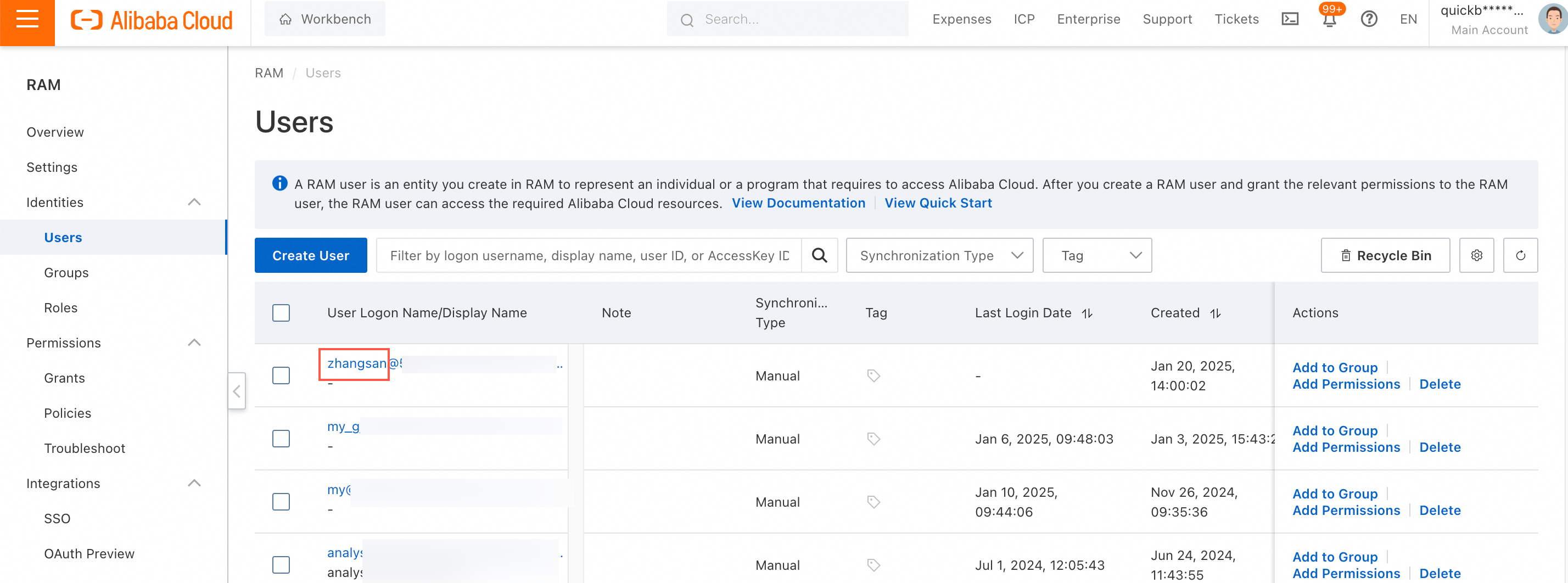
Log on to the RAM console with your Alibaba Cloud account. In the left-side navigation pane, choose Identities > Users to view the RAM user information.
NoteA RAM user's full logon name uses the format username@your-domain.onaliyun.com. The RAM user name is the username part. For example, if the full logon name is zhangsan@test.onaliyun.com, the RAM user name is zhangsan.
A RAM user logon name must be 64 characters or less, can contain letters, digits, periods (.), hyphens (-), and underscores (_), but not the at sign (@). For more information, see Create a RAM user.
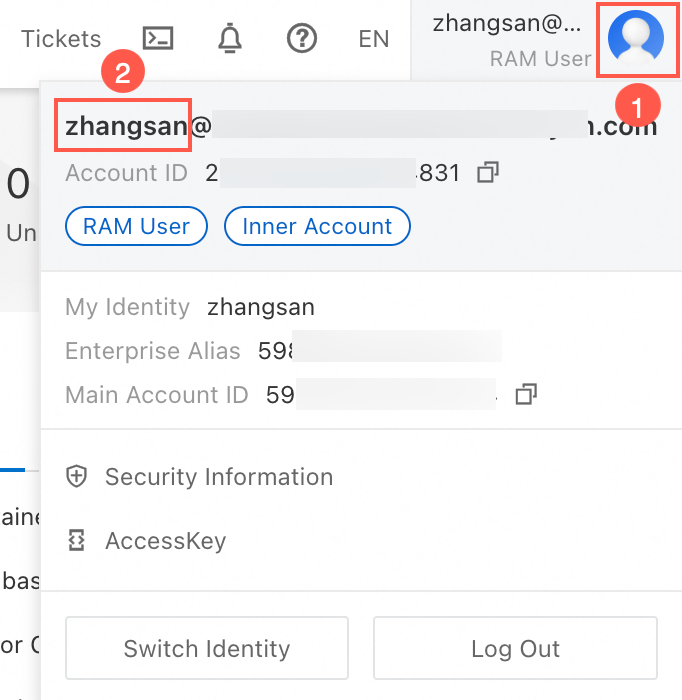
Log on to the Alibaba Cloud Management Console as a RAM user. Hover over your profile picture in the upper-right corner (①) to view your RAM user name (②).
Obtain RAM role information
Log on to the RAM console with your Alibaba Cloud account. In the left-side navigation pane, choose Identities > Roles to view the role information.
Click the name of the target role to open the Role Basic Information page. On this page, find the role ID.


Obtain DingTalk account information
Provide the CorpId of your DingTalk organization to the Quick BI organization administrator. After the administrator authorizes the DingTalk integration, Quick BI synchronizes the user directory from your DingTalk organization. For more information, see Enable the DingTalk microapp (public cloud).
Obtain WeChat Work account information
Provide the CorpId of your WeChat Work organization to the Quick BI organization administrator. After the administrator authorizes the WeChat Work integration, Quick BI synchronizes the user directory from your WeChat Work organization. For more information, see Enable the WeChat Work microapp (public cloud).
Obtain Feishu account information
Provide the CorpId of your Feishu organization to the Quick BI organization administrator. After the administrator authorizes the Feishu integration, Quick BI synchronizes the user directory from your Feishu organization. For more information, see Enable the Feishu microapp (public cloud).
Obtain Teams account information
Provide the tenant ID, application ID, and client secret of your Teams organization to the Quick BI organization administrator. After the administrator authorizes the Teams integration, Quick BI synchronizes the user directory from your Teams organization. For more information, see Enable the Teams microapp (public cloud).