Quick BI provides professional, scenario-based solutions on its open platform to help enterprises integrate efficiently. This topic describes the solutions available on the open platform.
Entry points
After you purchase Quick BI, you can access the solutions page in two ways.
Method 1: On the Open Platform Console page, click Solutions.
Method 2: Hover over Open Platform in the top navigation bar and click Solutions from the drop-down menu.
If you have not purchased Quick BI, you can go to the open platform official website to access the Open Platform - Solutions page.
Go to the open platform official website.
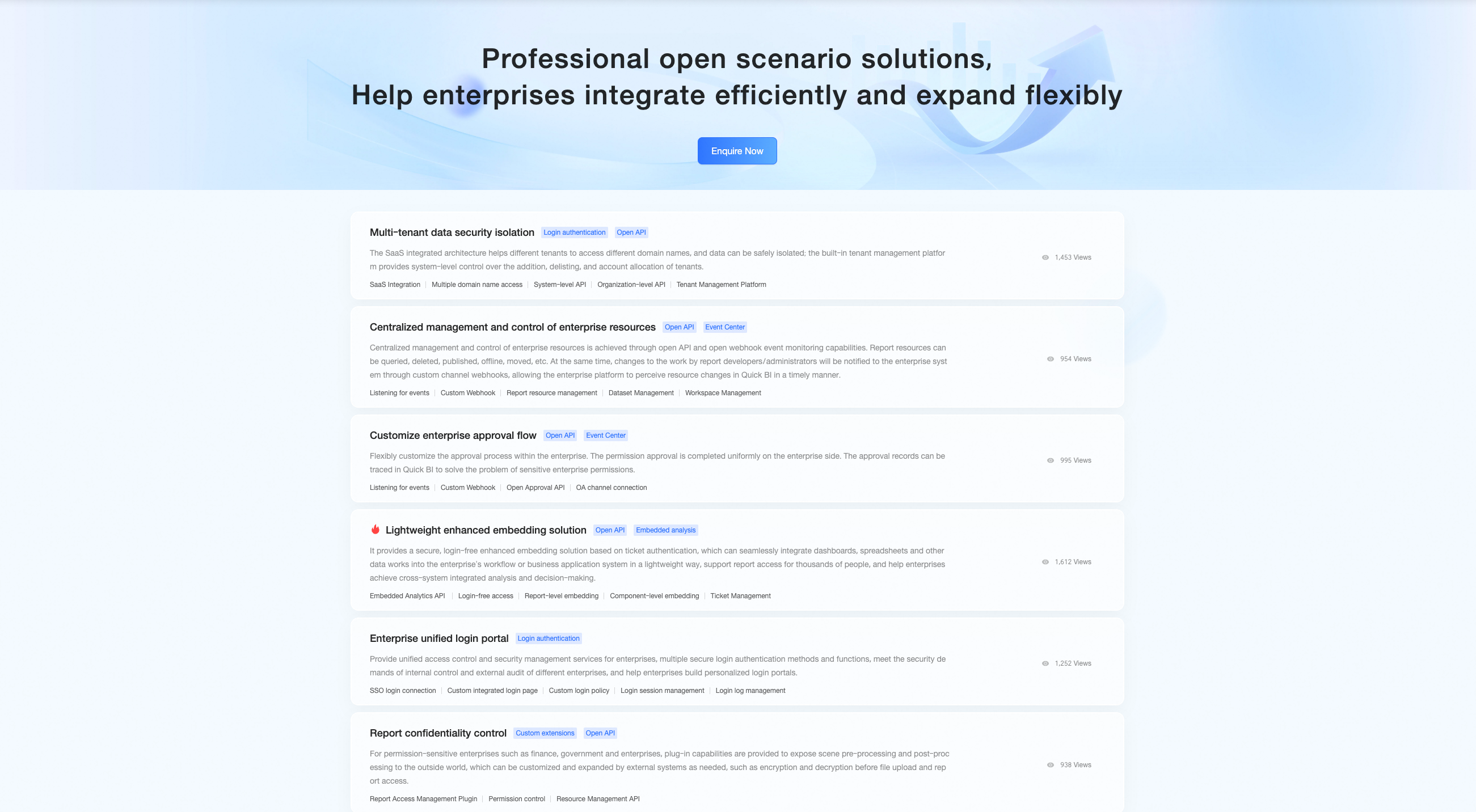
On the open platform official website, you can perform the following operations:
Click a solution, or hover over a solution and click View Details, to view its Solution Details and Development Guide.
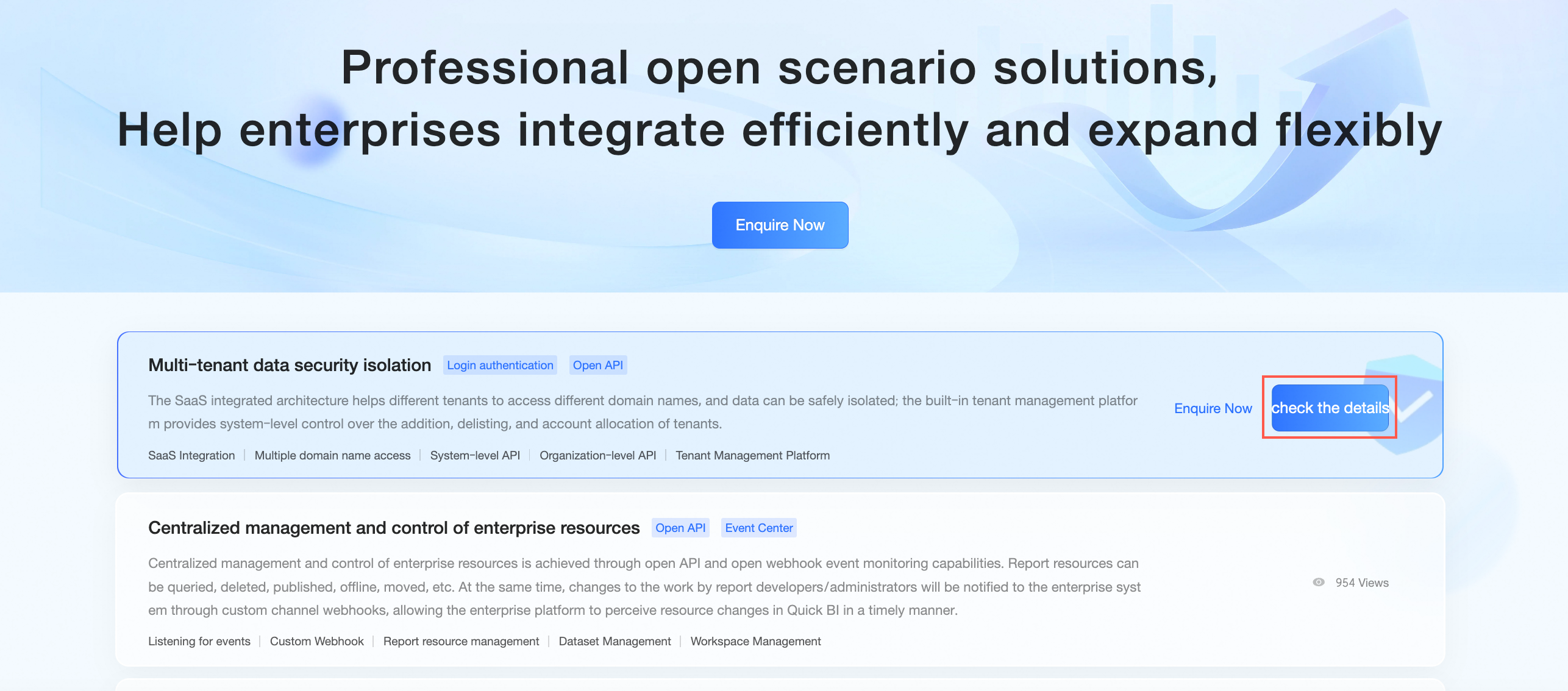
Based on your purchase status, you can click Consult Now to contact pre-sales support or submit a request to the ticket system.
Click Back to Open Platform Console in the upper-right corner of the open platform official website to return to the Quick BI open platform homepage.
Solutions
Quick BI currently offers 10 solutions: Multi-tenant Data Security Isolation, Centralized Enterprise Resource Control, custom enterprise approval workflow, lightweight enhanced embedding, Enterprise Unified Login Portal, Report Confidentiality Control, Custom Chart Component, Custom Behavior Event, Custom Login Plug-in, and Smart Store.
Multi-tenant Data Security Isolation, Centralized Enterprise Resource Control, Enterprise Unified Login Portal, Report Confidentiality Control, Custom Behavior Event, and Custom Login Plug-in are available only in standalone deployments. For more information about these solutions, contact our product team.
Solution |
Description |
Multi-tenant Data Security Isolation |
This solution provides a SaaS-based, multi-tenant integration architecture that allows each tenant to use a different domain name and ensures complete data isolation. It includes a built-in management platform for system-level control over tenant creation, deactivation, and account assignment. For more information, see Multi-tenant Data Security Isolation. |
Centralized Enterprise Resource Control |
Use open APIs and webhook event listeners to centrally manage your enterprise resources. You can perform operations such as querying, deleting, publishing, unpublishing, and moving report assets. When a developer or administrator modifies an asset, a webhook notification is sent to your enterprise system, allowing your platform to track resource changes in Quick BI in real time. For more information, see Centralized Enterprise Resource Control. |
Custom Enterprise Approval Workflow |
Flexibly customize your company's internal approval workflows. Your enterprise system handles permission approvals, while Quick BI maintains an auditable approval trail. This solution addresses concerns about sensitive permission management. For more information, see custom enterprise approval workflow. |
Lightweight Enhanced Embedding |
This solution provides a secure, lightweight enhanced embedding with single sign-on enabled by ticket-based authentication. Seamlessly integrate data assets such as dashboards and spreadsheets into your business applications or workflows. It supports personalized report access for different users, enabling cross-system analytics and decision-making. For more information, see lightweight enhanced embedding. |
Enterprise Unified Login Portal |
This solution offers unified access control and security management services for your enterprise. It provides multiple secure authentication methods to meet various internal control and external audit requirements, while allowing you to build a customized login portal. For more information, see Enterprise Unified Login Portal. |
Report Confidentiality Control |
Designed for enterprises with strict security requirements, such as those in finance or government, this solution provides plug-in capabilities. It exposes pre-processing and post-processing hooks that your external system can use for on-demand customization. For example, you can implement custom encryption before a file is uploaded or decryption before a report is accessed. For more information, see Report Confidentiality Control. |
Custom Chart Component |
For specialized visualization needs specific to your industry, Quick BI allows you to create custom components. You can write your own JavaScript code to build personalized charts. For more information, see Custom Chart Component. |
Custom Behavior Event |
To meet advanced security management requirements, you can inject custom JavaScript code into standard BI behavior events such as viewing, publishing, or exporting a report. This allows you to control the event workflow. For more information, see Custom Behavior Event. |
Custom Login Plug-in |
For customers with unique login requirements, Quick BI provides a plug-in architecture at the login layer. It exposes the authentication and logout processes, which you can customize or extend with your external system. For more information, see Custom Login Plug-in. |
Smart Store |
Quick BI offers the Smart Store solution for businesses that manage physical stores or operate offline exhibitions. This solution lets you implement digital services like remote store monitoring and foot traffic analysis. You can also integrate it with your existing store management platform to improve staff productivity and operational efficiency. For more information, see Smart Store. |