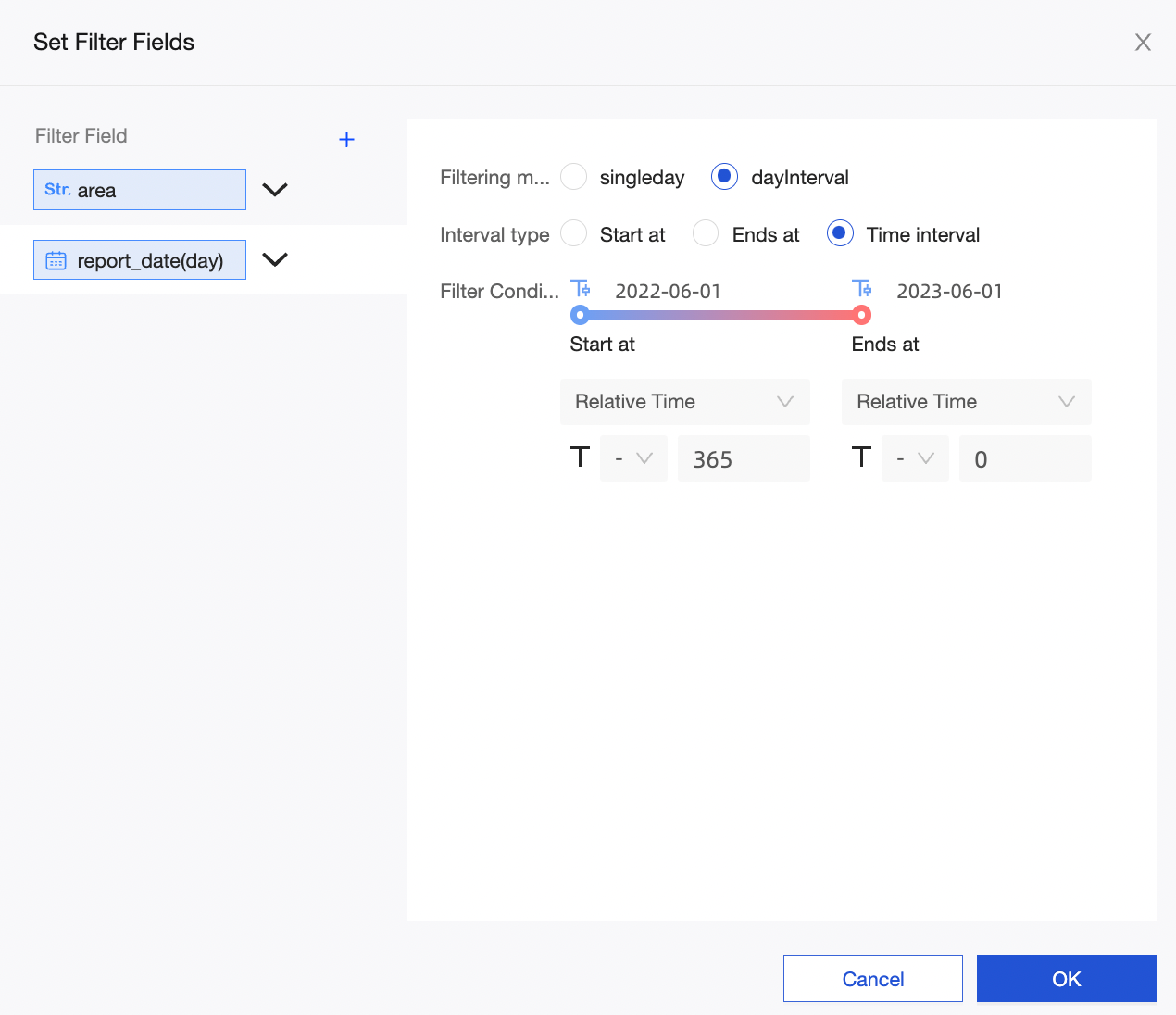
Configure display formats, sorting, filtering, and field search in the toolbar.
Display format
Number format
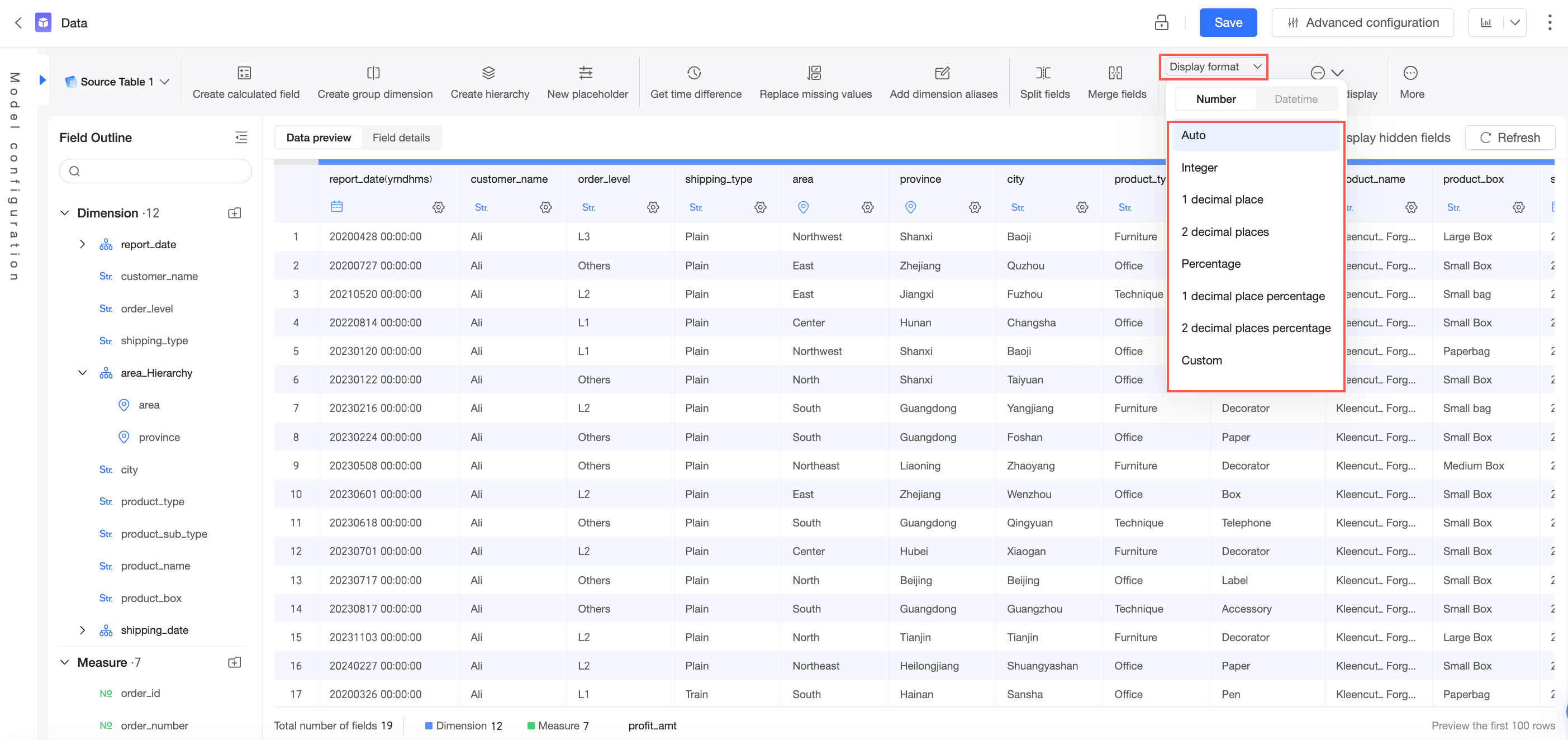
Select a measure field to configure its display format. The following options are available:
-
Auto
-
Integer
-
1 decimal place
-
2 decimal places
-
Percentage
-
Percentage (1 decimal place)
-
Percentage (2 decimal places)
-
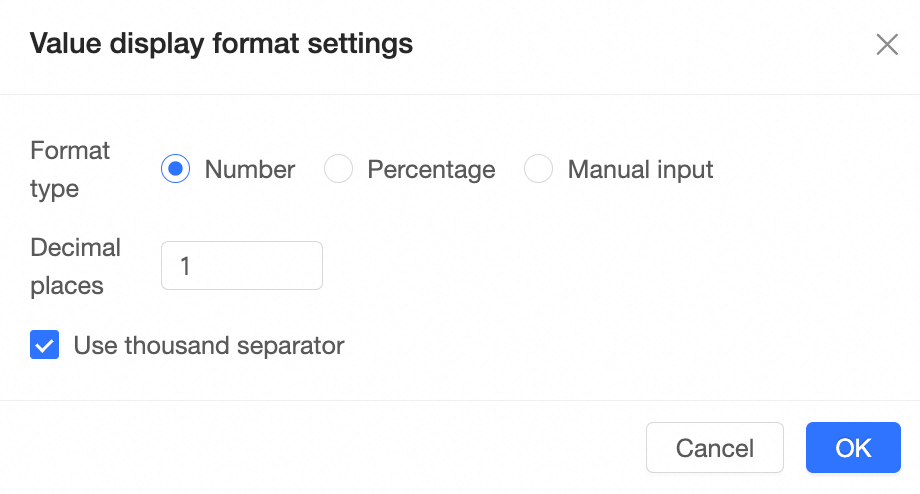
Custom
Format the data as a numeric value, a percentage, or a custom pattern.
Date format
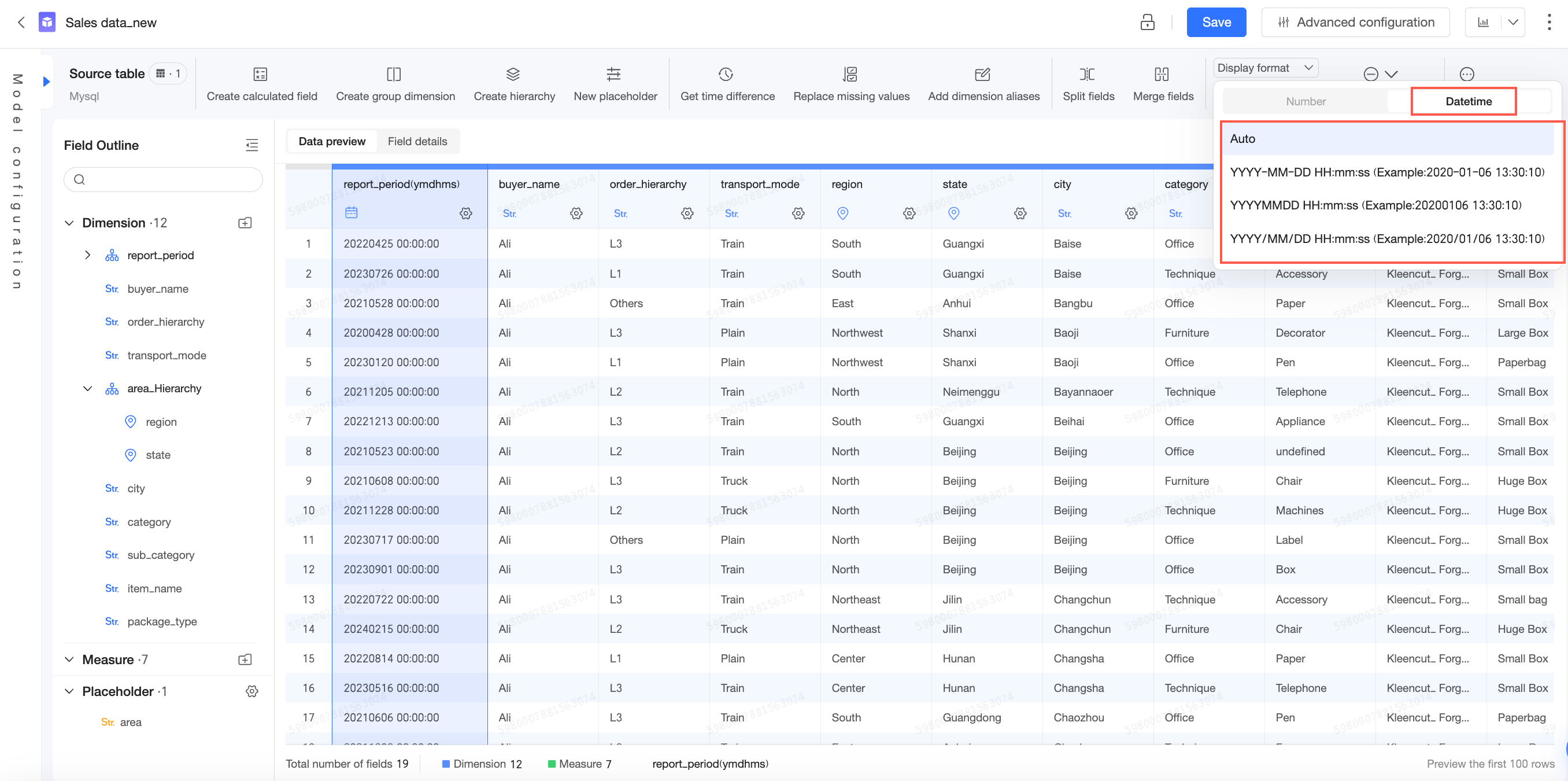
Select a date field to set its display format. You can configure a different default date format for each date granularity.
-
Day granularity
-
YYYY-MM-DD (Example: 2020-01-06)
-
YD (Example: 20200106)
-
YYYY/MM/DD (Example: 2020/01/06)
-
YYYY Year M Month D Day (Example: 2020 Year 1 Month 6 Day)
-
MMDD (Example: 0106)
-
MM-DD (Example: 01-06)
-
MM/DD (Example: 01/06)
-
M Month D Day (Example: 1 Month 6 Day)
-
DDMMYY (Example: 06012020)
-
MM/DD/YY (Example: 01/06/2020)
-
-
Week granularity
-
YYYY-W Week (Example: 2020-02 Week)
-
YYYYMMDD~YYYYMMDD (Example: 20200106~20200112)
-
YYYY/MM/DD~YYYY/MM/DD (Example: 2020/01/06~2020/01/12)
-
YYYY-W Week (MMDD~MMDD) (Example: 2020-02 Week (0106~0112))
-
MM/DD~MM/DD (Example: 01/06~01/12)
-
MMDD~MMDD (Example: 0106~0112)
-
-
Month granularity
-
YYYY-MM (Example: 2020-01)
-
YYYYMM (Example: 202001)
-
YYYY/MM (Example: 2020/01)
-
YYYY Year M Month (Example: 2020 Year 1 Month)
-
M Month (Example: 1 Month)
-
-
Quarter granularity
-
YYYY-Q Quarter (Example: 2020-01 Quarter)
-
YYYYQ (Example: 2020Q1)
-
YYYY Year, Q-th Quarter (Example: 2020 Year, 1st Quarter)
-
FYYYY-Q (Example: FY2020-Q1)
-
YYYY fiscal year Q (Example: 2020 fiscal year Q1)
-
YYYY fiscal year, Q-th Quarter (Example: 2020 fiscal year, 1st Quarter)
-
-
Year granularity
-
YYYY (Example: 2020)
-
YYYY Year (Example: 2020)
-
FYYYY (Example: FY2020)
-
YYYY fiscal year (Example: 2020 fiscal year)
-
Null display style
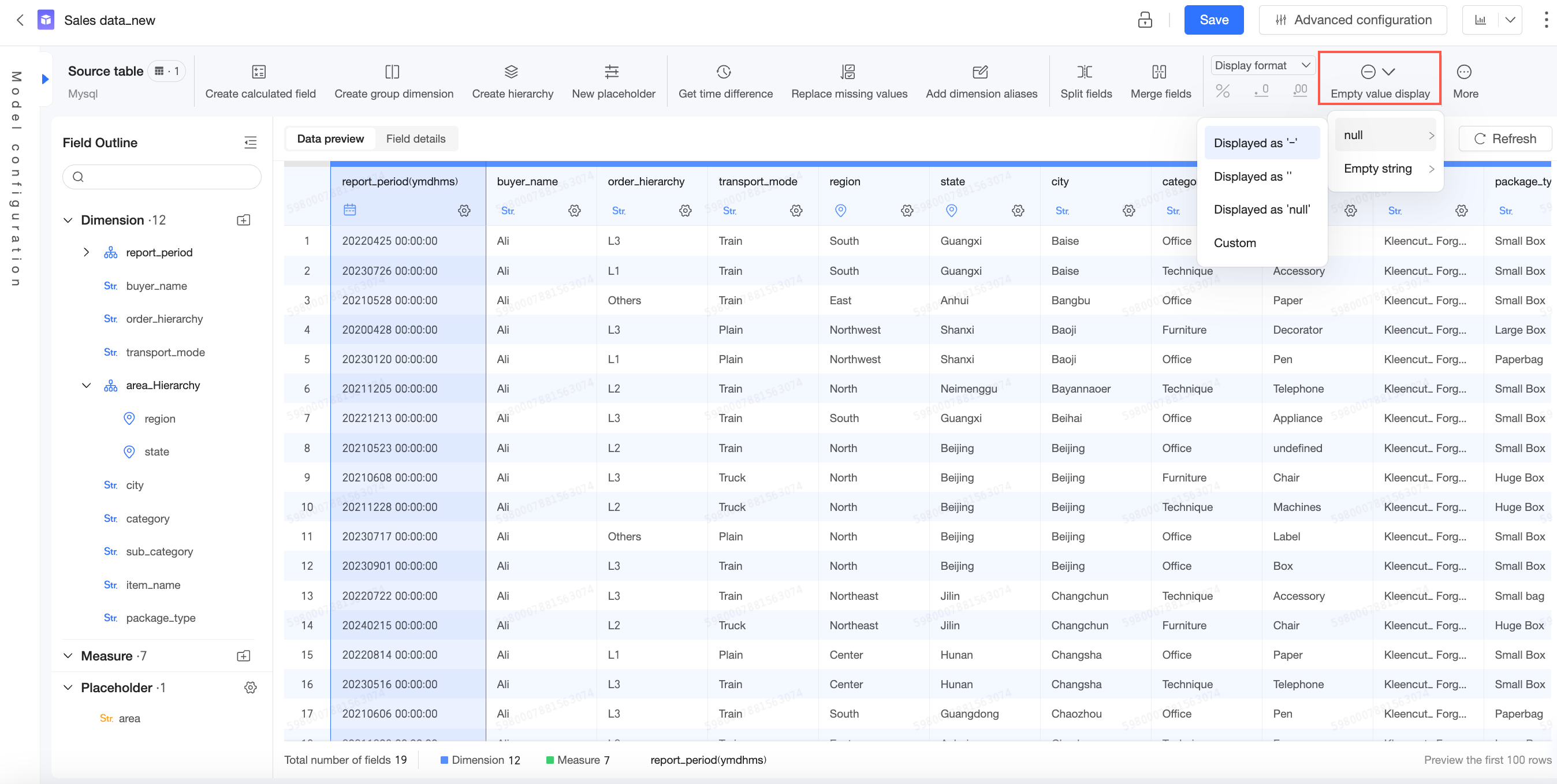
-
For a dimension field, you can set the display style for a null value or an empty string:
-
Null value:
-
Empty string:
-
Custom display values for nulls can only contain English letters, Chinese characters, numbers, underscores (_), forward slashes (/), backslashes (\), vertical bars (|), parentheses (), and square brackets []. The value cannot exceed 150 characters.
Sort
Fields are unsorted by default. You can sort them in ascending order, descending order, or define a custom sort.
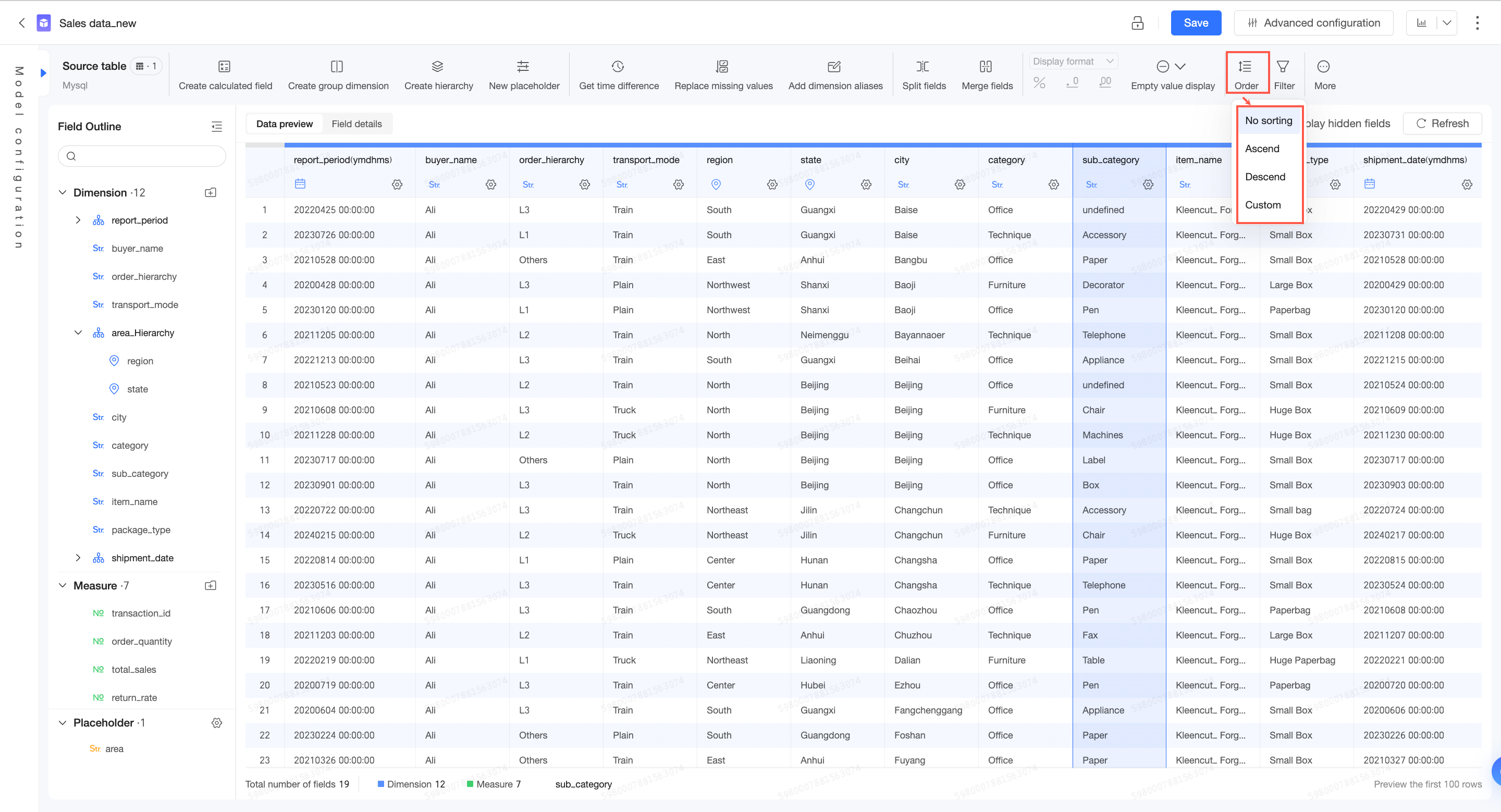
Filter data
To analyze a subset of your data, add a filter.
If you apply filters to multiple fields, the analysis includes only data that meets all filter conditions.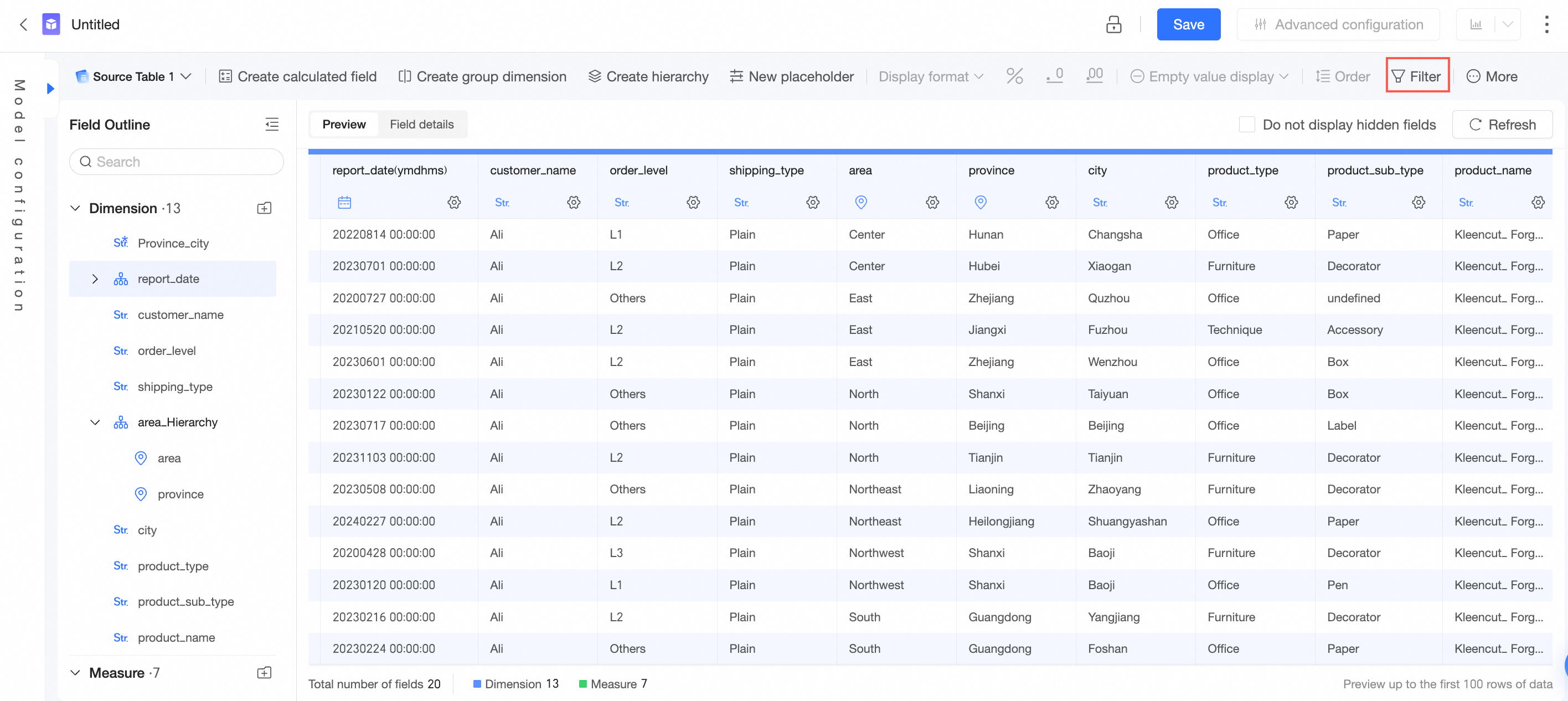
Set filter criteria in the dataset.