User permissions
To secure data assets and ensure compliant user operations, users need specific permissions to use features and manage resources in Quick BI AIPro. An organization administrator can configure organization roles on the Organization page to control user access to basic functions and centralized management in Quick BI AIPro. This topic describes how to configure these permissions.
Prerequisites
Subscription: Your organization must have purchased the Quick BI AIPro edition.
Permission restrictions: Only an organization administrator can configure permissions on the Organization page.
Access the feature
Go to the Organization page and select Users from the left-side navigation pane.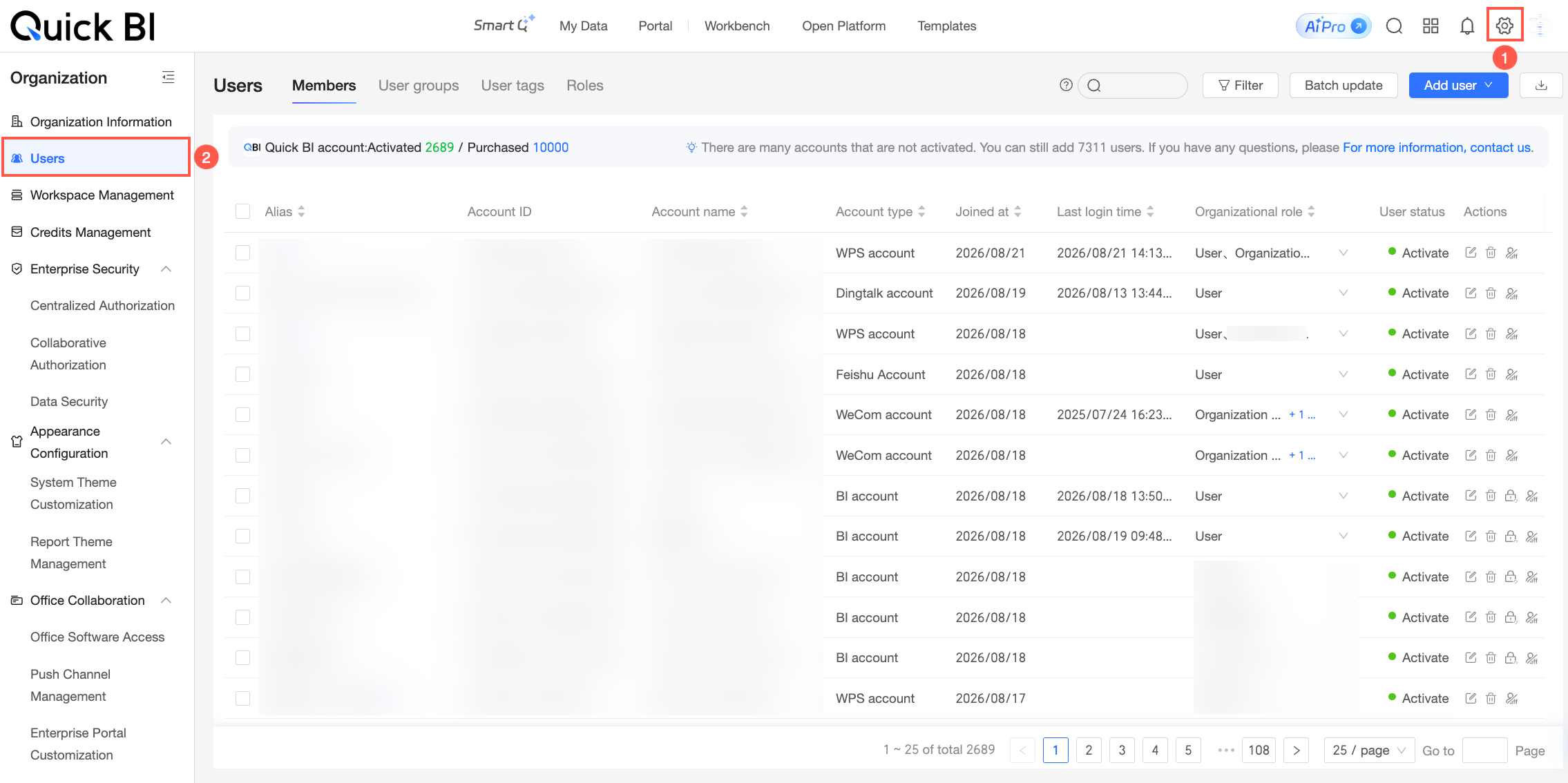
How it works
Quick BI AIPro permissions are divided into two types: basic functions and centralized management.
Basic functions: With this permission, users can perform daily operations in Quick BI AIPro, such as having AI-powered conversations and starting analysis tasks.
Centralized management: This administrative permission allows users to centrally manage enterprise resources, such as data assets, knowledge, and skills, in the Quick BI AIPro management center.
An organization administrator can set functional permissions for an organization role under Roles and then assign that role to users to control their permissions in Quick BI AIPro.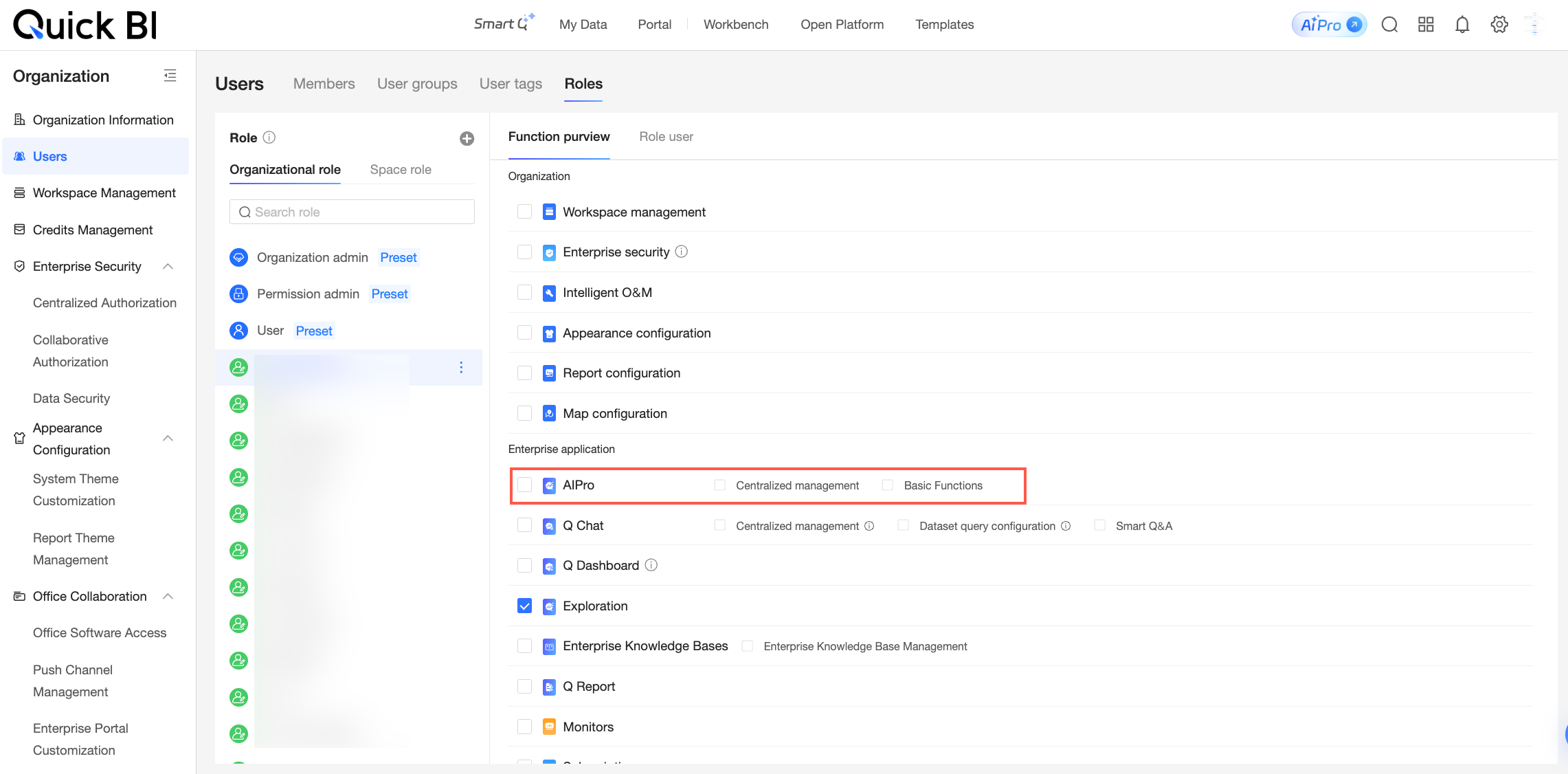
The Preconfigure data assets feature automatically grants target users permissions for data within the asset package. This operation involves data authorization and therefore requires both the centralized management permission for Quick BI AIPro and the organization's Enterprise Security permission.
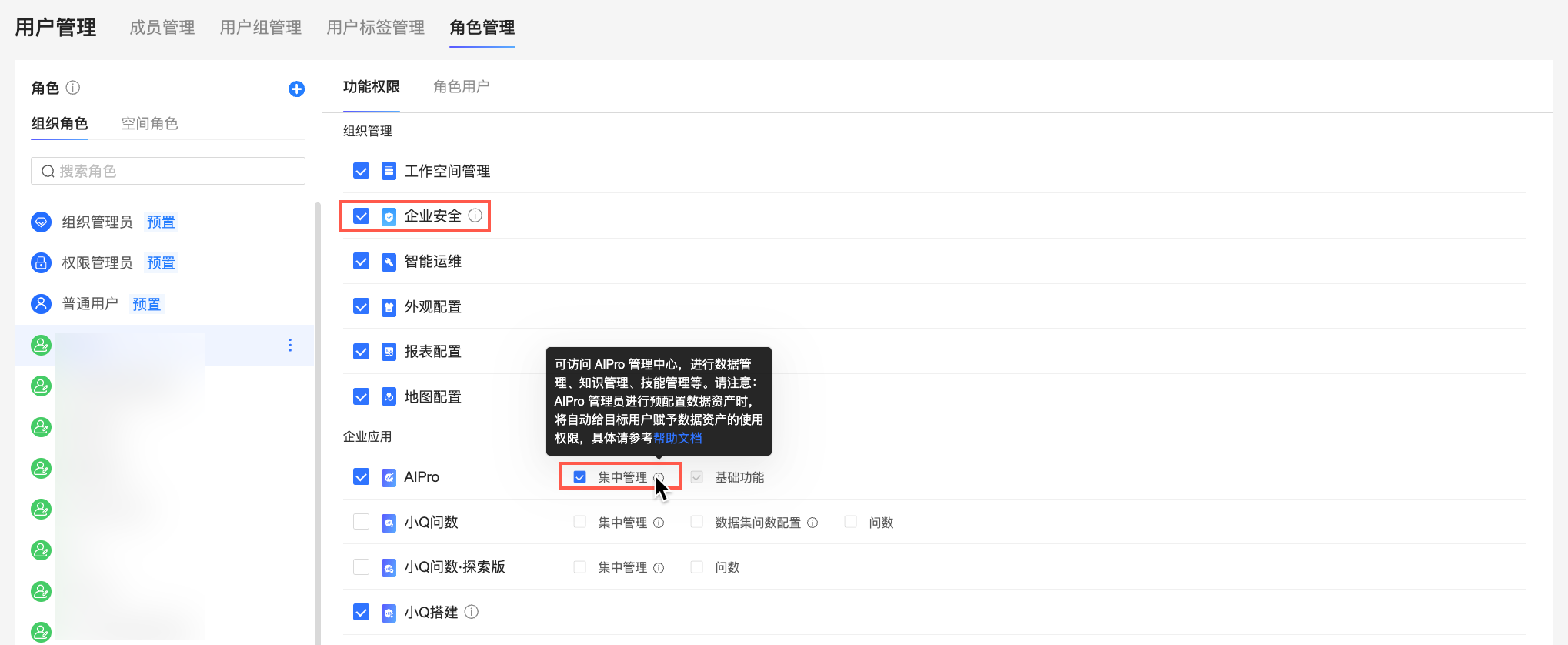
When an administrator preconfigures data assets, the system automatically grants the target user the corresponding permissions for the assets in the package (View permission for dashboards, and Use permission for datasets, table joins, files, and API data). Before proceeding, ensure that the data in the package does not pose a privilege escalation risk. For more information, see Preconfigure data assets.
The following table describes the role types and their settings.
Role type | Description | |
built-in role (Provided by Quick BI by default and cannot be modified) | organization administrator | Has centralized management and basic functions permissions by default. |
permission administrator | Has basic functions permissions by default. | |
standard user | Has basic functions permissions by default. | |
custom role (Configurable as needed) | An organization administrator can select the required permissions for this role. | |