RDS Supabase MCP User Guide
The RDS Supabase MCP (Model Context Protocol) toolset connects your IDE to Alibaba Cloud RDS Supabase instances, letting you manage databases through natural language instead of switching to the console. Once configured, you can list tables, query statistics, manage users, and run retrieval-augmented generation (RAG) workflows — all from within Qoder or Cursor.
The MCP server has broad access to your database. Review every action the LLM agent proposes before approving it, and avoid connecting the MCP server to production databases during initial setup.
Prerequisites
Before you begin, make sure you have:
Qoder or Cursor with agent-calling capabilities enabled
An Alibaba Cloud AccessKey (AccessKey ID and AccessKey secret)
An active RDS Supabase instance in your Alibaba Cloud account
Configure the RDS Supabase MCP server
Qoder
In the upper-right corner of the Qoder IDE, click the user icon, or press
⌘⇧,(macOS) orCtrl Shift ,(Windows), then select Qoder Settings.In the left navigation pane, click MCP Services.
On the My Services tab, click + Add in the upper-right corner. Copy the following JSON into the file that opens.
Important--aliyun-regionis required. If omitted, the API returns an empty instance list without reporting an error. Common region IDs:cn-hangzhou(China East 1)cn-beijing(China North 2)cn-shanghai(China East 2)
{
  "mcpServers": {
    "aliyun-supabase": {
      "command": "npx",
      "args": [
        "@aliyun-rds/supabase-mcp-server",
        "--aliyun-ak", "YOUR_ACCESS_KEY_ID",
        "--aliyun-sk", "YOUR_ACCESS_KEY_SECRET",
        "--aliyun-region", "cn-hangzhou"
      ]
    }
  }
}
Replace
YOUR_ACCESS_KEY_IDandYOUR_ACCESS_KEY_SECRETwith your actual credentials.Save the
mcp.jsonfile. Thealiyun-supabaseservice appears in the MCP Services > My Services list. A link icon confirms a successful connection. Expand the entry to see the available tools.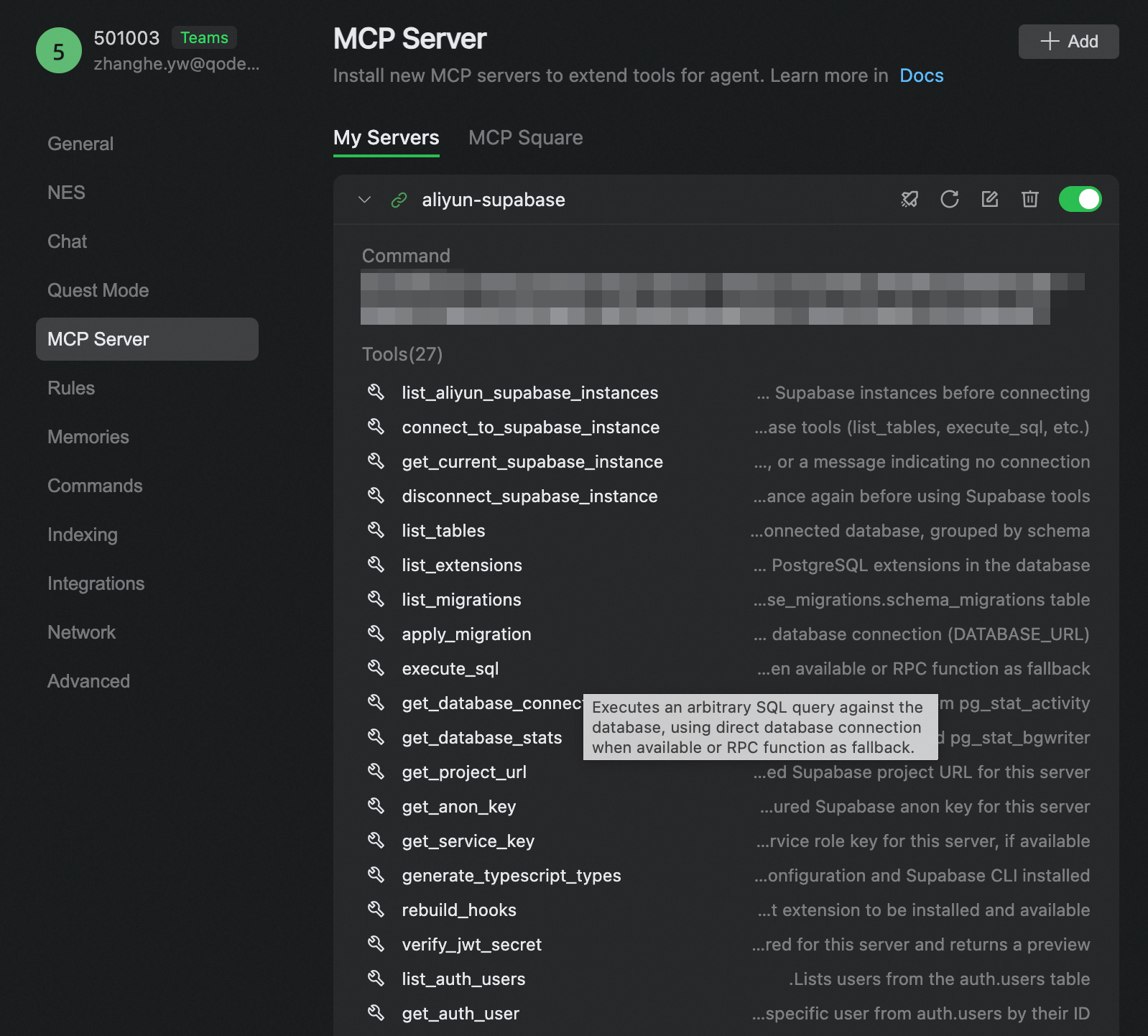
Cursor
Click aliyun-supabase to install the MCP server in Cursor with one click, or follow the steps below.
In Cursor, go to Cursor Setting > Tools & Integrations > MCP Tools, then click New MCP Server to open the
.cursor/mcp.jsonfile.Copy the following JSON into the file.
Important--aliyun-regionis required. If omitted, the API returns an empty instance list without reporting an error. Common region IDs:cn-hangzhou(China East 1)cn-beijing(China North 2)cn-shanghai(China East 2)
{
  "mcpServers": {
    "aliyun-supabase": {
      "command": "npx",
      "args": [
        "@aliyun-rds/supabase-mcp-server",
        "--aliyun-ak", "YOUR_ACCESS_KEY_ID",
        "--aliyun-sk", "YOUR_ACCESS_KEY_SECRET",
        "--aliyun-region", "cn-hangzhou"
      ]
    }
  }
}
Replace
YOUR_ACCESS_KEY_IDandYOUR_ACCESS_KEY_SECRETwith your actual credentials.Save the
.cursor/mcp.jsonfile. Thealiyun-supabaseservice appears in Cursor Setting > Tools & Integrations > MCP Tools with its available tools listed.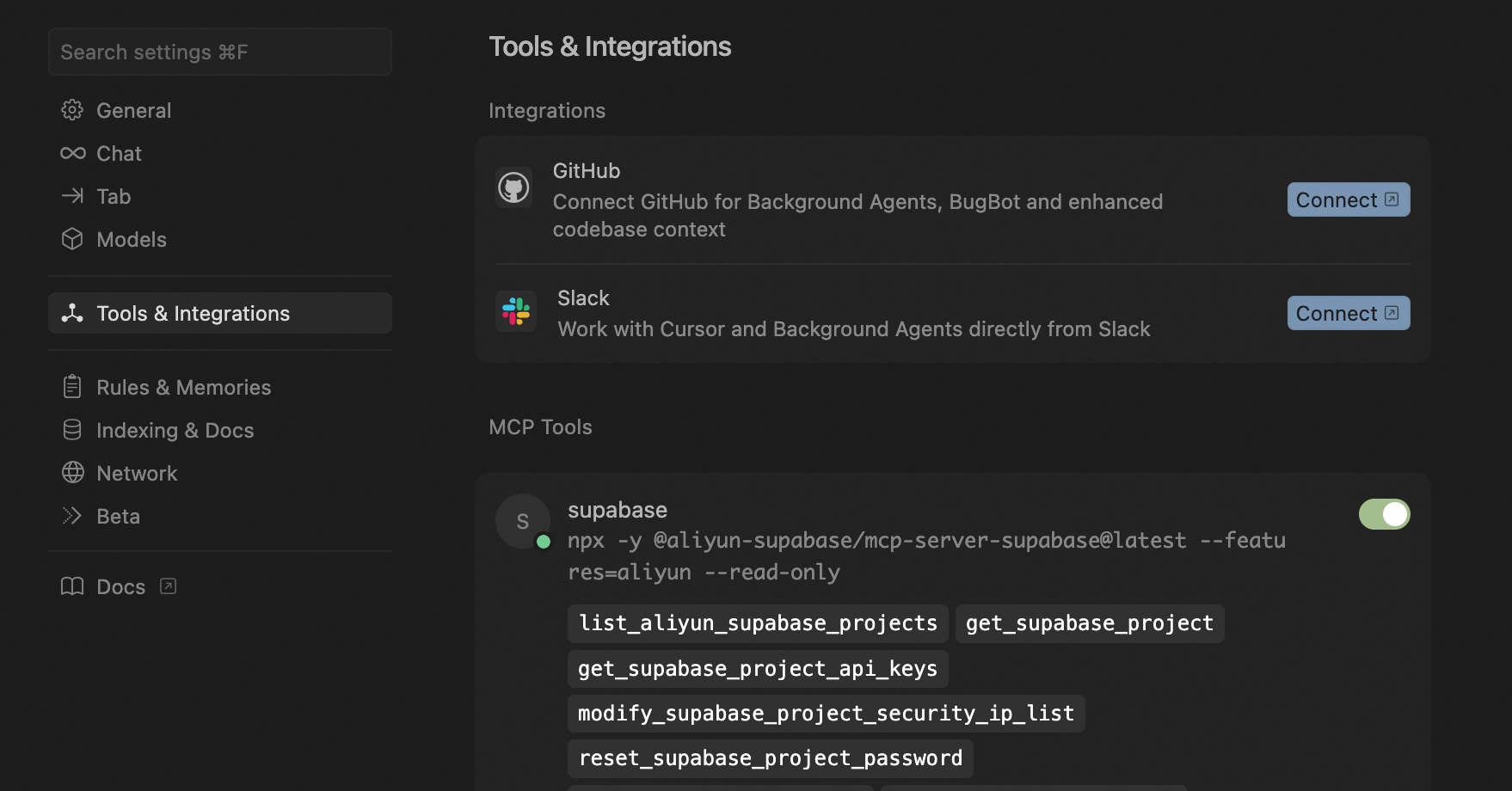
Verify the connection
After saving the configuration, ask the agent: "What tables are in the database? Use MCP tools." If the connection is working, the agent calls aliyun-supabase/list_tables and returns a list of tables from the public schema.
Available tools
Database architecture
Tool | Description |
| Lists all tables in the |
| Lists installed PostgreSQL extensions |
| Retrieves current database connection information |
| Returns database statistics, including table sizes |
User authentication
Tool | Description |
| Lists all users in |
| Returns the details of a specific user |
| Creates a new user via the Supabase Admin API |
| Updates user details via the Supabase Admin API |
| Deletes a user via the Supabase Admin API |
RAG agent tools (optional)
Enable RAG tools by passing --enable-rag-agent in the args array of your MCP configuration. All RAG tools are dynamically loaded and prefixed with rag_, for example: rag_list_datasets, rag_get_dataset, rag_query_dataset, and rag_query_multi_datasets. These tools support semantic search and document management against your Supabase instance.
For the full list of tools and parameters, see Alibaba Cloud RDS Supabase MCP Server.
Usage examples
The following examples use Qoder. The same natural language instructions work in Cursor.
List all Supabase projects
Instruction: List all my Supabase projects on Alibaba Cloud.
The agent calls aliyun-supabase/list_aliyun_supabase_projects. If no region is specified in the prompt, the agent infers it from your MCP configuration and returns a formatted list of projects.
Get project details
Instruction: Query the details of this project. Do not show sensitive information.
The agent retrieves the project ID from the conversation history and calls aliyun-supabase/get_current_supabase_instance, returning the project's configuration details.
List installed PostgreSQL extensions
Instruction: List the PostgreSQL extensions installed on the current instance.
The agent calls aliyun-supabase/list_extensions and returns the extensions installed on the current instance.
Troubleshooting
Instance list is empty after configuration
If the agent returns an empty list of instances with no error message, --aliyun-region is likely missing from your MCP configuration. Add the parameter with the region ID where your instances are located, then save the file and reconnect.
Changes to mcp.json are not picked up
After editing mcp.json, reload the MCP server in your IDE. In Qoder, disconnect and reconnect the service from MCP Services > My Services. In Cursor, restart the IDE or use the refresh option in MCP Tools.
Agent cannot find the MCP tools
Confirm that the link icon (Qoder) or the tool count (Cursor) appears next to the aliyun-supabase entry. If the entry shows an error state, check that npx is available in your terminal (npx --version) and that your AccessKey ID and AccessKey secret are correct.
What's next
Explore all available tools and parameters: Alibaba Cloud RDS Supabase MCP Server
Learn about MCP: Guide for using MCP