Editor: Failed to open or create projects
Cloud project fetch fails due to time skew
Symptom
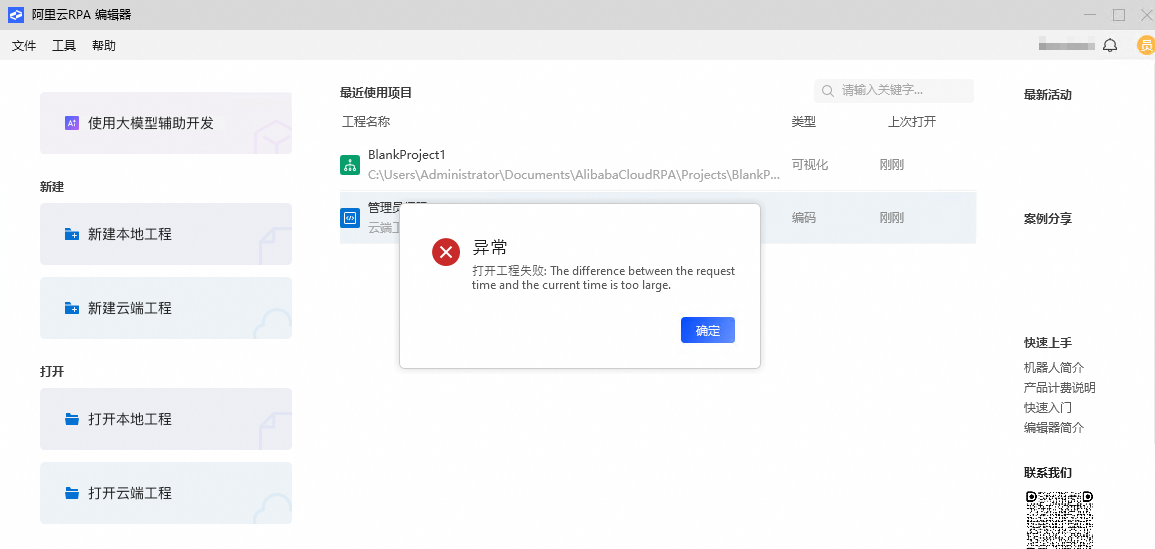
When you open a cloud project, the error message "The difference between the request time and the current time is too large" appears.
Cause
This error occurs if your computer's Windows system time is significantly out of sync with the server time.
Resolution
Enable Set time automatically in your Windows settings, as shown in the following figure.
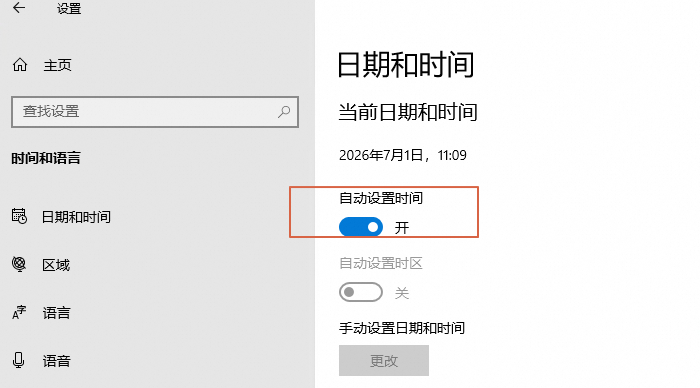
If you must set the Windows system time manually, set the time zone to UTC+08:00 and adjust the clock to the correct time.
Incorrect data format causes project failure
Symptom
Creating or editing a project in the editor fails with an error message, as shown in the figures below.
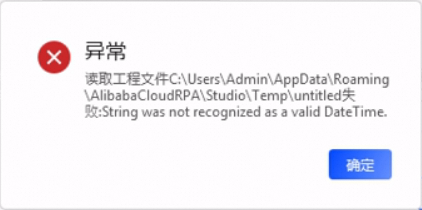
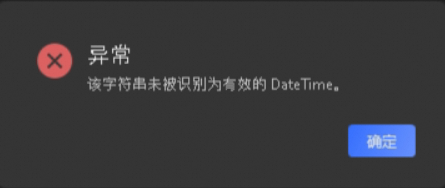
Cause
This issue occurs if you use a non-standard data format in your Windows settings, as shown below.

Resolution
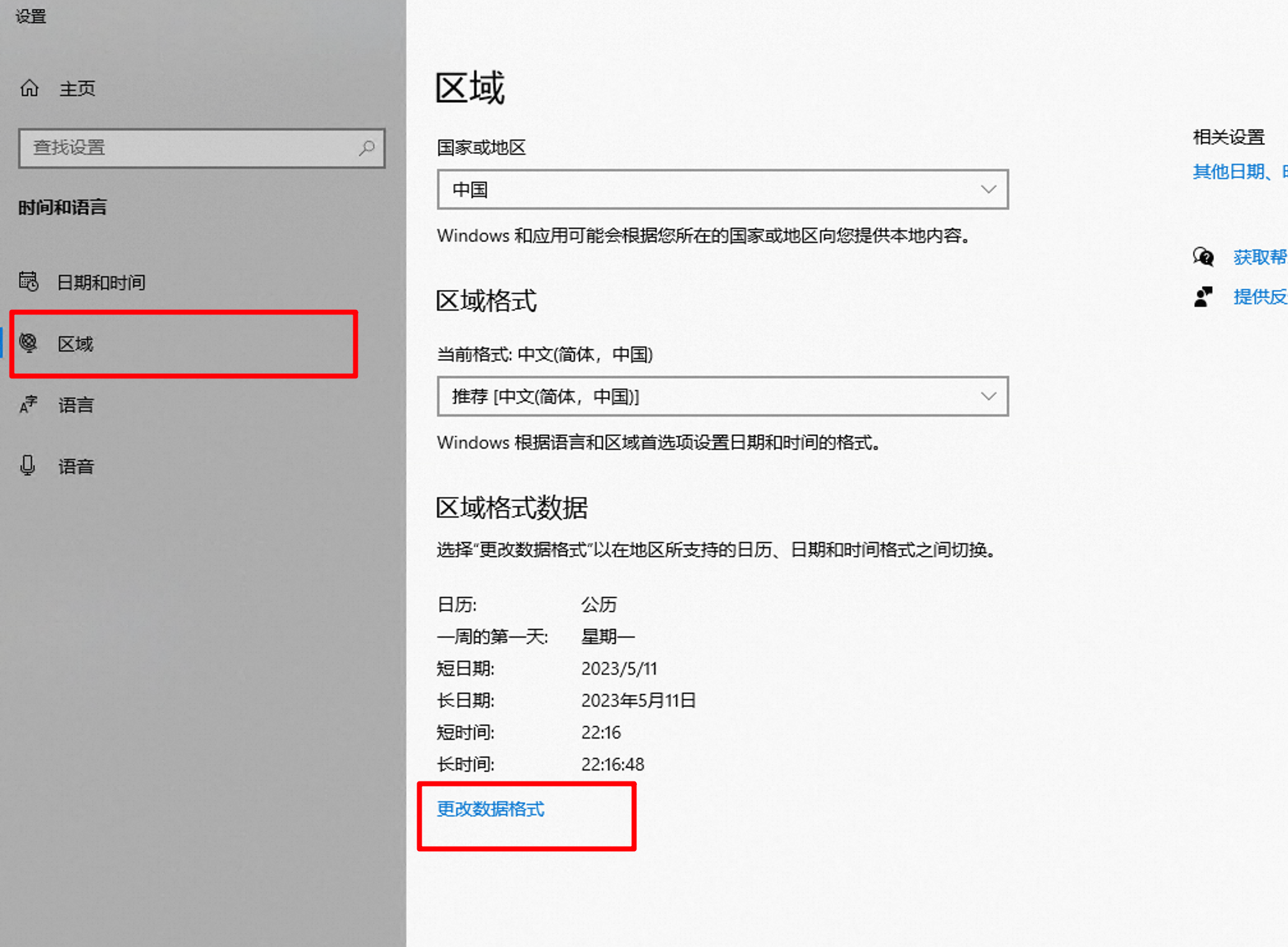
In Windows Settings, go to Time & Language > Region and click Change data formats.

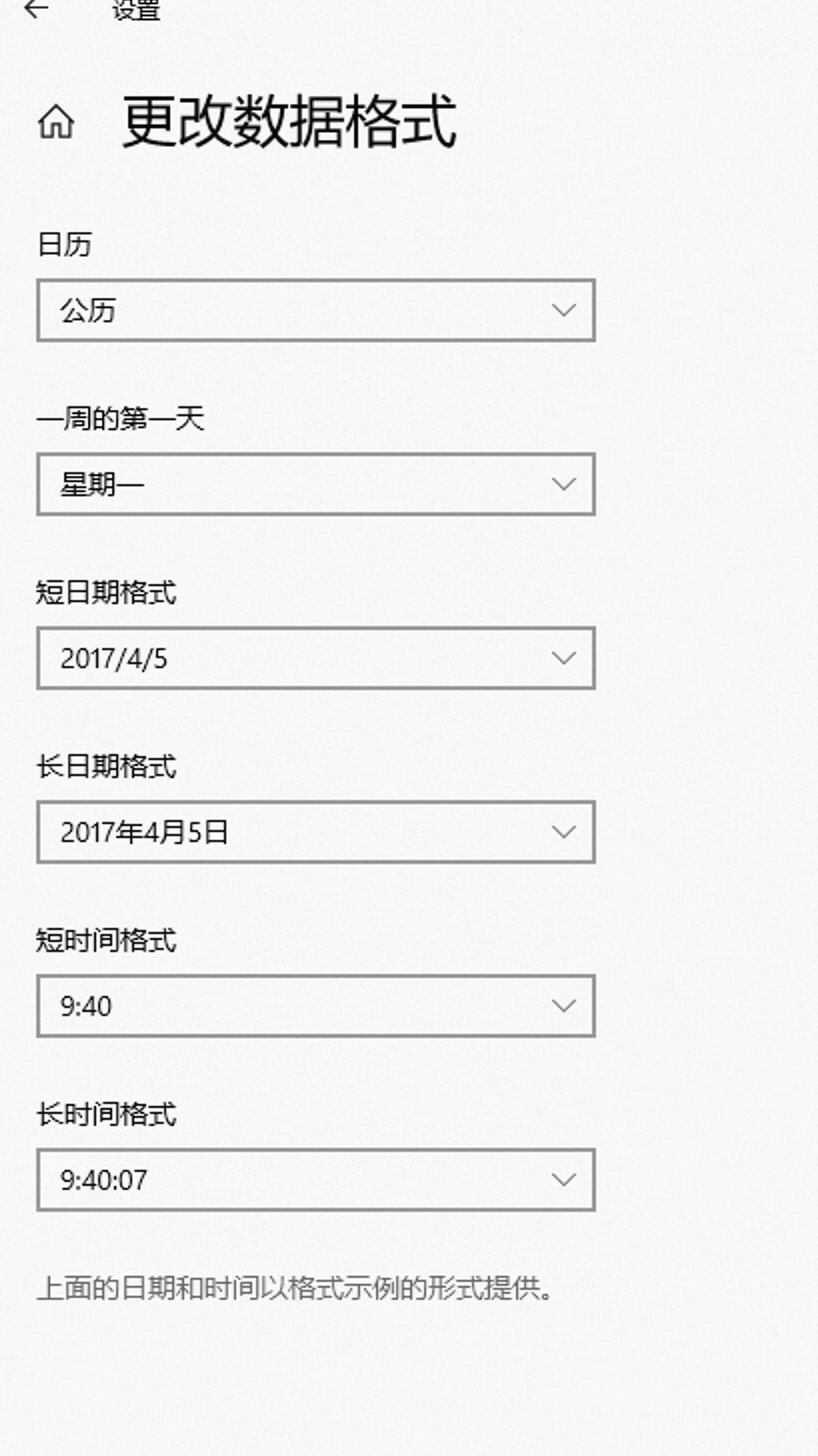
Configure your settings as shown in the figure below.
Restart the editor.