1. Component overview
Note
Prerequisites: None
This component generates a random decimal.
2. Inputs
Note
For details about each input, see the help text in the component panel of the application flow editor.
3. Outputs
Note
For details about each output, see the help text in the component panel of the application flow editor.
4. Component usage examples
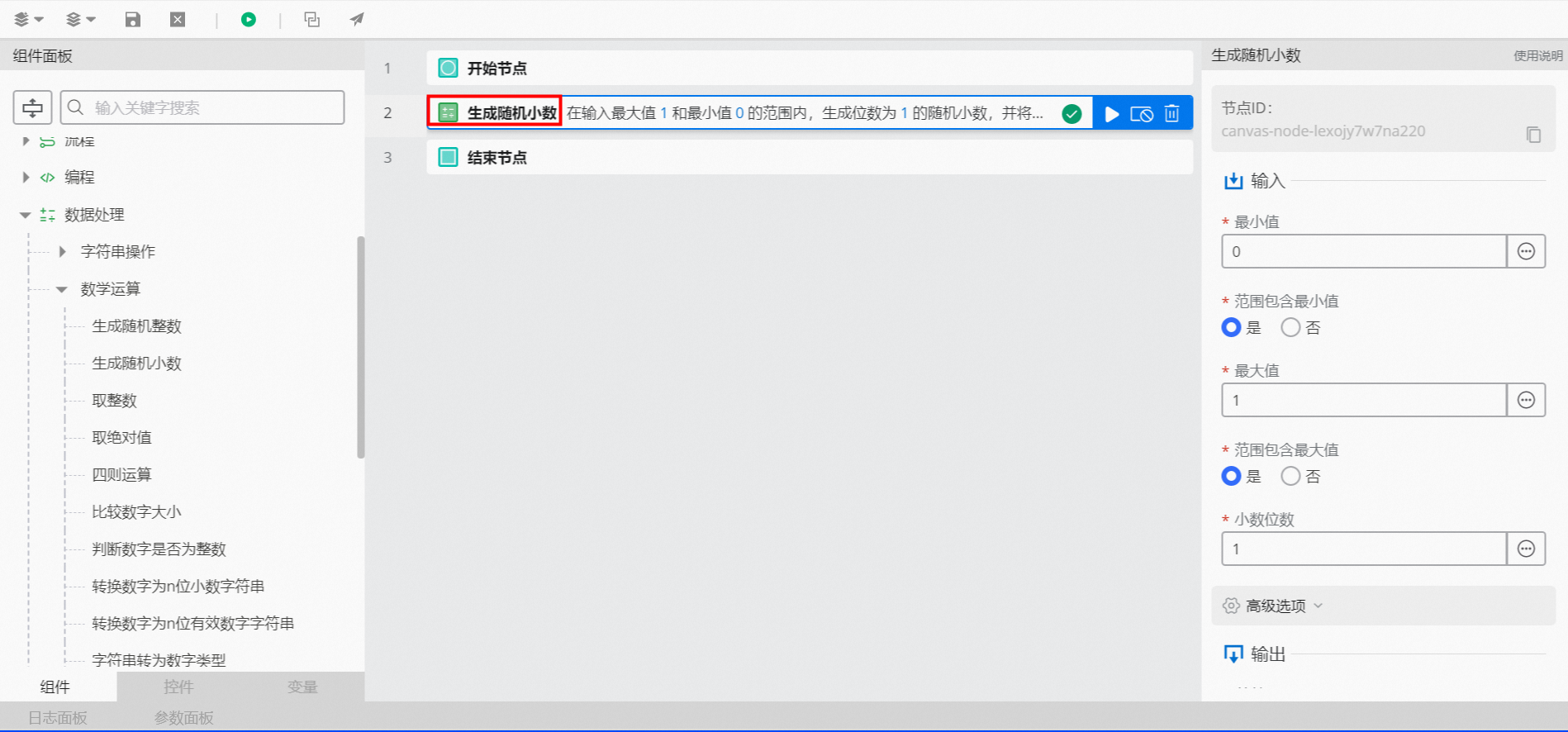
4.1. Component configuration
For
Minimum value, enter 0.For
Include minimum value in range, select Yes.For
Maximum value, enter 1.For
Include maximum value in range, select Yes.For
Decimal places, enter 1.Keep the default advanced options.
4.2. Example result
As shown in the following figure, after the flow executes successfully, you can click the log panel to view the debug execution result.
该文章对您有帮助吗?