On the Statistics page for on-premises robots, you can view various statistics for the on-premises robots in your enterprise.
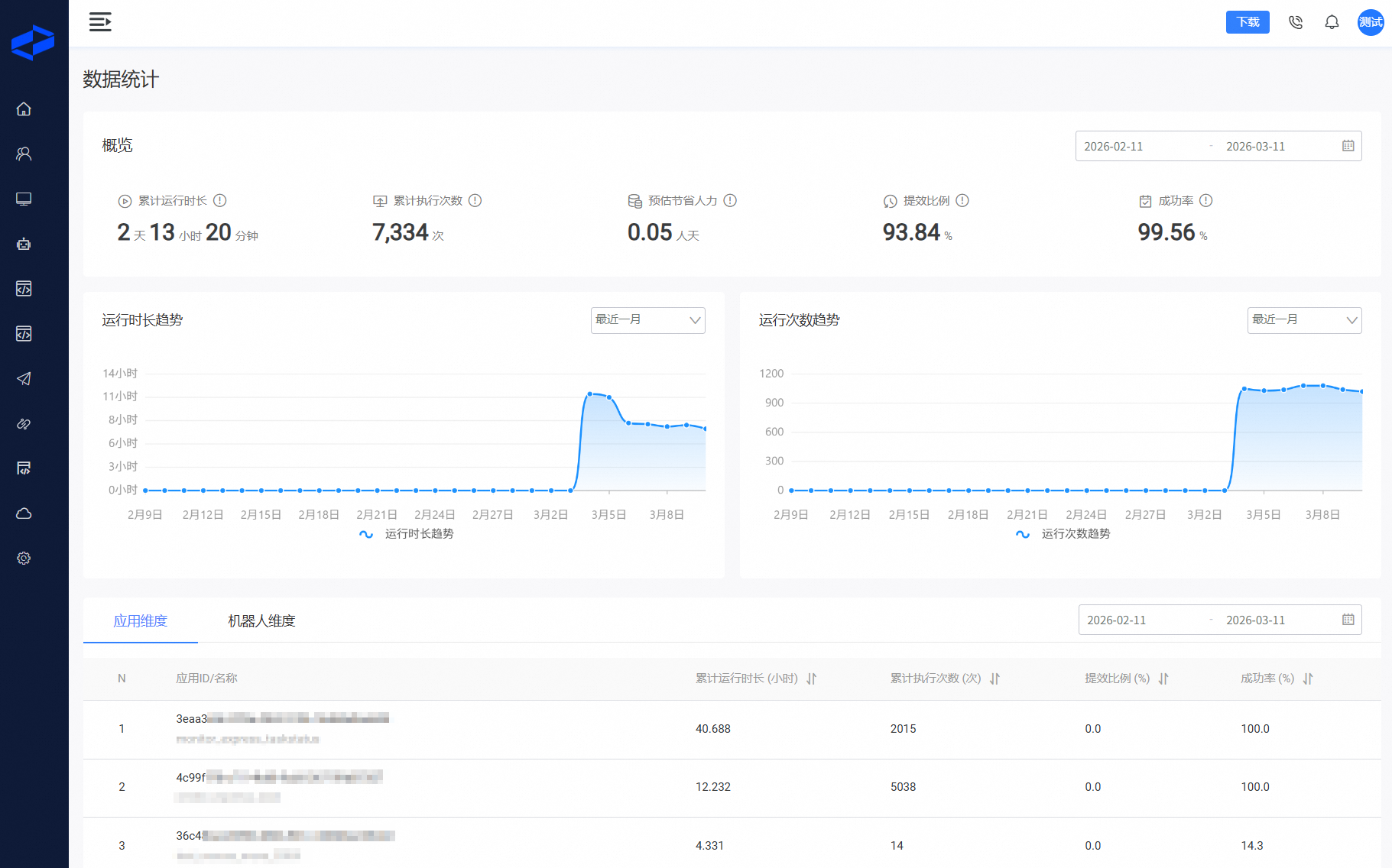
Overview:
Cumulative runtime: The total runtime of all tasks started within the selected time frame in your enterprise.
Total executions: The total number of executions for all tasks started within the selected time frame in your enterprise.
Estimated labor savings:
The total labor savings from all tasks started within the selected time frame in your enterprise.
This statistic is calculated from an application's estimated manual time, which you set in the editor when publishing the application.
Note: If an application is excluded from statistics, its data is not included.
Conversion logic: 8 hours of manual time = 1 person-day.
Efficiency gain:
This statistic applies to all tasks started and completed within the selected time frame in your enterprise.
The overall efficiency gain is calculated as: (estimated manual time - robot task time) / estimated manual time.
Note: If an application is excluded from statistics, its data is not included.
Success rate: The percentage of completed tasks among all concluded tasks (including manually stopped, completed, and failed) within the selected time frame in your enterprise.
Runtime trend: You can view application runtime statistics for the last week, last month, or last year in your enterprise.
Execution count trend: You can view application execution count statistics for the last week, last month, or last year in your enterprise.
Statistics by application: View and sort metrics such as cumulative runtime, total executions, efficiency gain, and success rate for each published application on on-premises robots over a specified time period.
Statistics by robot: View and sort metrics such as cumulative runtime, total executions, efficiency gain, and success rate for each on-premises robot in your enterprise over a specified time period.