Get panel parameter
1. Component overview
Prerequisites: None
This component retrieves the value of a specified parameter from the parameter panel.
2. Inputs
For details about each input, see the Component Panel in the Visual Editor.
3. Outputs
For details about each output, see the Component Panel in the Visual Editor.
The component can automatically convert the parameter value to the following four data types:
Output type | Description |
string | The default data type for the output. |
number | This works the same way as the Convert Number to String component. |
dictionary | This works the same way as the Convert JSON String to Dictionary component. |
list | This works the same way as the Convert JSON String to List component. |
4. Usage example
4.1. Configuration example
In the
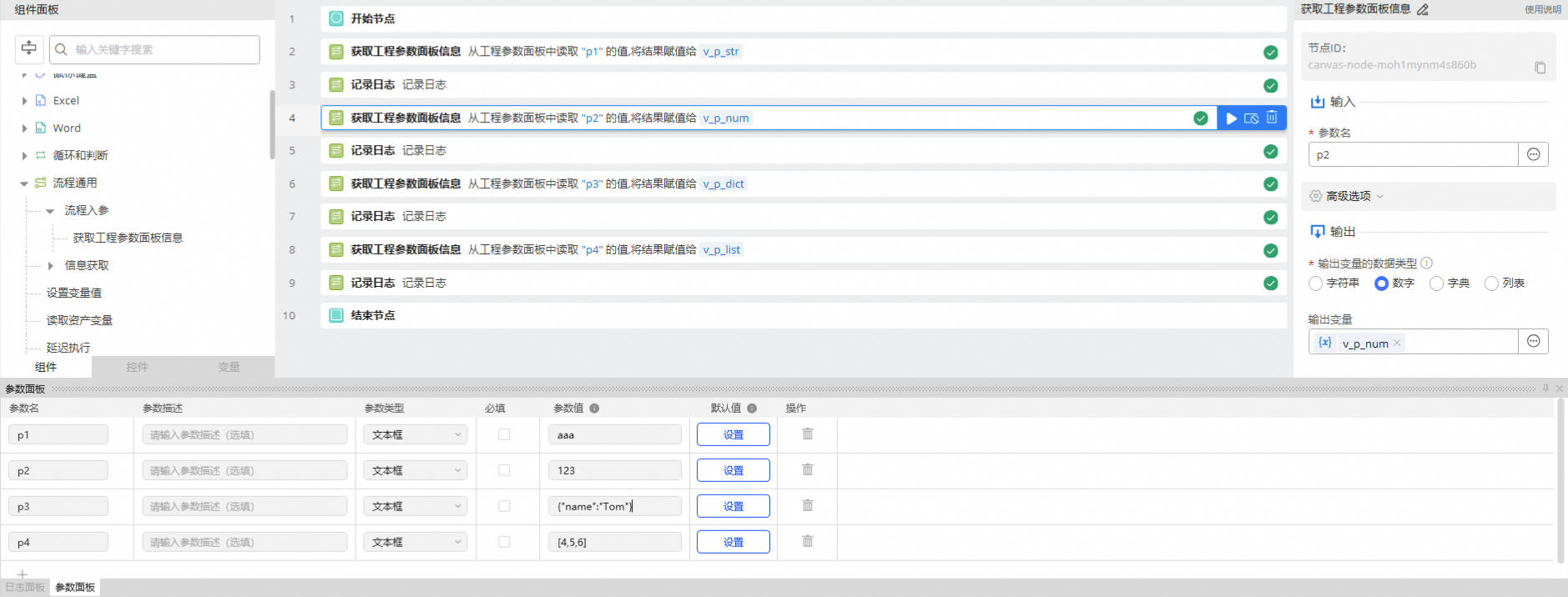
Parameter Namefield, enter the name of the parameter to retrieve.Leave the advanced options at their defaults.
4.2. Execution result
See Section 5.2 for the execution result.
5. Example process
5.1. Build the process
This process retrieves four parameters of different types, assigns each value to a variable of the corresponding data type, and then prints each value.
5.2. Execution result
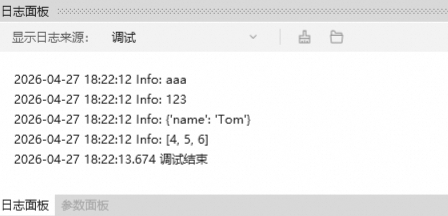
As shown below, after the process runs successfully, it prints the values of the specified parameters to the log panel.