Get system folder path
Updated at:
1. Component introduction
Note
Prerequisites: None
Use this component to retrieve the path of a system folder.
2. Input parameters
Note
For more information about the input parameters, see the component's help text in the application flow editor.
3. Output parameters
Note
For more information about the output parameters, see the component's help text in the application flow editor.
4. Component usage examples
4.1. Component configuration example
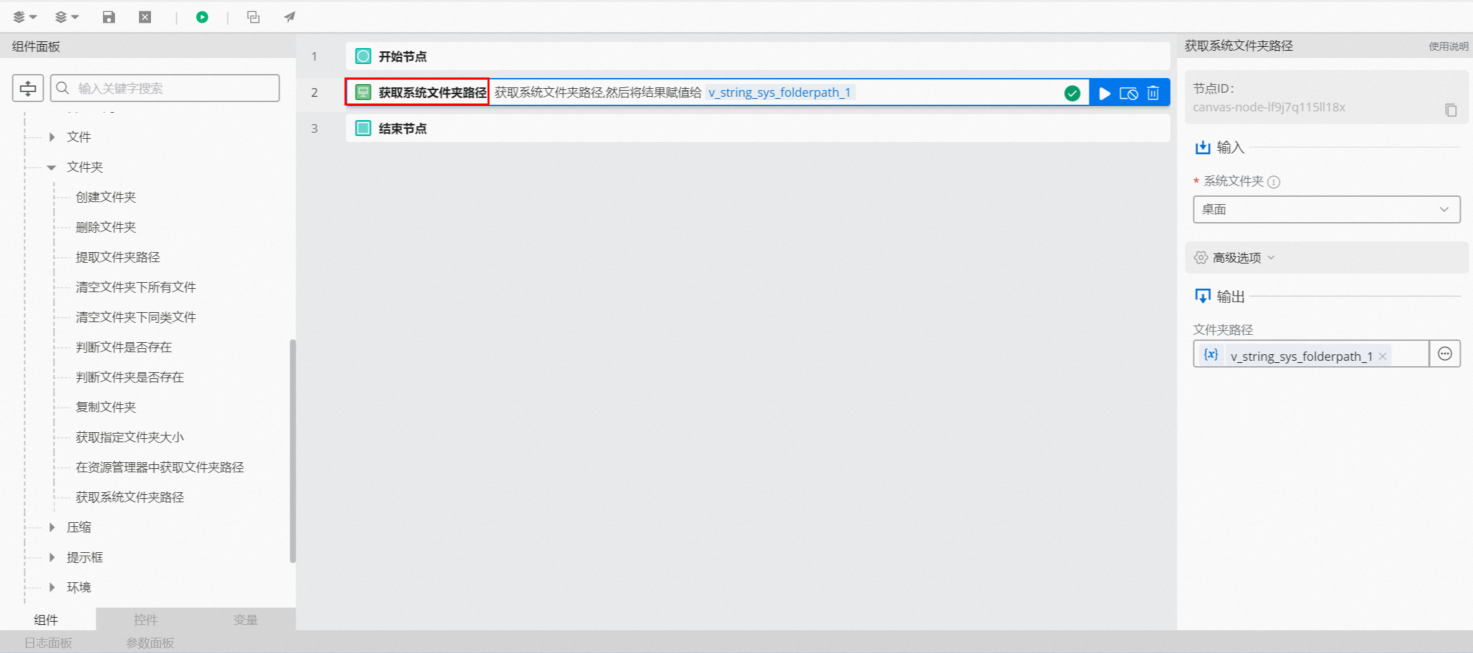
Set
System folderto "Desktop".Keep the default values for the advanced options.
4.2. Example Execution Results
After the flow runs successfully, you can click the log panel to view the execution results, as shown in the following figure.
Is this page helpful?