Replace string
1. Component overview
Prerequisites: None
You can use this component to replace specified content within a string.
2. Inputs
For more information about each input, see the help text in the component panel of the application flow editor.
3. Outputs
For more information about each output, see the help text in the component panel of the application flow editor.
4. Component example
4.1. Configuration example
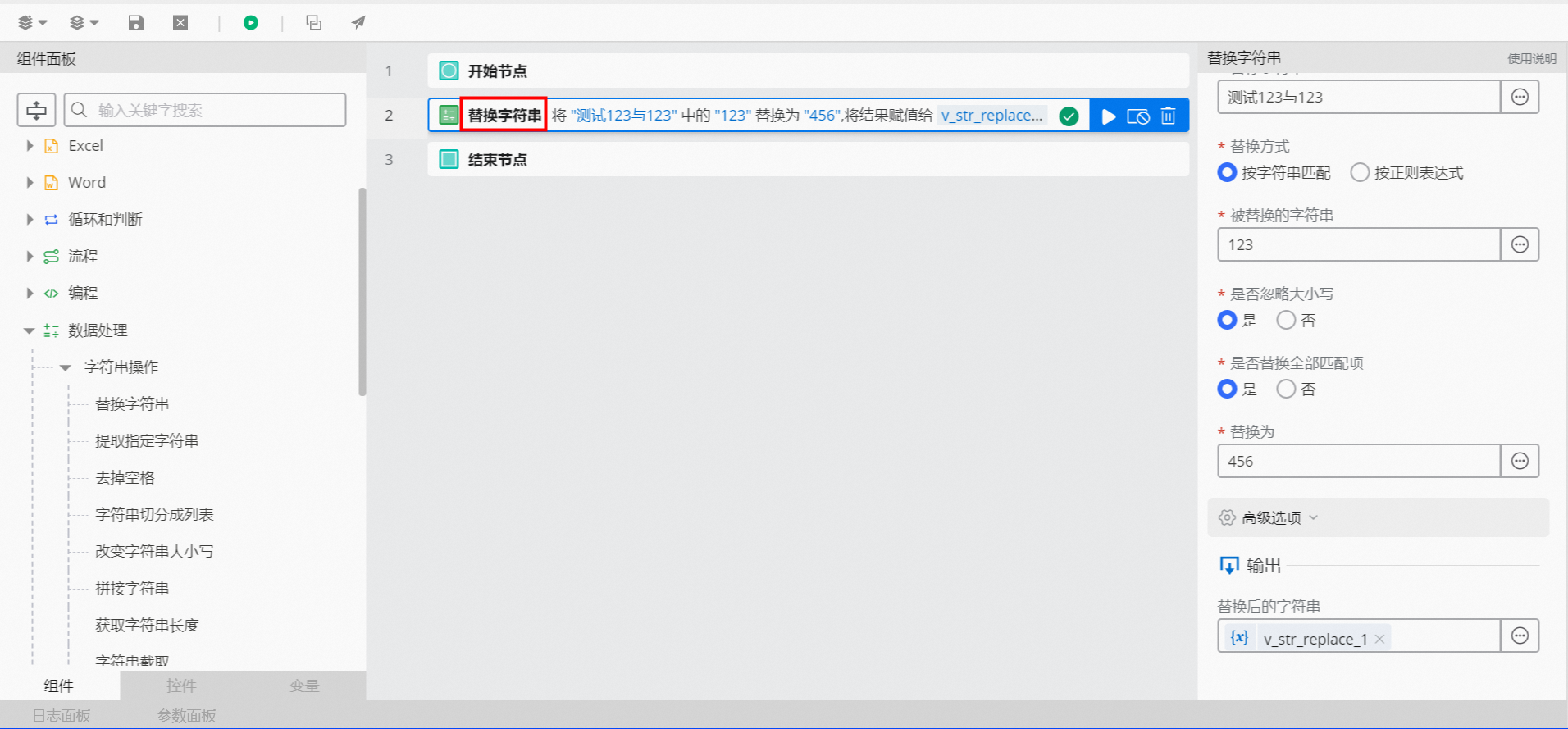
In the
Target Stringfield, enter "test123and123".In the
Replacement Methodfield, select one of the following options:String Match
In the
String to Replacefield, enter "123".
Regular Expression
In the
String to Replacefield, enter "\d+" to match one or more digits.
For
Ignore Case, the default value is Yes.For
Replace All Matches, the default value is Yes.In the
Replace Withfield, enter "456".Keep the default values for the advanced options.
4.2. Example result
After the flow is successfully executed, click the Log panel to view the result, as shown in the following figure.