Unlock screen
Updated at:
1. Component introduction
Note
Prerequisite component: Lock screen
This component automatically unlocks the screen.
2. Inputs
Note
For details on each input, see the help text in the component panel of the application flow editor.
3. Outputs
Note
For details on each output, see the help text in the component panel of the application flow editor.
4. Component example
4.1. Configuration example
In the
Logon Passwordfield, enter the password.Keep the default values for the advanced options.
4.2. Example result
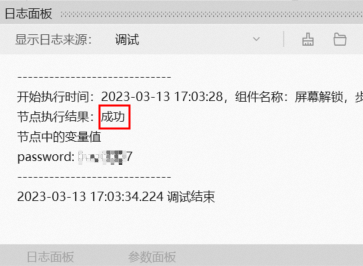
After the flow runs successfully, click the Log panel to view the debug execution result, as shown in the figure below.
Is this page helpful?