Overview
The SASE Overview page helps you understand user activity and network traffic by providing data on online terminals, access duration, application usage, and bandwidth consumption.
Terminal and account statistics
The Overview page displays the number of online terminals in the last 30 days and provides quick access to private access (Advanced Edition) and internet access (Protection Edition) features.
The Online Terminals count shows the number of employee terminals currently online.
Use the Registered Accounts and Active Users in Last 30 Days metrics to evaluate if your current license quota meets your business needs. If you need to increase the quota, see upgrade and downgrade.
SASE only counts accounts that have logged in to the SASE client within the last 30 days. These accounts are considered active users. This helps you maximize the value of your licensed quota.
Check the service expiration date to determine if you need to renew your subscription. For renewal instructions, see Renewal instructions.
Private application access data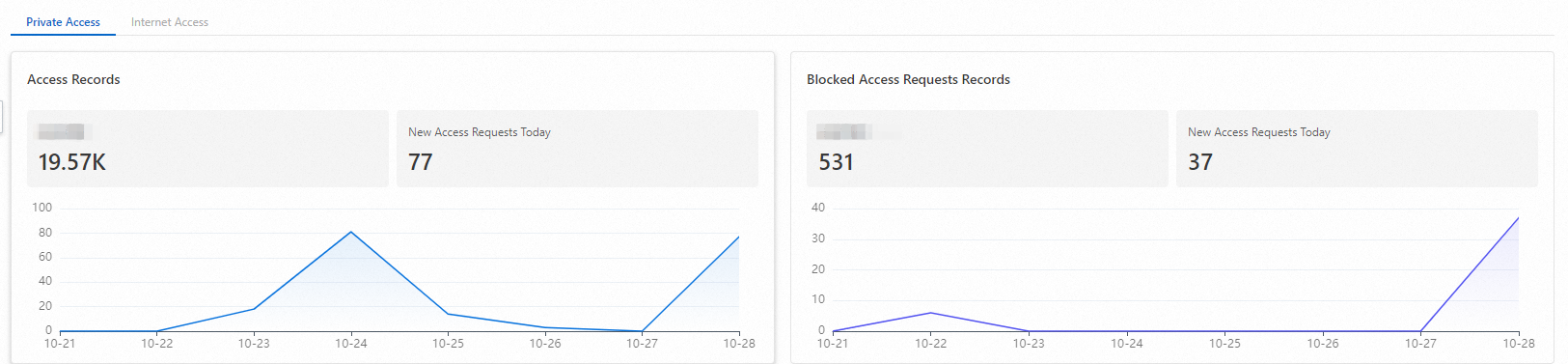
The Access Records and Blocked Access Requests Records show the applications most frequently accessed by your employees over the last seven days.
Access trends
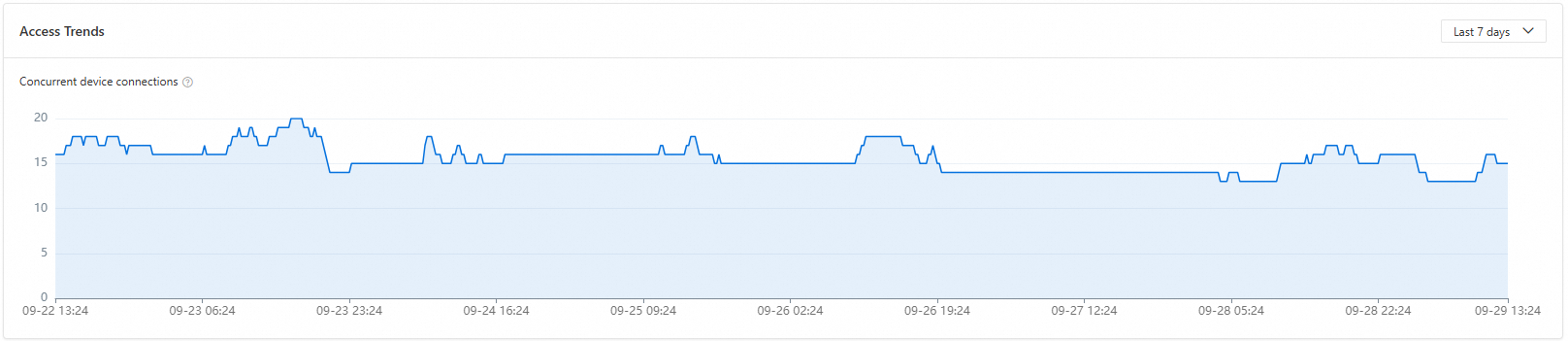
The Access Trend chart shows the number of devices that accessed applications through zero trust over the last 7 or 30 days.
User application access status

The User Access Status section lists the top 5 users by the number of applications accessed and the top 5 users by the number of blocked access attempts. Click Details to view complete access data for all users.
Application access status

Use the Application Access Requests and Blocked Access Requests for Applications metrics to identify the most frequently used and blocked applications.
Click Details to view access data for all applications.
Bandwidth statistics

Traffic flow diagram

-
Total bandwidth: The sum of inbound bandwidth and outbound bandwidth generated by private access security and data protection features.
-
Outbound bandwidth: The sum of traffic from the SASE gateway to the origin server (requests) and from the SASE gateway to the client (responses).
-
Inbound bandwidth: The sum of traffic from the client to the SASE gateway (requests) and from the origin server to the SASE gateway (responses).
By monitoring bandwidth consumption, you can determine if your current license plan provides enough bandwidth. For instructions on how to upgrade your license, see upgrade and downgrade.
Private access traffic
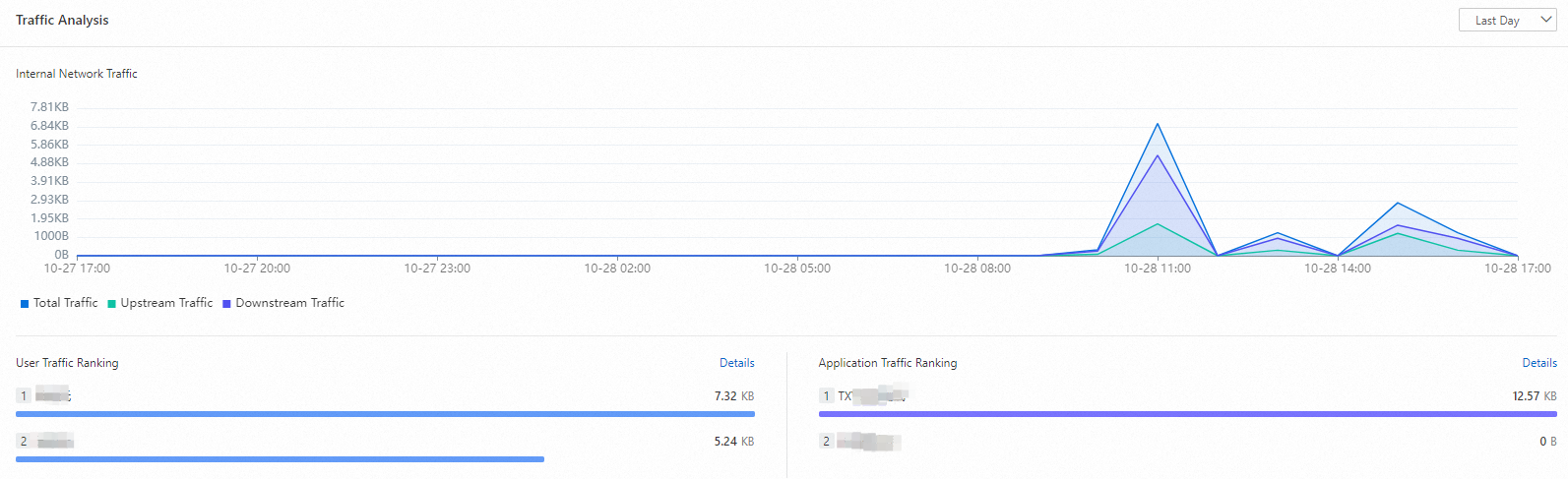
Analyze the Internal Network Traffic data to understand traffic patterns within your private access services. SASE breaks down this data by user and by application, helping you make informed business decisions.
Click Details to view the traffic data for all users and applications.
Related documents
-
If you are new to SASE, see Getting started.
-
To set up a private access environment, see Administrator's Guide to Initial Private Access Configuration.
-
To learn about SASE editions, see Billing overview.
-
To check the registration status of terminals, see View terminal list.
-
To learn about software configurations, see Software management.