The service quality analysis feature displays the service quality of agents based on the current user's permissions. This analysis includes a service quality perspective, a service quality trend, a service quality score distribution, and service quality details.
Data dimensions for service quality analysis
The basic analysis feature lets you analyze data based on the following dimensions: quality check type, quality check result type, time range, quality check plan, skill group, and agent.
Service quality perspective
The service quality perspective compares selected agents with all agents based on the scores for each check item.
Data for selected agents is filtered by the skill group and agent dimensions.
Data for all agents is filtered by the quality check type, quality check result type, time range, and quality check plan dimensions.
Service quality trend
The service quality trend shows how each check item changes over time based on the current filter criteria.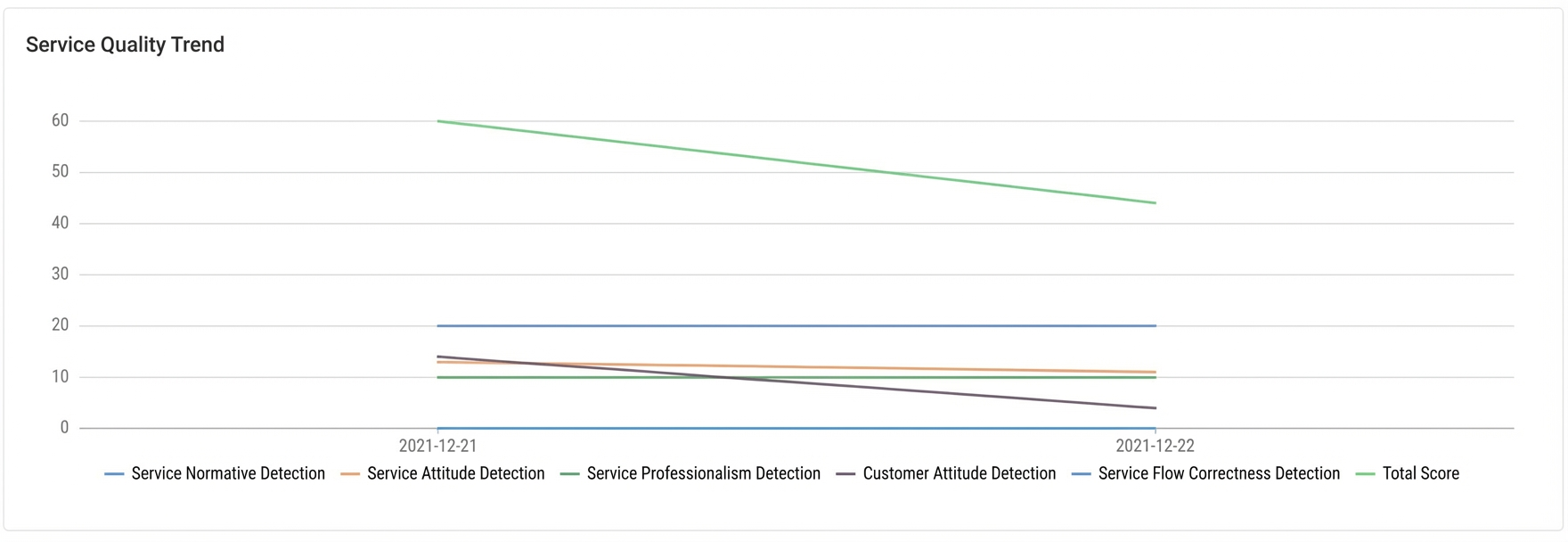
Service quality score distribution
The system analyzes service quality scores by the agent and skill group dimensions. The x-axis represents the score ranges, and the y-axis represents the number of scores in each range.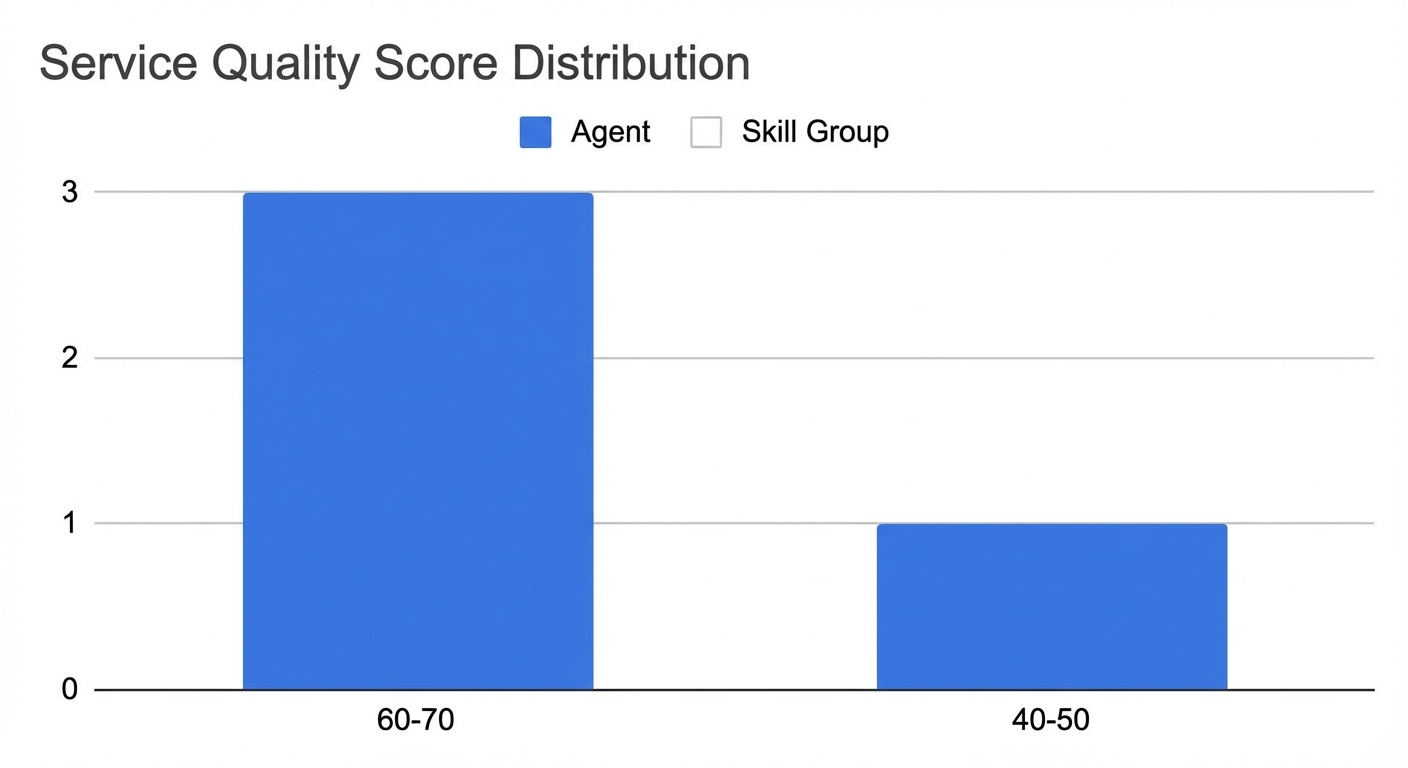
Service quality details
Service quality details show the overall service status by the agent or skill group dimension. To view specific information, click Performance Analysis or Session Details.
Service quality performance analysis
You can also view the service quality performance of a specific agent or skill group using the perspective view and the trend graph.
Service quality perspective
The service quality perspective provides a more detailed view of the service status of a specific agent or skill group compared with the overall performance.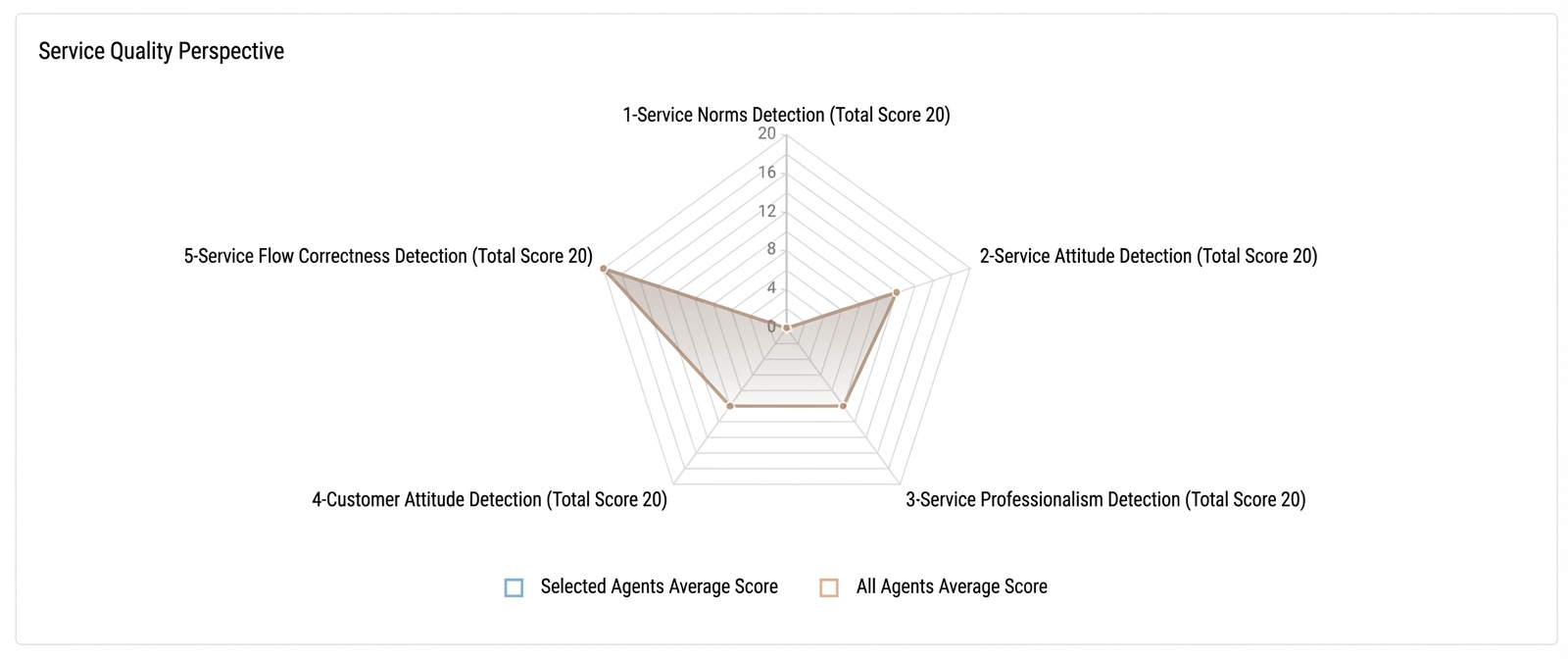
Service quality trend
The service quality trend shows how each check item changes over time at a more detailed granularity, based on the current filter criteria.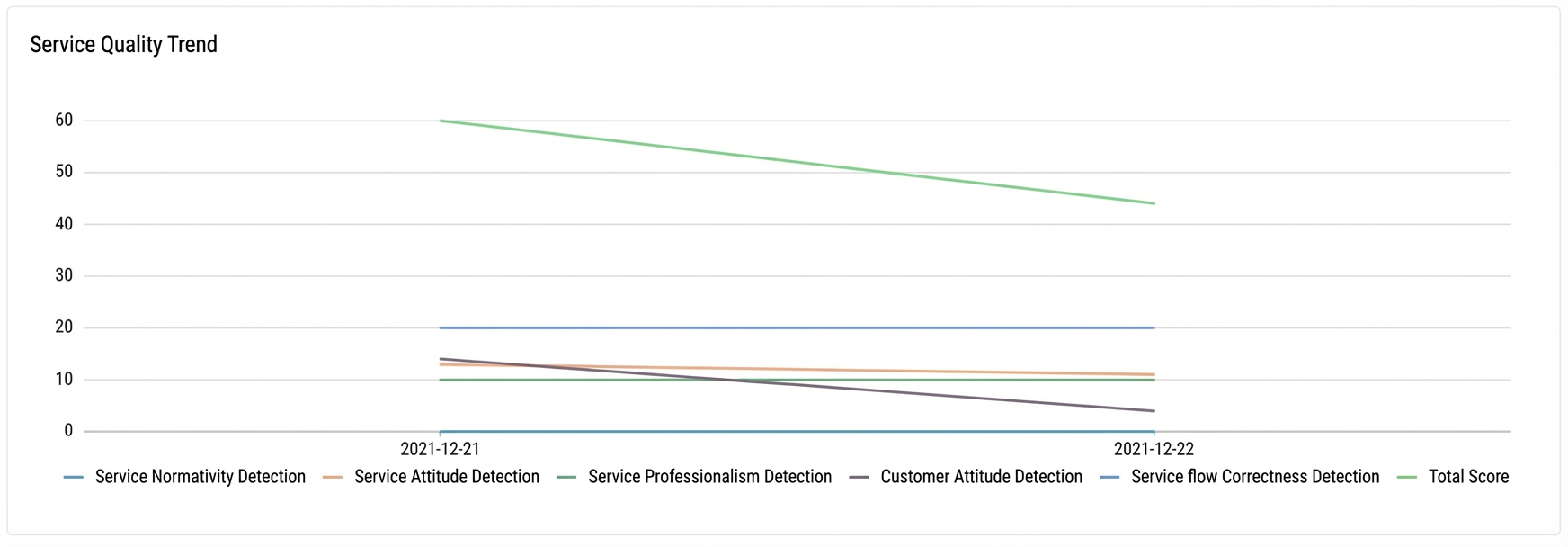
Service quality session details
This page shows session details for a specific agent or skill group.
Review accuracy is determined by the status of the Is Hit Correct setting for rule hits after a manual or automatic review. An automatic review is performed if the Automatic Audit option is selected for a rule:
Correct: All rule hits have Is Hit Correct set to Yes.
Error: All rule hits have Is Hit Correct set to No.
Partially Correct: Some rule hits have Is Hit Correct set to Yes.
Pending Review: The file has not been reviewed, either manually or automatically.
No Rule Hits: No rules were hit, so review accuracy is not applicable.
Assigned Inspector: The name of the inspector assigned to the file. If no inspector is assigned, this field is empty.
Reviewer: The name of the person who last reviewed and saved the file.
Business: The value of the business parameter that is passed when you call the UploadAudioData API to upload audio for a quality check.
Review Status: The type of review performed on a file. The following review types are available:
Automatic: Occurs when a rule that is hit has the Automatic Audit option selected. The system then automatically confirms the review for that rule, and the review status of the file changes to Reviewed.
Manual: This review is performed when a user with the administrator or inspector role logs on and manually reviews the file.