Basic information
This topic describes how to view the scheduling statistics and operating information of SchedulerX for XXL-JOB.
Scheduling statistics
Log on to the Microservices Engine (MSE) console and choose in the left-side navigation pane. Find the instance that you want to manage and click its ID. In the left-side navigation pane, click . In the Scheduling Statistics section, you can view the number of times that jobs are scheduled per minute, the number of times that jobs are successfully run, and the number of job failures. You can filter data by specifying an application and a time range.
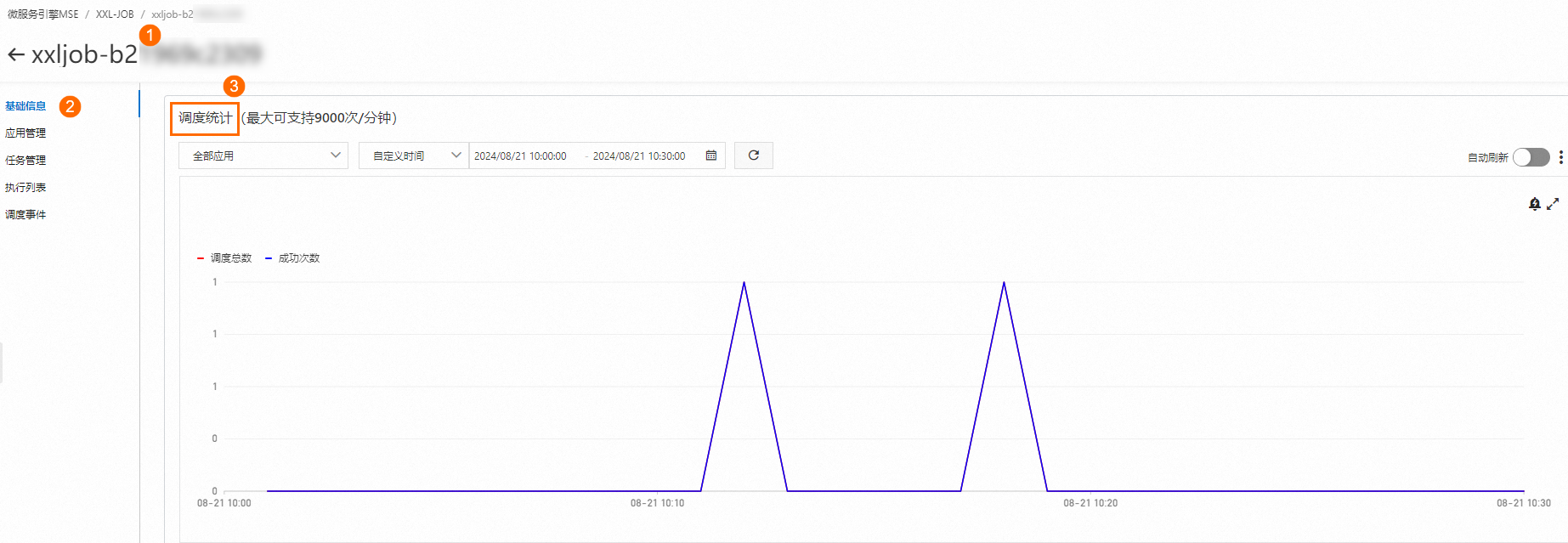
Make sure that the total number of times that jobs are scheduled per minute does not exceed the schedule per minute (SPM) limit of the instance. If the limit is exceeded, we recommend that you upgrade the specifications of the instance at the earliest opportunity. Otherwise, the service availability in the Service-Level Agreement (SLA) is not guaranteed.
Operating information
In the Operation information section, pay attention to the value of the Current Tasks/Maximum Number of Supported Tasks parameter. We recommend that you upgrade the specifications of the instance before the number of jobs reaches the upper limit. You cannot create jobs after the limit is reached.