Import and export APIs
You can batch import and export APIs as JSON files in the API Gateway console.
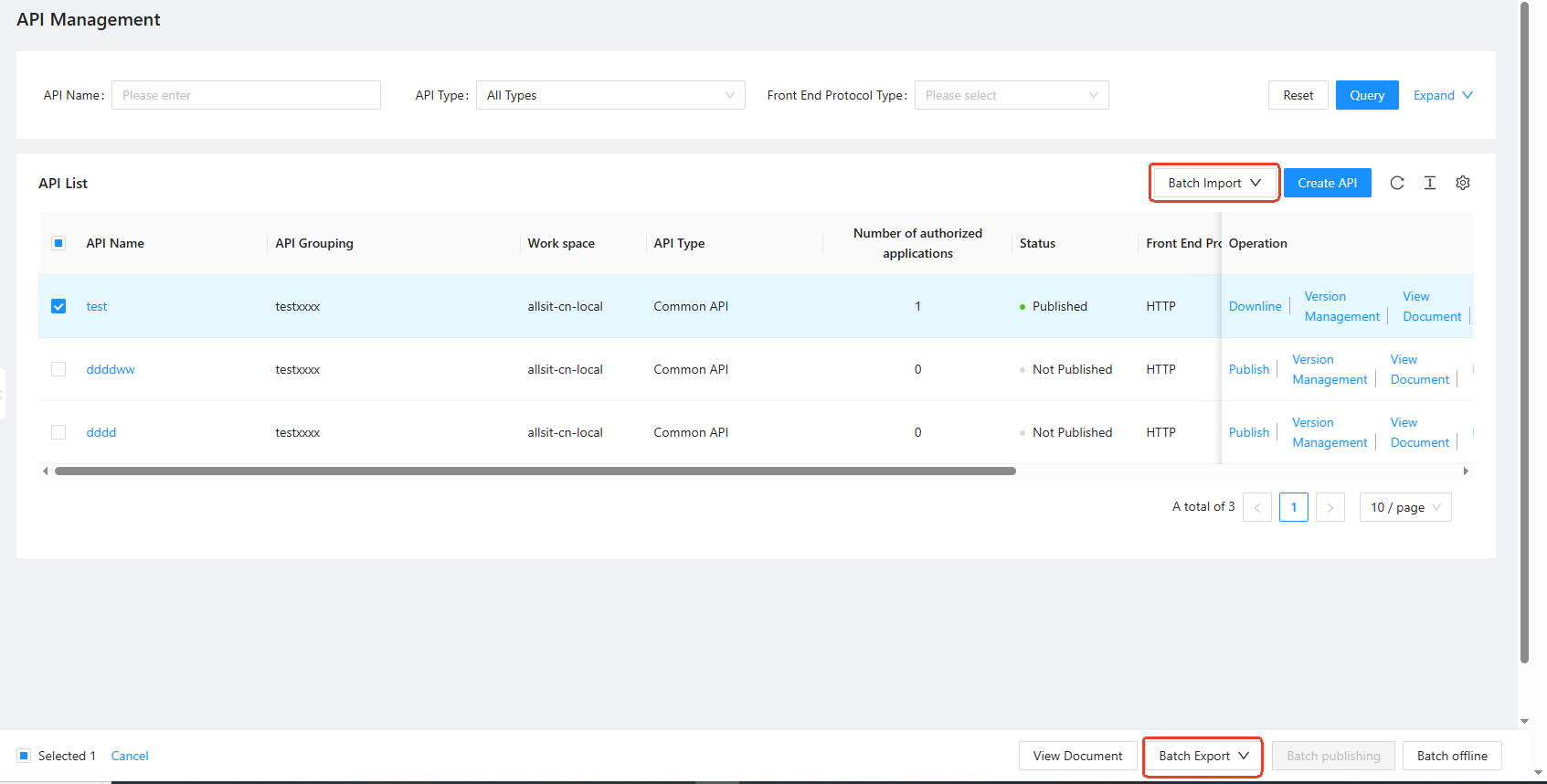
To reduce processing time, do not import or export more than 100 APIs at a time.
For the JSON format required to import APIs, see the API JSON file format template.
Batch export APIs
On the API Publishing > API Management page, select the checkboxes next to the APIs that you want to export.
Click Batch Export in the lower-right corner of the API list. The selected APIs are saved locally as a JSON file.
Batch import APIs
On the API Publishing > API Management page, click Batch Import in the upper-right corner of the API list.
In the window that appears, select a local JSON file to import.
If the API import fails, a window appears that shows the number and names of the failed APIs, as shown in the following figure.
An import typically fails because the imported API data conflicts with existing APIs in the current tenant and workspace. Modify the API configuration data in the local file and upload it again.