Compare two PlayAuth credential methods — locally signed (JWTPlayAuth) vs. VOD-issued — and choose based on performance, security, and scalability tradeoffs.
PlayAuth mechanism
-
The core process: generate a temporary PlayAuth credential for a media asset (VideoId). The player uses this credential with the VideoId to retrieve the video stream.
-
Two methods to obtain a PlayAuth credential:
-
New method: Locally signed playback credential (JWTPlayAuth). Your AppServer uses a PlayKey to locally sign a JWT. VOD validates this credential and returns the video stream.
-
Legacy method: VOD-issued playback credential. VOD generates and returns the PlayAuth credential directly.
-
The PlayAuth Local Signing Tool is open-source on GitHub. It provides SDKs for Java, Python, Go, and PHP, plus a ready-to-use CLI. Integrate it directly into your AppServer.
Playback workflows
Method 1: Locally signed playback credential (Recommended)
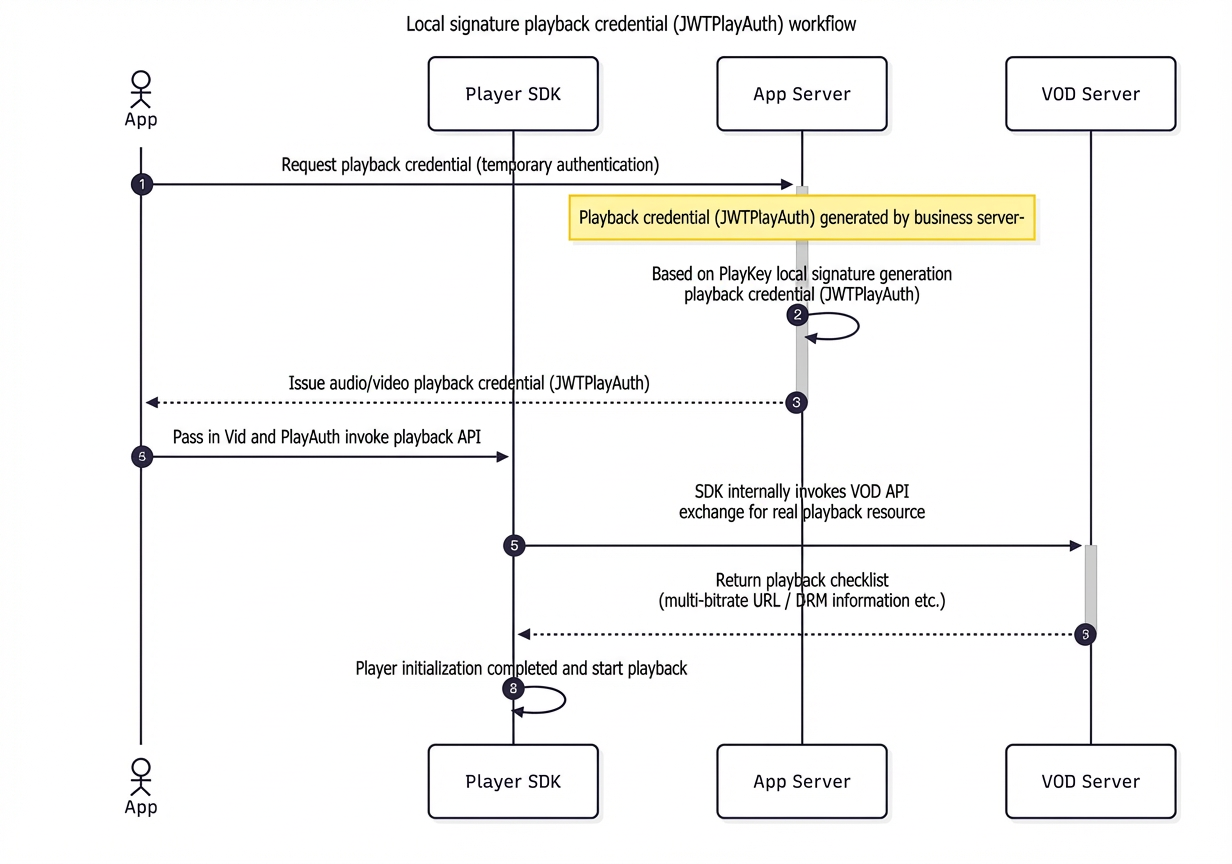
Your AppServer uses the VideoId and a PlayKey to locally generate a PlayAuth credential in JWT format.
-
Obtain a PlayKey: GetAppPlayKey.
-
Reset a PlayKey: SetAppPlayKey.
Method 2: VOD-issued playback credential
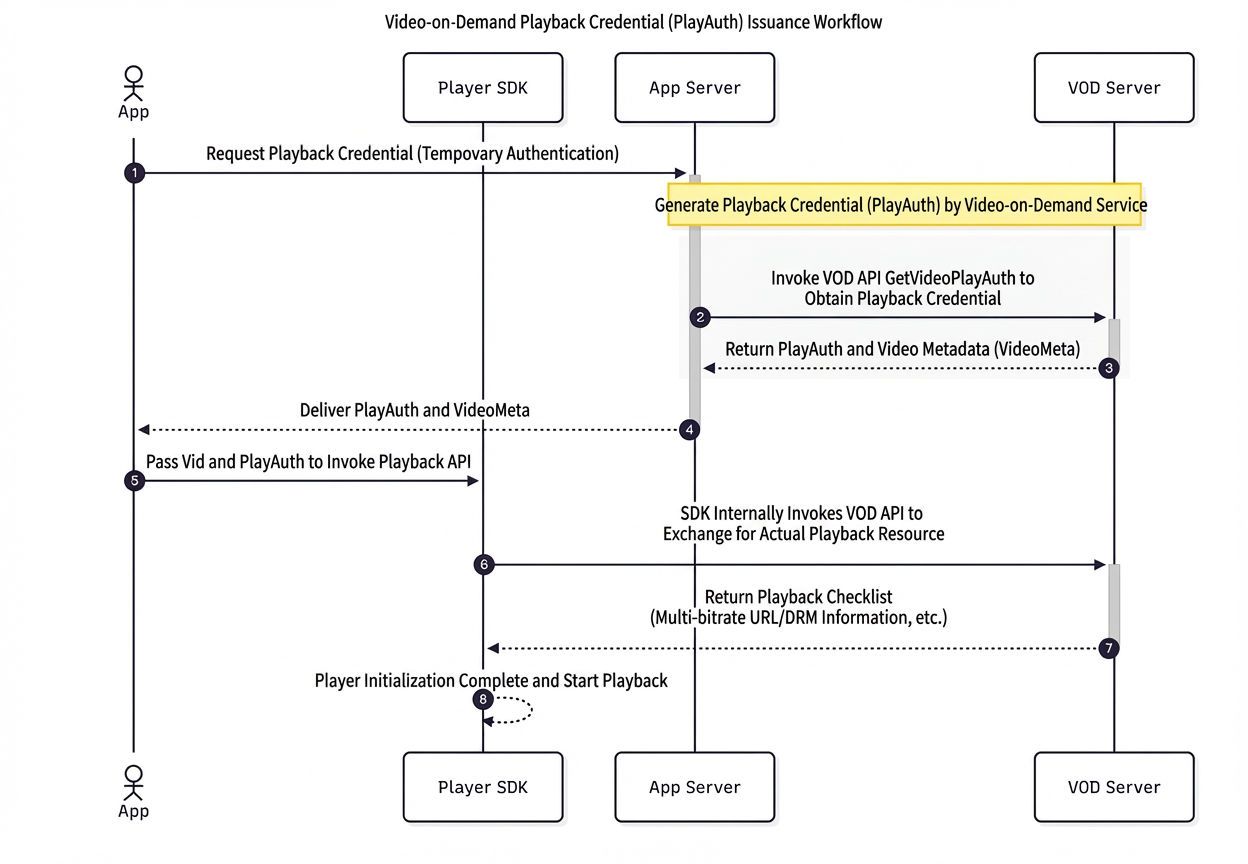
The AppServer calls the GetVideoPlayAuth operation to obtain a PlayAuth credential from VOD.
Method comparison
Advantages of locally signed credentials over VOD-issued credentials:
-
Performance: Local JWT signing replaces the remote
GetVideoPlayAuthcall, reducing latency. -
Scalability: Offloads authentication from VOD to your AppServer cluster, improving linear scalability.
-
Flexibility: Define custom JWT claims (such as user ID, device ID, and IP address), risk control tags, and configurable TTL policies.
-
Security: AK/SK isolation — playback transmits only the VideoId and JWT, eliminating STS dependency.
-
Compatibility: Requires Player SDK version 7.10.0 or later.