Sandbox

更新时间:
复制 MD 格式

An instance enters a sandbox when its actual peak queries per second (QPS) exceeds either the purchased QPS specification for a subscription instance or the traffic billing protection threshold for a pay-as-you-go instance. While in a sandbox, the Service-Level Agreement (SLA) is no longer guaranteed. This topic explains what a sandbox is and how to remove an instance from it.

Important

Starting at 00:00:00 on May 28, 2026, WAF will gradually adjust its sandbox logic in batches. After this adjustment, WAF 3.0 will no longer place instances that exceed their Queries Per Second (QPS) limit into the sandbox. Instead, WAF will apply a unified maximum protection level. For more information, see Adjustments to WAF billing features.

What is a sandbox?

A sandbox is an abnormal state that an instance enters when its actual peak QPS exceeds the current QPS traffic specification.

Sandbox for subscription instances

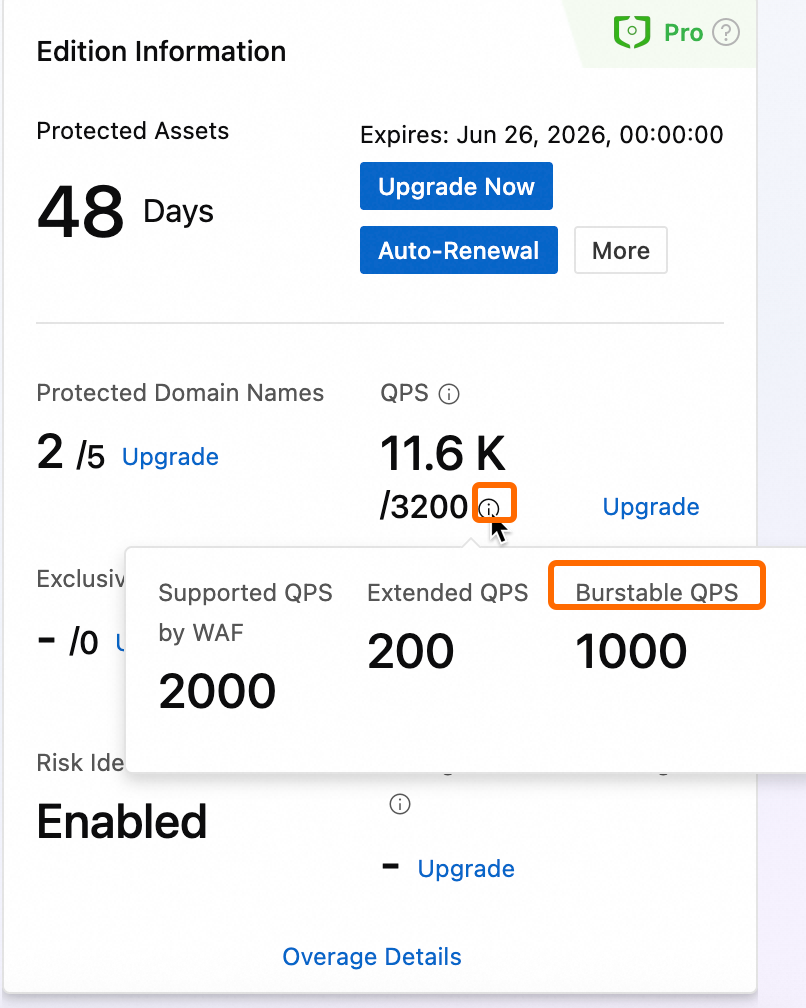
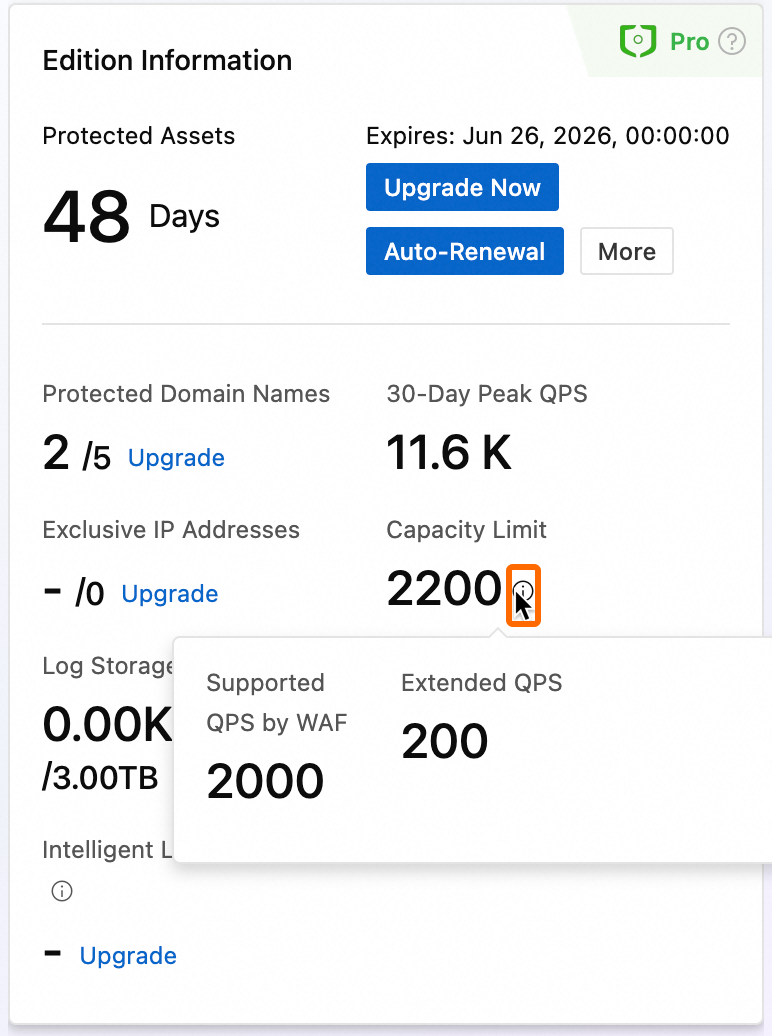
The QPS specification for a subscription instance consists of base QPS, extra QPS, and pay-as-you-go QPS.

image
  • If you have not added any extra QPS, the current QPS specification equals the base QPS.

  • If you purchased Extended QPS but have not enabled Burst QPS (Pay-As-You-Go), the current QPS specification equals base QPS plus extra QPS.

  • If you have not purchased Extended QPS but have enabled Burst QPS (Pay-As-You-Go), the current QPS specification equals base QPS plus pay-as-you-go QPS.

  • If you purchased Extended QPS and enabled Burst QPS (Pay-As-You-Go), the current QPS specification equals base QPS plus extra QPS plus pay-as-you-go QPS.

Conditions for an instance to enter a sandbox

An instance enters a sandbox if either of the following conditions is met.

  • Based on the number of QPS overuse events

    WAF continuously monitors the peak QPS from the previous hour. An overuse event occurs when the peak QPS exceeds the current specification threshold for five consecutive minutes. Multiple overuse events within a single day count as one event. The instance enters a sandbox after the fourth overuse event.

    Note
    • A brief QPS spike due to a normal surge in service traffic is not counted as an overuse event if it lasts less than five minutes.

    • If an overuse period spans two days—for example, from 23:55 to 00:10—WAF counts it as a single overuse event based on the start time.

  • Based on QPS usage

    An instance enters a sandbox if its actual peak QPS meets any of the following conditions.

    Instance

    Current purchased QPS specification

    Sandbox condition

    the Chinese mainland instance

    Less than or equal to 20,000 QPS

    The instance enters a sandbox if the actual peak QPS exceeds 100,000 QPS for 5 consecutive minutes.

    Greater than 20,000 QPS

    The instance enters a sandbox if the actual peak QPS exceeds 5 times the purchased QPS for 5 consecutive minutes.

    outside the Chinese mainland instance

    Less than or equal to 2,000 QPS

    The instance enters a sandbox if the actual peak QPS exceeds 10,000 QPS for 5 consecutive minutes.

    Greater than 2,000 QPS

    The instance enters a sandbox if the actual peak QPS exceeds 5 times the purchased QPS for 5 consecutive minutes.

Effects of a sandbox on an instance

Warning

The product SLA is not guaranteed when an instance's actual QPS exceeds its purchased specification or when the instance is in a sandbox. Protected objects added to the instance may experience access issues, such as packet loss, rate limiting, connection limiting, protection failures, abnormal log or report data, access timeouts, or triggering DDoS traffic scrubbing or blackhole filtering.

  • After an instance enters the sandbox and pay-as-you-go billing is enabled, you are not charged on a pay-as-you-go basis for the period from the day the instance enters the sandbox through the day it is removed from the sandbox.

  • When an instance enters a sandbox, the system notifies you by email, text message, or internal message. You can also view overuse information in the banner at the top of the console page.

Note

You can enable pay-as-you-go QPS to prevent your instance from entering a sandbox due to QPS overuse. For more information about pay-as-you-go QPS, see Pay-as-you-go.

View QPS overuse details

When QPS is overused, a notification appears in the banner (labeled ① in the figure) at the top of the Web Application Firewall 3.0 console.

  • Click View Details to view the QPS overuse details for the last 30 days.

  • On the Overview page, click the Traffic tab. In the QPS section (labeled ② in the figure), view the actual QPS usage in the peak or mean graph.

Note
  • If an instance has multiple overuse events within an hour, the maximum QPS value on the Overage Details page is the highest QPS value recorded during that hour.

  • A QPS overuse event is recorded when the peak QPS exceeds the Capacity Limit for five consecutive minutes.

  • If your instance is in the Excess or a sandbox. state, you can upgrade the current QPS specification. After the upgrade, the instance state changes to Sandbox Removed or Overuse Removed.

Remove an instance from the sandbox

The sandbox state of a subscription instance is not automatically removed, even if the actual QPS usage drops back within the current specification. To remove the instance from the sandbox, you must upgrade its QPS specification. If the instance reenters the sandbox after an upgrade, you must upgrade the QPS specification again.

  1. Log on to the Web Application Firewall 3.0 console. From the top menu bar, select the resource group and region (Chinese Mainland or Outside Chinese Mainland) for the WAF instance.

  2. In the notification banner at the top of the page, click Upgrade Now. Or, click Upgrade your instance. in the upper-right corner of the page.

  3. In the Upgrade Now panel, increase the QPS specification of the instance by upgrading the Version, purchasing Additional QPS, or enabling Burst QPS (Pay-As-You-Go).

    Note

    You can also go to the Web Application Firewall purchase page to upgrade the Version, purchase Additional QPS, or enable Burstable QPS (Pay-as-you-go).

    After the upgrade is complete, the sandbox state is automatically removed, and the instance state changes to Sandbox Removed or Overuse Removed. The QPS overuse count is reset to zero.

Sandbox for pay-as-you-go instances

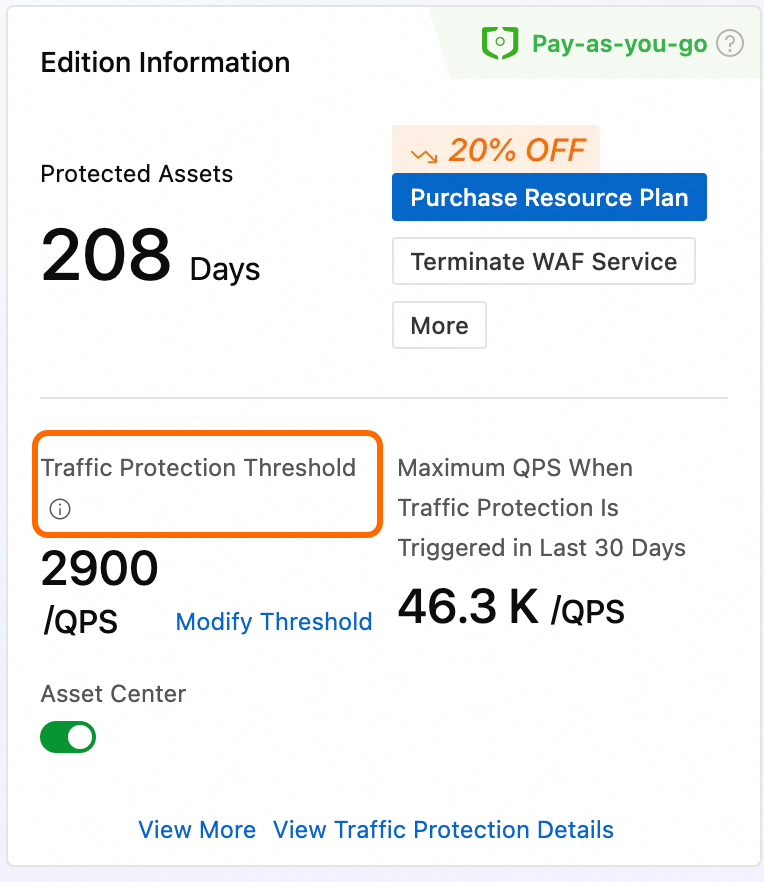
For a pay-as-you-go instance, the actual QPS that triggers the sandbox is determined by the Traffic Billing Protection Threshold. If the peak QPS within an hour exceeds this value, the instance enters a sandbox.

If you set a traffic billing protection threshold when you enabled the pay-as-you-go instance and need to adjust it later, go to the console page and click Modify Traffic Protection Threshold. You can then change the threshold based on your actual QPS traffic.

Maximum and default thresholds:

  • the Chinese mainland: 30,000 QPS.

  • outside the Chinese mainland: 3,000 QPS.

Conditions for an instance to enter a sandbox

If the peak QPS within an hour exceeds the Traffic Billing Protection Threshold, a notification appears in the banner (labeled ① in the figure) at the top of the Web Application Firewall 3.0 console.

Click Traffic Billing Protection Details to view the hourly traffic protection details for the last 30 days.

Effects of a sandbox on an instance

Warning

The product SLA is not guaranteed when an instance's actual QPS exceeds its traffic billing protection threshold or when the instance is in a sandbox. Protected objects added to the instance may experience access issues, such as packet loss, rate limiting, connection limiting, protection failures, abnormal log or report data, access timeouts, or triggering DDoS traffic scrubbing or blackhole filtering.

  • After a pay-as-you-go instance enters a sandbox, billing for that hour is zero until the sandbox is removed.

  • When an instance enters a sandbox, the system notifies you by email, text message, or internal message. You can also view information about the triggered traffic billing protection in the banner at the top of the console page.

Remove an instance from the sandbox

A pay-as-you-go instance is automatically removed from the sandbox if its peak QPS in the next hour is lower than the Traffic Billing Protection Threshold.

If the sandbox state persists, perform the following operations to remove it:

  • In the banner at the top of the page (labeled ① in the figure), click Modify Threshold to modify the Traffic Billing Protection Threshold.

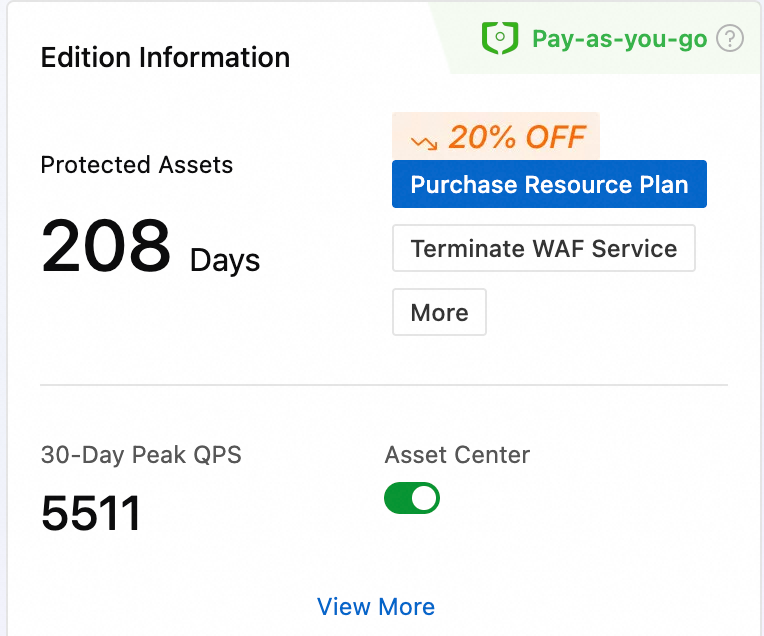
  • Access the Overview page. In the Instance Basic Information section (Figure ②), click Modify Traffic Protection Threshold to modify the Traffic Billing Protection Threshold. For detailed steps, see Set the Traffic Billing Protection Threshold.

References

  • To learn about the QPS specifications supported by your purchased edition, see Version Guide.

  • If you want to learn how to view business security data and service traffic data, see Overview.

  • For information about the billing methods and scenarios for pay-as-you-go QPS, see Pay-as-you-go.

  • For information about what traffic billing protection is and how to adjust the traffic billing protection threshold, see Traffic Billing Protection.