Define environment variables during a pipeline run
Defining environment variables is a common way to customize a pipeline. These variables can be used at any stage of the pipeline execution.
Environment variables defined on the pipeline configuration page are preset. During a pipeline run, you might also need to define new environment variables from the runtime output. These new variables can then be passed to subsequent steps or tasks. This applies to the following two scenarios:
Passing environment variables within a task: A custom environment variable is generated in one step and used in a subsequent step.
Passing environment variables between tasks: An environment variable is generated in one task and used in another task.
Passing environment variables within a task
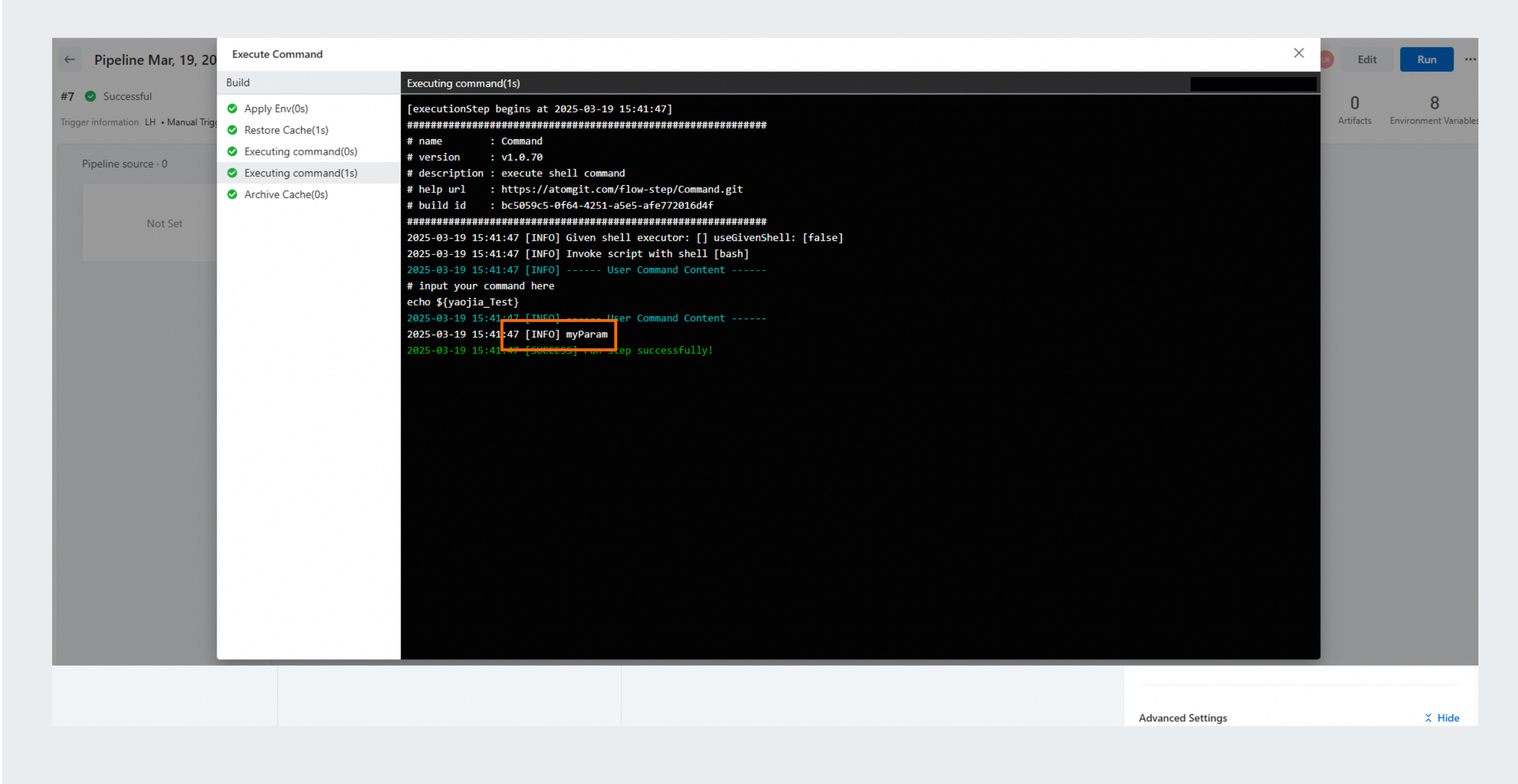
This scenario involves sharing environment variables within a single task node. For example, one step generates the variable yaojia_Test=myParam, and a subsequent step references it using ${yaojia_Test}.
In a preceding step, output the environment variable to $FLOW_ENV to inject it.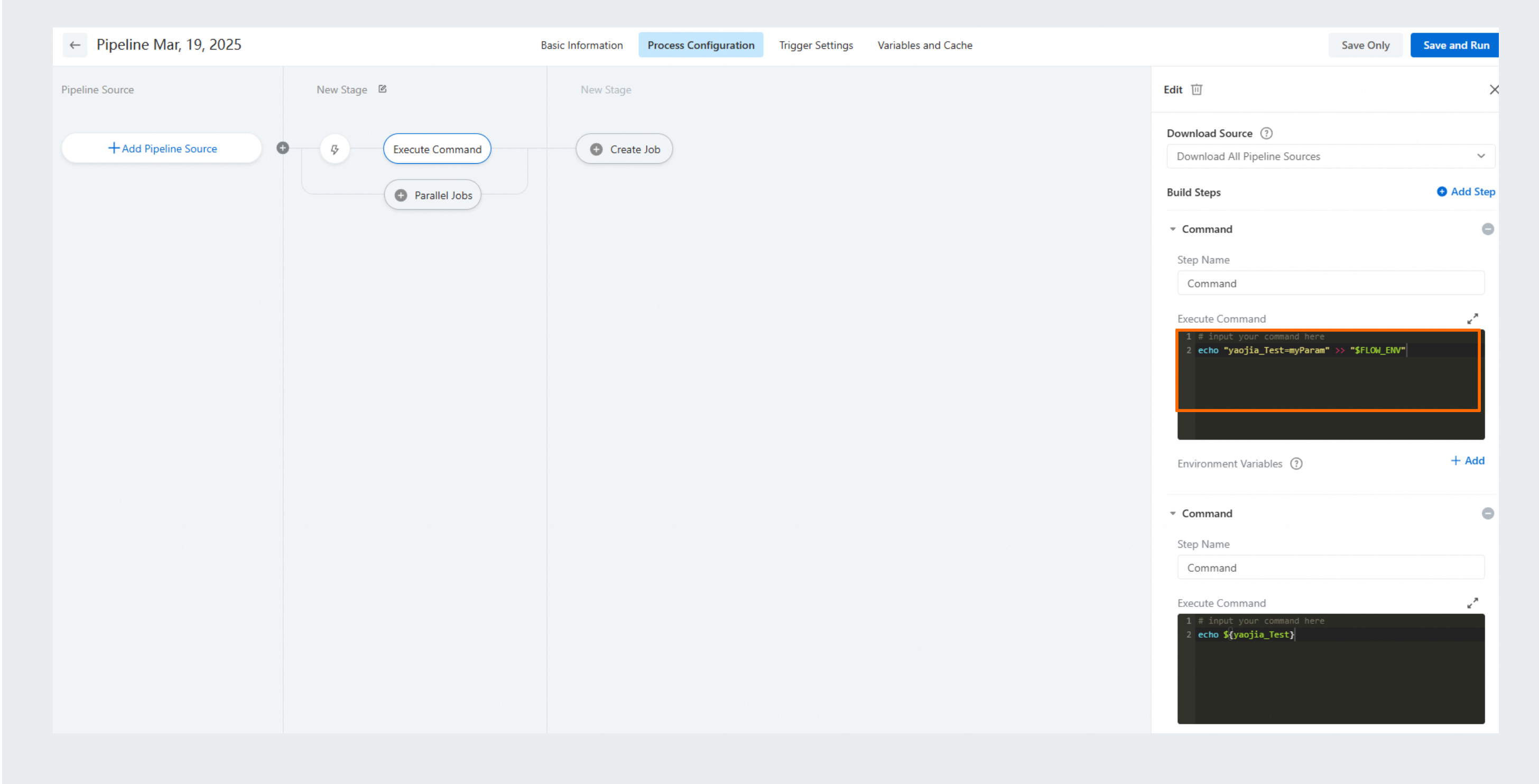
Passing environment variables between tasks
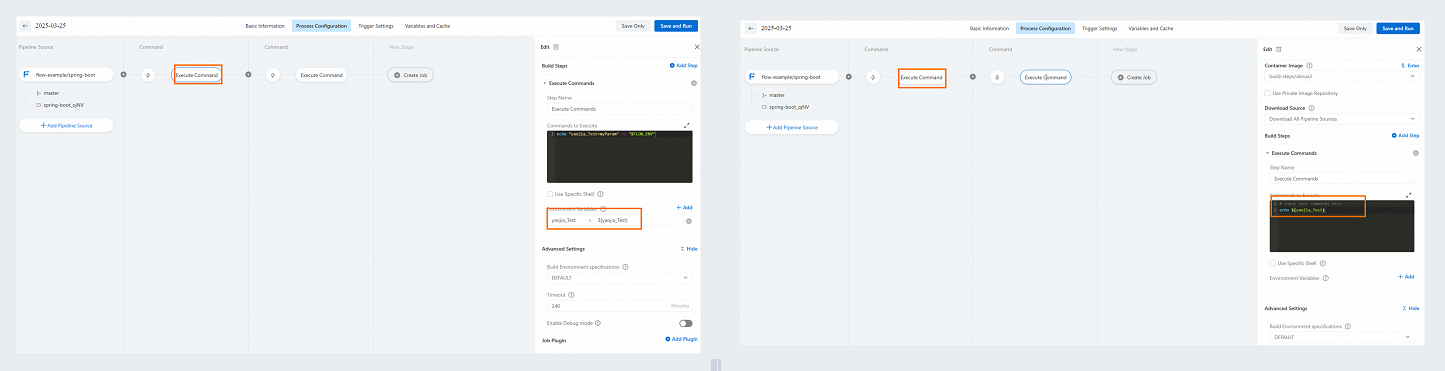
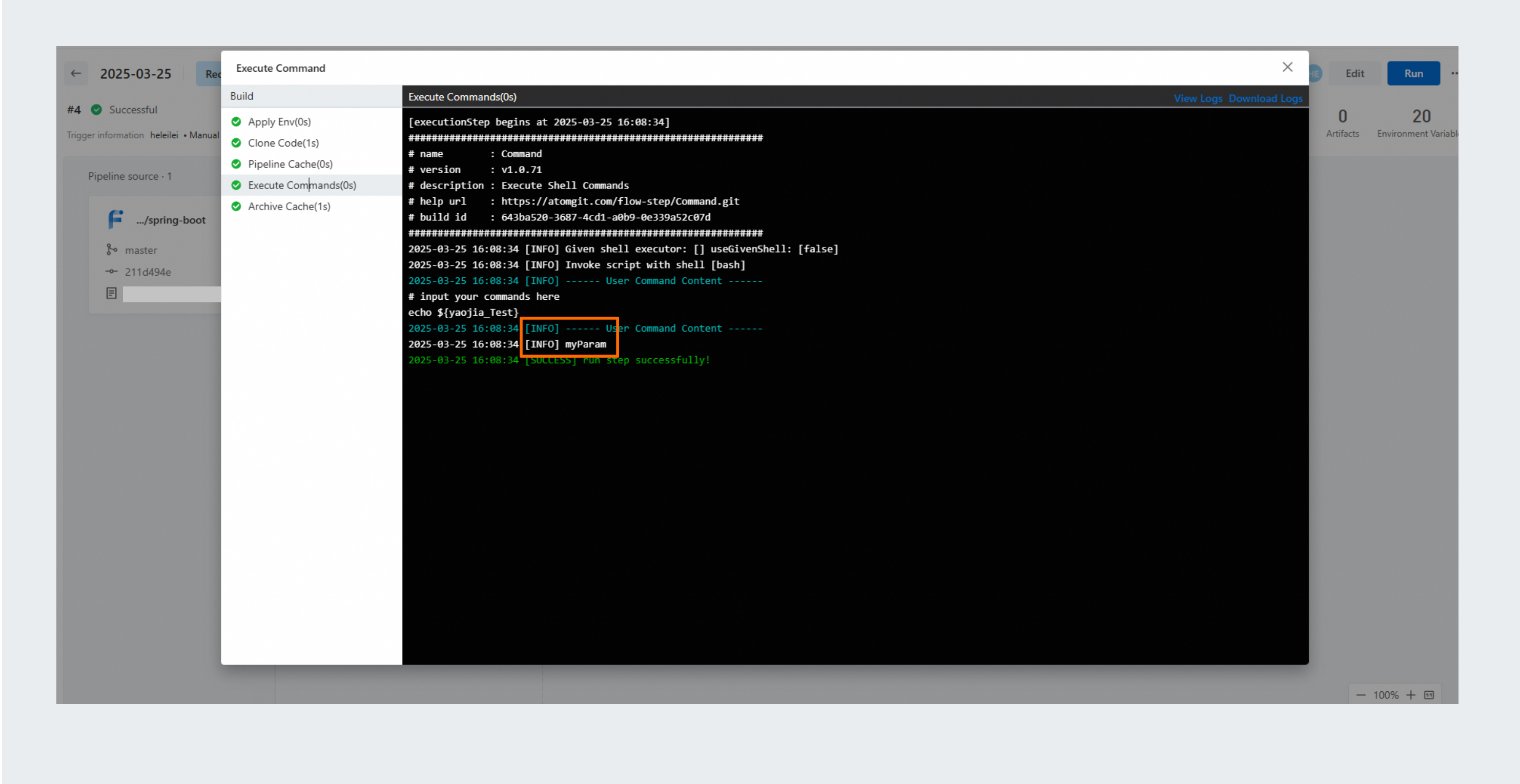
This scenario involves sharing environment variables between multiple task nodes in a pipeline. For example, one task generates the variable yaojia_Test=myParam, and another task references it using ${yaojia_Test}.
In a step within the first task, output the environment variable to
$FLOW_ENVto inject it.In the first task, add a step and select "Batch Set Variables" from the tools to set the variable as a pipeline-level environment variable.
In the second task, use the environment variable by referencing ${yaojia_Test}.