Apsara DevOps mobile quick start
This topic describes the features of the Apsara DevOps and DingTalk integration. It also explains how to use the Apsara DevOps mobile client to collaborate on projects.
Background
Many development teams use instant messaging (IM) software for agile project collaboration. However, this approach presents several challenges:
Complex account management: Different tools have separate account systems that require individual integration. Employee status changes, such as onboarding or offboarding, are not automatically synchronized, and their permissions are not revoked.
Inconvenient mobile access: Team members often need to manage tasks while working from home or traveling.
Delayed notifications: Important updates about requirements and tasks are often delayed. When a requirement is created or a task is assigned, the relevant team members are not notified promptly.
Slow bottleneck resolution: Progress is not tracked in real time. This leads to inefficient team stand-up meetings and delays in identifying problems and threats.
Maintaining a rapid business pace is critical to your enterprise. To achieve this, your team must be able to collaborate efficiently. This document outlines our one-stop solution designed to help.
Current support
The first phase of the Apsara DevOps and DingTalk integration is now available. This version supports organization-level binding to automatically synchronize member onboarding and offboarding. Team members can receive real-time notifications, review and manage task details, and complete pipeline approvals. Users can also manage project requirements, tasks, and bugs in the miniapp for on-the-go collaboration.
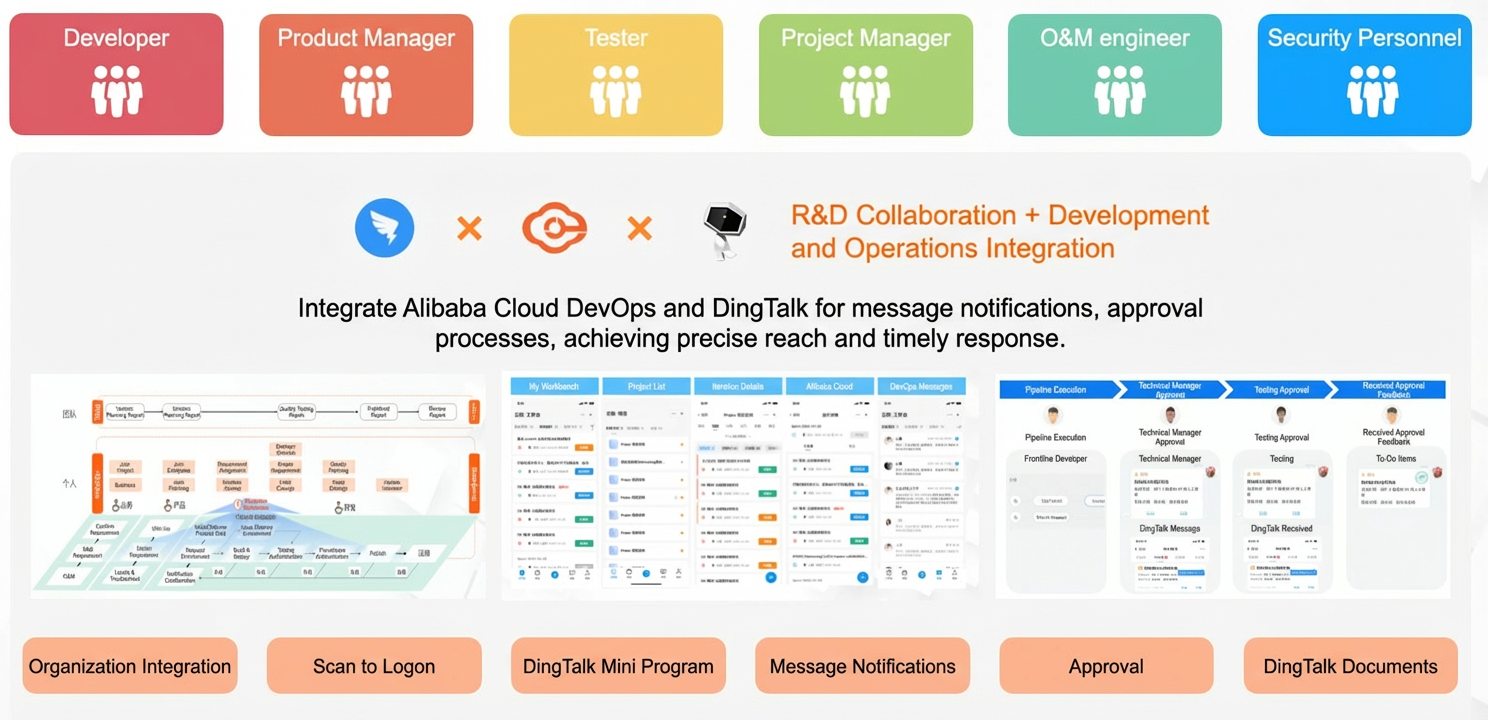
The integration of Apsara DevOps and DingTalk provides the following features:
Organization and member synchronization: The organization structure and members from your DingTalk enterprise are automatically synchronized to Apsara DevOps. This reduces the manual effort of managing members.
DingTalk message notifications: Apsara DevOps pushes real-time updates to DingTalk, including task progress, repository operations, and pipeline notifications. This bridges the gap between communication and collaboration. Users can view these messages on their mobile devices and open the Apsara DevOps miniapp in DingTalk to view or edit items.
Apsara DevOps integration with DingTalk Docs: The integration with DingTalk Docs allows enterprises to use Apsara DevOps for collaborative document editing and project asset management. This improves team collaboration and helps ensure effective resource management.
DingTalk miniapp: Browse, create, and edit tasks in the miniapp from anywhere, at any time.
Solution overview
The following sections help you get started with the Apsara DevOps mobile client:
I. Bind Apsara DevOps to your enterprise DingTalk account
Procedures
I. Bind Apsara DevOps to your enterprise DingTalk account
Features:
Organization structure: The organization structure is automatically synchronized to your Apsara DevOps enterprise.
Member synchronization:
Automatic permission revocation for offboarded members: When a member is deleted from the DingTalk enterprise, the member is also deleted from the Apsara DevOps enterprise, and their permissions are revoked.
Member department changes: If a member's department information changes in the DingTalk enterprise, their department information in the Apsara DevOps enterprise is also updated automatically. Permissions granted to the department are adjusted accordingly.
Member onboarding: When a new member is added to the DingTalk enterprise, you do not need to add them in Apsara DevOps. They are automatically added to the Apsara DevOps enterprise when they access Apsara DevOps.
Instructions:
To begin the integration, an Apsara DevOps enterprise administrator must bind Apsara DevOps to the enterprise DingTalk account. This completes the synchronization of the organization structure and members. For more information, see Organization binding - Synchronize organization structure and members.
II. Apsara DevOps-DingTalk miniapp
The Apsara DevOps miniapp for DingTalk is now available. After you complete the Apsara DevOps and DingTalk integration, you can use the miniapp to manage work items anytime, anywhere. The miniapp provides the following features:
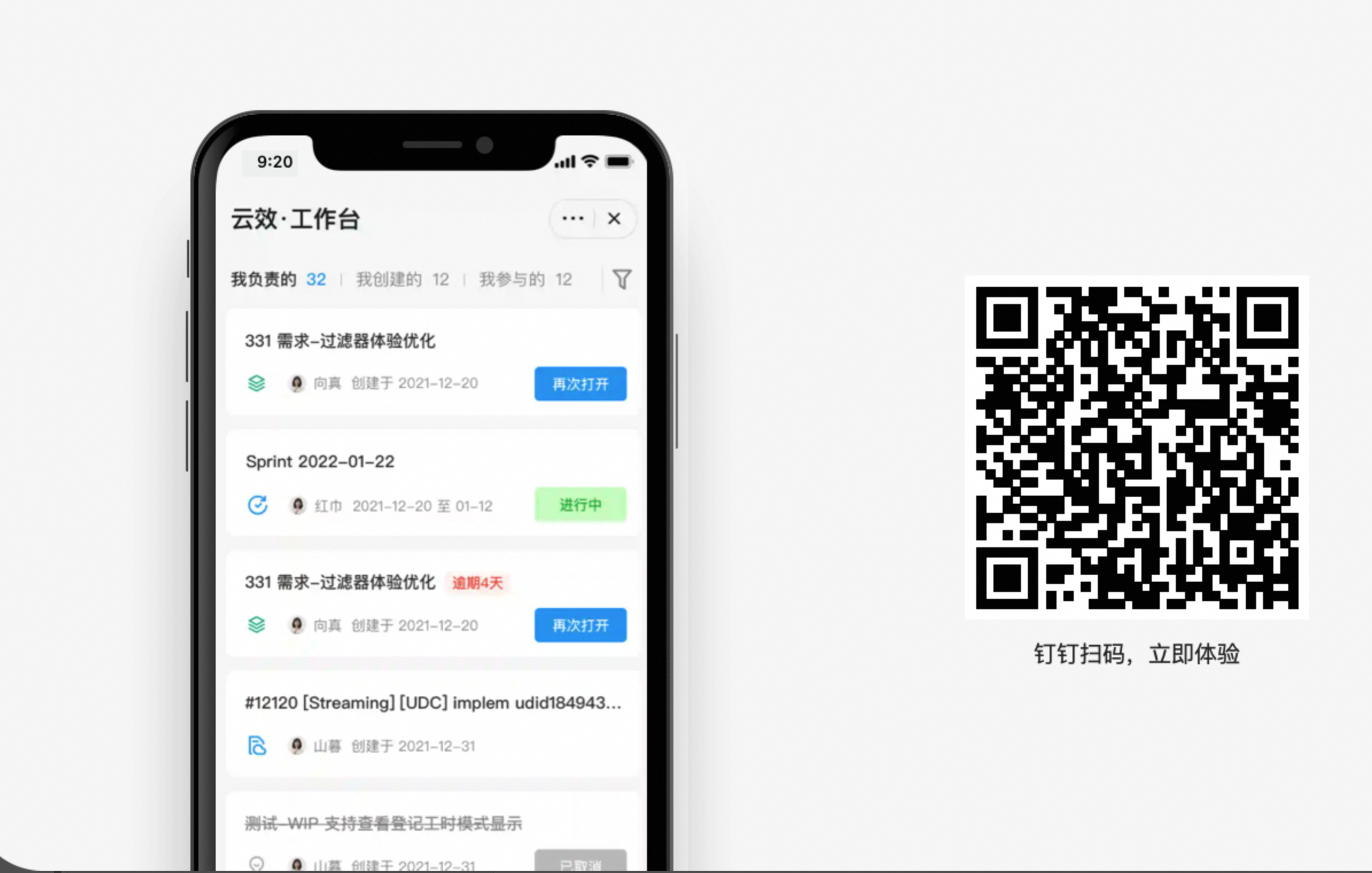
Workbench: View items from your projects, such as tasks, requirements, and bugs. You can filter items by Assigned to Me, Created by Me, and I'm a Participant. Click an item title to open its details page and make updates. Use the funnel icon on the right to quickly filter and find items.
Projects: Quickly find and manage items in projects where you have permissions. After you open a project, you can find items by type or status to manage them quickly.
Messages: Notifications are essential for efficient collaboration during product development. Here, you can view all notifications relevant to you.
III. Precise message delivery
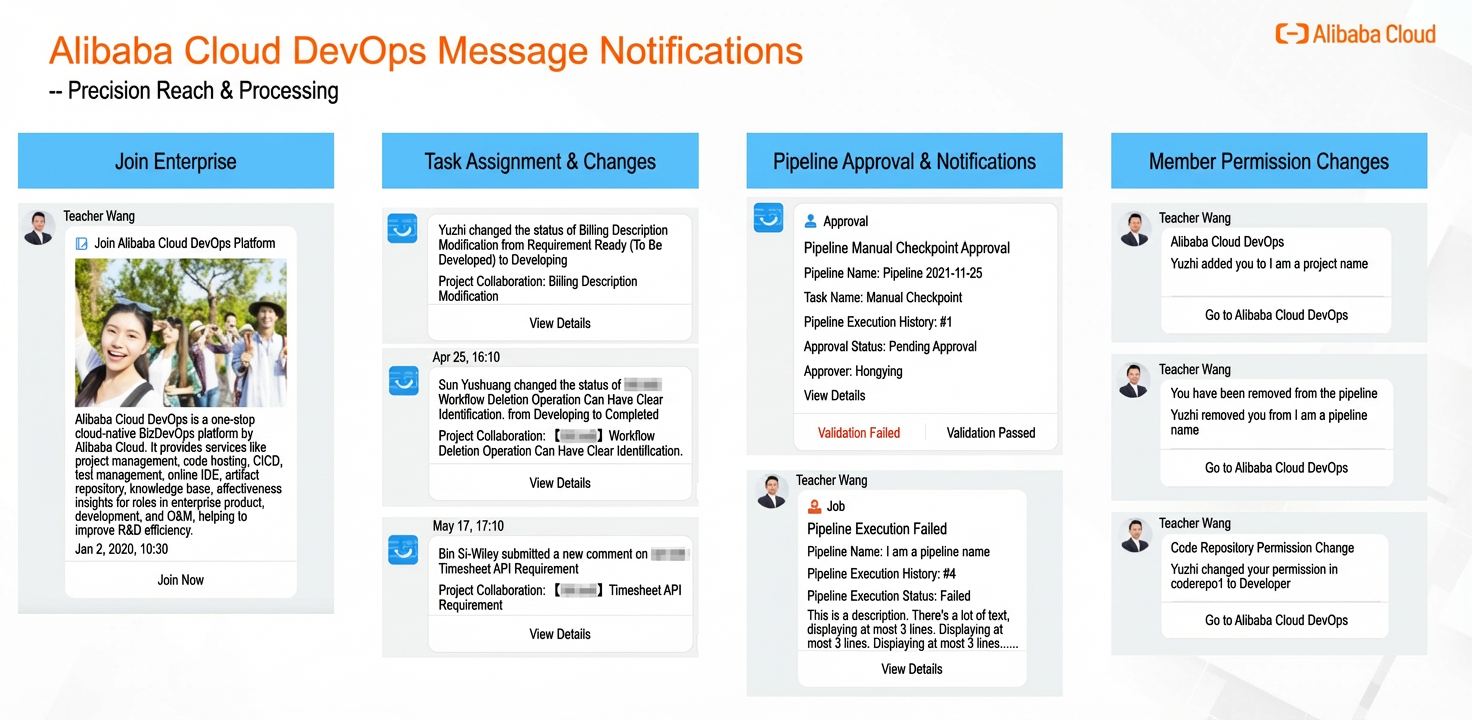
After you bind your enterprise and personal DingTalk accounts, the Apsara DevOps Assistant bot is automatically installed in each user's DingTalk account. This bot delivers Work Notification messages from the Apsara DevOps platform. This ensures precise delivery and enables quick responses. The main categories of messages are:
Project collaboration: Apsara DevOps Projex supports notification settings in project templates and projects. You can customize the notification scope and notification channels in the settings. For more information, see Notification settings.
Code management:
Notifications for third-party library import events.
Notifications for merge request operations.
Notifications for member permission changes.
Notifications for repository or group transfers or path changes.
Notifications for repository or group deletion events.
Notifications for changes to repository or group visibility.
Alert notifications.
Pipelines:
Notifications for manual review nodes.
Pipeline members are added, deleted, or modified.
A pipeline run fails or is canceled.
A pipeline is deleted.
Pipeline ownership is transferred.
Note:
Actions you perform do not trigger work notifications for yourself.
Work Notification messages are sent only to task participants. If you are not a participant in a task, you will not receive a notification for it, even if you own the project.
IV. Manual pipeline approval
A pipeline may require manual steps, such as Manual Test or O&M Approval. Team members are often multitasking. When they receive an approval message in DingTalk, they can respond directly from the notification. They can select Validation Failed or Validation Passed to quickly process the approval.
V. DingTalk Docs
Knowledge management is vital for any organization. You can integrate online document management into your product development process in the following ways:
Enterprise-level DingTalk Docs: After you bind Apsara DevOps to your DingTalk enterprise, the DingTalk Docs application appears in the Apsara DevOps platform.
Project and DingTalk Docs integration: You can associate an Apsara DevOps project with multiple knowledge bases in DingTalk Docs. You can also navigate directly to a knowledge base from the project.
Requirement and document integration: Associate requirements with product requirement documents (PRDs) and other documents. This improves collaboration during delivery and makes it easier to trace information.
Scan the QR code to get started.