Template management
This topic describes how to manage application orchestration templates and change development flow templates.
Application orchestration templates
Apsara Devops AppStack provides enterprise-level application orchestration templates. These templates help you manage application deployment architectures in a unified and standardized way. AppStack supports Kubernetes YAML orchestration templates and traditional host script orchestration templates. It also supports custom orchestration templates for your organization and provides built-in templates that include classic examples. When you create an orchestration for a business application, you can select a template to quickly initialize the application architecture.
View application orchestration templates
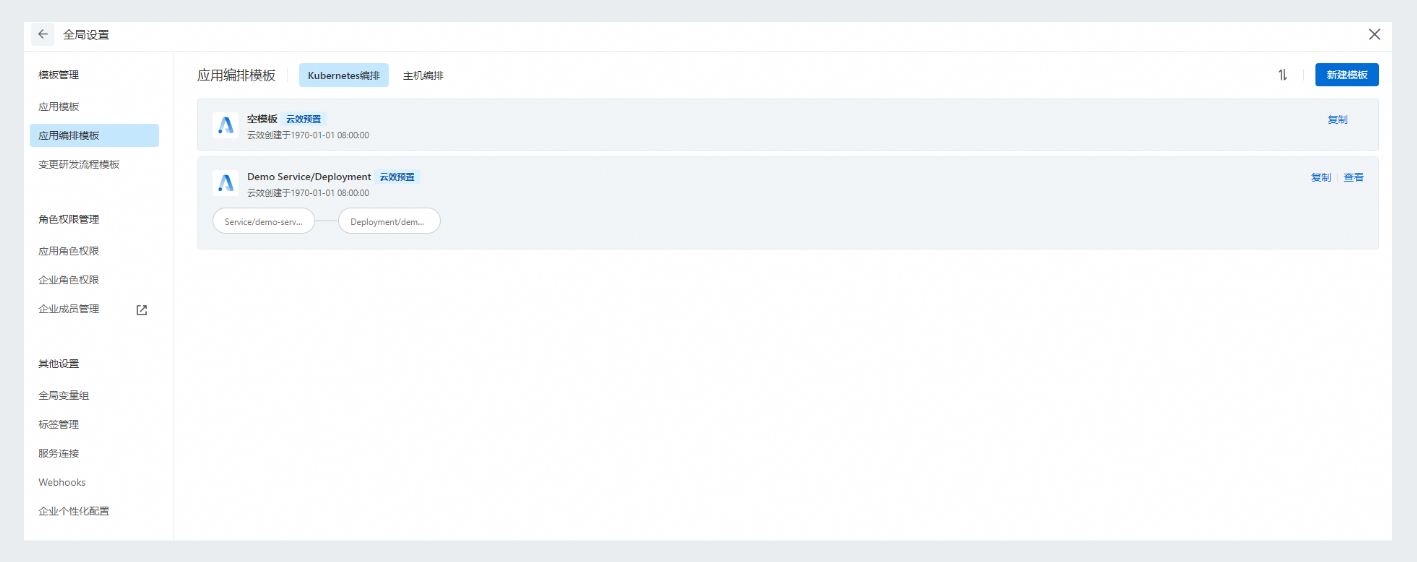
Go to to view a list of the application orchestration templates for your organization, including Kubernetes Orchestration and Host Orchestration.
Click an orchestration template to view its details.
Create a Kubernetes orchestration template
Go to . Click the Create Template button to open the Create Application Orchestration Template - Kubernetes Deployment dialog box.
Enter a template Name and Description. Click Confirm to go to the template editing page.
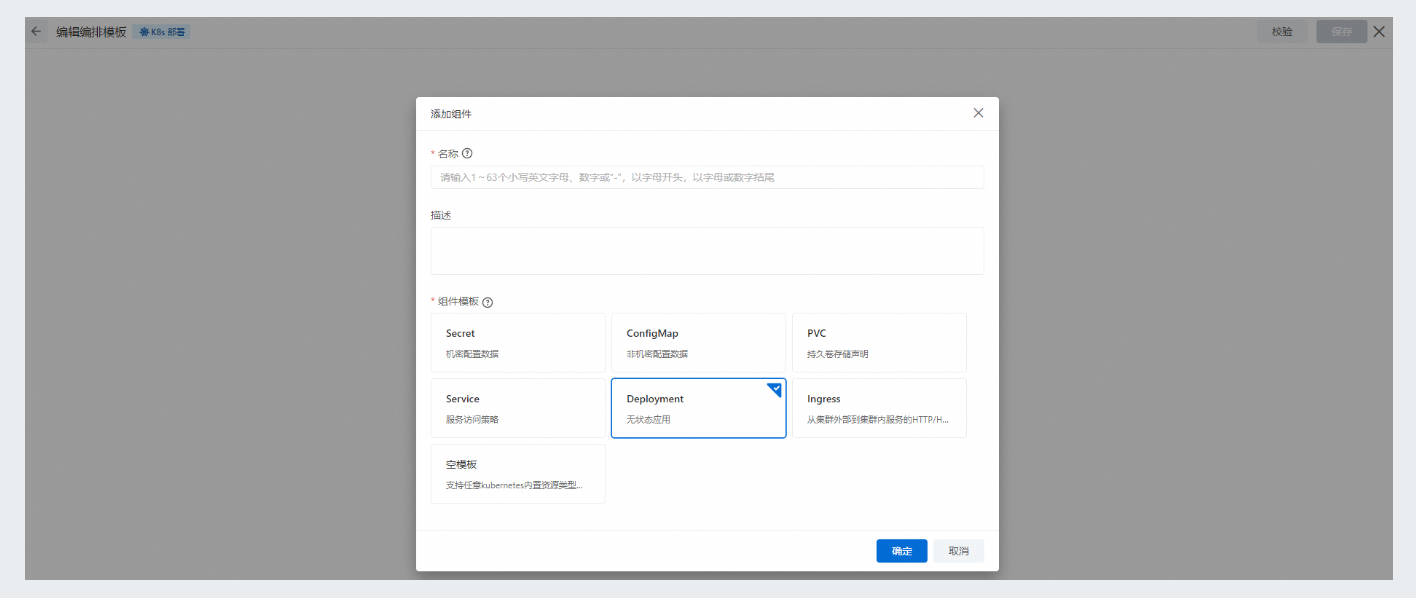
Click Add Component to open the Add Component dialog box. Select a Resource Type, enter a component Name and Description, and then click Confirm to add the component.
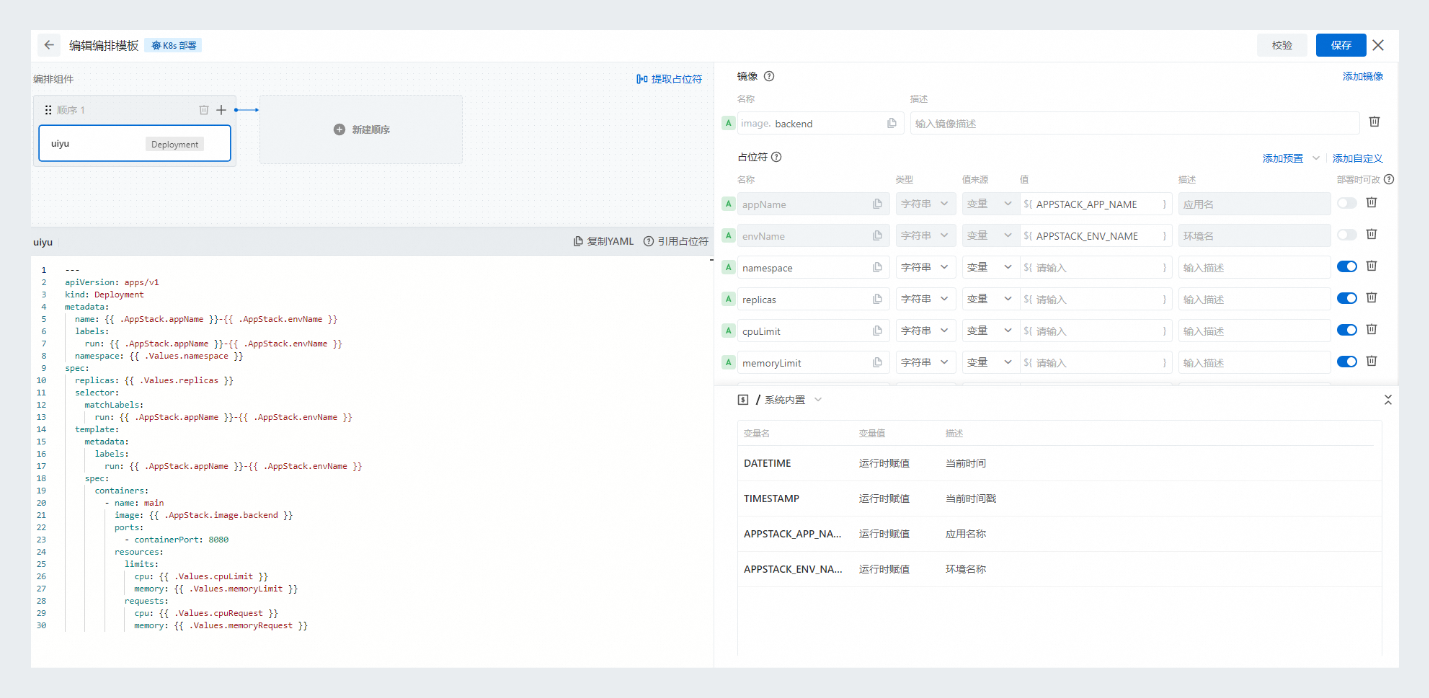
Repeat this process to add more components. After adding a component, you can modify it to suit your organization's custom application deployment configuration. You can use placeholders to define different configurations for each application.
After you finish modifying the template content, click Save. Enter a Revision Log and save the application orchestration template.
Create a host orchestration template
Go to . Click the Create Template button to open the Create Application Orchestration Template - Host Deployment dialog box.
Enter a template Name and Description. Click Confirm to go to the template editing page.
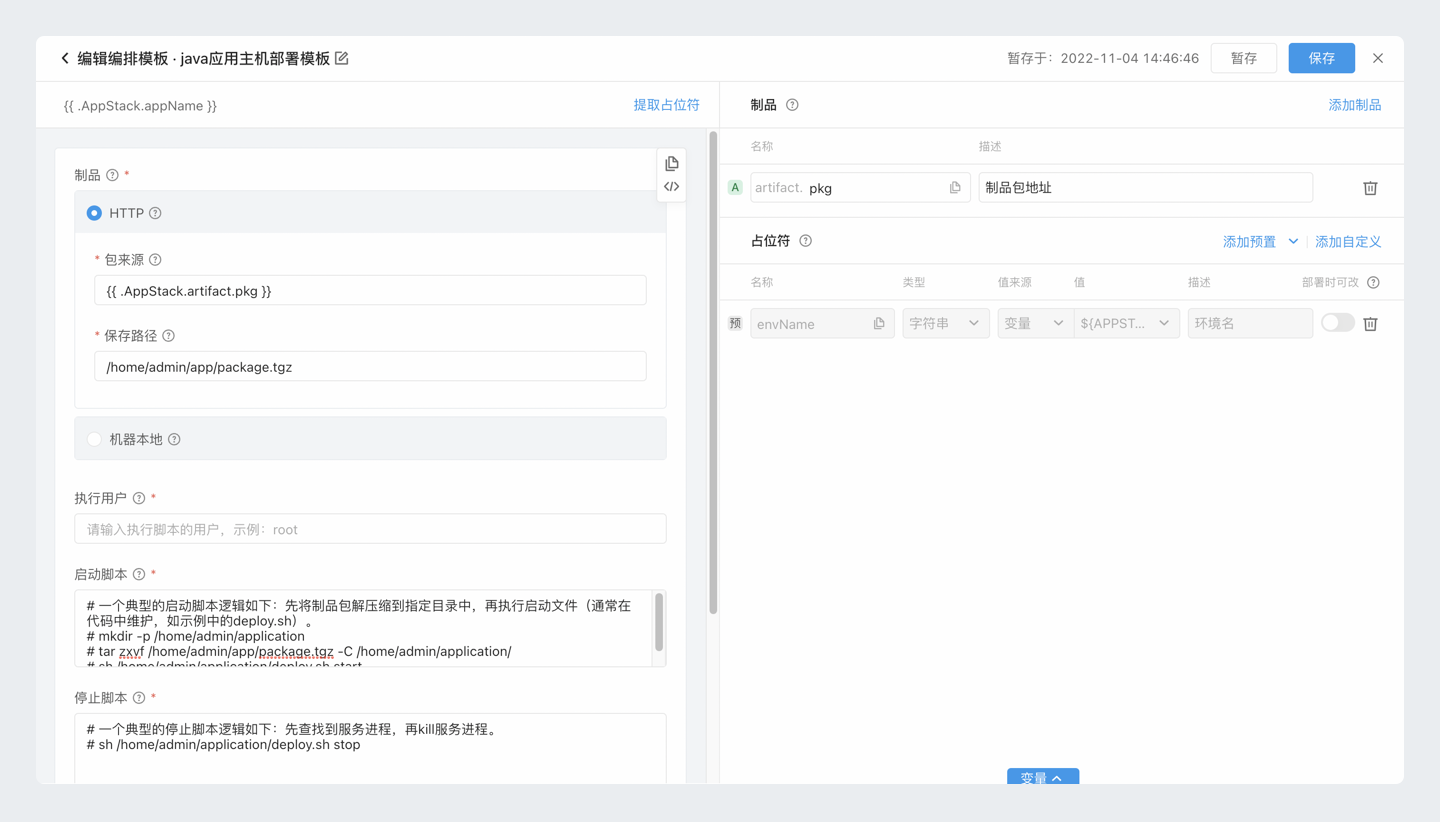
Configure the Artifact, Execution User, Start Script, Stop Script, Health Check Script, and Cleanup Script as required. You can define Artifact placeholders to dynamically inject the artifact address during deployment. You can also use Placeholders in scripts to define application-specific configurations.
After you finish modifying the template content, click Save. Enter a Revision Log and save the application orchestration template.
Manage application orchestration templates
Edit a template
If you upgrade the application architecture in your organization, you can modify the application orchestration template. The modification process is the same as the creation process.
Copy a template
If you have applications with similar deployment architectures, you can copy an existing template and modify it to quickly create a new application orchestration template.
Delete a template
If an application orchestration template is no longer needed, you can delete it.
Use an orchestration template in an application
For more information, see Kubernetes deployment orchestration and Host deployment orchestration.
Change development flow templates
Apsara Devops AppStack provides enterprise-level development flow templates. These templates help you manage development flows for application changes in a unified and standardized way. AppStack provides built-in development flow templates that include classic examples. It also supports custom development flow templates for your organization. When you set up a development flow for an application, you can select a template to quickly initialize the flow.
View development flow templates
Go to to view the preset development flow templates provided by Apsara Devops. Apsara Devops provides three preset templates that you can use. You can also view the custom development flow templates for your organization.
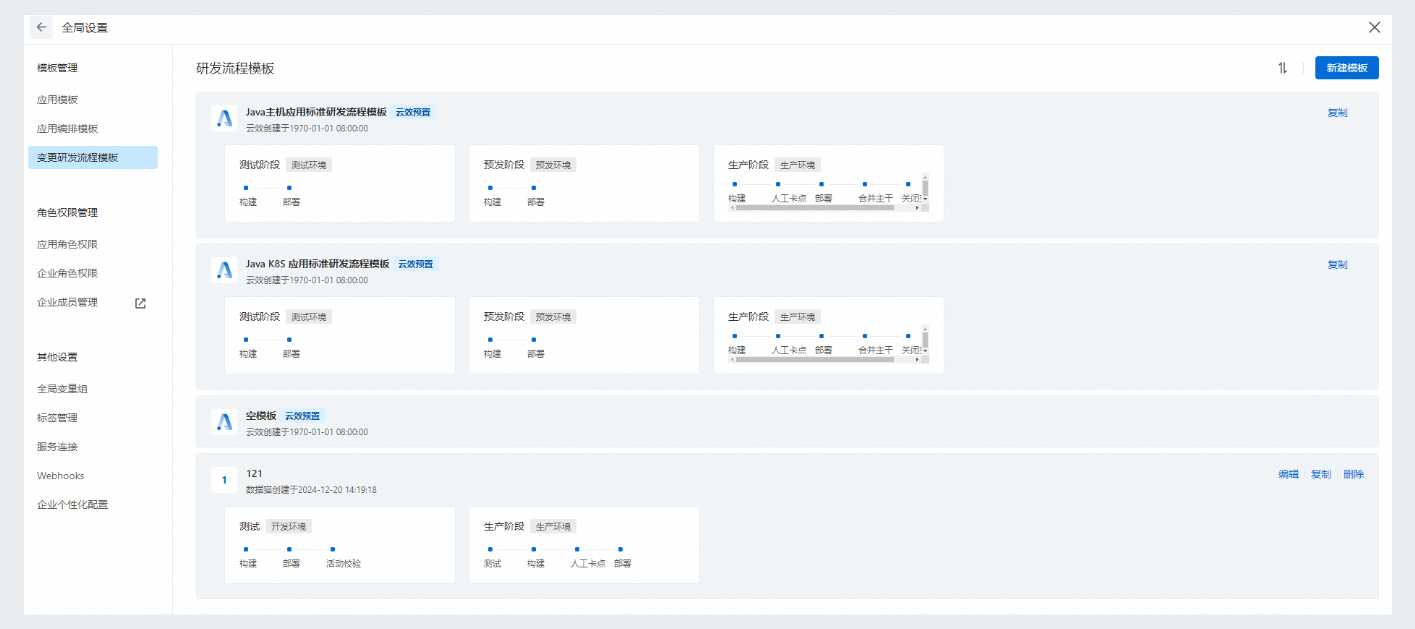
Create a development flow template
Go to . Click the Create Template button to open the Create Change Development Flow Template dialog box.
Enter a template Name. Click Confirm to create the template and go to the template editing page.
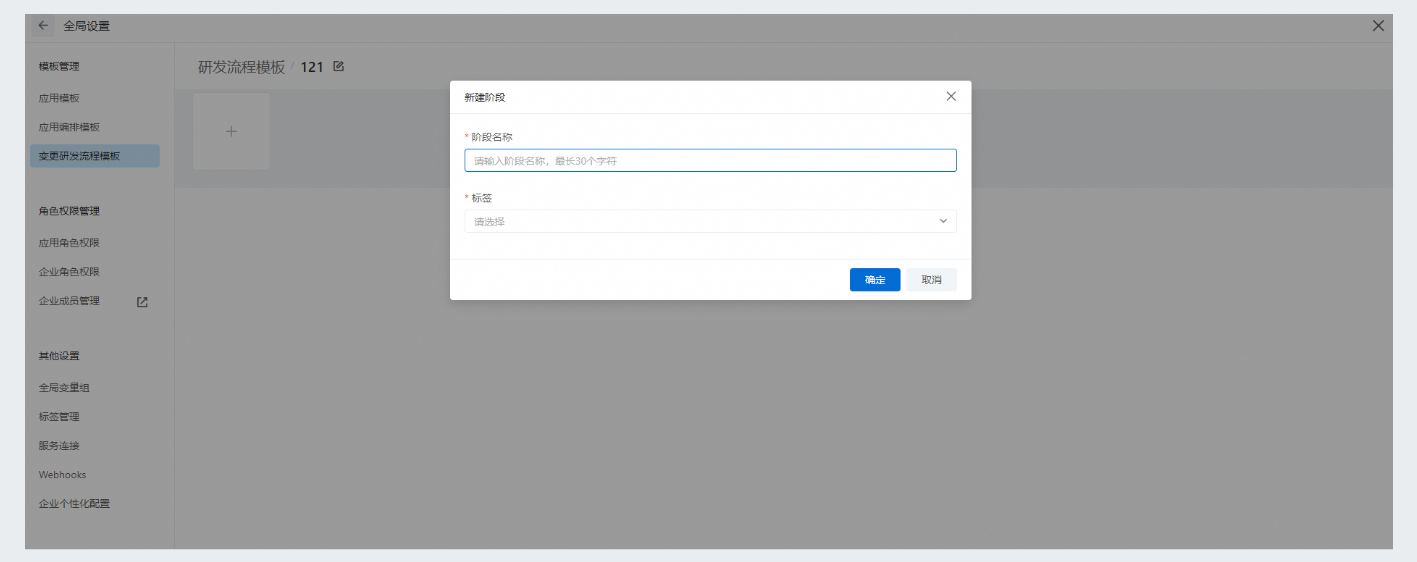
Click the + icon to create a new flow stage. Enter a Stage Name, select a Label, and click Confirm to save the stage.
Configure the stage pipeline, Change Integration Method, and Change Admission Rules as required, and then save the template. When you set up a change development flow for an application, you can select the template to quickly initialize the flow. For more information, see Change continuous delivery pattern.
Manage development flow templates
Go to to manage the custom change development flow templates for your organization. You can edit and delete templates.
Use a development flow template in an application
For more information, see Configure an application development flow.