Use template syntax for dynamic pipeline rendering
You can use template syntax to dynamically render pipeline YAML, batch-configure multiple jobs with similar logic, or generate jobs on demand. This reduces duplicate YAML code and provides flexible multi-task orchestration.
Prerequisites
To enable template mode, add the comment template=true to the first line of your YAML file. In this mode, you can define templates with {{ }} expressions, which follow the native Go template syntax.
Use case 1: Compatibility testing
# template=true
variables:
  - key: osList
    type: Object
    value: ["linux", "windows"]
  - key: jdkVersionList
    type: Object
    value: ["10", "11", "17"]

stages:
  build_stage:
    name: Compatibility testing
    jobs:                             # Nested loop that generates 2*3 jobs
      {{ range $os := .osList}}
        {{ range $jdk := $.jdkVersionList}}
        {{ $os }}_JDK{{ $jdk }}_job:
                   name: Test-{{ $os }}-JDK{{ $jdk }}
                   my_step:
                     name: Execute command
                     step: Command
                     with:
                       run: |
                         echo 'test on {{ $os }}-JDK{{ $jdk }}"
        {{ end }}
        {{ end }}
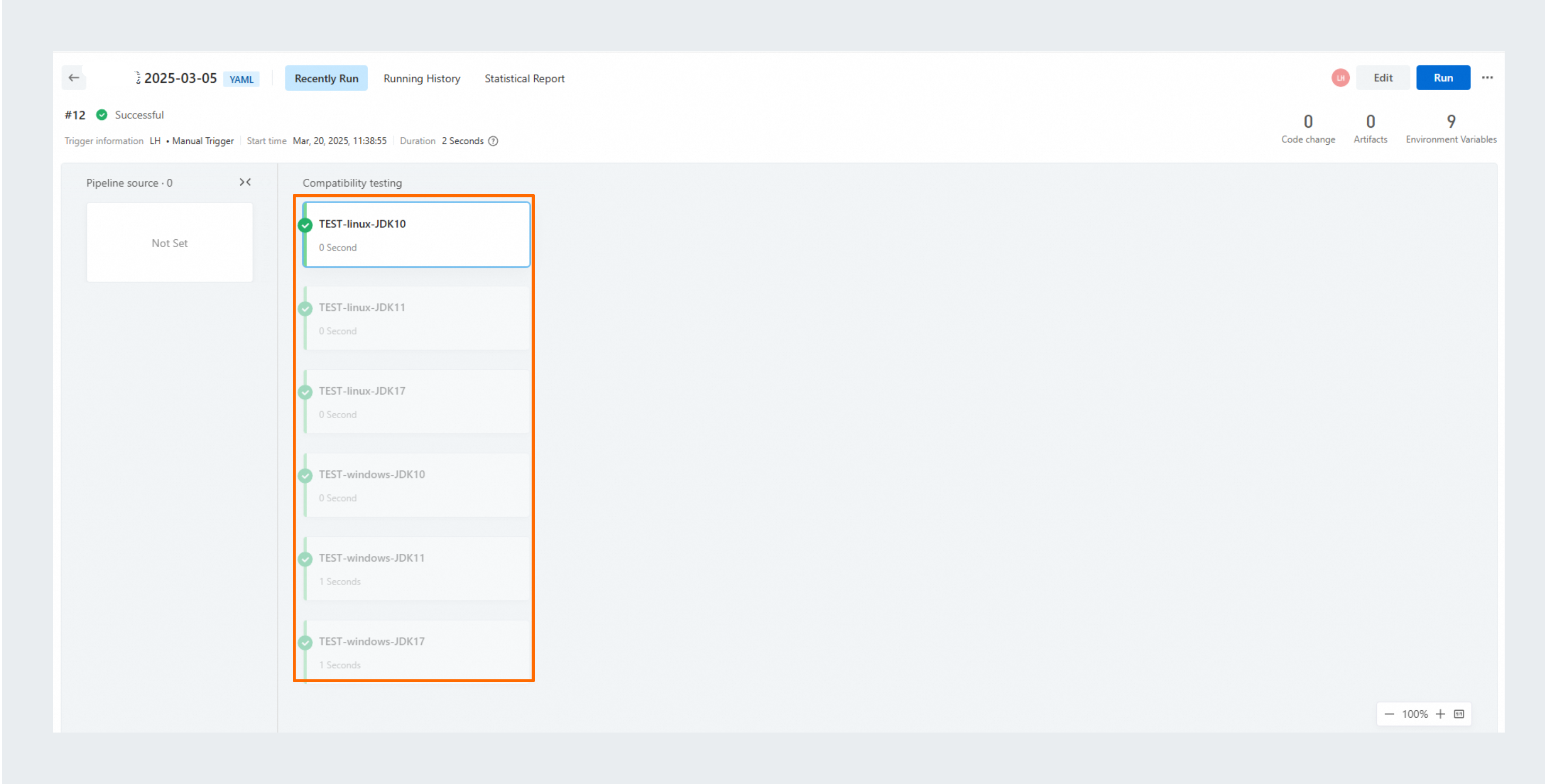
This example iterates through two operating systems, ["linux", "windows"], and three JDK versions, ["10", "11", "17"]. The range loop generates six jobs with the same logic. The following figure shows the execution result:

Use case 2: Dynamic build and deployment
# template=true
variables:
  - key: appnames
    type: Object
    value: ["app1", "app2", "app3"]

sources:
  {{ range $app := .appnames }}
  repo_{{ $app }}:
    type: codeup
    name: Code Source Name-{{ $app }}
    endpoint: https://codeup.aliyun.com/07880db8-fd8d-4769-81e5-04093aaf7b2b/c{{ $app }}.git
    branch: master
    certificate:
      type: serviceConnection
      serviceConnection: wwnbrqpihykbiko4
  {{ end }}

defaultWorkspace: repo_app1

stages:
  build_stage:
    name: Build stage
    jobs:
      {{ range $app := .appnames }}
      build_job_{{ $app }}:
        name: Build task-{{ $app }}
        sourceOption: ['repo_{{ $app }}']
        steps:
          build_{{ $app }}:
            step: Command
            name: Build-{{ $app }}
            with:
              run: "echo start build {{ $app }}\n"
      {{ end }}
  deploy_stage:
    name: Deploy stage
    jobs:
      {{ range $app := .appnames }}
      deploy_job_{{ $app }}:
        name: Deploy task-{{ $app }}
        needs: build_stage.build_job_{{ $app }}
        steps:
          build_{{ $app }}:
            step: Command
            name: Deploy-{{ $app }}
            with:
              run: "echo start deploy {{ $app }}\n"
      {{ end }}
This example configures multiple code sources, build jobs, and deployment jobs for several applications. At runtime, you can use the appnames variable to dynamically determine which applications to build and deploy. The following figure shows the execution result:

How it works
Specify rendering engine with template=true
Add this comment on the first line to activate Go template rendering. You can then use {{ }} expressions to define your pipeline.
# template=true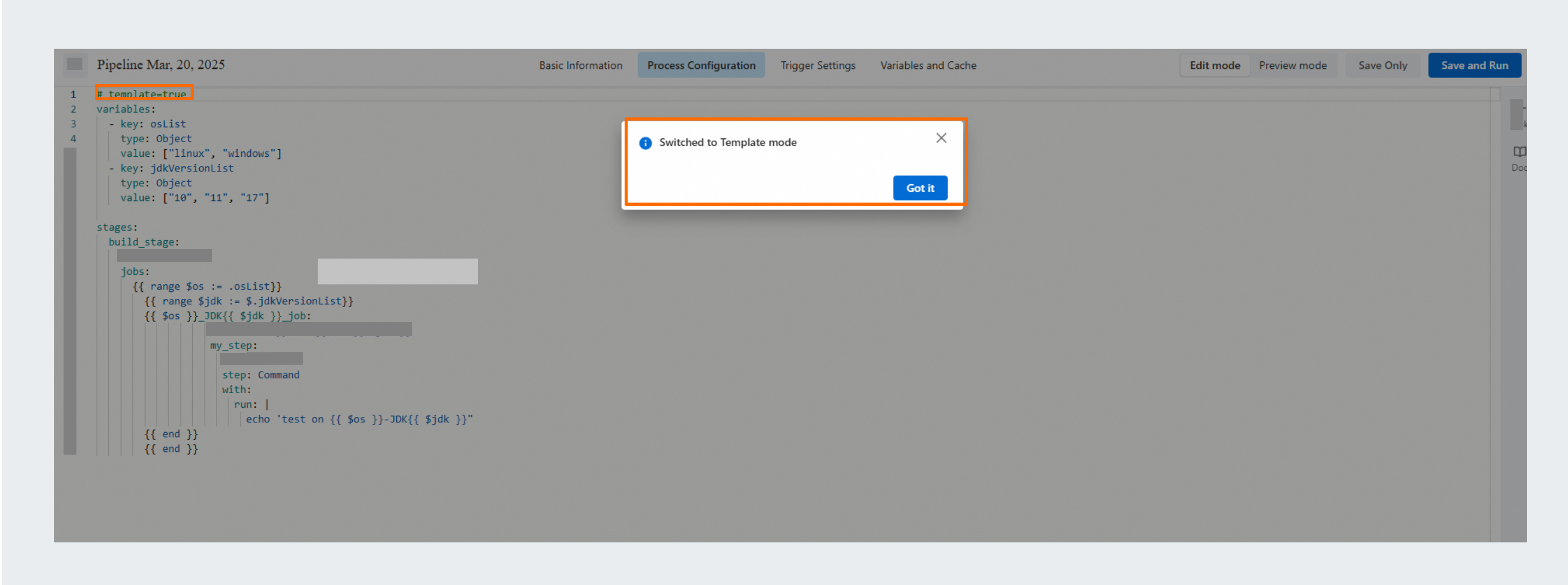
Use variables as rendering parameters
-
Environment variables defined in the
variablessection serve as rendering parameters. Supported variable types include String, Number, Boolean, and Object. At runtime, environment variables with the same name override these variables. -
You can also use the following built-in system variables as rendering parameters:
PIPELINE_ID,PIPELINE_NAME,TIMESTAMP, andDATETIME.
Native go template syntax
Template mode follows the native Go template syntax. For details, see https://pkg.go.dev/text/template.
{{/* a comment */}} // A comment {{pipeline}} // A reference {{if pipeline}} T1 {{end}} // A conditional statement {{if pipeline}} T1
          {{else}} T0 {{end}}
            {{if pipeline}} T1
            {{else if pipeline}} T0 {{end}}
              {{range pipeline}} T1 {{end}} // A loop {{range pipeline}} T1
              {{else}} T0 {{end}}
                {{break}}
                {{continue}}
Extended template functions
The template syntax provides the following extended functions:
# add: Adds two or more integers.
{{ add 1 2 }} // Example returns: 3
{{ add 1 2 2 }} // Example returns: 5

# addf: Adds two or more floating-point numbers.
{{ add 1.2 2.3 }} // Example returns: 3.5
{{ add 1.2 2.3 5 }} // Example returns: 8.5

# replace: Replaces a substring. It takes three parameters: the source string, the string to be replaced, and the replacement string.
{{ "Hullo World" | replace "u" "e" }}  // Example returns: Hello World
{{ "I Am Henry VIII" | replace " " "-" }}  // Example returns: I-Am-Henry-VIII
Preview and validate
You can render and validate the configuration with variables to preview the complete YAML before the pipeline runs.

Rendering and execution logic
-
A pipeline in template mode renders and executes as follows:
-
Step 1: Before the pipeline runs, the system renders the
{{ }}templates by using environment variables from thevariablessection as parameters. This process generates the complete pipeline YAML and follows the Go template syntax. At runtime, environment variables with the same name override these variables. -
Step 2: Before a pipeline job runs, the system substitutes all
${}variable references in the YAML. The pipeline job then executes.
-
-
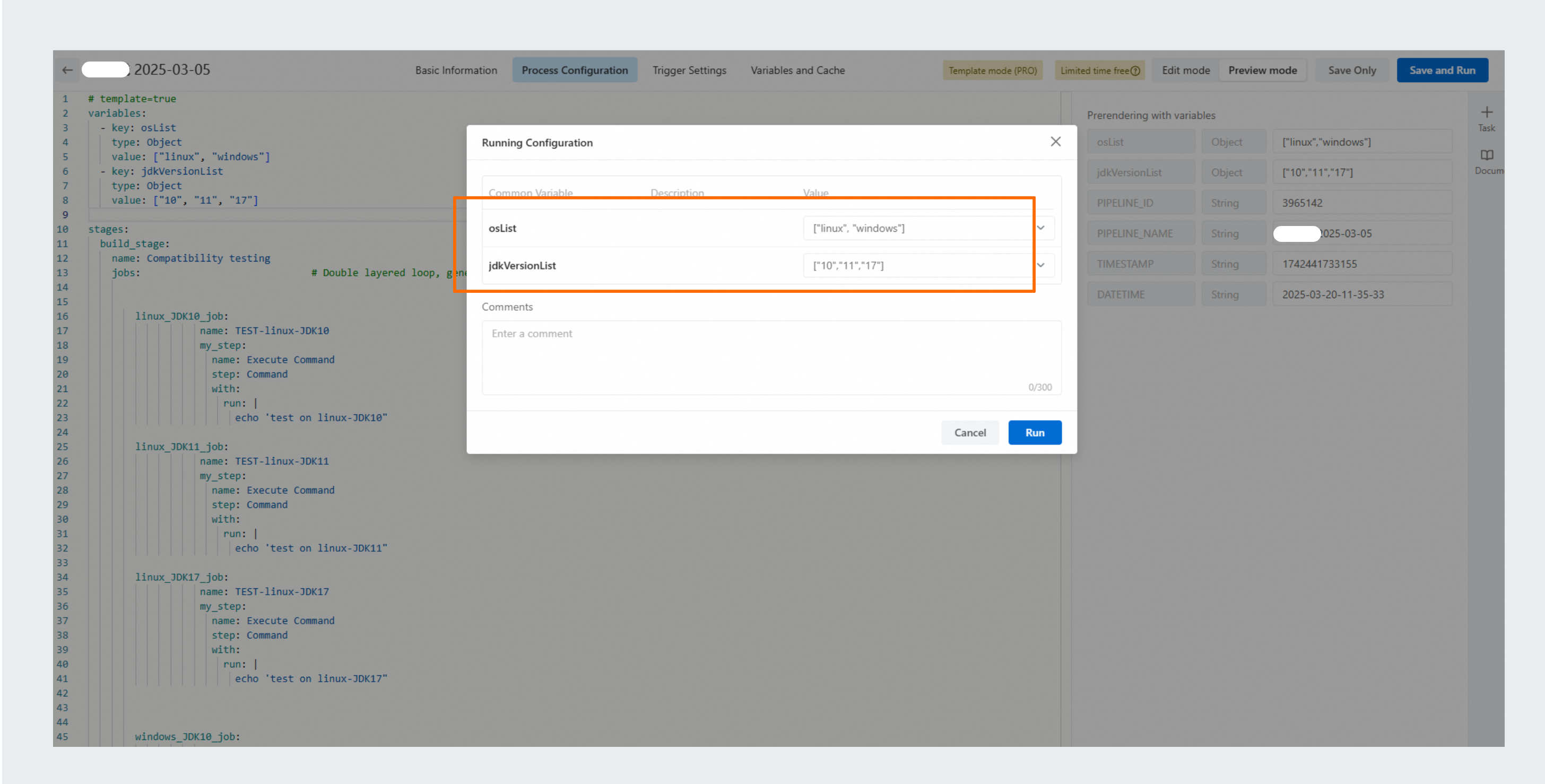
For example, in Use case 1, if you change the JDK versions to
["17", "21"]at runtime while keeping the operating systems as["linux", "windows"], the pipeline dynamically generates four jobs.