在CentOS 6.5系统的ECS实例中,执行ethtool -g eth0命令,提示“Cannot get device ring settings: Operation not supported”错误怎么办?

更新时间:
复制 MD 格式

本文介绍在CentOS 6.5系统的ECS实例中,执行ethtool -g eth0命令,提示“Cannot get device ring settings: Operation not supported”错误的解决方案。

问题现象

CentOS 6.5系统的ECS实例中,执行ethtool -g eth0命令,查看网卡的Buffer容量,出现以下信息。

Ring parameters for eth0:
Cannot get device ring settings: Operation not supported

问题原因

该系统的ECS实例不支持使用-g参数的查询环形参数(ringbuffer)

解决方案

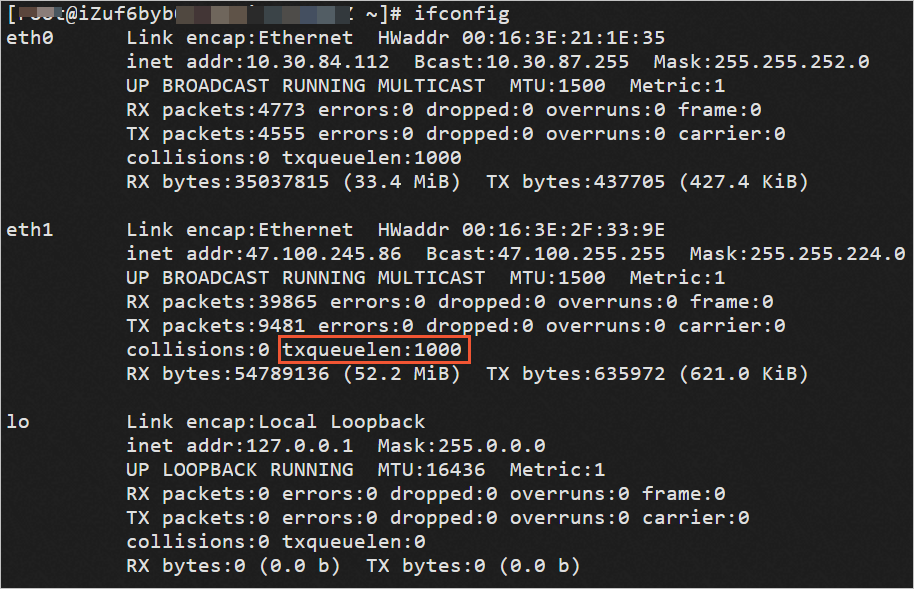
如果您需要查看网卡Buffer容量,可以通过ifconfig命令中的txqueuelen参数进行查看。

说明

Ce ntOS 6操作系统 版本结束了生命周期(EOL),按照社区规则,CentOS 6的源地址内容已移除。当您在CentOS 6系统内继续使用默认配置的源地址时会发生报错。建议您先切换CentOS 6的源地址,然后再进行操作。具体操作,请参见CentOS 6 EOL如何切换源?

ifconfig
eth0      Link encap:Ethernet  HWaddr 00:16:3E:21:1E:35
          inet addr:10.30.84.112  Bcast:10.30.87.255  Mask:255.255.252.0
          UP BROADCAST RUNNING MULTICAST  MTU:1500  Metric:1
          RX packets:4773 errors:0 dropped:0 overruns:0 frame:0
          TX packets:4555 errors:0 dropped:0 overruns:0 carrier:0
          collisions:0 txqueuelen:1000
          RX bytes:35037815 (33.4 MiB)  TX bytes:437705 (427.4 KiB)
eth1      Link encap:Ethernet  HWaddr 00:16:3E:2F:33:9E
          inet addr:47.100.245.86  Bcast:47.100.255.255  Mask:255.255.224.0
          UP BROADCAST RUNNING MULTICAST  MTU:1500  Metric:1
          RX packets:39865 errors:0 dropped:0 overruns:0 frame:0
          TX packets:9481 errors:0 dropped:0 overruns:0 carrier:0
          collisions:0 txqueuelen:1000
          RX bytes:54789136 (52.2 MiB)  TX bytes:635972 (621.0 KiB)
lo        Link encap:Local Loopback
          inet addr:127.0.0.1  Mask:255.0.0.0
          UP LOOPBACK RUNNING  MTU:16436  Metric:1
          RX packets:0 errors:0 dropped:0 overruns:0 frame:0
          TX packets:0 errors:0 dropped:0 overruns:0 carrier:0
          collisions:0 txqueuelen:0
          RX bytes:0 (0.0 b)  TX bytes:0 (0.0 b)