Configure security message recipients
To ensure that you receive timely alerts from Security Center, you must configure security message recipients in Message Center. By default, notifications are sent to the primary contact associated with your Alibaba Cloud account. We recommend adding dedicated contacts for security notifications to improve your organization's incident response capabilities. This allows designated teams to monitor risks and resolve security issues promptly, enhancing the overall security of your cloud resources.
Step 1: Configure security message recipients in Message Center
Subscribe to security messages
You can add contacts as message recipients for security messages. These contacts can then receive security notifications via email, text message, or internal message, based on your configuration.
Log on to the Message Center console.
In the left-side navigation pane, choose .
In the upper-right corner, click Manage Contacts. You are redirected to Account Center. On the Address and Contact page, click Add Contact. On the message recipient management page, click Add Receiver in the upper-right corner. Enter the required information, such as name, phone number, and email address, and then click Save.
Name: The name of the message recipient. The name can be up to 20 characters long.
Email: The email address for receiving notifications.
Mobile Number: The phone number for receiving text message notifications.
Position: Specify the job title of the contact for easier management.
ImportantContacts must be verified before they can receive notifications. The system automatically sends a verification message to the specified email address and phone number. The contact must follow the instructions in the message to complete the verification.
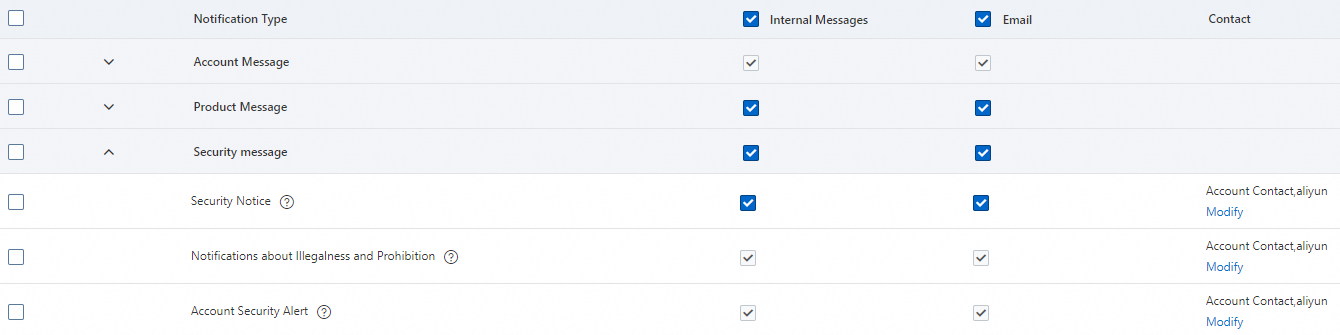
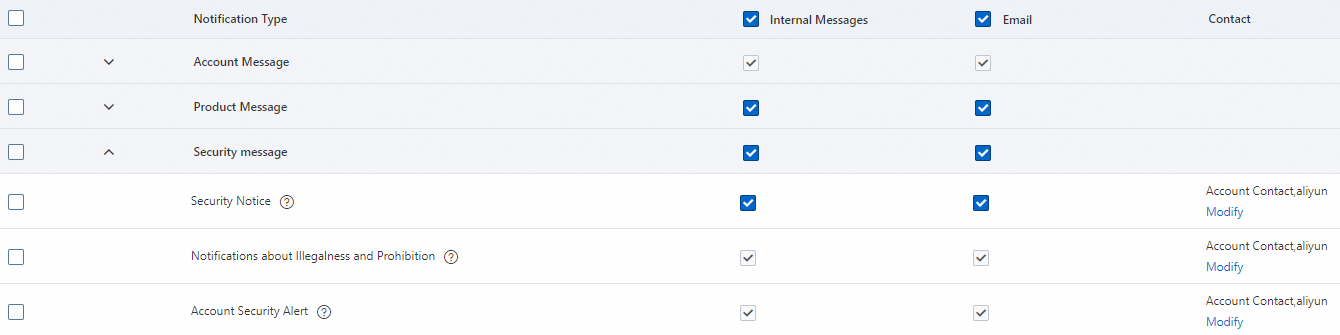
Return to the Message Settings page, find Security message, and click Modify in the Common Settings column for the target message type. This takes you to the Modify Message Receiving Configurations page.
NoteSecurity Notice: This message type covers cloud products such as Security Center, Anti-DDoS, and Web Application Firewall. If a contact subscribes to Security Notice, the subscription applies to notifications for all related cloud products.
Examples include security alerts, web tampering alerts, container microsegmentation alerts, and AccessKey leak notifications from Security Center; DDoS attack notifications from Anti-DDoS; and notifications about domain names that do not have an ICP filing and security events marked as Security Control from Web Application Firewall.
If the contact needs to provide broader emergency support, you can also subscribe the contact to Illegal and Prohibited Content Notification and Account Security Alert.
Illegal and Prohibited Content Notification: Provides notifications about penalties for illegal activities conducted using Alibaba Cloud resources. For more information about illegal activities and the affected resources, see Security control rules.
Account Security Alert: Provides security alert notifications for your Alibaba Cloud account and its RAM users, such as notifications for AccessKey leak risks.
On the Contact tab, select the checkbox for the contact and click Save.
In the subscription list, select the checkboxes in the Internal Messages, Email, and Text Messages columns to enable multiple notification methods.
If the new contact's name appears in the Contact column of the subscription list, the contact was added successfully. The configuration takes effect immediately, and the contact can now receive notifications for the subscribed security messages.
Subscribe to voice call notifications
In high-risk scenarios, you can configure voice call notifications for contacts to ensure that critical alerts are not missed.
Log on to the Message Center console.
In the left-side navigation pane, choose .
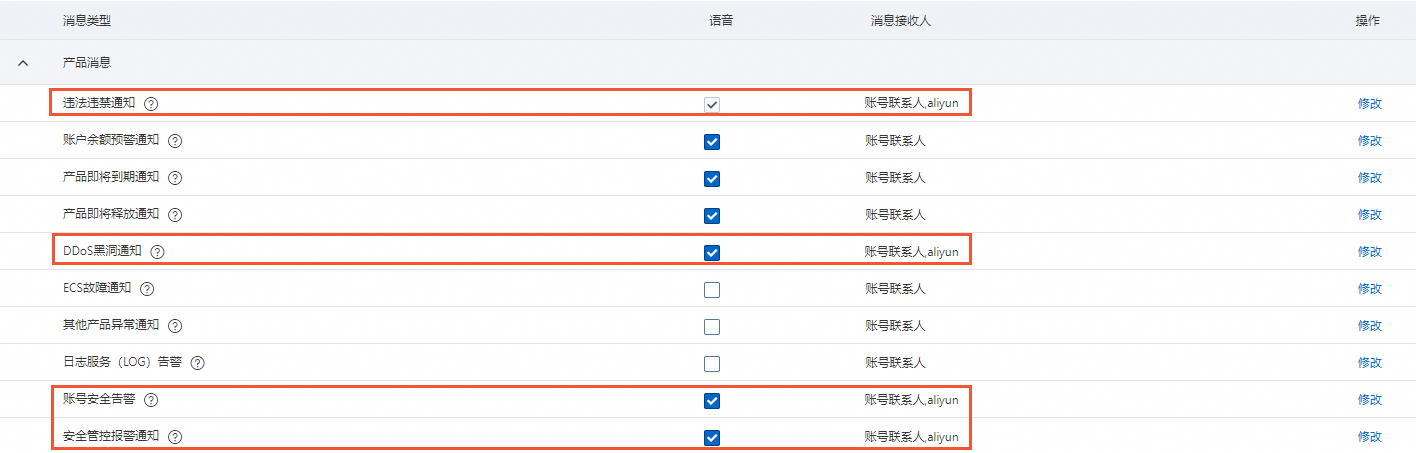
On the Voice Message Management page, find the desired security message type, select the checkbox in the Voice column, and then click Modify in the Action column.
The following table describes the security-related message types and notifications. You can configure these settings based on whether the new contact needs to receive voice call alerts.
Message type
Description
Illegal and Prohibited Content Notification
Provides notifications about penalties for illegal activities conducted using Alibaba Cloud resources. For more information about illegal activities and the affected cloud resources, see Security control rules.
DDoS Blackhole Notification
When a DDoS attack on a protected cloud product under your account exceeds the blackhole threshold, you are notified that network access is blocked. This may affect your services. You must handle the issue immediately. Because these notifications are also sent as voice calls at night, configure this setting with care.
Account Security Alert
Sends notifications for events such as AccessKey leaks and abnormal AccessKey invocations for the current Alibaba Cloud account and its RAM users.
When an AccessKey leak is detected, a notification is sent. For example, a leak can occur if an AccessKey is exposed in publicly available source code on platforms like GitHub. This often happens when an employee unintentionally uploads and publishes private code.
Security Control Alert Notification
An alert notification is sent if an IP address of a resource under your Alibaba Cloud account is penalized or suspended due to security control measures.
In the Modify Message Receiving Configurations dialog box, select the checkbox next to the target contact and click Save.
The contact is added successfully if their name appears in the Contact column of the subscription list. The configuration takes effect immediately, allowing the contact to receive notifications for the subscribed security messages.
Step 2: Configure notification settings in Security Center
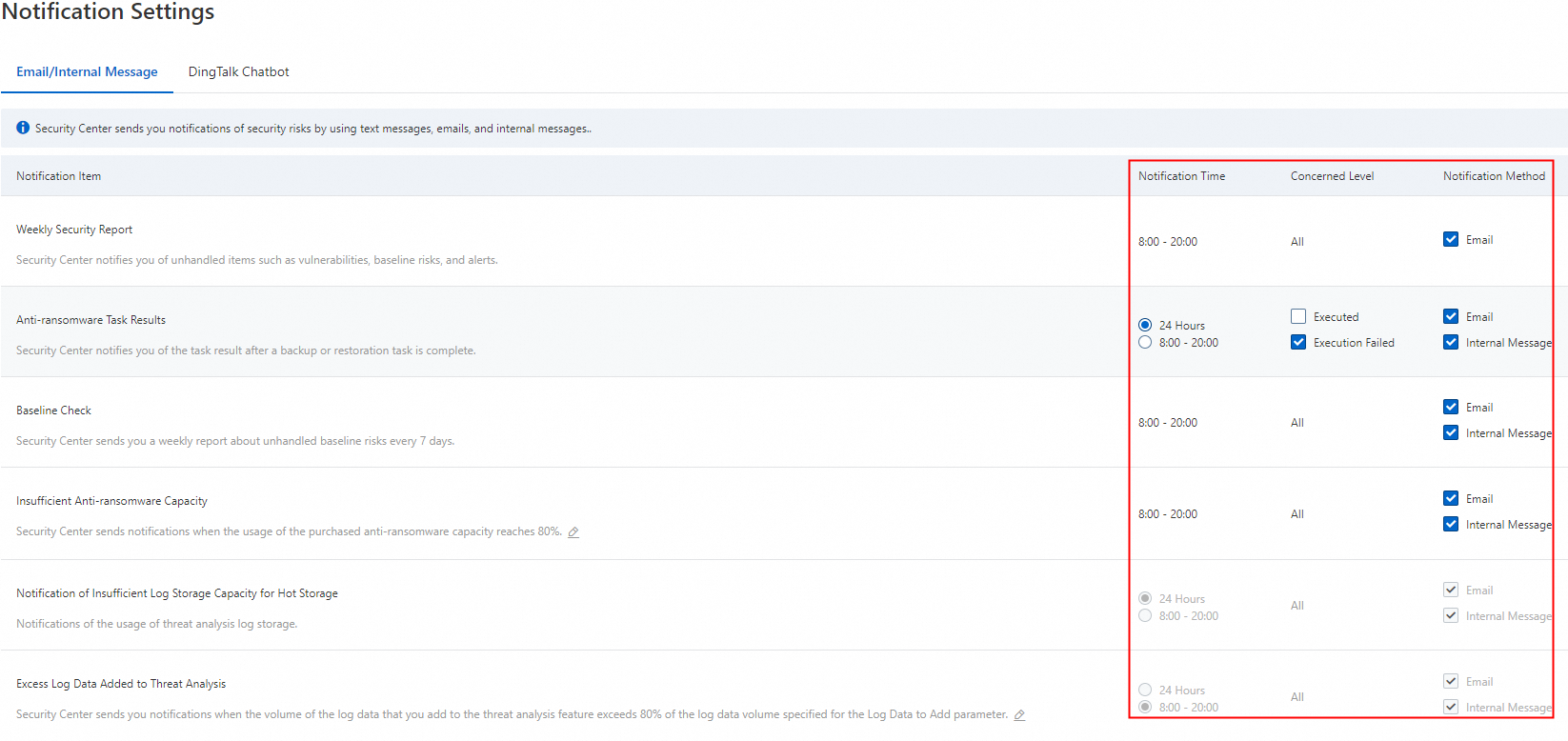
After you subscribe a contact to Security Notice in Message Center, you can further configure the notification methods and frequency for specific items in Security Center. For more information, see Configure notifications by text message, email, and internal message.
If you select only Internal Messages as the notification method for Security Notice, but select both Internal Message and Email for Baseline Check in the page of Security Center, the contact will receive only Internal message notifications.
To receive email notifications for a specific item, the contact must also be subscribed to Email for the Security Notice message type in Message Center.
References
Security Center supports sending alert notifications to a DingTalk chatbot. For more information, see Configure DingTalk chatbot notifications.
Anti-DDoS provides alert notifications through CloudMonitor and Log Service. You can configure alert rules based on filters or custom conditions. For more information, see Set alerts for attack events in Anti-DDoS Basic and Anti-DDoS Origin.
Web Application Firewall allows you to configure notifications using CloudMonitor and Log Service. You can customize alert rules for security events and business metrics. For more information, see Configure alerting.