This topic describes how to set up Dual-call with Caller ID A.
Dual-call with Caller ID A
Dual-call with Caller ID A uses an X number to first call the caller’s number A. After A answers, the system calls the callee’s number B. On B’s end, the incoming call displays the caller’s number A. Once B answers, both parties are connected in a single call session.
Example: The caller’s number A is 166xxxx6666 and the callee’s number B is 188xxxx8888. After the API is invoked, the X number calls 166xxxx6666. When A answers, the system calls B at 188xxxx8888. B sees 166xxxx6666 as the incoming caller ID.
Dual-call with Caller ID A request and usage flow
Line support for Dual-call with Caller ID A is provided by a partner.
After confirming the details and payment with the partner, you will receive three pieces of information: APP ID, Account ID, and Account Token.
Log on to the Cloud Contact Center console. Go to Voice Services. In the navigation pane on the left, choose Settings > Dual-call with Caller ID A > Add Authorization, and enter the information provided.
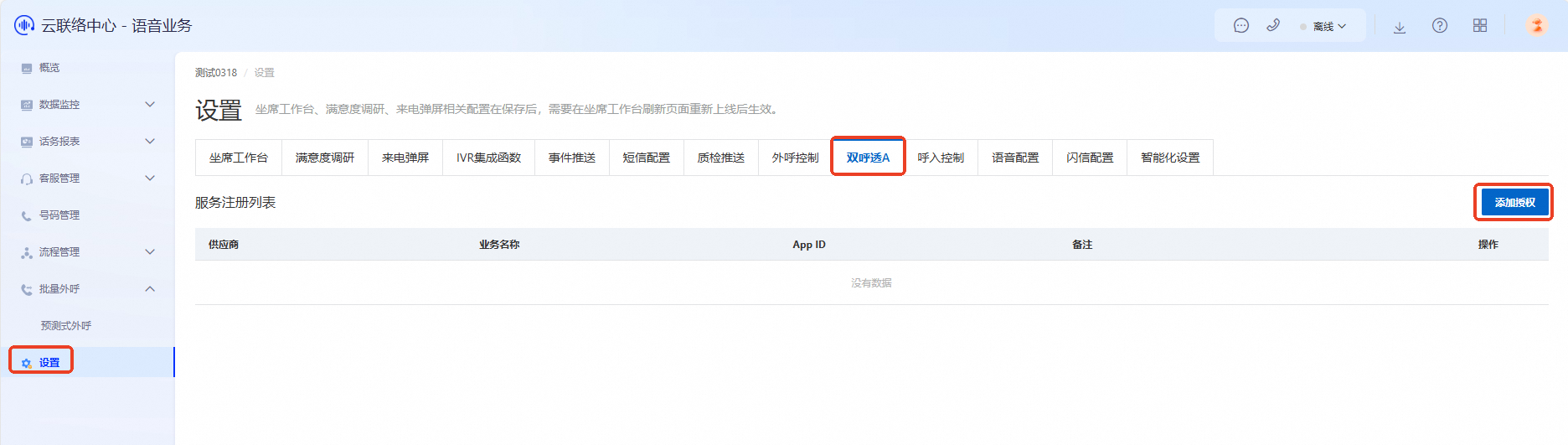
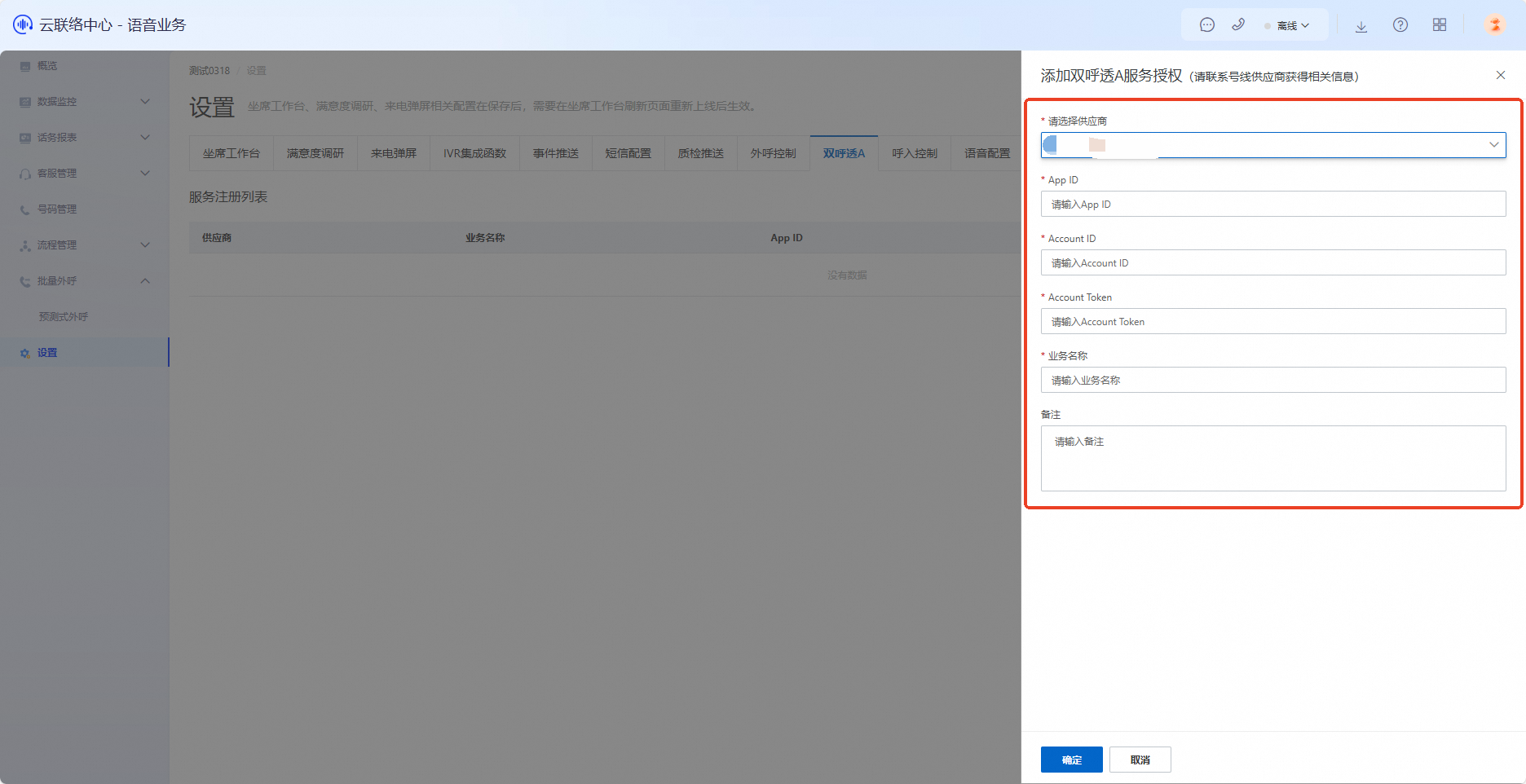
After adding the authorization, invoke the API to initiate a Dual-call with Caller ID A.