This document describes hot words that appear in conversations between agents and customers, presenting high-frequency terms through three dimensions: word cloud, trend graph, and ranking by proportion.
Function Overview
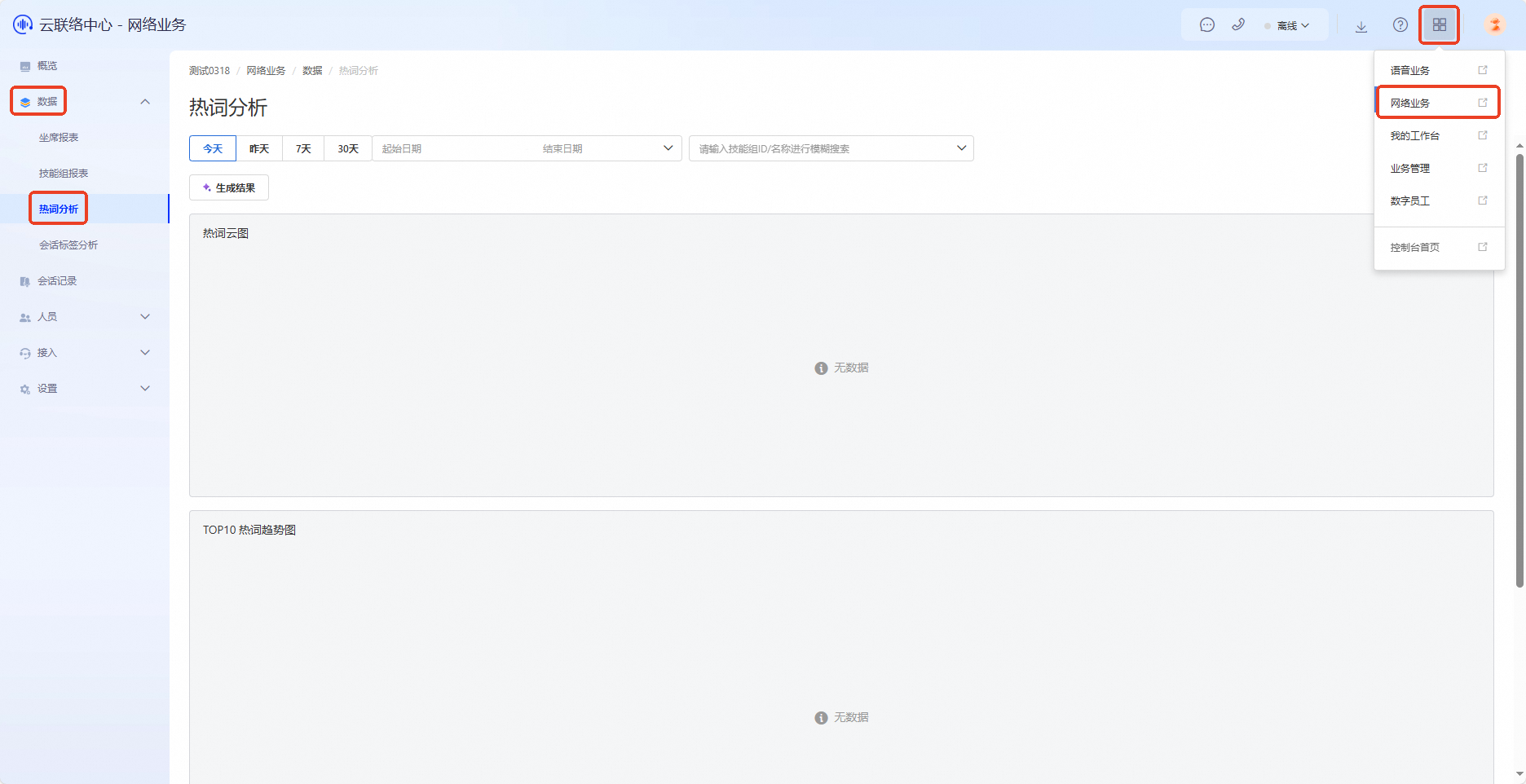
The Hot Words Analysis report interface displays frequently occurring hot words from sessions and provides features such as time filtering and skill group filtering. You can generate results as needed.
Access the Feature
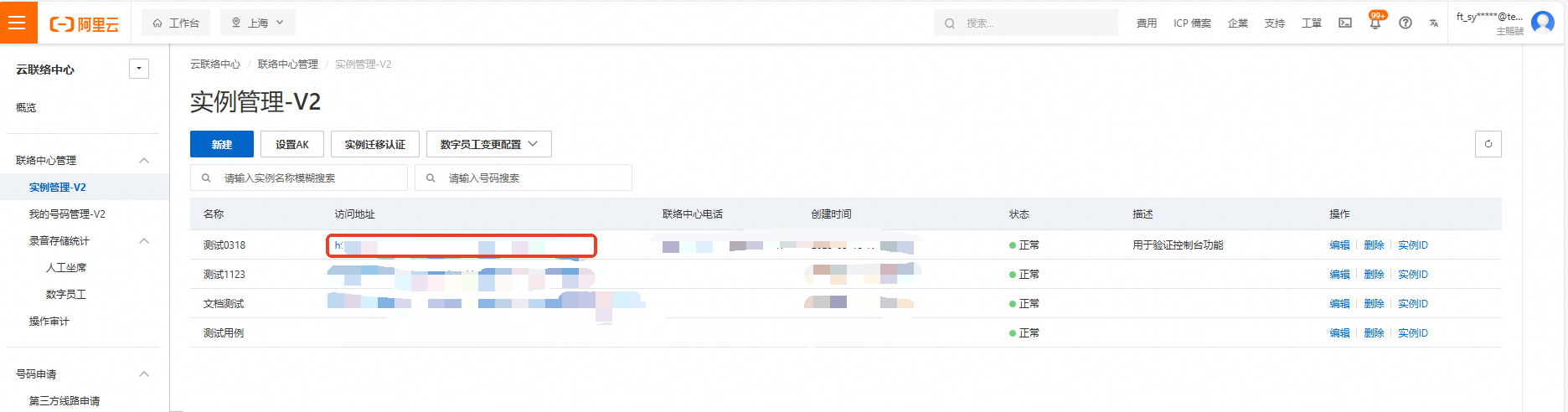
Log on to the Cloud Contact Center console. In the navigation pane on the left, choose Instance Management - V2 and click the endpoint of a specific instance to open its console.
Click the menu button in the upper-right corner of the page and select Online Business to enter the Online Business console. In the navigation pane on the left, choose Data > Hot Words Analysis.
Filters
For the Hot Words Analysis report, set the following filters:
Time: Select a time range for the report—today, yesterday, the last 7 days, or the last 30 days.
Start and end dates: If you select a custom date range, specify exact start and end dates.
Skill group: To view report data for specific skill groups, select one or more skill groups.

Generate Results
Using Large Language Model (LLM) capabilities, the system analyzes all sessions within the selected time range to identify hot words. To generate or regenerate results, click Generate Results. The system displays the output below as a word cloud, trend graph, and ranking. For billing details about the Hot Words Analysis feature, see Billing.

View Generation History
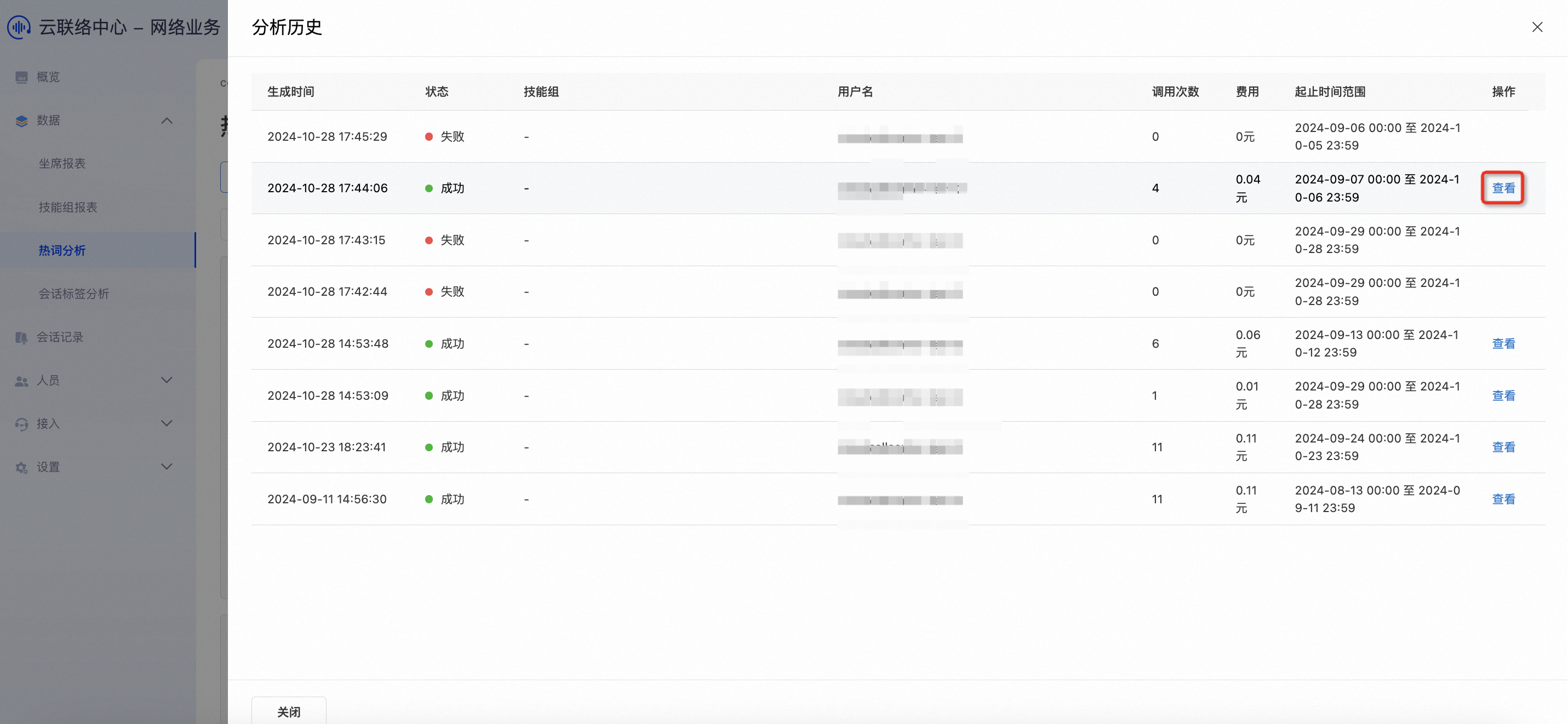
Select View Generation History to see previously generated results. Choose Details to view earlier word clouds, trend graphs, and rankings.