This topic explains the data fields in the skill group report.
Function Overview
The skill group report interface displays data related to skill groups and provides time and skill group filtering options. You can select a time range, specify start and end dates, and choose specific skill groups. You can also customize the table header as needed and click the Download button to save the report locally.
Access the Feature
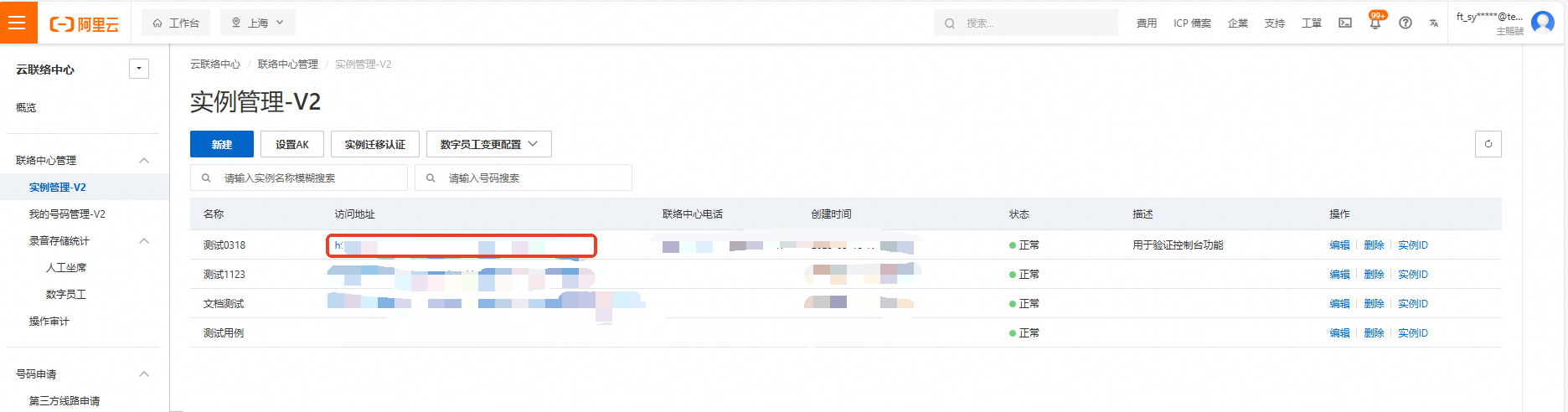
Log on to the Cloud Contact Center console. In the left navigation pane, choose Instance Management - V2 and click the endpoint of a specific instance to open its console.
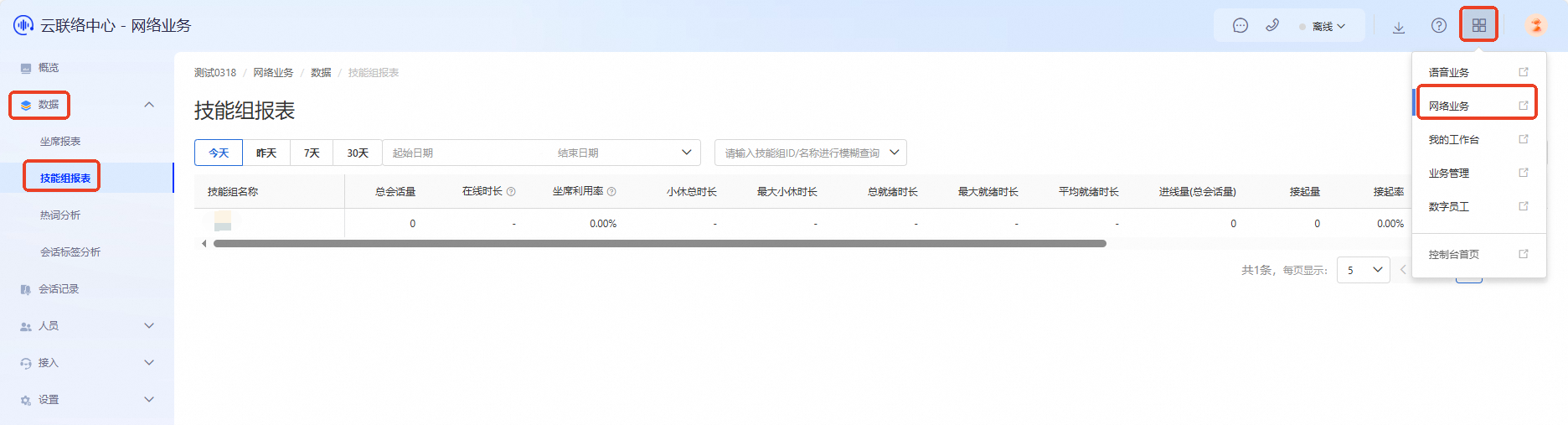
Click the menu button in the upper-right corner of the page and select Online Business to open the Online Business console. In the left navigation pane, choose Data > Skill Group Report.
Filters
Use the following filters for the skill group report:
Time: Select a time range such as Today, Yesterday, Last 7 Days, or Last 30 Days.
Start and end dates: If you select a custom date range, specify the exact start and end dates.
Skill group: To view data for a specific skill group, select it from the list.
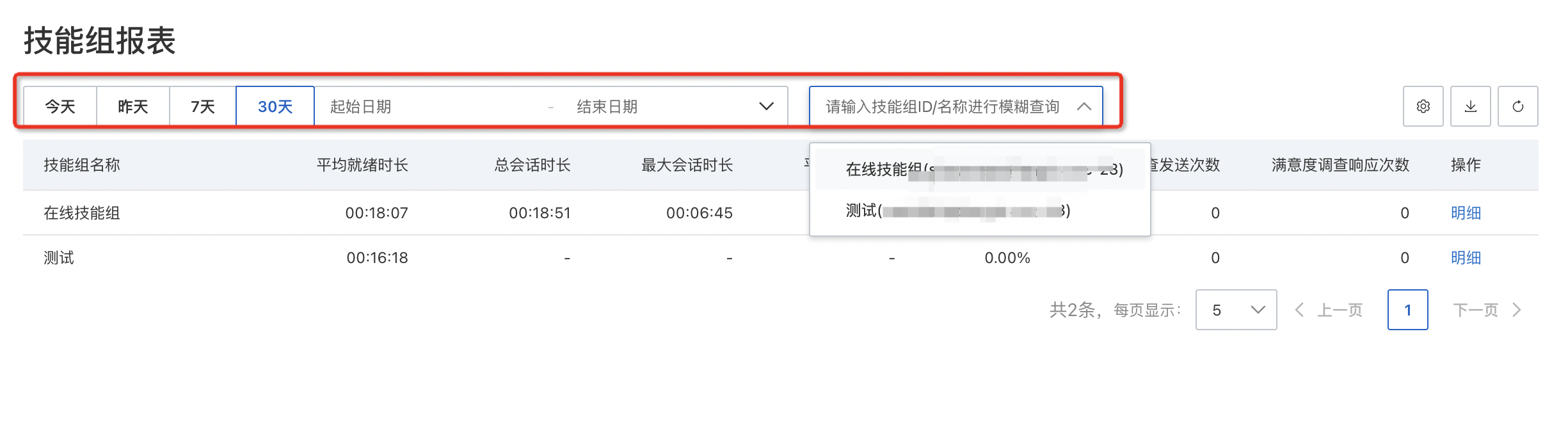
Table Header Settings
When setting up the table header for the skill group report, check the fields you want to display. You can customize which fields appear in the report.
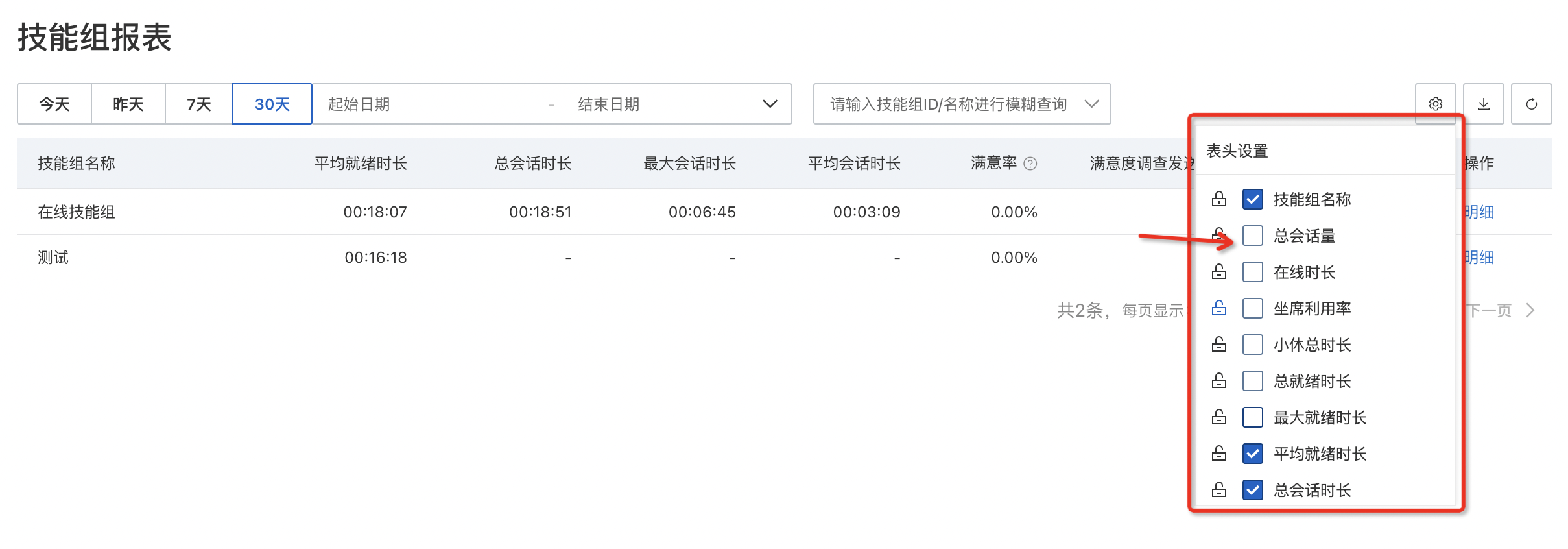
Basic Data Table
Field | Description |
Skill Group Name | Record the ranking of each skill group. |
Total Sessions | Records the total number of sessions handled by all agents in each skill group. |
Online Duration | Records the total time all agents in the skill group were online. This includes session handling time plus idle time, but excludes break time. |
Agent Utilization | Calculates the ratio of total session duration to total logon duration for all agents in each skill group. |
Total Break Duration | Calculates the total time all agents in the skill group spent on breaks in the system. |
Maximum Break Duration | Records the longest single break duration among all agents in the skill group. |
Total Ready Duration | Records the total time all agents in the skill group were in the ready state in the system. |
Maximum Ready Duration | Records the longest single ready duration among all agents in the skill group. |
Inbound Volume (Total Sessions) | Counts the total number of sessions received by all agents in the skill group. |
Answered Volume | Counts the total number of sessions answered by all agents in the skill group. |
Answer Rate | Calculates the ratio of answered sessions to inbound sessions for all agents in the skill group. |
Total Session Duration | Calculates the total time all agents in the skill group spent handling sessions. |
Maximum Session Duration | Records the longest session duration among all sessions handled by agents in the skill group. |
Average Session Duration | Calculates the average duration of sessions handled by all agents in the skill group. |
Satisfied Count | Records the number of positive responses received after satisfaction surveys were sent by all agents in the skill group. |
Satisfaction Rate | Records the ratio of satisfied responses to total satisfaction survey responses collected from all agents in the skill group. |
Satisfaction Survey Sent Count | Records the number of satisfaction surveys sent by all agents in the skill group. |
Satisfaction Survey Response Count | Records the number of responses received after satisfaction surveys were sent by all agents in the skill group. |
Operation | Displays actionable items in the operation column, such as View Details. |
Download Reports
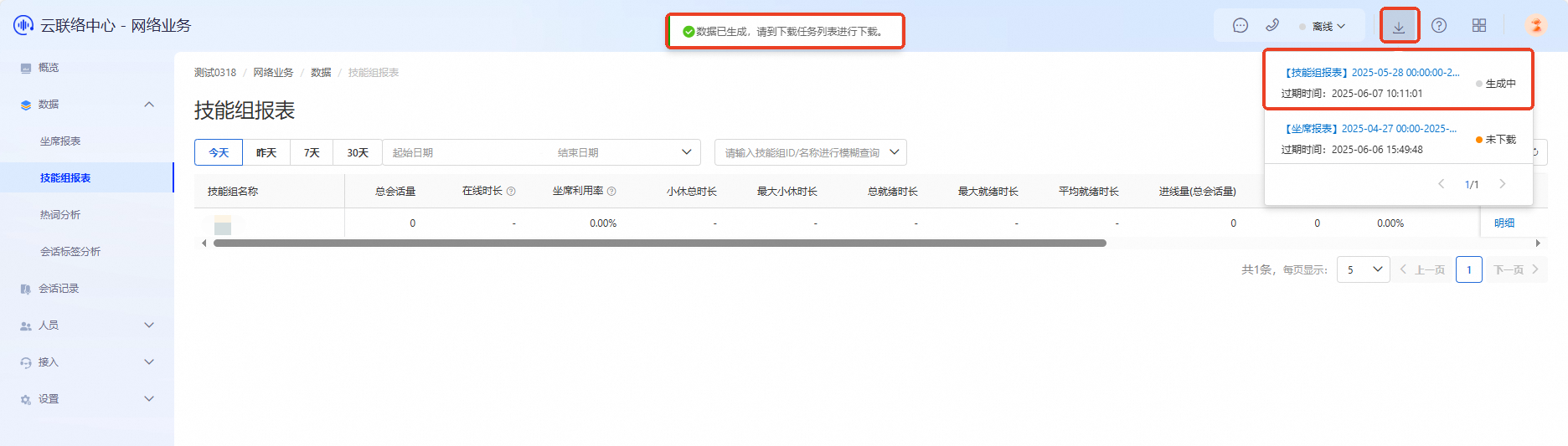
In the skill group report interface, click the Download button in the upper-right corner.
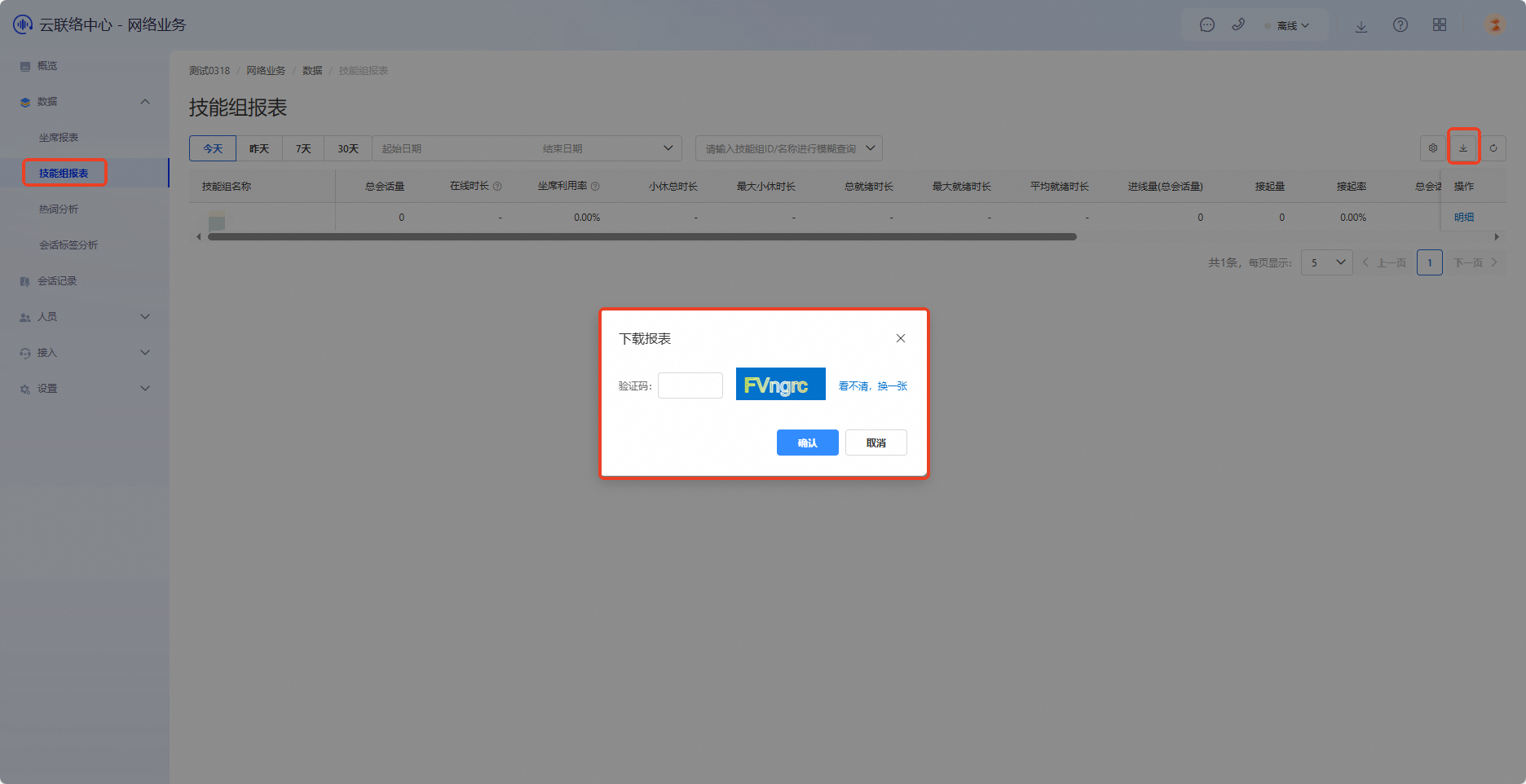
Enter the CAPTCHA and click Confirm. A confirmation message appears.
Click the Download button at the top of the page, locate the file in the download list, and click it again to save the report locally.