Outbound call control enables you to manage outbound call lists at the instance level. This topic describes how to configure a blacklist for outbound numbers.
Custom Blacklist
The system supports custom outbound call blacklists. Calls to numbers on the blacklist are blocked.
Log on to the Cloud Contact Center console. In the left navigation pane, choose Instance Management - V2 and click the endpoint of a specific instance to go to its console.
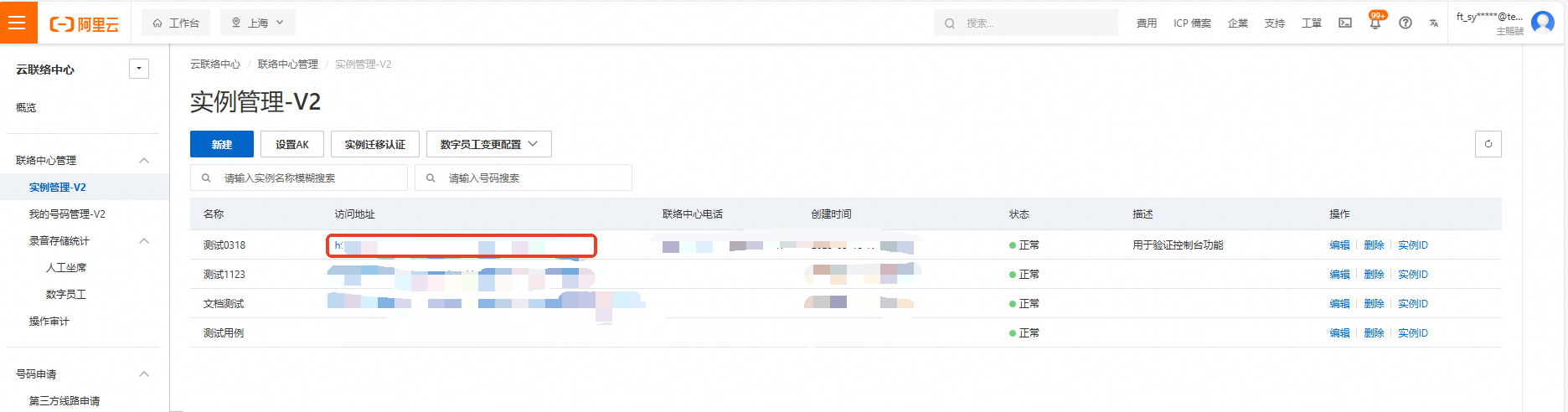
Click the menu button in the upper-right corner of the page and choose Voice Services to go to the Voice Services console. In the left navigation pane, choose Settings.
On the Settings page, select the Outbound Call Control tab.
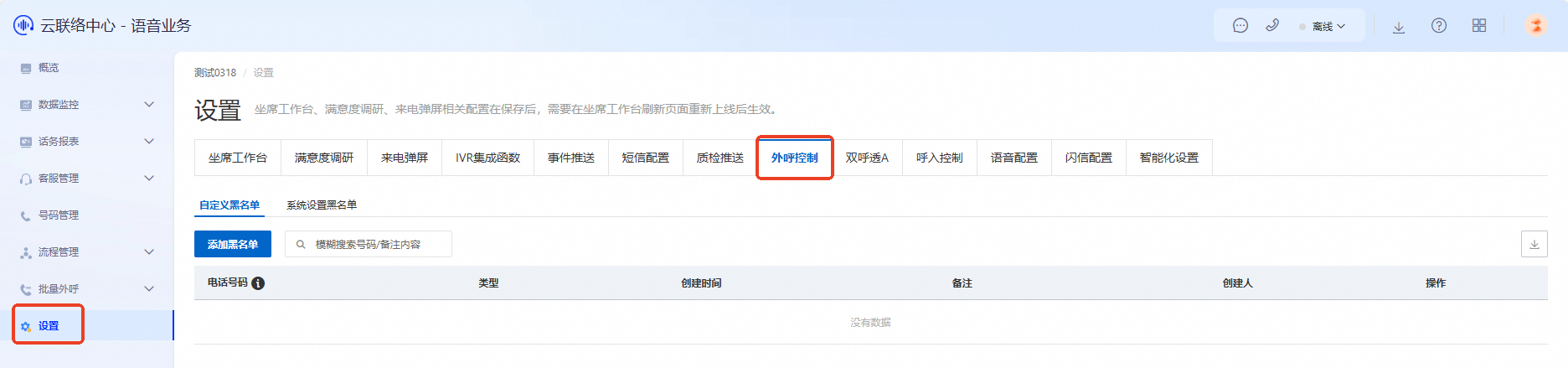
Select the Custom Blacklist tab and click Add Blacklist. You can add numbers manually or by batch upload.
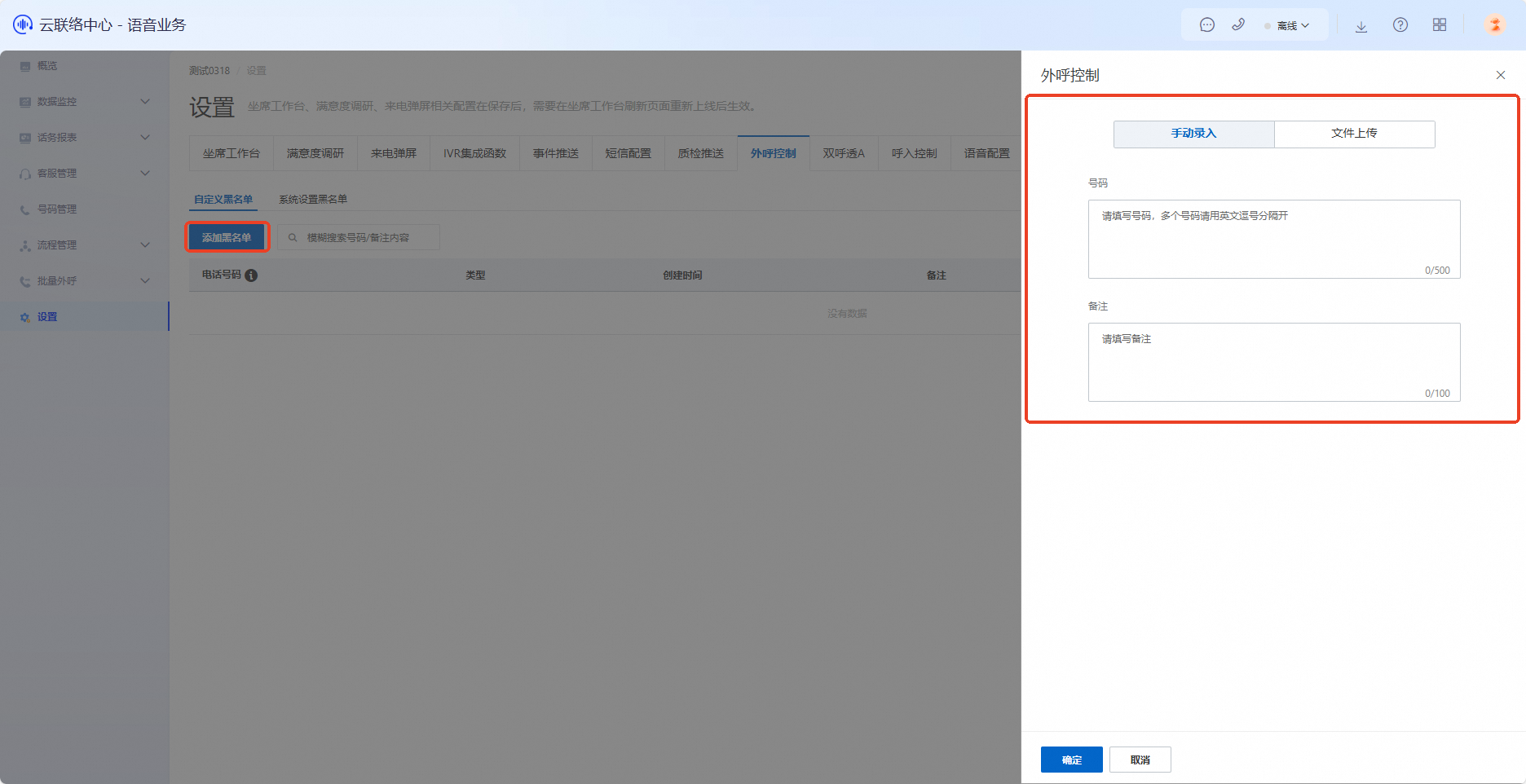
Manual entry
Separate multiple numbers with commas.
Enter numbers exactly as they appear when dialed, including any prefix.
After removing a number from the blacklist, wait two minutes before calling it.
File upload
Download the template first and fill it out according to the instructions.
Only .xls and .xlsx file formats are supported.
System Blacklist
The system blacklist is automatically managed by the system. You cannot create or modify entries manually.
