Digital Employees support integration with third-party Voice Service providers. This document explains how to configure the required authentication information.
Function Overview
The third-party voice configuration feature is available in Digital Employees system administration. After configuration, you can use the corresponding voice service in voice settings for Digital Employee scenarios.
Access the feature
Select Digital Employees to open the Digital Employees console. In the navigation pane on the left, choose Digital Employees > System Administration.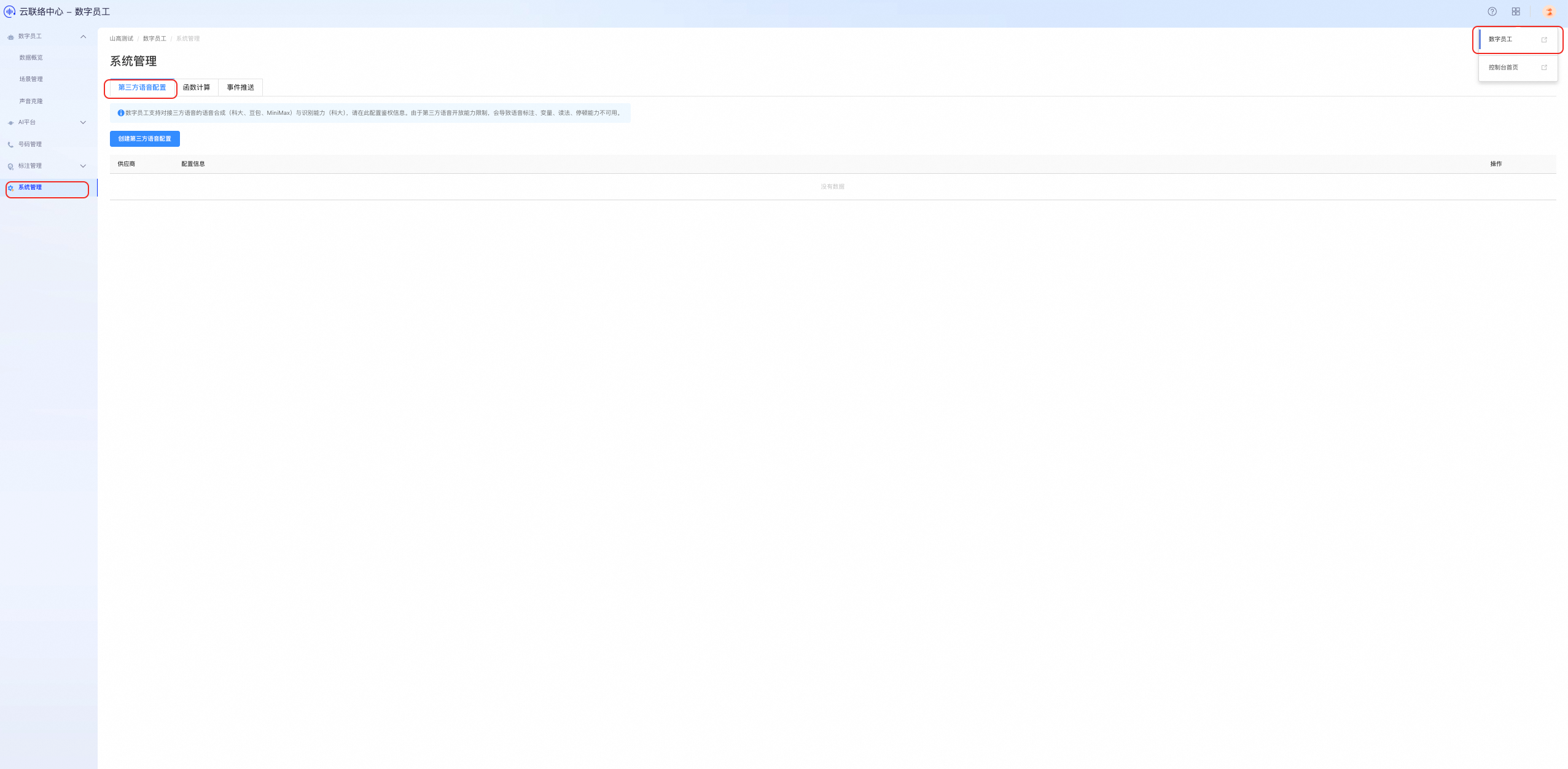
Instructions
Create a third-party voice configuration
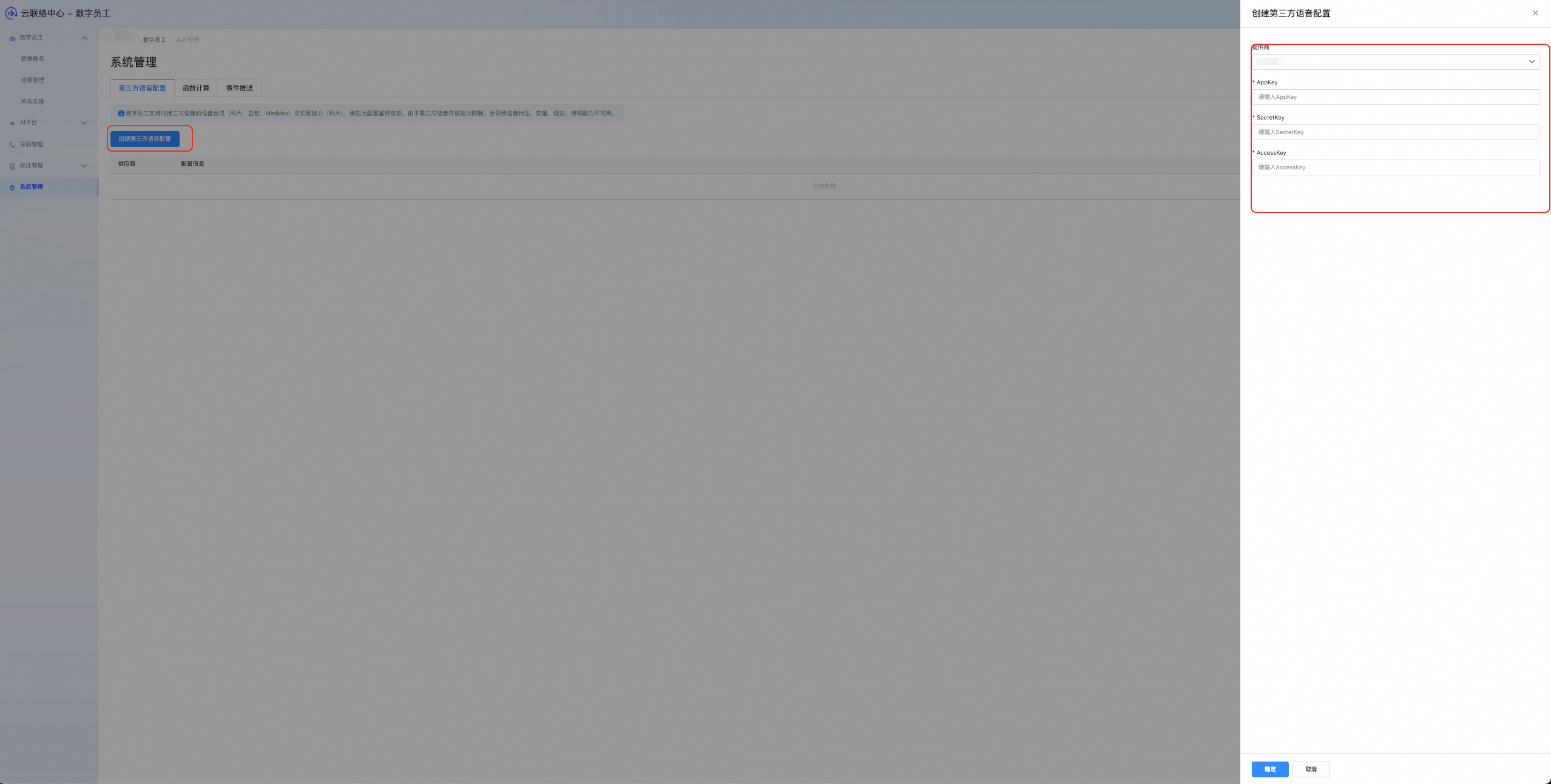
Click the Create third-party voice configuration button. Select a voice provider and enter the required authentication details, such as AppKey and SecretKey.
Delete a third-party voice configuration
To remove an unused third-party voice configuration, click the Delete button. Note: After deletion, the voice service will no longer be available.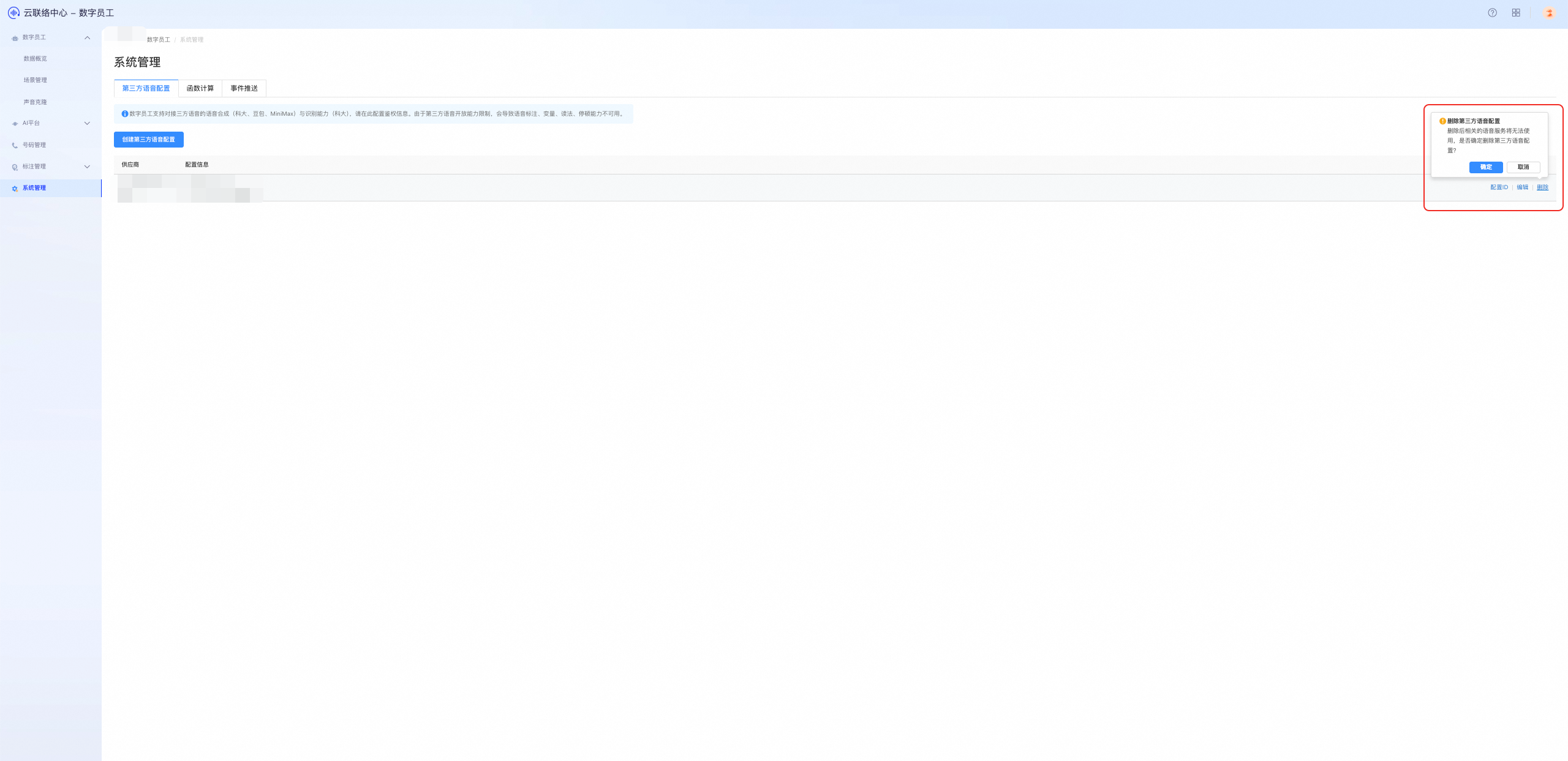
Use a third-party voice service
After configuration, you can use the voice service in the Voice Configuration section when setting up Digital Employee scenarios. For more information, see TTS configuration in scenario management.