Background information
This tutorial describes how to migrate data from Google Cloud Storage to Alibaba Cloud Object Storage Service (OSS).
In addition to the method described in this tutorial, you can also migrate data from Google Cloud Storage to Alibaba Cloud OSS over an Express Connect circuit. For more information, see Overview
Overview
Data Online Migration is a data channel between different storage services of Alibaba Cloud. You can use Data Online Migration to migrate data from third-party data stores to OSS or between OSS buckets.
To use Data Online Migration, you need to specify information about the source data address and destination OSS address in the console, and then create a migration task. After the migration task starts, you can manage the task in the console. For example, view the progress and traffic information of the task.
Flowcharts
Migration workflow
The following figure shows the migration process.
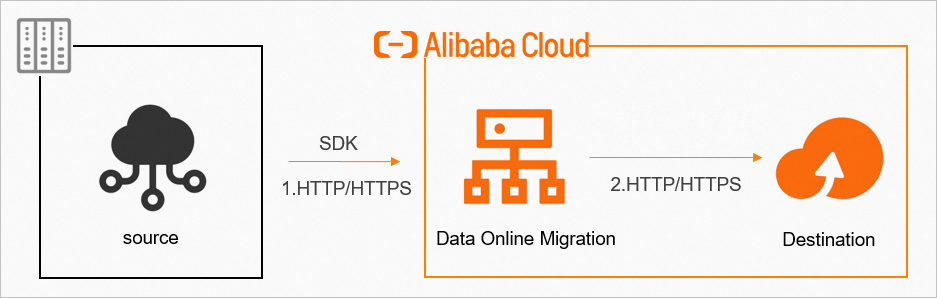
To ensure data security and consistency, use HTTPS.
After the migration task is complete, you must verify the data consistency between the source and the destination.
For more information, see the Data Transport Terms of Service.
You must verify the migrated data at the destination after the migration task is complete. If you delete the source data before you verify that the migrated data at the destination is correct, you are responsible for any resulting data loss.
Process of creating a migration task
The following figure shows how to create a migration task: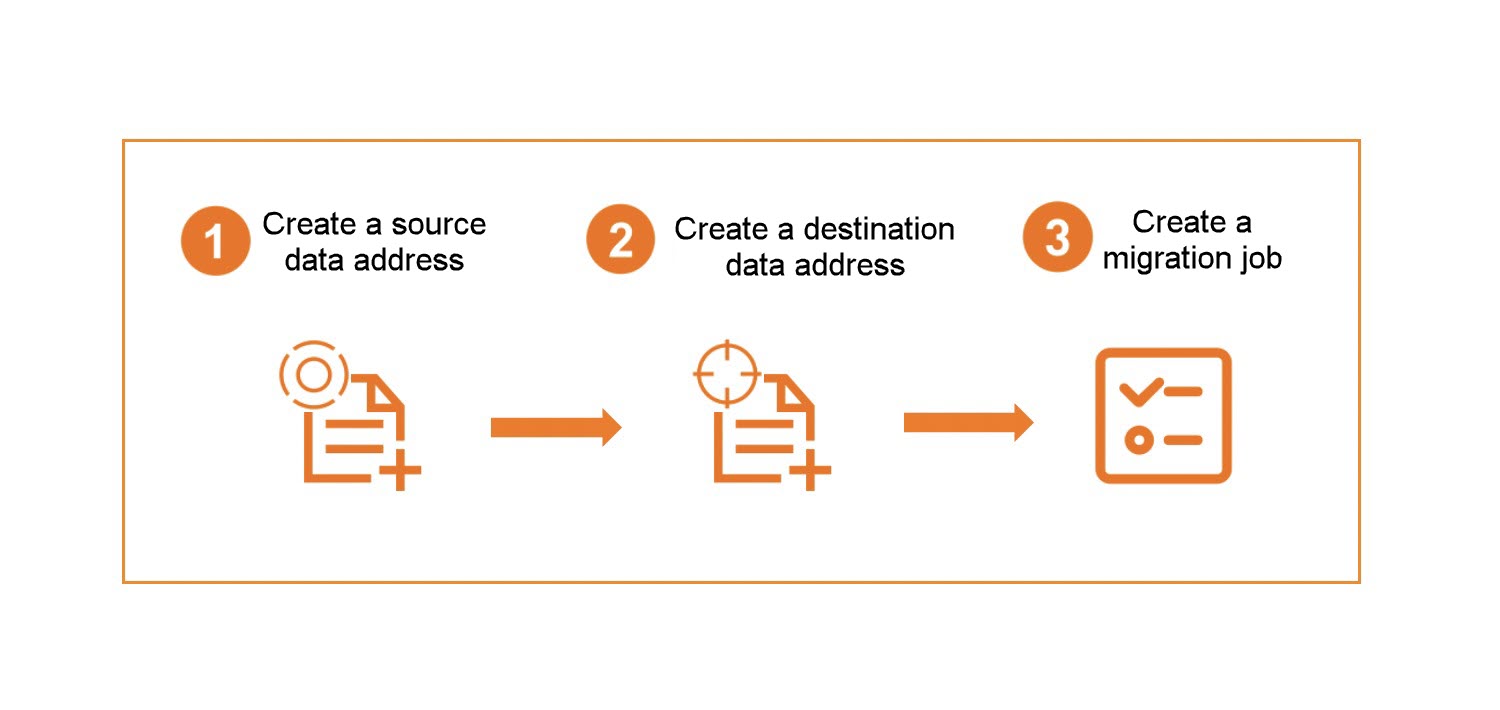
Data is read from the source data address during a migration task. In this case, you are charged for outbound Internet traffic by the storage service provider of the source data address.
References
This tutorial contains the following topics: