You can use different folders to manage different types of synchronization tasks. This topic describes how to create a folder that you can use to store synchronization tasks and the operations that you can perform on the created folders.
Procedure
- Log on to the Dataphin console.
- In the Dataphin console, select the region in which your project resides and click Enter Dataphin.
- On the Dataphin homepage, click R&D in the top navigation bar.
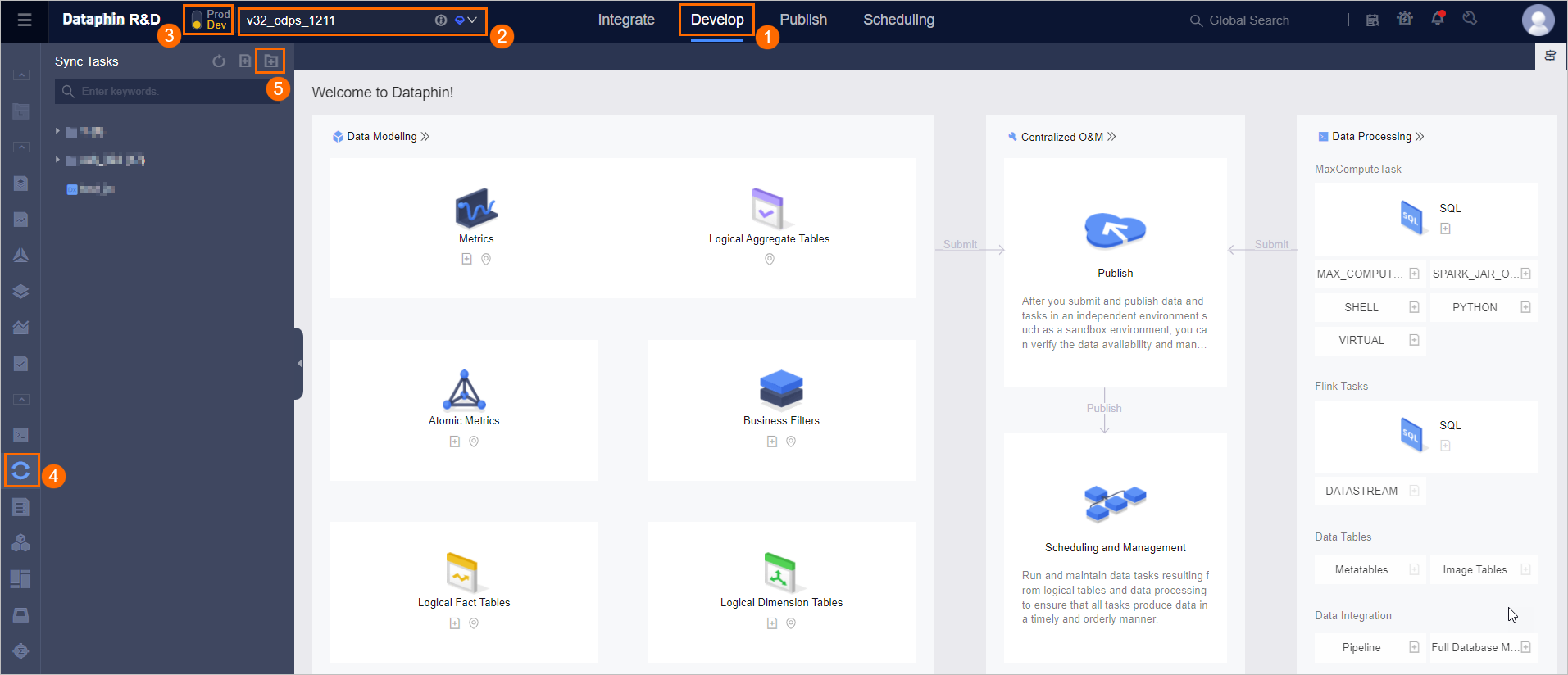
- On the Develop page, follow the instructions shown in the following figure to open the Create Folder dialog box.
- In the Create Folder dialog box, set the Name parameter and select a directory in which you want to create the folder.
- Click OK.
该文章对您有帮助吗?